
Building a professional website is no longer limited to developers or agencies. With the right approach, anyone can create a polished, functional, and scalable website from the ground up. This guide dives into the second phase of website creation—focusing on development, optimization, and launch strategies that ensure your site stands out in performance, accessibility, and user experience.
1. Choose the Right Tech Stack
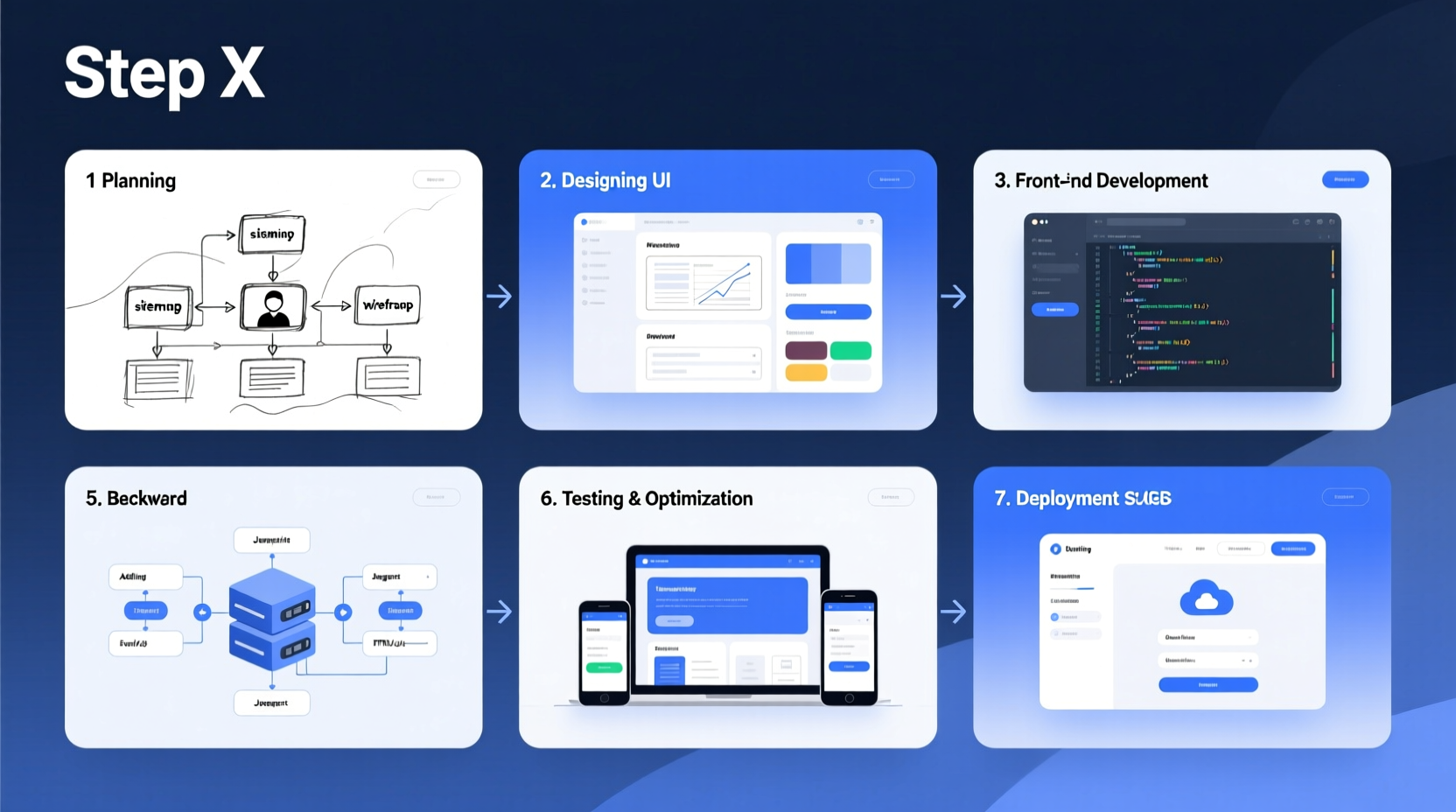
Selecting appropriate technologies determines how maintainable, fast, and scalable your website will be. While beginners might lean toward drag-and-drop builders, a custom-coded site offers greater control over speed, SEO, and long-term flexibility.
For a modern, professional website, consider this stack:
- Frontend: HTML5, CSS3 (with Sass), JavaScript (ES6+)
- Framework (optional): React.js or Vue.js for dynamic interfaces
- Backend: Node.js, PHP (Laravel), or Python (Django) depending on functionality needs
- Database: MySQL, PostgreSQL, or MongoDB
- Hosting: Vercel (static), Netlify, or AWS for full-stack applications
When to Use a CMS vs. Custom Code
If your site requires frequent content updates (e.g., blogs, news), a CMS like WordPress or Strapi may save time. For unique designs, performance-critical apps, or branding-heavy sites, custom code gives full creative freedom.
| Use Case | Recommended Approach | Why |
|---|---|---|
| Portfolio or landing page | Static HTML + CSS + JS | Fast loading, minimal maintenance |
| Blog or content site | WordPress or headless CMS | Ease of publishing, built-in SEO tools |
| SaaS platform or web app | React + Node.js + Database | Real-time features, user accounts, scalability |
| E-commerce store | Shopify (quick) or custom with Stripe integration | Security, payment processing, inventory management |
2. Develop a Responsive Layout
A professional website must work flawlessly across devices. Over 60% of web traffic comes from mobile devices, making responsive design non-negotiable.
Start with a mobile-first approach: design for small screens first, then enhance for tablets and desktops. Use CSS Flexbox and Grid for flexible, adaptive layouts.
- Set the viewport meta tag:
<meta name=\"viewport\" content=\"width=device-width, initial-scale=1\"> - Use relative units (em, rem, %) instead of pixels for font sizes and spacing
- Apply media queries to adjust layout at breakpoints (e.g., 768px, 1024px)
- Test navigation usability on touchscreens
- Ensure buttons and links are at least 44x44px for easy tapping
Typography and Readability
Choose fonts that reflect your brand but prioritize readability. Sans-serif fonts like Inter, Open Sans, or Roboto perform well on screens. Maintain a line height of 1.5–1.6 and max-width of 70 characters per line for optimal reading.
“Good typography doesn’t draw attention to itself—it guides the user effortlessly through the content.” — Laura Franz, Typography Expert
3. Optimize Performance and Core Web Vitals
Google uses Core Web Vitals—Loading (LCP), Interactivity (FID), and Visual Stability (CLS)—as ranking factors. A slow or janky site drives users away and hurts SEO.
Key Optimization Steps
- Minify CSS, JavaScript, and HTML files
- Compress images using WebP format and lazy loading
- Defer non-critical JavaScript
- Leverage browser caching via cache-control headers
- Use a Content Delivery Network (CDN) like Cloudflare
Run your site through Google PageSpeed Insights or Lighthouse to identify bottlenecks. Aim for scores above 90 on both mobile and desktop.
<link rel=\"preload\"> to improve loading speed.
4. Implement Essential Features and Functionality
A professional website isn’t just about looks—it must function reliably. Here’s a checklist of core components to integrate before launch:
Website Launch Checklist
- SSL certificate installed (HTTPS enabled)
- Custom domain connected
- Robots.txt and sitemap.xml generated
- Analytics (Google Analytics or Plausible) added
- Contact form with backend validation
- Unique title tags and meta descriptions per page
- Header hierarchy (H1 to H6) properly structured
- Image alt attributes filled for accessibility
- Internal linking between relevant pages
- Clear navigation menu
- Search bar (if content-rich)
- Accessibility features (keyboard navigation, ARIA labels)
- Privacy policy and cookie consent banner
5. Deploy and Monitor Your Website
Once development and testing are complete, it’s time to go live. Deployment should be smooth, secure, and monitored.
Step-by-Step Deployment Timeline
- Day 1–2: Finalize all content and test locally
- Day 3: Push code to GitHub or GitLab repository
- Day 4: Connect repository to hosting platform (e.g., Vercel, Netlify)
- Day 5: Set up DNS records to point domain to hosting provider
- Day 6: Run final tests on live URL (check forms, links, mobile view)
- Day 7: Announce launch via email or social media
After launch, monitor performance weekly. Track bounce rate, session duration, and conversion goals. Use tools like UptimeRobot to receive alerts if your site goes down.
Mini Case Study: Launching a Freelance Designer’s Portfolio
Jessica, a freelance UI/UX designer, wanted a fast-loading, visually striking portfolio. She used HTML, CSS, and minimal JavaScript to build a lightweight site showcasing her projects. She hosted it on Netlify for free, connected her domain, and added a contact form with Formspree. Within two weeks of launch, she received three client inquiries directly from the site. Her Lighthouse score averaged 95+, contributing to strong organic visibility.
FAQ
Do I need to know coding to build a professional website?
You don’t have to, but knowing HTML, CSS, and basic JavaScript gives you far more control over design, performance, and customization. No-code tools like Webflow or Squarespace are viable alternatives but often limit scalability and SEO fine-tuning.
How much does it cost to launch a professional website?
Costs vary. A basic site can cost under $100/year: $10–15 for a domain, $0–50 for hosting, and optional tools (e.g., email service). Premium themes, plugins, or developer help may increase costs, but many high-quality open-source options exist.
How long does it take to build a website from scratch?
A simple 5-page site takes 2–4 weeks part-time. Complex sites with databases, user logins, or e-commerce can take 2–3 months. Planning, content creation, and revisions account for most of the timeline.
Final Thoughts
Creating a professional website from scratch is a powerful way to establish credibility, attract clients, and grow your digital presence. By focusing on clean code, responsive design, performance, and user experience, you lay a foundation that scales with your goals. The process is iterative—launch, gather feedback, and refine.
“A website is the digital handshake of your brand. Make it count.” — Brian Dean, SEO Specialist




 浙公网安备
33010002000092号
浙公网安备
33010002000092号 浙B2-20120091-4
Comments
No comments yet. Why don't you start the discussion?