
WeChat has become one of the most essential communication platforms in China and among Chinese-speaking communities worldwide. More than just a messaging app, it integrates social media, mobile payments, mini-programs, and even official services into a single interface. Whether you're traveling to China, conducting business, or staying in touch with loved ones, setting up WeChat is a smart move. The good news: installing and configuring it on your smartphone is straightforward if you know the right steps.
Why WeChat Matters Beyond Messaging
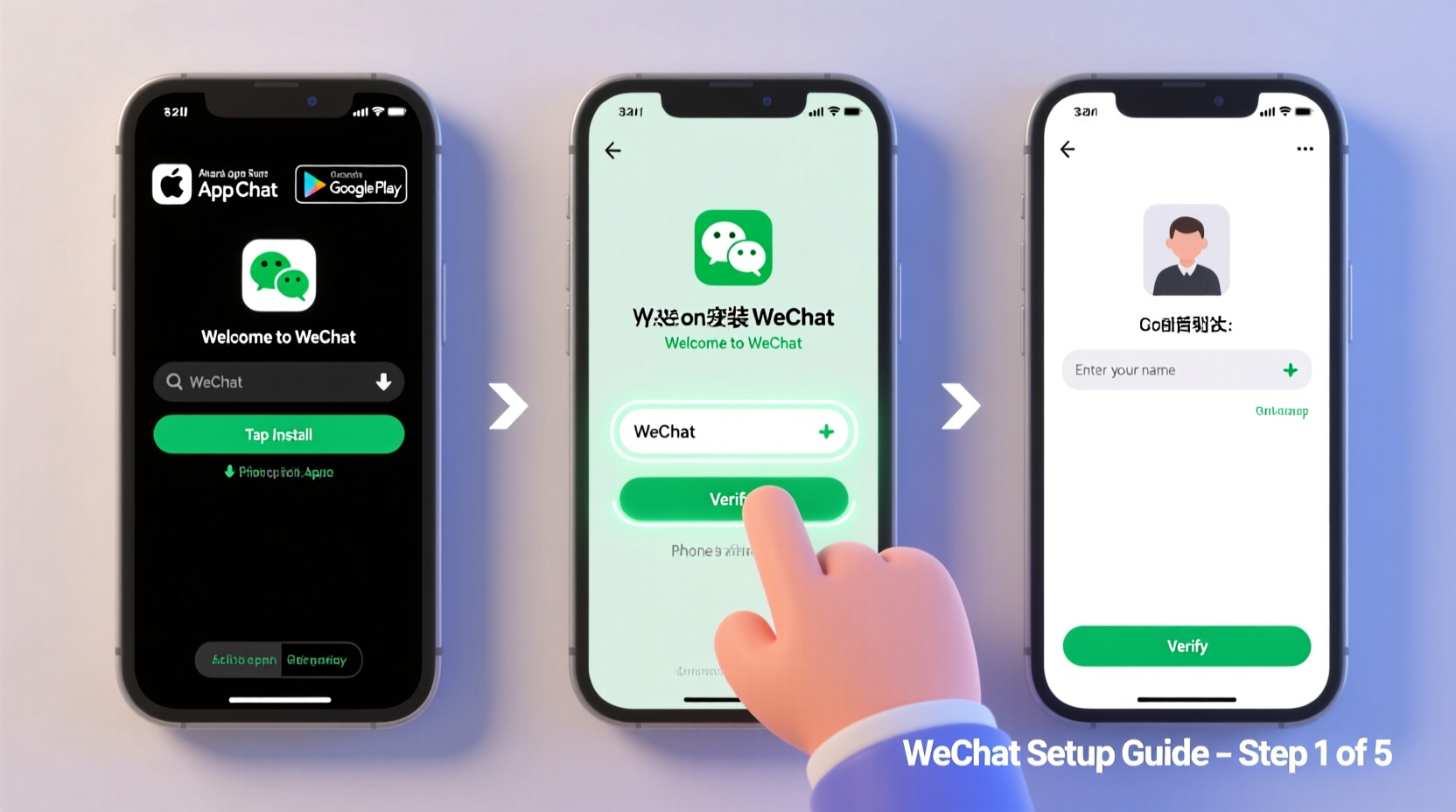
Unlike typical chat apps, WeChat functions as a digital lifestyle hub. It allows users to send messages, make voice and video calls, share moments (similar to Facebook posts), pay bills, order food, book appointments, and even access government services—all within one application. For travelers visiting China, not having WeChat can be a major inconvenience, as many vendors, taxis, and public services rely exclusively on its payment system, WeChat Pay.
“WeChat isn’t just an app—it’s a digital identity for over a billion users in China.” — Li Wei, Digital Economy Analyst at Peking University
This guide walks through the entire process of downloading, installing, registering, and customizing WeChat on your mobile device—whether you’re using iOS or Android.
Step-by-Step Guide to Installing WeChat
The first step is getting the official WeChat app onto your phone. Follow these clear instructions based on your operating system.
- Open Your App Store: On iPhone, launch the App Store. On Android, open Google Play Store or another trusted marketplace like Huawei AppGallery if you're outside Google-supported regions.
- Search for “WeChat”: Type “WeChat” into the search bar. Make sure the developer listed is “Tencent Technology (Shenzhen) Company Limited” to avoid fake versions.
- Download and Install: Tap “Get” or “Install.” Wait for the download to complete. The app size is approximately 300–500MB depending on your device.
- Launch the App: Once installed, tap the green speech bubble icon with two white lines to open WeChat.
Creating Your WeChat Account
Setting up an account requires a valid phone number capable of receiving SMS verification codes. While traditionally tied to Chinese numbers, international numbers are now supported—but with some limitations.
- Select Sign Up: When you open WeChat for the first time, choose “Sign Up” on the welcome screen.
- Choose Your Country/Region: Scroll or use the search function to select your country. This ensures the correct country code is applied.
- Enter Your Phone Number: Input your mobile number without any leading zeros or special characters. Example: For the US, enter 1234567890 (not +1 123-456-7890).
- Verify via SMS: WeChat will send a six-digit code to your phone. Enter it when prompted. If you don’t receive it within two minutes, tap “Resend Code.”
- Create a Password: Choose a strong password (at least 8 characters with letters and numbers). You’ll need this to log in from other devices.
- Set Your Nickname and Avatar: After verification, you’ll be asked to pick a nickname and upload a profile picture. These appear to your contacts.
Note: Unlike Western apps, WeChat does not require an email address during registration, though you can add one later under Settings > Account Security for recovery purposes.
Essential Setup Tips After Installation
Now that your account is active, optimize your experience with these foundational settings.
- Add Friends: Tap the “Contacts” tab, then “Add Contacts.” You can scan QR codes, enter usernames, or sync your phone contacts (if permitted).
- Enable Notifications: Go to Me > Settings > Notifications to ensure message alerts, sounds, and vibrations are turned on.
- Adjust Privacy Settings: Under Settings > Privacy, control who sees your Moments, can add you via search, or view your online status.
- Link a Secondary Email (Optional): In Account Security, adding an email helps recover your account if you lose your phone.
- Turn On Two-Factor Authentication: Enable “Account Protection” to require additional verification when logging in from new devices.
| Feature | Recommended Setting | Purpose |
|---|---|---|
| Moments Visibility | Friends Only | Limit exposure of personal updates |
| Add by Phone Contact | Off (unless desired) | Prevent strangers from finding you automatically |
| Login Alerts | On | Receive notifications when logged in from new devices |
| Message Preview | Hide Content | Protect privacy on locked screen |
Real-World Example: Traveler Successfully Sets Up WeChat Abroad
Sophie, a Canadian traveler preparing for a month-long trip to Beijing, needed WeChat to communicate with her host family and navigate daily transactions. She used her Canadian phone number (+1) to register successfully after selecting “Canada” in the country list. Initially, she struggled with the SMS delay due to network routing but received the code after four minutes. Once registered, she added her host’s WeChat ID via QR code shared over email. Within hours, she was sending messages, joining group chats, and even paying for subway rides using a linked prepaid card through the international version of WeChat Pay. Her preparation saved her significant time upon arrival.
Common Challenges and How to Solve Them
Despite its simplicity, users sometimes face hurdles during setup. Here’s how to handle them:
- SMS Code Not Received: Check signal strength and wait up to 5 minutes. Try switching between Wi-Fi and cellular data. If still unsuccessful, consider using a local SIM temporarily.
- “This Account Has Been Registered” Error: This usually means the number was previously used. Tap “Log In” instead of “Sign Up” to recover access.
- App Crashes on Launch: Clear cache (Android) or reinstall (iOS). Ensure your OS is updated to the latest version.
- Language Display Issues: Change language under Me > Settings > General > Language. English is fully supported.
Frequently Asked Questions
Can I use WeChat without a Chinese phone number?
Yes. WeChat supports international numbers from over 200 countries. However, full access to WeChat Pay may require a Chinese bank account or verified foreign card, which varies by region.
Is WeChat safe to use outside China?
WeChat complies with local data regulations in most countries. However, note that content sent to accounts registered in China may be subject to monitoring per Chinese internet laws. For private conversations, consider end-to-end encrypted alternatives for sensitive topics.
What should I do if I lose my phone?
Immediately log in from another device using your credentials. If unable, contact WeChat support through the login screen with proof of identity. Having a linked email speeds up recovery.
Final Checklist Before Going Live
- ✅ Downloaded official WeChat app
- Confirmed source and developer
- ✅ Verified phone number with SMS code
- Completed registration successfully
- ✅ Set strong password and enabled protection
- Added extra layer of security
- ✅ Customized privacy and notification settings
- Tailored experience to personal preferences
- ✅ Added at least one contact
- Tested messaging functionality
Conclusion: Start Connecting Today
Installing and setting up WeChat doesn’t have to be complicated. With a working phone number and a few minutes of your time, you can unlock a powerful tool for communication, commerce, and cultural connection. Whether you're reconnecting with family, expanding your business network, or exploring a new country, WeChat opens doors that few other apps can match. Take the steps outlined here, follow the best practices, and begin building meaningful connections—right from your cell phone.




 浙公网安备
33010002000092号
浙公网安备
33010002000092号 浙B2-20120091-4
Comments
No comments yet. Why don't you start the discussion?