
A Google Account is your gateway to one of the most powerful digital ecosystems in the world. From email and cloud storage to smart home integration and productivity tools, having a Google Account opens doors to services that simplify communication, organization, and creativity. Whether you're setting up your first account or helping someone else get started, this guide walks you through every essential step—securely and efficiently.
Why You Need a Google Account
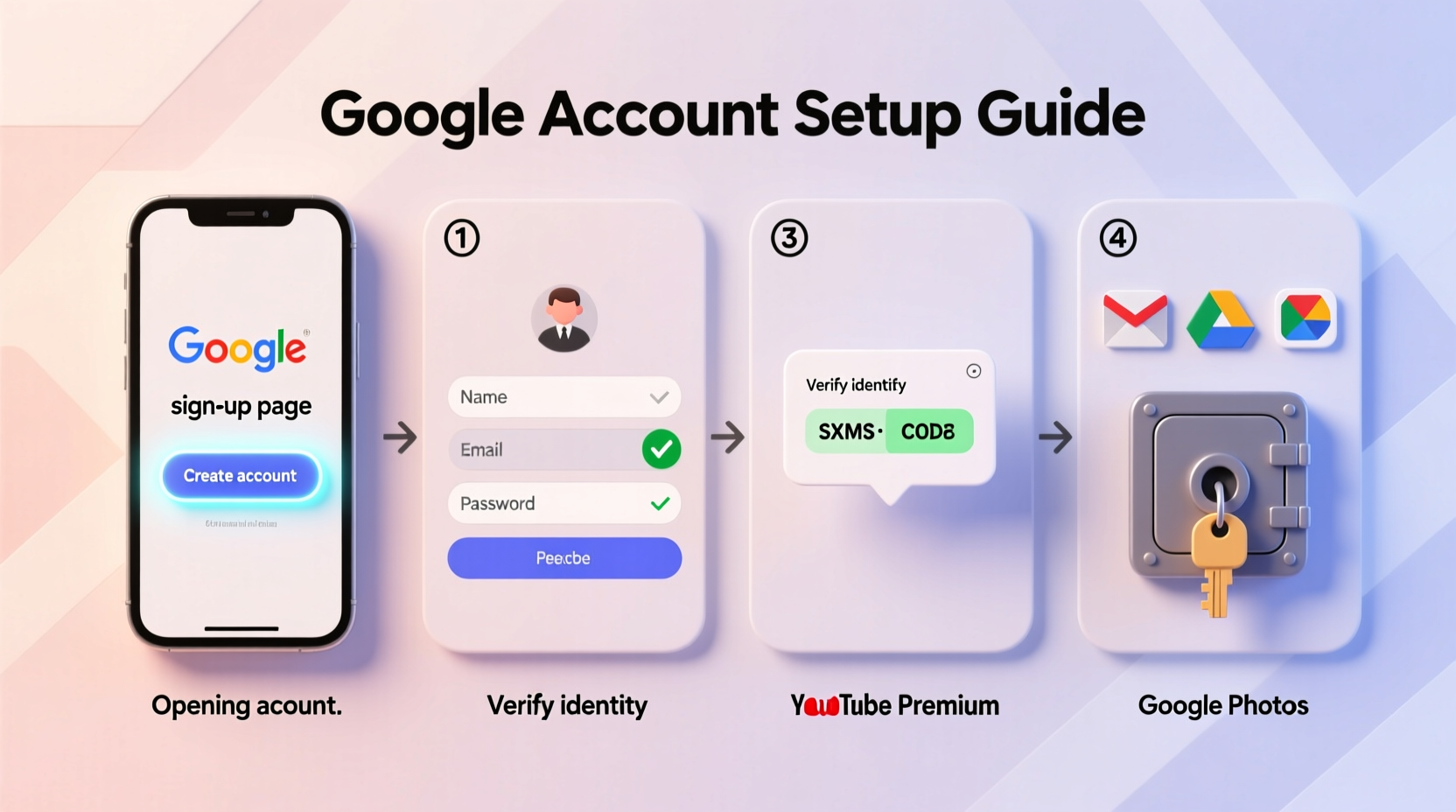
A Google Account isn’t just for Gmail. It gives you access to over 50 integrated services including Google Drive, Docs, Calendar, YouTube, Google Maps, Chrome sync, Android device management, and Google Photos. With a single login, you can store files in the cloud, collaborate on documents in real time, manage your schedule, and even control smart home devices via Google Assistant.
For students, professionals, and families, a Google Account streamlines daily tasks. Teachers use Google Classroom to assign work; freelancers rely on Google Sheets for invoicing; parents share photo albums with relatives across the globe. The ecosystem grows more valuable the more you use it.
“Having a Google Account today is like having a digital Swiss Army knife—it adapts to nearly every online need.” — Lena Patel, Digital Literacy Consultant
Step-by-Step Guide to Creating a Google Account
Setting up a Google Account takes less than five minutes. Follow these steps carefully to ensure your account is secure from day one.
- Go to the Google Account creation page: Open your browser and visit accounts.google.com/signup.
- Enter your name: Provide your first and last name. This will appear in emails and shared documents.
- Choose a username (your Gmail address): Type your desired email (e.g., john.doe@gmail.com). If it’s taken, Google will suggest alternatives.
- Create a strong password: Use at least 8 characters with a mix of uppercase, lowercase, numbers, and symbols. Avoid common words or personal info.
- Confirm your birth date and gender: This helps personalize services and comply with age restrictions.
- Add a recovery phone number or email: Critical for regaining access if you’re locked out.
- Review privacy settings: Google may prompt you to choose data-sharing preferences. Adjust based on your comfort level.
- Agree to the Terms of Service and Privacy Policy: Click “I agree” to finalize setup.
Within seconds, your account is active. You’ll be redirected to your Gmail inbox or Google homepage, ready to explore.
Unlocking Key Google Features After Setup
Your new Google Account unlocks a suite of tools designed to boost productivity and connectivity. Here’s how to activate and start using them effectively.
Gmail – Your Smart Inbox
After signing in, Gmail automatically organizes messages into Primary, Social, and Promotions tabs. Use labels, filters, and snooze to manage workflow. Enable two-factor authentication under Settings > Security for added protection.
Google Drive – Cloud Storage That Scales
Visit drive.google.com to access 15 GB of free storage shared across Drive, Gmail, and Photos. Upload files, create folders, and share links with edit or view permissions. Right-click any file to generate a shareable link or invite collaborators directly.
Google Calendar – Never Miss a Deadline
Sync appointments, set reminders, and create recurring events. Integrate with third-party apps like Zoom or Meet for video calls. Share calendars with family members or team leads to coordinate schedules seamlessly.
Google Photos – Organized Memories
All photos backed up to Google Photos are searchable by people, places, or objects (“dog,” “beach,” “birthday”). Even handwritten notes can be extracted via OCR. Free tier includes high-quality unlimited photo backups (compressed).
Google Assistant & Smart Home Integration
Link your account to Android phones, Google Nest devices, or Wear OS watches. Say “Hey Google” to set alarms, play music, or dim lights. Automate routines like “Good morning” to read news, weather, and calendar events aloud.
| Service | Key Benefit | Access URL |
|---|---|---|
| Gmail | Spam filtering, offline mode, smart replies | mail.google.com |
| Google Drive | Real-time collaboration on Docs, Sheets, Slides | drive.google.com |
| Google Calendar | Time zone support, goal tracking, meeting scheduling | calendar.google.com |
| Google Keep | Voice memos, checklist sharing, location-based reminders | keep.google.com |
| YouTube Studio | Monetization, analytics, comment moderation | studio.youtube.com |
Essential Security Practices for Long-Term Use
As your reliance on Google grows, so does the importance of protecting your account. Cyber threats like phishing and credential stuffing target active accounts daily.
- Enable two-factor authentication (2FA) using an authenticator app or physical security key.
- Regularly review \"Your Devices\" in your Google Account settings to log out unfamiliar sessions.
- Use Google’s Security Checkup tool (myaccount.google.com/security-checkup) quarterly.
- Turn on “Privacy Dashboard” to see what data Google collects and delete it if needed.
Mini Case Study: Maria Learns Digital Independence
Maria, a 67-year-old retiree, never used email before moving to a new city. Her daughter helped her create a Google Account using her smartphone. Within weeks, Maria was sending photos to grandchildren, organizing doctor appointments with Google Calendar, and attending virtual book club meetings via Google Meet. She now backs up her recipes to Google Docs and shares shopping lists with her neighbor using Google Keep. What started as a simple sign-up became a foundation for staying connected and independent.
Common Questions About Google Accounts
Can I have more than one Google Account?
Yes. Many people maintain separate accounts for personal, work, or school use. You can switch between them instantly in any Google app without logging out.
What happens if I forget my password?
Click “Forgot password” on the login screen. Google will guide you through recovery using your phone number, backup email, or security questions. If those fail, account recovery forms are available after waiting periods.
Is my data safe with Google?
Google encrypts data in transit and at rest. While no system is 100% immune to breaches, Google’s infrastructure is among the most secure globally. You retain ownership of your content and can download or delete it anytime via Takeout or My Activity.
Final Checklist Before You Begin
- Before Creating Your Account:
- ✅ Choose a strong, unique password
- ✅ Have a working phone or alternate email for recovery
- ✅ Decide whether to use a personal or professional name
- ✅ Understand privacy options during setup
- ✅ Plan to enable two-factor authentication immediately after signup
Start Using Your Google Account Today
Your Google Account is more than a login—it's a personalized digital command center. Once created, it evolves with your needs, adapting to everything from academic projects to family coordination. The initial setup is quick, but the long-term benefits are profound. Millions rely on Google tools daily because they work intuitively and integrate effortlessly across devices.
Take the first step now: visit accounts.google.com, follow the prompts, and claim your place in a connected digital life. Explore one feature at a time—master Gmail, then try Docs, then automate something with Google Assistant. Small actions compound into major gains in efficiency and peace of mind.




 浙公网安备
33010002000092号
浙公网安备
33010002000092号 浙B2-20120091-4
Comments
No comments yet. Why don't you start the discussion?