
Crafting a video that captures attention in seconds is no longer optional—it’s essential. Whether you're promoting a brand, sharing personal stories, or building an online presence, pairing visuals with the right music can transform a simple clip into something unforgettable. The good news? You don’t need expensive gear or years of editing experience to create compelling videos. With the right approach, anyone can produce professional-looking content that resonates emotionally and keeps viewers watching.
Choose Music That Matches Your Message
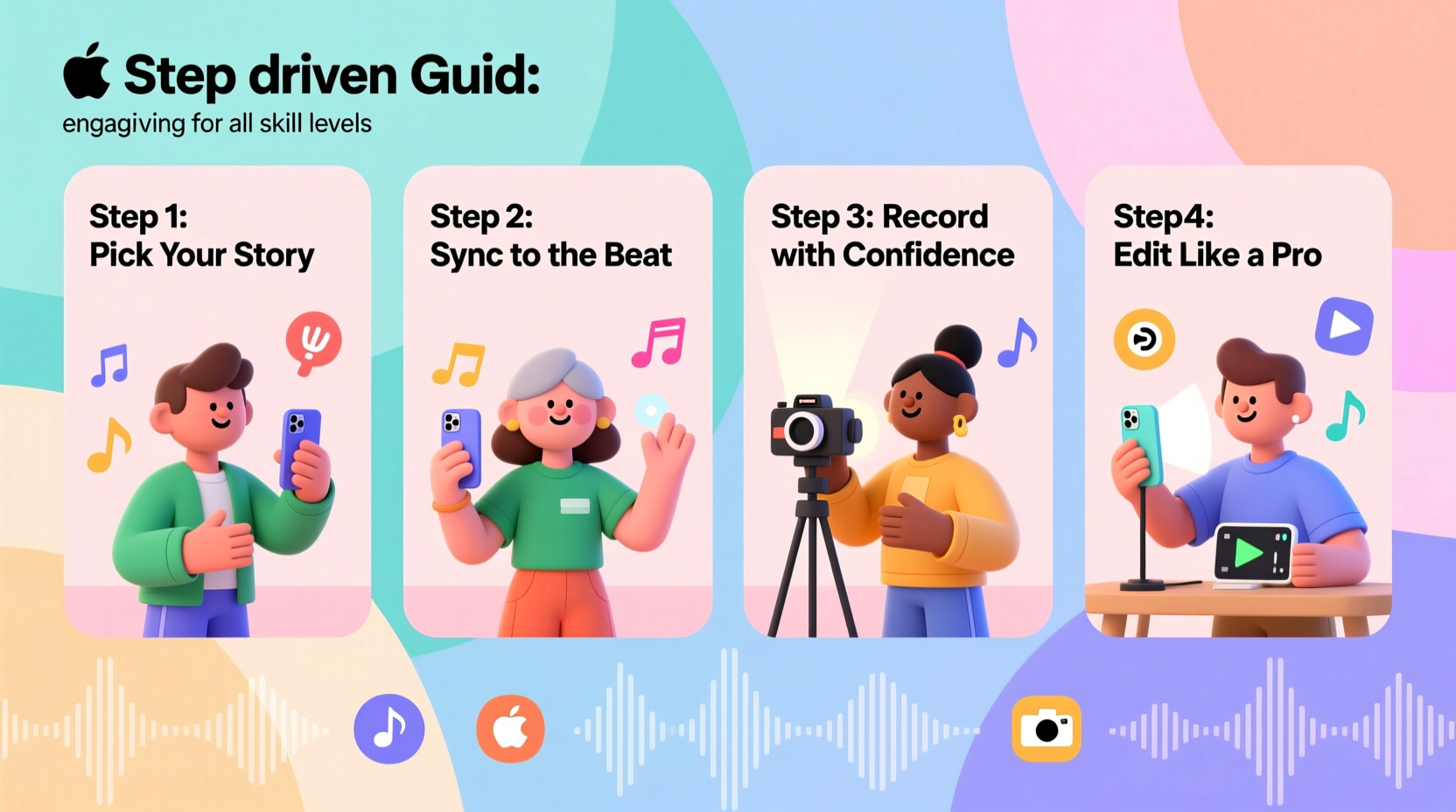
Music sets the emotional tone before a single word is spoken. A fast-paced track energizes; a soft melody evokes nostalgia. The key is alignment: your soundtrack should reflect the mood and intent of your video.
Consider these factors when selecting music:
- Pacing: Match tempo to action. Quick cuts work best with upbeat tracks; slow transitions pair well with ambient or instrumental music.
- Licensing: Always use royalty-free or properly licensed music. Platforms like Epidemic Sound, Artlist, and YouTube Audio Library offer legal, high-quality options.
- Genre: A corporate explainer benefits from subtle electronic tones, while a travel vlog thrives with world music or indie pop.
“Music isn’t just background noise—it’s narrative glue. It tells people how to feel about what they’re seeing.” — Lena Park, Video Storytelling Coach
Plan Your Video Structure Before Editing
Jumping straight into editing often leads to disjointed results. Instead, outline your video like a story: beginning, middle, end. This applies whether you’re making a 15-second TikTok or a five-minute YouTube short.
Use this simple framework:
- Hook (0–3 seconds): Start with movement, contrast, or text overlay synced to a musical beat.
- Build-up (3–10 seconds): Introduce context—what the video is about—while the music gains momentum.
- Climax (middle section): Deliver the core message or visual highlight on a musical downbeat or crescendo.
- Resolution (final 3–5 seconds): End with a call-to-action, logo, or emotional payoff as the music fades.
This structure mirrors how people naturally process audiovisual content. When music and visuals peak together, retention increases significantly.
Real Example: From Boring Clip to Viral Moment
A small bakery owner filmed a routine day: mixing dough, baking bread, serving customers. The raw footage was functional but forgettable. She added a light acoustic guitar track from a royalty-free site and timed scene changes to match strum patterns. She cut to the oven opening exactly when a chord resolved. The result? A 45-second video that felt warm, intentional, and human. It gained 120K views on Instagram Reels in two weeks—proof that rhythm transforms mundane moments.
Essential Editing Steps for Any Skill Level
You don’t need Adobe Premiere Pro to make great videos. Free tools like CapCut, Canva Video, and iMovie offer powerful features with intuitive interfaces. Follow this universal editing workflow:
Step 1: Import & Organize Assets
Load your video clips, images, and chosen music into the editor. Name files clearly (e.g., “intro_clip,” “product_shot_1”) to avoid confusion later.
Step 2: Sync Visuals to Music Beats
Most editors display audio waveforms. Zoom in to see peaks—these indicate beats. Align scene transitions, zooms, or text reveals with these peaks. Even subtle sync creates subconscious engagement.
Step 3: Trim and Sequence
Keep shots tight. Remove pauses, blinks, or unnecessary movements. Aim for one idea per clip. Use jump cuts if needed to maintain pace.
Step 4: Add Text and Effects Sparingly
Overlay minimal text—ideally three words or less per screen. Use fonts that match your brand tone. Apply transitions (fade, slide) only where they enhance flow, not distract.
Step 5: Adjust Volume and Fade
Lower background music during speech or key sounds. Use fade-in at the start and fade-out at the end to avoid abrupt audio cuts.
Do’s and Don’ts: Music and Video Best Practices
| Do | Don't |
|---|---|
| Use music that matches your brand voice (e.g., playful, serious, adventurous) | Select trending music just because it’s popular—ensure it fits your content |
| Edit on beat—even simple cuts improve professionalism | Let music overpower dialogue or critical audio cues |
| Test videos on mobile devices—the majority are watched there | Ignore aspect ratios. Use 9:16 for TikTok/Reels, 16:9 for YouTube |
| Keep videos under 60 seconds unless storytelling demands more | Add multiple songs unless transitioning between distinct segments |
Create a Repeatable Workflow
Consistency builds audience trust. Once you find a style that works, document your process. Here’s a checklist to streamline future videos:
Video Creation Checklist
- ☐ Define the goal: inform, entertain, inspire?
- ☐ Choose music that supports the emotion
- ☐ Shoot vertical (9:16) for social media, horizontal (16:9) for websites
- ☐ Record clean visuals—steady hands or use a tripod
- ☐ Edit on beat using waveform cues
- ☐ Add captions for accessibility and silent viewing
- ☐ Export in HD (1080p minimum)
- ☐ Review on phone before posting
Save this checklist as a template. Over time, your production speed will increase while quality remains high.
Frequently Asked Questions
Can I use copyrighted music if I give credit?
No. Giving credit does not grant usage rights. Platforms like YouTube and Instagram automatically detect unlicensed tracks and may mute your video or issue strikes. Always use royalty-free or properly licensed music.
How do I know which music is royalty-free?
Look for platforms that explicitly state licensing terms. Reputable sites like Pixabay, Free Music Archive, and commercial services like Artlist provide downloadable licenses. Avoid assuming music is free just because it’s on YouTube or SoundCloud.
What if my video has talking—how loud should the music be?
Background music should sit beneath dialogue. A common rule: music at -20dB, voice at -6dB. Most apps have volume sliders—lower music during speech, raise it during visual sequences.
Make Your Next Video Impossible to Scroll Past
Engaging videos with music aren’t reserved for professionals. They’re made by anyone willing to plan thoughtfully, edit intentionally, and respect the power of rhythm. You don’t need perfection—just purpose. Start small: take one piece of footage, pick one track, and edit three cuts to the beat. Share it. Learn. Repeat.




 浙公网安备
33010002000092号
浙公网安备
33010002000092号 浙B2-20120091-4
Comments
No comments yet. Why don't you start the discussion?