
MagSafe technology has redefined how iPhone users interact with accessories. From wireless charging to snap-on wallets and mounts, the convenience is undeniable. But to unlock its full potential, proper installation of a MagSafe-compatible case is essential. Misalignment can lead to weak magnetic attachment, inefficient charging, or even device damage over time. This guide walks you through every critical detail—ensuring your MagSafe case fits perfectly, protects effectively, and works seamlessly.
Why Proper Installation Matters
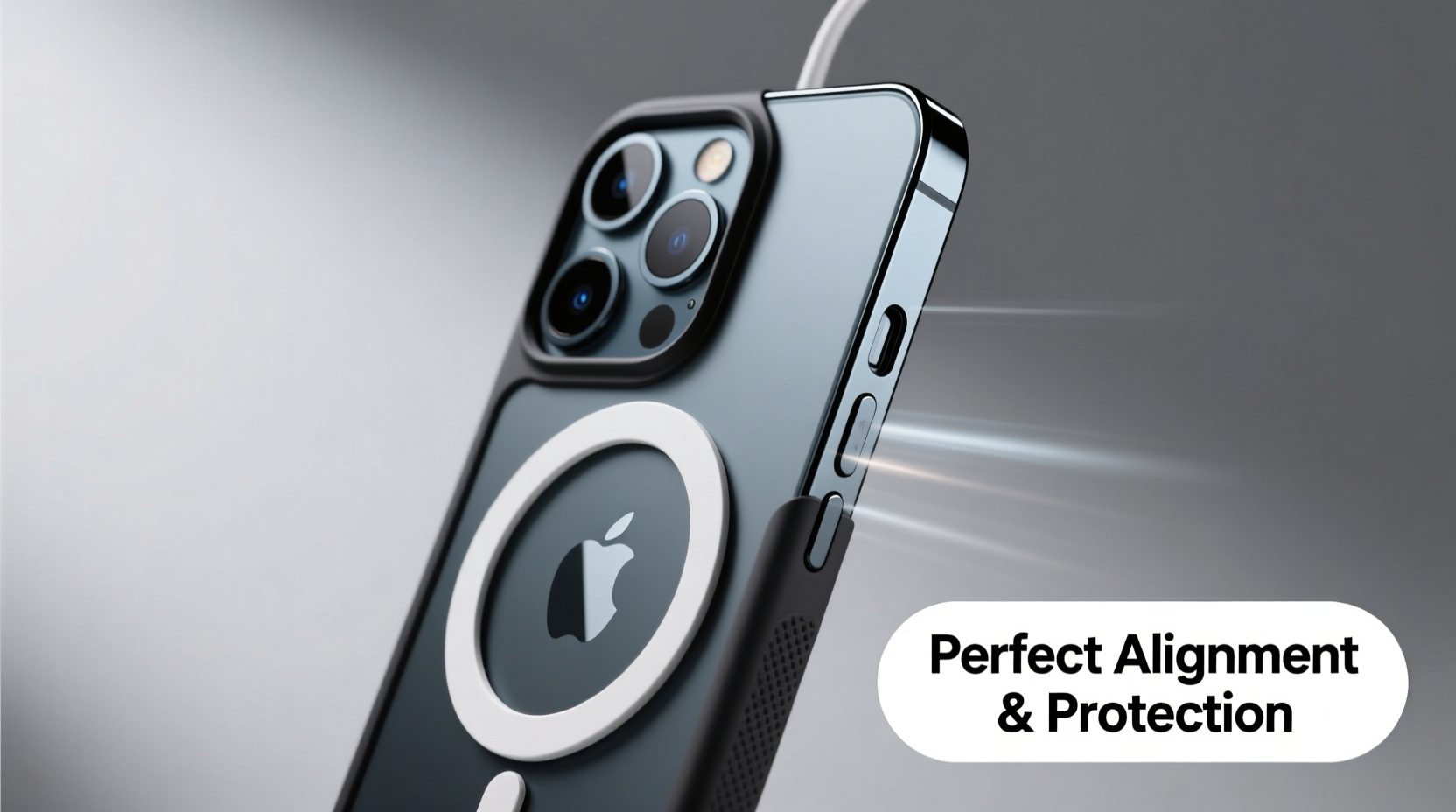
A MagSafe case isn't just about aesthetics; it's an integral part of the ecosystem. The built-in magnet array must align precisely with the ring of magnets in your iPhone to enable fast wireless charging, secure accessory attachment, and optimal power transfer efficiency. Even a slight misplacement during installation can disrupt this alignment, leading to:
- Slower or interrupted wireless charging
- Poor grip when using magnetic car mounts
- Increased risk of overheating due to inefficient energy transfer
- Reduced lifespan of both the case and your iPhone’s internal components
“Proper alignment ensures that the magnetic field interacts correctly with the iPhone’s internal coil, maximizing charging speed and accessory stability.” — Dr. Alan Reeves, Electrical Engineer & Mobile Technology Consultant
Step-by-Step Guide to Installing Your MagSafe Case
Follow these steps carefully to ensure a flawless fit and long-term performance.
- Clean Your iPhone Thoroughly
Before applying any case, wipe down your iPhone with a microfiber cloth slightly dampened with isopropyl alcohol (70% concentration). Focus on the edges and back panel where dust and oils can interfere with adhesion or alignment. - Inspect the Case Interior
Check the inner lining of the MagSafe case for debris, stickers, or protective films. Some third-party cases come with a thin plastic layer covering the magnetic ring—remove it before use. - Align the Camera Cutout First
Hold the case so the camera cutout matches your iPhone’s rear camera module exactly. This is your primary visual alignment point. If the camera bump doesn’t sit centered, the entire case will be off-axis. - Slide the iPhone into the Bottom Edge
Gently insert the bottom edge of your iPhone into the case first. Avoid forcing it. Most MagSafe cases are designed with flexible TPU sides that stretch slightly but shouldn’t be overstressed. - Press Down Along the Sides and Top
Once the bottom is secured, press along the left and right edges evenly, then close the top. Do not start from the top or side—this risks twisting the case and misaligning the internal magnet ring. - Verify Magnetic Alignment
Attach a MagSafe charger or accessory. It should snap into place with a firm, centered click. If it wobbles, shifts, or attaches off-center, remove the case and repeat the process. - Test Charging Functionality
Place your phone on a MagSafe charger. Within seconds, you should feel a secure magnetic lock and see the charging indicator appear. Monitor for 30 seconds to confirm consistent charging without disconnections.
Do’s and Don’ts of MagSafe Case Installation
| Do’s | Don’ts |
|---|---|
| Use gentle, even pressure when snapping the case on | Force the phone into the case aggressively |
| Clean both phone and case before installation | Install the case with dirt or lint present |
| Double-check camera and button cutouts | Assume all cases fit identically across models |
| Test with multiple MagSafe accessories | Rely solely on visual alignment without functional testing |
| Choose Apple-certified or MFi-compliant cases | Use non-MagSafe cases claiming “MagSafe compatibility” |
Troubleshooting Common Issues After Installation
Even with careful setup, issues may arise. Here’s how to resolve them quickly:
- Magnet feels weak or inconsistent: Reinstall the case. Over time, some materials compress unevenly. Removing and reapplying often restores symmetry.
- Charging stops intermittently: Ensure no metal objects or credit cards are between the phone and charger. Also verify that the case isn’t too thick—Apple recommends under 2 mm for optimal performance.
- Case bulges around the edges: This indicates poor manufacturing or incorrect model fit. Discontinue use immediately to prevent stress on the screen or frame.
Mini Case Study: Sarah’s Charging Woes Resolved
Sarah, a freelance photographer, bought a budget MagSafe case online to protect her iPhone 15 Pro. She noticed slow charging and frequent disconnects while working on location. After checking forums, she realized her case had been installed with the top slightly askew. Upon removal and realignment—following the camera-first method—the MagSafe charger snapped securely and delivered full-speed charging. A five-minute fix saved her hours of frustration and potential battery degradation.
Essential Checklist Before Finalizing Installation
Run through this checklist to confirm everything is correct:
- ✅ iPhone back and case interior are clean and dry
- ✅ Camera module is perfectly centered in the cutout
- ✅ All buttons (volume, power) are responsive and properly aligned
- ✅ Port openings allow full access to charging cable
- ✅ MagSafe charger attaches with a firm, centered snap
- ✅ No visible gaps or warping along the edges
- ✅ Wireless charging initiates within 10 seconds
Frequently Asked Questions
Can I use a regular silicone case with MagSafe accessories?
Yes, but only if it’s specifically labeled as MagSafe-compatible. Regular cases lack the embedded magnet ring and precise alignment, resulting in weaker attachment and slower charging speeds. For best results, always use a case designed for MagSafe integration.
Will a poorly aligned MagSafe case damage my iPhone?
Over time, yes. Persistent misalignment can cause uneven pressure on the internal coil and magnets, potentially leading to overheating or reduced battery efficiency. In extreme cases, constant friction from shifting accessories may wear down the glass back panel.
How often should I remove and reinstall the case?
There’s no need to routinely remove the case unless cleaning or switching devices. However, if you notice decreased magnetic strength or charging issues, try removing and reinstalling it—it often resolves minor alignment drift caused by daily use.
Final Thoughts: Precision Today, Protection Tomorrow
The true value of a MagSafe case lies not just in its ability to attach accessories, but in how well it preserves your iPhone’s functionality and longevity. Taking a few extra minutes to install it correctly pays dividends in reliability, safety, and everyday convenience. Whether you're commuting, traveling, or simply charging at your desk, a perfectly aligned MagSafe case keeps your device protected and connected—exactly as intended.




 浙公网安备
33010002000092号
浙公网安备
33010002000092号 浙B2-20120091-4
Comments
No comments yet. Why don't you start the discussion?