
Building a website with HTML is just the beginning. The real goal is getting it online so others can access it. Publishing your HTML site doesn’t require advanced coding skills or expensive tools. With the right approach, you can launch your site in under an hour—free of cost or complexity. This guide walks you through every stage, from finalizing your code to going live, using reliable platforms and best practices that ensure speed, security, and scalability.
1. Finalize and Organize Your Website Files
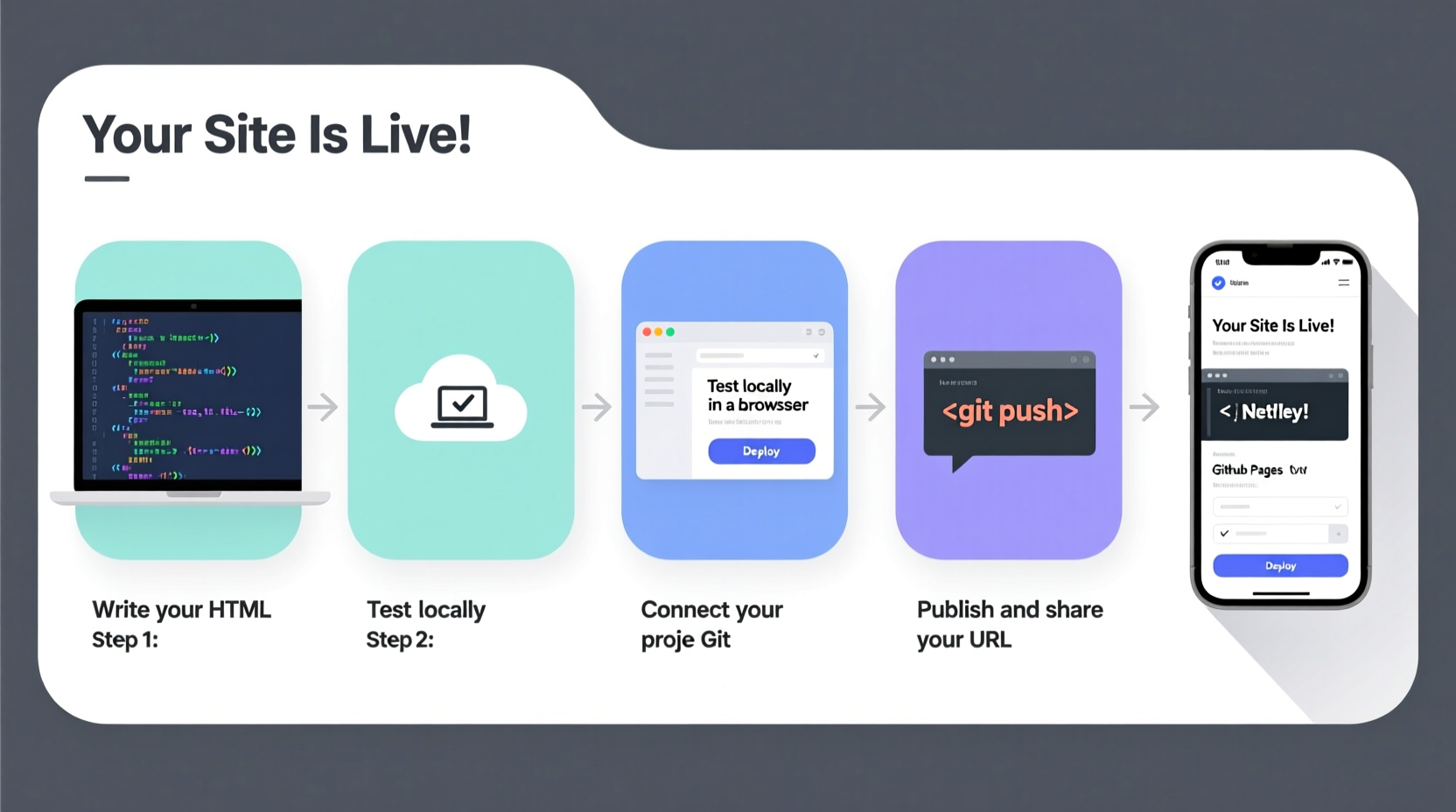
Before uploading anything, make sure your project is complete and structured properly. A clean file hierarchy prevents broken links and makes deployment smoother. Your main folder should contain:
index.html– The homepage (required)- CSS files (e.g.,
styles.css) in a dedicatedcss/folder - JavaScript files in a
js/folder - Images stored in an
images/orimg/directory - Any additional pages like
about.html,contact.html, etc.
Double-check all internal links, image sources, and stylesheet references. Use relative paths for consistency across environments:
<link rel=\"stylesheet\" href=\"css/styles.css\">
<img src=\"img/photo.jpg\" alt=\"My photo\">
2. Choose the Right Hosting Platform
Not all hosting services are equal when it comes to static HTML sites. You don't need a full server setup—many modern platforms offer free, instant deployment tailored for frontend projects.
| Platform | Free Tier? | Custom Domain | Deployment Speed | Best For |
|---|---|---|---|---|
| Netlify | Yes | Yes | Instant (Git-based) | Beginners & developers |
| Vercel | Yes | Yes | Fast | Static sites with CI/CD |
| GitHub Pages | Yes | Yes | Moderate | Open-source projects |
| Firebase Hosting | Yes (with limits) | Yes | Very Fast | Simple, secure deploys |
| Amazon S3 | No (pay-as-you-go) | Yes | Fast (manual config) | High-traffic sites |
For most personal or portfolio sites, Netlify or GitHub Pages provide the easiest entry point with no credit card required.
“We’ve seen developers go from local file to live URL in less than five minutes using Netlify Drop.” — Sarah Li, Frontend Infrastructure Lead at Netlify
3. Deploy Using Netlify (Recommended Method)
Netlify is widely regarded as the most beginner-friendly platform for deploying static sites. It supports drag-and-drop uploads, Git integration, and automatic rebuilds—all for free.
Step-by-Step Deployment via Drag & Drop
- Go to netlify.com/drop
- Drag your entire website folder into the upload area
- Wait a few seconds while Netlify processes the files
- Click “Publish” when ready
- Copy the generated URL (e.g.,
your-site-name.netlify.app)
Your site is now live. No account creation needed unless you want to customize the domain or enable continuous deployment.
Advanced Option: Connect to GitHub
If you’re using version control, link your GitHub repository for automatic updates:
- Push your site code to a public or private GitHub repo
- Sign in to Netlify and select “New site from Git”
- Authorize GitHub and choose your repository
- Select the branch (usually
mainormaster) - Leave build settings blank (no build command needed for pure HTML)
- Deploy!
From now on, every time you push changes to GitHub, Netlify will automatically update your live site.
4. Alternative: Publish with GitHub Pages
If you prefer open-source tools and already use GitHub, GitHub Pages is a solid alternative.
How to Deploy on GitHub Pages
- Create a new repository named
username.github.io(replace “username” with your actual GitHub username) - Upload all your website files using drag-and-drop or Git commands
- Go to the repository Settings → Pages
- Under “Source,” select the
mainbranch and root folder - Save. Within a minute, your site will be available at
https://username.github.io
Unlike Netlify, GitHub Pages does not support server-side redirects or forms out of the box, but it's perfectly suited for simple HTML/CSS/JS sites.
Mini Case Study: Launching a Portfolio Site
Jamie, a junior web designer, built a personal portfolio using only HTML and CSS. She wanted to showcase her work without spending money. After testing locally, she created a GitHub repository called jamesmith.github.io, uploaded her files, and enabled GitHub Pages. Within ten minutes, her site was live. She shared the link in job applications and received interview callbacks within a week. Later, she upgraded to Netlify to add a contact form via Formspree.
5. Verify, Optimize, and Maintain Your Live Site
Publishing isn’t the end—it’s the start of your site’s life online. Perform these checks immediately after going live:
✅ Post-Publishing Checklist
- Test all links and buttons on the live version
- Check mobile responsiveness in different screen sizes
- Verify page load speed using Google PageSpeed Insights
- Ensure metadata (title, description) appears correctly
- Add analytics (e.g., Google Analytics or Fathom) if needed
- Submit your sitemap to Google Search Console for indexing
Even static sites benefit from ongoing maintenance. Update content regularly, fix broken links, and keep backups of your source files.
Frequently Asked Questions
Can I publish an HTML site without buying a domain?
Yes. Platforms like Netlify, Vercel, and GitHub Pages provide free subdomains (e.g., your-site.netlify.app). These are fully functional and professional-looking for portfolios, prototypes, or small projects.
Do I need to know JavaScript or use a framework to publish HTML?
No. Pure HTML, CSS, and optional JavaScript work perfectly on static hosting platforms. You do not need React, Vue, or Node.js unless your project demands dynamic functionality.
Is my site secure when published this way?
Yes. Reputable platforms serve your site over HTTPS by default. Netlify, Vercel, and GitHub Pages automatically issue SSL certificates, ensuring encrypted connections for visitors.
Final Thoughts: Launch Now, Improve Later
The fastest way to learn web development is by putting something real online. Don’t wait for perfection. Publish your HTML site today—even if it has just one page. Once it’s live, you’ll gain confidence, receive feedback, and see how users interact with your design.
Platforms like Netlify and GitHub Pages have removed nearly all technical barriers. Whether you're building a resume, a landing page, or a side project, you now have everything you need to share it with the world.




 浙公网安备
33010002000092号
浙公网安备
33010002000092号 浙B2-20120091-4
Comments
No comments yet. Why don't you start the discussion?