
Returning a cell phone to Darty, one of France’s leading electronics retailers, can be straightforward—if you know the right steps. Whether you’ve changed your mind, received a defective device, or simply found a better deal, understanding the return policy and procedure ensures a hassle-free experience. This comprehensive guide walks you through every phase, from eligibility checks to receiving your refund, so you can navigate the process with confidence and efficiency.
Understanding Darty’s Return Policy
Darty offers a 14-day withdrawal period for most products purchased online or in-store, in accordance with French consumer law. This means you have up to two weeks from the date of delivery (or pickup) to return your cell phone without needing to provide a reason. However, certain conditions apply to ensure eligibility:
- The phone must be unused and in its original condition.
- All accessories—charger, earphones, SIM ejector tool—must be included.
- The original packaging must be intact, with no signs of damage or tampering.
- The IMEI number on the box should match the one on the device.
If the phone is faulty, Darty’s legal warranty covers defects within two years of purchase. In such cases, you may be entitled to a repair, replacement, or refund depending on the issue’s severity and timing.
Step-by-Step Guide to Returning Your Phone
Follow this detailed sequence to ensure your return is processed quickly and correctly.
- Verify Eligibility: Confirm that your return falls within the 14-day window. Check that the phone is unused, with all components present and packaging undamaged.
- Locate Proof of Purchase: Gather your invoice or order confirmation email. This is required for both online and in-store returns.
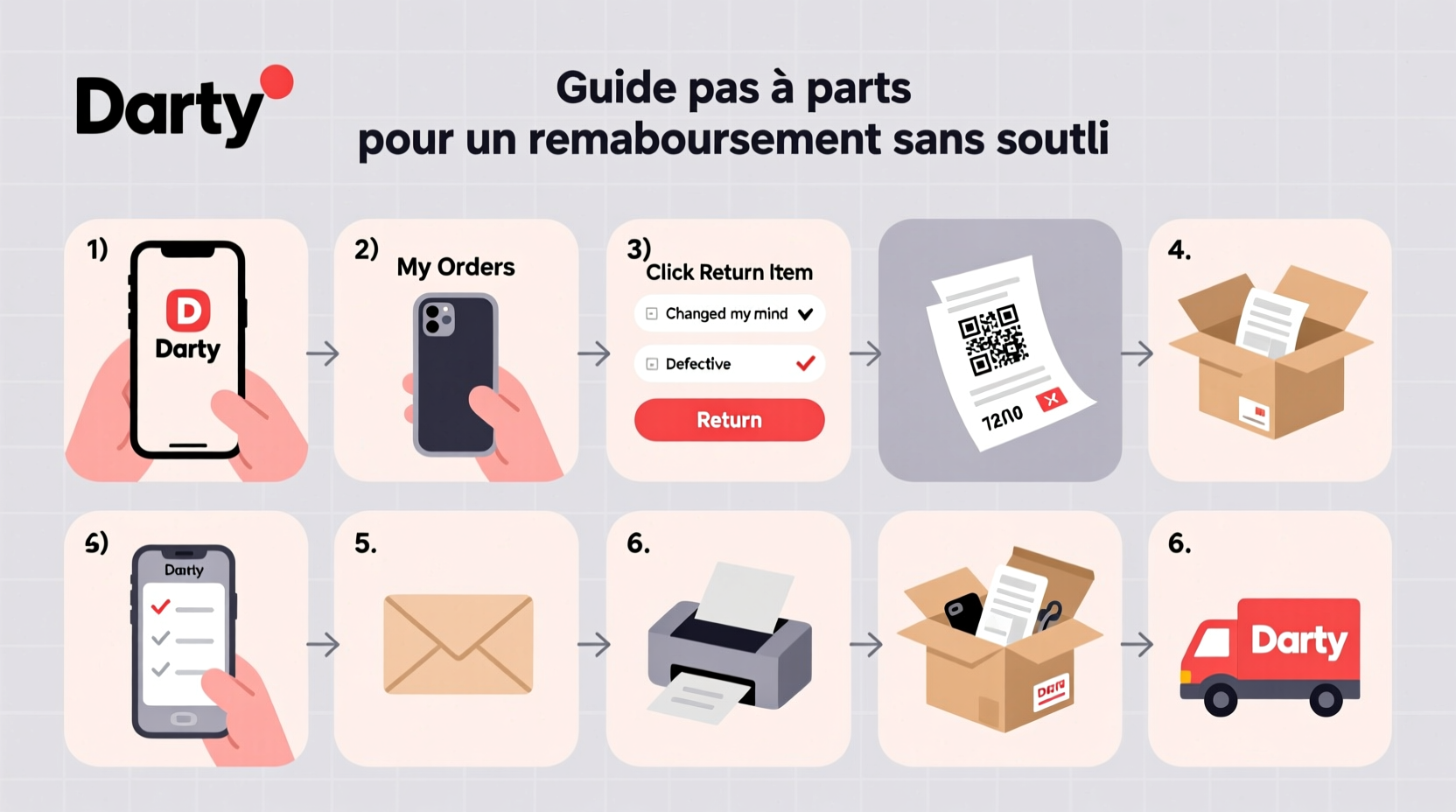
- Initiate the Return Online (for Online Purchases): Log into your Darty account, go to “My Orders,” select the phone, and click “Return Item.” Choose your preferred method: drop-off at a store or carrier pickup.
- Pack the Device Securely: Place the phone, charger, cables, manuals, and any other accessories back into the original box. Seal it carefully to prevent damage during transit.
- Label and Ship or Deliver: If returning by mail, print the prepaid return label provided during the online process. For in-store returns, bring the package and your ID to any Darty location.
- Wait for Processing: Once received, Darty inspects the item. This typically takes 3–5 business days. You’ll receive an email confirmation once the refund is approved.
- Receive Your Refund: Refunds are issued to the original payment method. Credit card refunds may take 3–7 additional days to appear in your account.
Do’s and Don’ts When Returning a Cell Phone
| Do’s | Don’ts |
|---|---|
| Back up your data before resetting the phone | Don’t scratch or damage the screen |
| Include all original accessories and manuals | Don’t use the phone beyond initial setup |
| Use sturdy packaging to prevent shipping damage | Don’t discard the receipt or order number |
| Contact customer service if unsure about eligibility | Don’t delay beyond the 14-day window |
Real Example: A Smooth Return Experience
Marie from Lyon purchased a new smartphone online from Darty but realized the screen was too large for her daily use. Within three days of delivery, she logged into her Darty account, initiated the return, and selected carrier pickup. She packed the phone with all accessories, attached the printed label, and left the package for collection. Two days later, she received confirmation that the item had been received. By day five, her bank reflected the full refund. Because she acted early and followed instructions precisely, the entire process took less than a week.
“Customers who return items within the first week and keep everything in pristine condition rarely face issues. Preparation is key.” — Laurent Dubois, Darty Customer Support Manager
Common Questions About Returning Phones to Darty
Can I return a phone if I’ve opened the box but not used it?
Yes, as long as the device remains unused and all components are present in original packaging. Simply opening the box does not void the return policy, but activating the phone or inserting a SIM card may be considered usage.
What if my phone is faulty?
If the phone has a manufacturing defect, you’re covered under the legal guarantee of conformity. You can request a repair, replacement, or refund within two years. Contact Darty’s after-sales service to begin the diagnostic process. They may ask you to bring the phone to a service center.
How long does the refund take to appear in my account?
Darty processes refunds within 3–5 business days after receiving and inspecting the returned phone. However, your bank may take an additional 3–7 days to reflect the credit, especially with credit cards or international accounts.
Pro Tips for a Faster Refund
- Act quickly: The sooner you initiate the return, the more time you have within the 14-day window to resolve any unexpected issues.
- Double-check contents: Missing even a small part like the SIM tray tool can delay processing.
- Snap photos: Take pictures of the packaged phone before sending it. This provides proof of condition in case of disputes.
- Track your shipment: Use the tracking number provided to monitor delivery to Darty’s warehouse.
Final Checklist Before Returning Your Phone
- ☑ Backed up contacts, photos, and apps
- ☑ Performed factory reset and signed out of accounts
- ☑ Collected all accessories and original box
- ☑ Printed return label (if applicable)
- ☑ Secured packaging for transport
- ☑ Kept proof of return (tracking number or receipt)
Conclusion
Returning a cell phone to Darty doesn’t have to be stressful. With clear knowledge of the policy, careful preparation, and timely action, you can secure a full refund without complications. Whether you’re returning due to buyer’s remorse or a technical flaw, following the correct steps protects your rights as a consumer and ensures a professional transaction. Don’t let hesitation or uncertainty delay your decision—act within the 14-day window, keep everything in perfect condition, and trust the process.




 浙公网安备
33010002000092号
浙公网安备
33010002000092号 浙B2-20120091-4
Comments
No comments yet. Why don't you start the discussion?