
Amazon gift cards are a flexible and secure way to shop for millions of products, whether you're treating yourself or managing a budget. However, many users miss out on their full value due to confusion about how to properly add, track, and apply balances during checkout. Understanding the process ensures you never leave unused funds behind or face surprises at payment time. This guide walks through every stage—from redeeming a new card to combining balances and troubleshooting common issues—so you can use Amazon gift cards with confidence and precision.
How Amazon Gift Cards Work
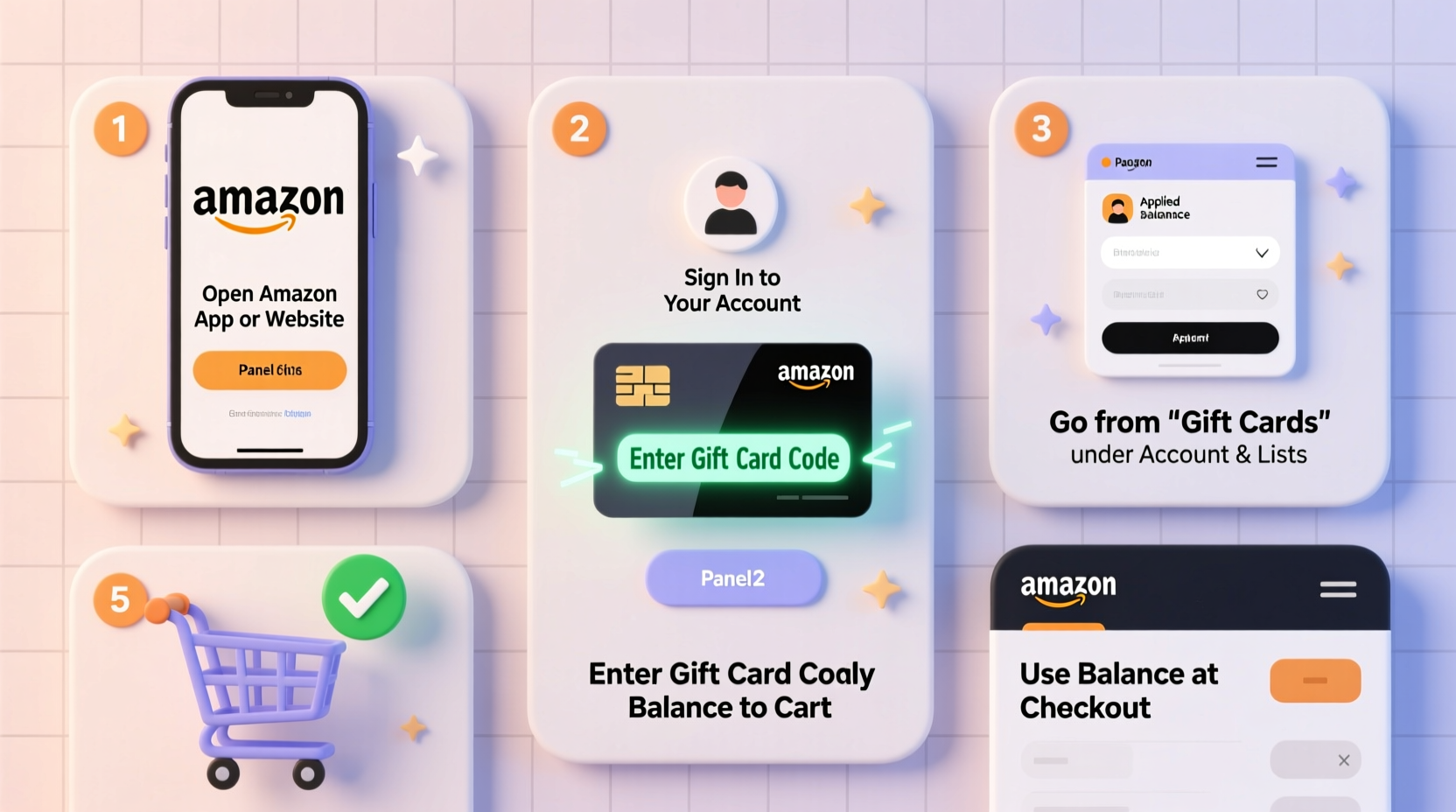
Amazon gift cards come in two primary forms: physical plastic cards purchased in stores and digital e-gift cards delivered via email. Both types function identically once redeemed. The balance is stored in your Amazon account and automatically applied toward eligible purchases. Unlike some retailers, Amazon does not allow partial redemptions across multiple accounts or cash withdrawals, so proper management is essential.
When you make a purchase, Amazon uses your available gift card balance first. If the total exceeds your balance, you must link a secondary payment method—such as a credit card, debit card, or checking account—to cover the difference. Conversely, if your gift card covers more than the order total, the remaining balance stays in your account for future use.
Step-by-Step Guide to Redeeming a Gift Card
Adding a gift card to your Amazon account is simple and takes less than a minute. Follow these steps carefully to ensure successful redemption:
- Log in to your Amazon account. Visit amazon.com and sign in using your email and password.
- Navigate to the \"Redeem a Gift Card\" page. Hover over \"Accounts & Lists,\" then click \"Gift Cards.\" Select \"Redeem a Gift Card\" from the dropdown menu.
- Enter the claim code. On the redemption page, type the 14-character code found on the back of a physical card or in the body of an e-gift email. Do not include spaces or special characters unless specified.
- Click \"Apply to Your Balance.\" After entering the code, click the button to process the redemption.
- Confirm the addition. A message will appear confirming that the amount has been added to your balance. You’ll also receive an email notification.
If the code fails to apply, double-check for typos and ensure the card hasn’t already been used. Some gift cards require activation at the point of purchase—common with third-party retailers like grocery or convenience stores—so verify activation status if errors persist.
Using Your Gift Card Balance at Checkout
Once added, your gift card balance is automatically used when you place an order. Here’s how it works during the purchasing process:
- Your available gift card balance appears on the payment selection screen during checkout.
- If your balance covers the full cost, no additional payment method is needed.
- If the balance is insufficient, Amazon prompts you to select another payment option to cover the remainder.
- You can manually adjust which payment method covers what portion, but the system defaults to using gift cards first.
Note that gift card funds cannot be used for all transaction types. They do not cover shipping insurance, digital subscriptions (unless purchased directly), or certain third-party seller fees. Always review your order summary to confirm how much of your gift card balance is being applied.
| Scenario | Gift Card Usage | Additional Payment Needed? |
|---|---|---|
| Order total: $35 | Gift card: $50 | $35 applied | No |
| Order total: $70 | Gift card: $40 | $40 applied | Yes ($30) |
| Order total: $25 | Two gift cards: $10 + $20 | $25 combined | No |
Managing and Tracking Your Balance
Keeping track of your Amazon gift card balance helps prevent overspending and ensures you’re aware of available funds. To view your current balance:
- Go to \"Accounts & Lists\" → \"Your Account.\"
- Select \"Payment options\" under the \"Settings\" section.
- Your available gift card balance is displayed at the top of the page.
You can also access this information via the Amazon mobile app by tapping the three-line menu icon, selecting \"Your Account,\" and scrolling to \"Payment options.\" Regular monitoring is especially useful if you frequently receive or purchase gift cards for planned purchases or holiday shopping.
“Understanding your gift card balance empowers smarter spending decisions and prevents reliance on high-interest credit.” — Laura Simmons, Consumer Finance Advisor
Troubleshooting Common Issues
Despite its simplicity, users occasionally encounter problems when adding or using gift cards. Here are frequent issues and how to resolve them:
- Invalid claim code: Ensure you’re entering the correct 14-character code without spaces. Avoid confusing similar-looking characters (e.g., 0 vs O, 1 vs I).
- \"Already redeemed\" error: Check your balance—sometimes the card was applied previously. Contact the sender or retailer if you believe the card was used fraudulently.
- Balance not applying at checkout: Confirm the item qualifies for gift card payment. Some digital services or pre-orders may delay balance application until shipment.
- Lost or stolen card: Amazon does not replace lost or unredeemed gift cards. Once redeemed, however, the balance is tied to your account and protected by your login credentials.
Mini Case Study: Sarah’s Holiday Shopping Strategy
Sarah receives five Amazon gift cards totaling $225 from family members each December. Instead of using them immediately, she waits for Black Friday deals. She logs in early November, redeems all cards, and monitors her balance weekly. When major discounts go live, she purchases a laptop, headphones, and home goods—all covered entirely by her accumulated gift card funds. By planning ahead and centralizing her balances, Sarah avoids spending her own money and maximizes value through strategic timing.
Frequently Asked Questions
Can I transfer my Amazon gift card balance to someone else?
No, Amazon does not allow direct balance transfers between accounts. The only way to share value is by purchasing a new gift card using your balance and sending it to another person.
Do Amazon gift card balances expire?
No, Amazon gift card balances do not expire, and there are no dormancy fees. Funds remain active indefinitely as long as the account is accessible.
Can I get cash back from my Amazon gift card balance?
No, Amazon does not offer cash refunds or withdrawals from gift card balances. Unused funds can only be used for eligible purchases on Amazon.
Final Tips and Best Practices Checklist
To make the most of your Amazon gift cards, follow this actionable checklist:
- ✅ Redeem gift cards as soon as you receive them to protect against loss.
- ✅ Store physical cards securely like cash—once redeemed, they can't be replaced.
- ✅ Combine multiple small balances for larger purchases.
- ✅ Monitor your balance regularly through the Amazon website or app.
- ✅ Use gift cards for big-ticket items during sales events to stretch value further.
- ✅ Avoid linking a credit card unless necessary to prevent accidental spending.
Conclusion: Make Every Dollar Count
Amazon gift cards offer freedom, flexibility, and financial control—if used wisely. By mastering the redemption process, understanding how balances apply at checkout, and proactively managing your funds, you turn occasional gifts into powerful tools for smart shopping. Whether you're budgeting for essentials or planning a splurge, seamless gift card usage puts you in charge. Start today: log in, redeem any unused codes, and prepare your balance for your next intentional purchase.




 浙公网安备
33010002000092号
浙公网安备
33010002000092号 浙B2-20120091-4
Comments
No comments yet. Why don't you start the discussion?