
Multi-functional quartz watches combine precision timekeeping with additional features such as chronographs, alarms, date displays, moon phase indicators, and world time zones. While these advanced capabilities enhance utility, they can also make setup intimidating—especially for first-time users. Unlike analog-only models, digital or hybrid quartz watches often require navigating multiple modes through pushers and crowns. This comprehensive guide walks you through every step of configuring your watch correctly, ensuring accuracy, longevity, and full use of its features.
Understanding Your Watch’s Components
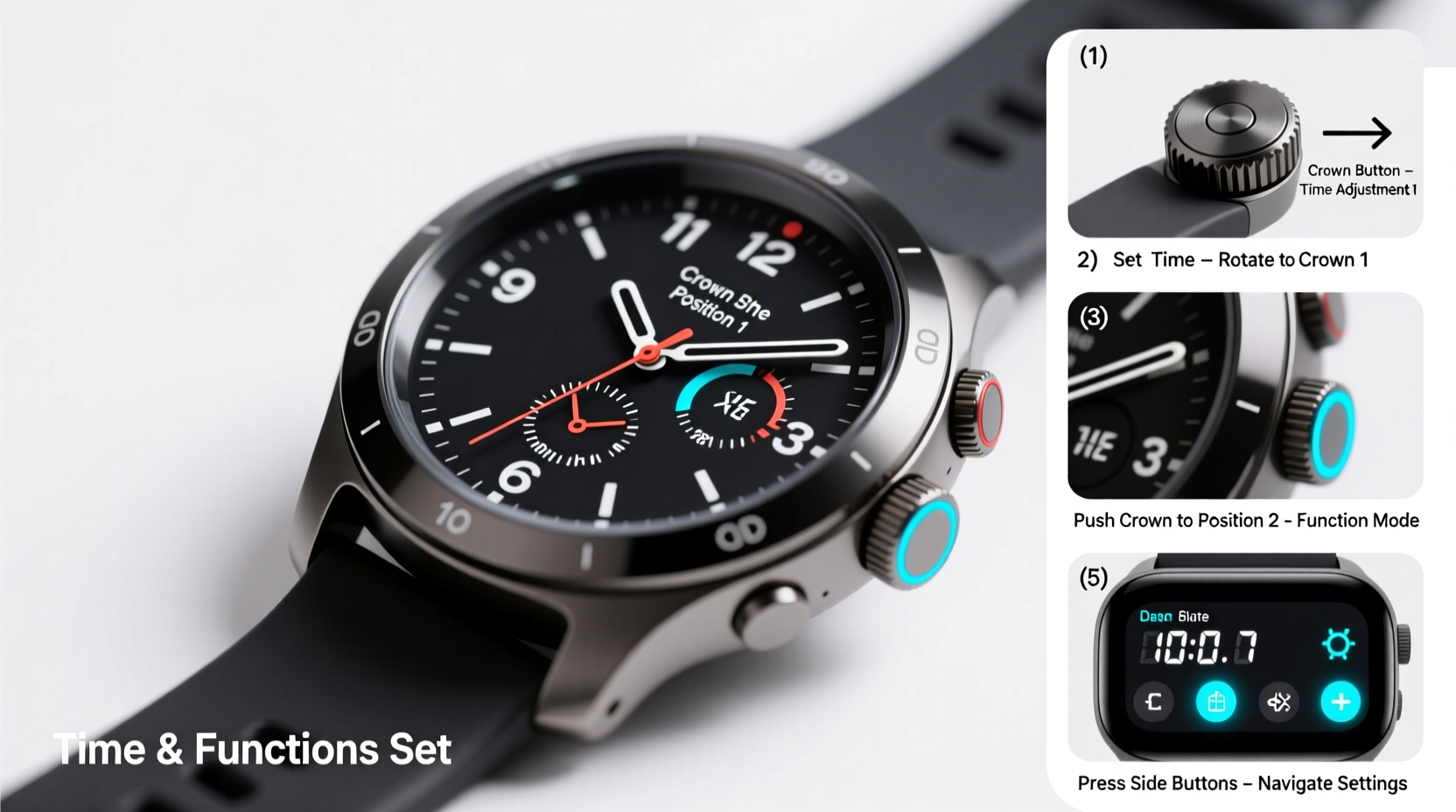
Before making adjustments, it's essential to identify the physical elements of your multi-functional quartz watch. Most models feature three primary controls:
- Crown (Position 0): The central knob used to set time, date, and other functions. Often pulls out to different positions.
- Pusher A (Typically at 2 o’clock): Activates start/stop for chronograph functions or cycles through modes.
- Pusher B (Typically at 4 o’clock): Resets stopwatch counters or confirms selections.
The exact behavior depends on the brand and model—common manufacturers include Casio, Seiko, Citizen, and Tissot—but the general principles remain consistent across most designs.
“Familiarity with your watch’s interface is half the battle. Take five minutes to map the buttons before diving into settings.” — Daniel Reyes, Horology Technician & Watch Maintenance Instructor
Step-by-Step Guide to Setting Time and Date
Follow this universal sequence to adjust core timekeeping functions. Note: Always avoid setting the date between 9 PM and 3 AM, when internal gears are in motion and forced changes may cause damage.
- Stop the seconds hand: Press and hold Pusher B until the second hand resets to zero (if supported).
- Pull the crown to Position 1: Gently pull the crown halfway out. On many models, this allows adjustment of the date display. Rotate clockwise to advance the date.
- Pull the crown to Position 2: Extend the crown fully. The hour and minute hands will begin moving upon rotation.
- Set the correct time: Turn the crown clockwise to align the hands with the accurate local time. For precision, synchronize using an atomic clock app or official time website.
- Account for AM/PM: If your watch uses a 12-hour format, ensure the hour hand passes 12 twice to confirm whether it’s morning or evening.
- Push the crown back in: Once the time and date are correct, gently press the crown flush with the case to resume normal operation.
Configuring Additional Functions
Modern quartz watches offer more than just time—they serve as personal assistants on your wrist. Below is how to manage common secondary features.
Setting the Chronograph (Stopwatch)
- Press Pusher A to start timing.
- Press Pusher A again to pause.
- Press Pusher B to reset all subdials to zero.
To calibrate the chronograph alignment (if hands drift), refer to your manual for “hand setting mode,” typically activated by holding both pushers and pulling the crown simultaneously.
Activating Alarm or Chime Function
- Enter alarm mode using Pusher A (cycle until alarm icon appears).
- Pull crown to Position 1 to adjust minutes; Position 2 for hours.
- Toggle activation with Pusher B.
Some watches allow multiple alarms or hourly chimes—consult your user manual for model-specific sequences.
World Time and Dual-Time Adjustment
For travelers, dual-time bezels or digital city codes simplify tracking multiple zones:
- Switch to world time mode via Pusher A.
- Select desired city using the crown.
- Use Pusher B to toggle between home and destination time.
Do’s and Don’ts When Adjusting Your Watch
| Do’s | Don’ts |
|---|---|
| Adjust the date outside 9 PM – 3 AM window | Force the crown if it resists movement |
| Synchronize time with official sources (e.g., time.gov) | Expose the watch to water during adjustment unless rated waterproof |
| Keep the battery fresh—low power causes sluggish response | Use metal tools to manipulate the crown or pushers |
| Consult the manufacturer manual for model-specific quirks | Reset chronograph while it’s running |
Troubleshooting Common Issues
Even with careful handling, problems arise. Here’s how to resolve them quickly:
- Hands won’t move when adjusting? Check battery level. A dead or dying battery prevents hand actuation.
- Date skips forward randomly? Likely caused by magnetization or impact. Demagnetize professionally or service the movement.
- Chronograph runs inaccurately? Perform a reset and recalibration through service mode if available.
- No response from buttons? Ensure the watch isn’t locked due to safety mode (some models disable inputs underwater).
Mini Case Study: Recovering from Incorrect Setup
Jamal purchased a new Seiko chronograph but accidentally changed the date at 11:30 PM. The next morning, he noticed the day-of-week indicator was off by one. After consulting the manual, he avoided further adjustments and waited until noon to safely re-sync the calendar using Position 1 on the crown. By following proper timing windows, he restored functionality without damaging the gear train—a small delay that saved long-term reliability.
Frequently Asked Questions
How often should I replace the battery in my multi-functional quartz watch?
Most quartz movements last 2–5 years on a single battery, depending on usage of backlight, alarms, and chronograph. Replace proactively to prevent leakage, which can corrode internal components.
Can I adjust the time while the chronograph is running?
No. Doing so can misalign subdials or disrupt timing circuits. Always stop and reset the stopwatch before modifying main time settings.
Why does my watch beep every hour?
This is likely the hourly chime function. Disable it by entering chime mode (usually via long-press of Pusher A) and toggling it off with Pusher B.
Essential Checklist Before First Use
- Remove all protective stickers from crystal and caseback.
- Insert or verify battery status (for non-solar models).
- Set accurate time using a trusted source.
- Adjust date and day (if applicable) outside restricted hours.
- Test chronograph start, stop, and reset functions.
- Verify alarm or light operation.
- Confirm water resistance rating before exposing to moisture.
Maintaining Accuracy Over Time
Quartz watches are highly accurate but not immune to drift. Environmental factors like extreme temperatures and magnetic fields can affect performance. To maintain precision:
- Avoid leaving the watch near speakers, phones, or laptops.
- Store in moderate temperatures—avoid car dashboards or freezing conditions.
- Have seals checked every two years if frequently exposed to water.
- Recalibrate annually against an atomic clock signal.
“Even the best quartz movement benefits from routine care. Think of it like software updates—it keeps everything running smoothly.” — Lena Park, Certified Watchmaker at Precision Timeworks
Conclusion
Mastering your multi-functional quartz watch transforms it from a simple timepiece into a powerful daily companion. With clear knowledge of the crown positions, button functions, and safe adjustment windows, you gain confidence in managing time, dates, alarms, and stopwatches reliably. Whether you're a frequent traveler, fitness enthusiast, or professional needing precise scheduling, these skills ensure your watch performs optimally for years.




 浙公网安备
33010002000092号
浙公网安备
33010002000092号 浙B2-20120091-4
Comments
No comments yet. Why don't you start the discussion?