
Creating a professional business website no longer requires technical expertise or hiring expensive developers. With today’s intuitive website builders, anyone can launch a fully functional, visually appealing site in under a week—without writing a single line of code. Whether you're launching a service-based business, an online store, or a portfolio, this guide walks you through every essential step with clarity and precision.
Why Build a Website Without Coding?
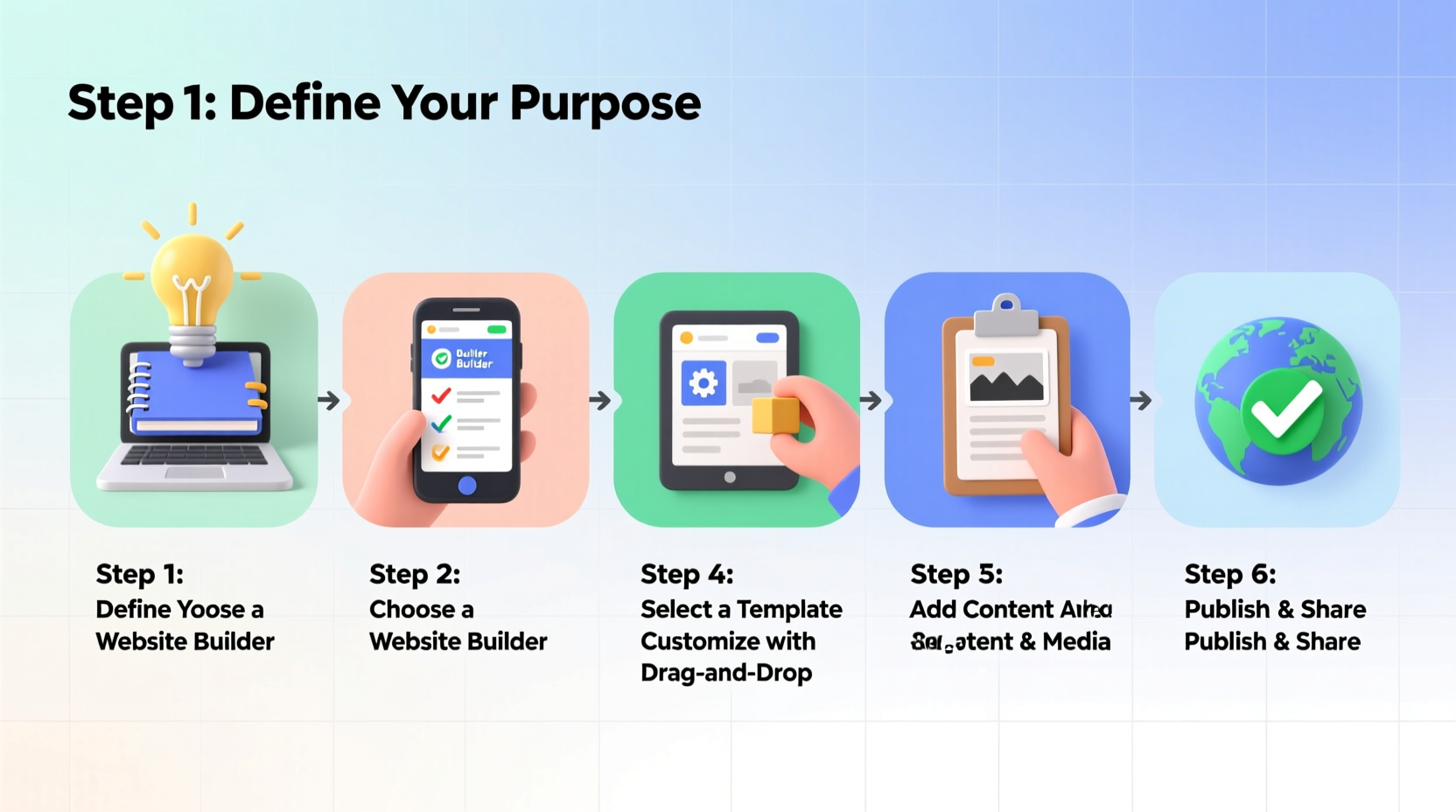
A website is the digital storefront for your business. It builds credibility, increases visibility, and enables customers to find, contact, and purchase from you 24/7. The good news? You don’t need to be a developer. Platforms like Wix, Squarespace, and Shopify have democratized web design, offering drag-and-drop interfaces, responsive templates, and integrated tools that handle everything from SEO to e-commerce.
“Over 80% of consumers research a business online before making a purchase. A strong website isn’t optional—it’s essential.” — Sarah Lin, Digital Marketing Strategist
Step-by-Step Process to Launch Your Website
1. Define Your Website Goals and Audience
Before selecting a platform or designing layouts, clarify your purpose. Are you selling products? Booking consultations? Showcasing work? Understanding your primary goal shapes your site’s structure and features.
Equally important is identifying your target audience. A website for freelance graphic designers will differ significantly from one for a local plumbing service. Tailor your tone, visuals, and navigation to match user expectations.
2. Choose a Domain Name and Hosting Platform
Your domain name (e.g., yourbusiness.com) is your web address. It should be:
- Short and memorable
- Easy to spell and pronounce
- Relevant to your brand or service
- Preferably ending in .com
Most website builders include free domain registration for the first year when you subscribe to their annual plan. If you already own a domain, you can connect it seamlessly.
3. Select a No-Code Website Builder
These platforms offer pre-designed templates, drag-and-drop editors, mobile optimization, and built-in SEO tools. Here's a comparison of top options:
| Platform | Best For | Starting Price (Annual) | Key Strengths |
|---|---|---|---|
| Wix | All-purpose, creative businesses | $16/month | Highly customizable, vast template library |
| Squarespace | Design-focused brands, portfolios | $16/month | Elegant templates, strong visual appeal |
| Shopify | E-commerce stores | $29/month | Powerful product management, payment processing |
| WordPress.com (not.org) | Blogs, content-heavy sites | $4/month | Scalable, good for SEO |
| GoDaddy Website Builder | Small local businesses | $9.99/month | Fast setup, AI-assisted design |
For most small businesses, Wix or Squarespace offers the best balance of ease and functionality.
4. Design Your Website Using Templates
After signing up, choose a template that aligns with your industry. Most builders categorize templates by niche—restaurant, consulting, photography, etc.
Customize using the drag-and-drop editor:
- Replace placeholder text with your own content
- Upload high-quality images of your team, products, or services
- Adjust colors and fonts to match your brand identity
- Add buttons like “Book Now” or “Contact Us”
5. Create Essential Pages
Every business website should include these foundational pages:
- Home: Clear headline, brief value proposition, call-to-action (CTA), and navigation links.
- About: Tell your story—why you started, what drives you, and who you serve.
- Services or Products: List offerings with descriptions, pricing (if applicable), and benefits.
- Contact: Include a contact form, phone number, email, and physical address if relevant.
- Testimonials: Showcase customer reviews to build social proof.
If you sell online, add a secure checkout process, shipping details, and return policy.
Mini Case Study: From Idea to Online Presence in 5 Days
Lena runs a mobile pet grooming service in Austin. She had no prior tech experience but needed a way for clients to book appointments online. Using Squarespace, she followed these steps:
- Day 1: Chose “Pet Services” template and registered lenaspetspa.com.
- Day 2: Added her logo, rewrote page copy, and uploaded photos of happy pets.
- Day 3: Integrated Acuity Scheduling (free with Squarespace) for appointment booking.
- Day 4: Set up Google Business integration and added client testimonials.
- Day 5: Published the site and shared it on Instagram and Facebook.
Within two weeks, Lena received over 20 new bookings directly from her website. Her total investment: $16/month and five hours of work.
Checklist: Launch Your Website in 7 Steps
Follow this checklist to ensure nothing is missed:
- Define your website’s purpose and target audience ✅
- Pick a short, brand-aligned domain name ✅
- Select a no-code builder (Wix, Squarespace, etc.) ✅
- Choose and customize a professional template ✅
- Create Home, About, Services, and Contact pages ✅
- Optimize for mobile and test all links/forms ✅
- Launch and submit to Google Search Console ✅
Avoid These Common Mistakes
Even with user-friendly tools, some pitfalls can undermine your efforts:
- Overloading pages: Too much text or too many animations slow loading and confuse visitors.
- Ignoring mobile users: Over 60% of web traffic comes from phones. Always preview mobile view.
- No clear CTA: Every page should guide visitors toward a next step—call, email, buy, or book.
- Skipping SEO basics: Use keywords in headings, image names, and meta descriptions.
“Your website doesn’t need to be perfect on day one. It just needs to be live, clear, and useful.” — Mark Tran, Founder of SmallBizWebTools
Frequently Asked Questions
How long does it take to build a website without coding?
Most small business websites can be launched in 3–7 days with 1–2 hours of work per day. The timeline depends on content readiness and customization depth.
Can I update my website after it’s live?
Absolutely. One major advantage of no-code platforms is that you can edit text, images, and features anytime—even on mobile—without disrupting the live site.
Do I need to pay for hosting separately?
No. All recommended platforms (Wix, Squarespace, Shopify) include hosting in their subscription plans. There are no additional fees or server management involved.
Final Steps and Going Live
Before publishing, do a final review:
- Test all buttons and contact forms
- Check spelling and grammar
- Ensure fast loading on both desktop and mobile
- Add meta titles and descriptions for SEO
When ready, click “Publish.” Then, register your site with Google Search Console and Bing Webmaster Tools to help search engines index your pages quickly.




 浙公网安备
33010002000092号
浙公网安备
33010002000092号 浙B2-20120091-4
Comments
No comments yet. Why don't you start the discussion?