
Creating an online game has long been seen as a task reserved for developers and programmers. But today, with the rise of intuitive no-code platforms and drag-and-drop tools, anyone with creativity and persistence can bring a game idea to life—no technical background required. Whether you dream of crafting a puzzle challenge, a narrative-driven adventure, or a simple mobile-style arcade game, this guide walks through every stage of development, from concept to launch.
Why Build a Game Without Coding?
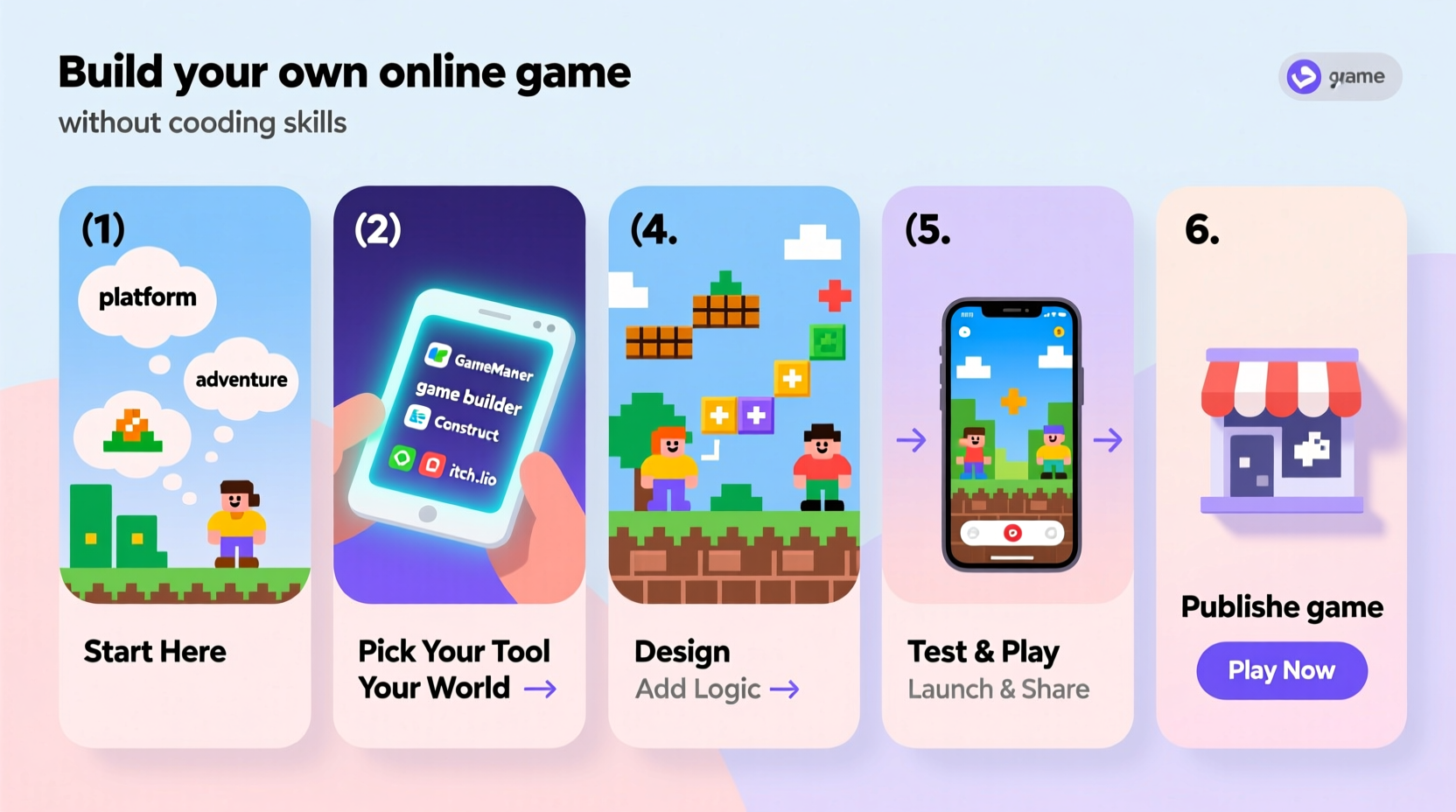
The digital landscape is shifting. No-code technology empowers entrepreneurs, educators, artists, and hobbyists to create interactive experiences without writing a single line of code. Games built this way can be used for entertainment, marketing, education, or even prototyping ideas for future apps. The benefits are clear: faster development, lower costs, and full creative control.
Platforms like Construct, GDevelop, and PlayCanvas offer visual scripting systems that replace traditional programming with logic-based workflows. These tools allow users to define behaviors, set win conditions, and manage player interactions through intuitive interfaces.
Step-by-Step Guide to Building Your First No-Code Game
- Define Your Game Concept
Begin with a clear idea. Will it be a platformer, trivia quiz, escape room, or endless runner? Focus on a core mechanic—like jumping, matching, or answering questions—and build around it. - Choose the Right No-Code Platform
Select a tool that matches your vision. Some specialize in 2D games, others support 3D environments. Consider ease of use, export options, and community support. - Design Game Assets and Layout
Create or source visuals, characters, backgrounds, and UI elements. Many platforms integrate with asset libraries or allow direct uploads from free design tools. - Build Game Logic Visually
Use event sheets or behavior trees to define how objects interact. For example: “When player touches coin → add 10 points → destroy coin.” - Test Frequently and Iterate
Preview your game at every major milestone. Fix bugs early, adjust difficulty, and gather feedback from friends or beta testers. - Publish and Share Online
Export your game as HTML5 or publish directly to web platforms. Share via social media, embed on websites, or submit to game portals.
Top No-Code Game Development Tools Compared
| Platform | Best For | Learning Curve | Export Options | Cost |
|---|---|---|---|---|
| GDevelop | 2D games, mobile & web | Beginner-friendly | HTML5, Android, iOS | Free + paid exports |
| Construct 3 | Browser-based arcade games | Moderate | HTML5, Windows, Mac | Subscription-based |
| PlayCanvas | 3D games, WebGL projects | Intermediate | WebGL, desktop builds | Free tier + pro plans |
| Stencyl | Tile-based platformers | Easy to start | iOS, Android, Web | Free + fees per platform |
| Unity (with Bolt) | Advanced 2D/3D games | Steep but powerful | Almost all platforms | Free up to revenue limit |
Each platform offers unique strengths. GDevelop stands out for accessibility and open-source flexibility, while Construct 3 excels in browser performance. For 3D experiences, PlayCanvas leverages real-time collaboration features ideal for teams.
Real Example: From Idea to Viral Mini-Game
Sophie, a high school teacher from Manchester, wanted to make learning vocabulary fun. She had no coding experience but used GDevelop to create “Word Dash,” a side-scrolling game where students collect correct spellings while avoiding typos. She designed sprites using Canva, imported sound effects from Freesound, and built logic using drag-and-drop events.
After testing with her class, she refined the timing and added score tracking. Within two weeks, she published the game on her class website. Students shared it with friends, and within a month, over 5,000 plays were recorded. A local ed-tech blog featured it as a “brilliant example of classroom innovation.”
Sophie’s success wasn’t due to technical prowess—it came from understanding her audience and leveraging accessible tools to solve a real problem.
“Anyone can make a game now. The barrier isn’t skill—it’s starting.” — Mark Overmars, Creator of GameMaker and GDevelop contributor
Essential Checklist Before Launch
- ✅ Test gameplay on multiple devices (desktop, tablet, phone)
- ✅ Ensure controls are intuitive (touch, keyboard, or mouse)
- ✅ Optimize loading times and file size
- ✅ Add clear instructions or a tutorial screen
- ✅ Include a \"Restart\" or \"Main Menu\" option
- ✅ Verify all links and buttons work
- ✅ Back up project files regularly
- ✅ Get feedback from at least 3 external players
Avoiding Common Pitfalls
Many first-time creators fall into predictable traps. One is feature creep: adding too many mechanics before finishing the core loop. Another is neglecting user experience—confusing menus or unclear objectives frustrate players quickly.
Performance matters, especially for web games. Large image files or excessive animations can slow down browsers. Always compress assets and test on older devices if possible.
Finally, don’t underestimate the power of narrative. Even a simple story—a character seeking treasure, a scientist solving puzzles—can increase engagement and emotional investment.
Frequently Asked Questions
Can I monetize a no-code game?
Yes. You can integrate ads via platforms like Google AdSense or use sponsorship models. Some creators sell their games on marketplaces like itch.io or Gumroad. Be sure to check licensing terms of your development tool—most allow commercial use, especially GDevelop and Stencyl.
Do I need to pay to publish my game online?
Not necessarily. Many no-code tools let you export HTML5 versions for free, which can be hosted on platforms like GitHub Pages, Netlify, or your personal website. Paid plans usually unlock native app compilation (iOS/Android) or remove branding.
How long does it take to build a no-code game?
A basic game can be completed in 10–20 hours over a few weeks. More complex titles may take months, depending on scope. Consistency beats speed—dedicating just one hour daily leads to rapid progress.
Conclusion: Your Game Is Closer Than You Think
The era of exclusive access to game development is over. With intuitive tools, abundant tutorials, and global communities ready to help, your vision can become a playable reality—without typing a single command. The process teaches problem-solving, design thinking, and resilience, skills that extend far beyond gaming.
Start today. Sketch an idea. Pick a tool. Build your first level. Every great game began with someone deciding to try. Yours is no different.




 浙公网安备
33010002000092号
浙公网安备
33010002000092号 浙B2-20120091-4
Comments
No comments yet. Why don't you start the discussion?