
Effective network management begins long before the first cable is plugged in. It requires strategic planning, precise configuration, and continuous monitoring to ensure reliability, security, and performance. Whether you're managing a small office network or overseeing enterprise infrastructure, a structured approach prevents bottlenecks, minimizes downtime, and supports scalability. This guide walks through the essential phases of network configuration with actionable insights and best practices used by IT professionals.
1. Assess Needs and Design the Network Architecture
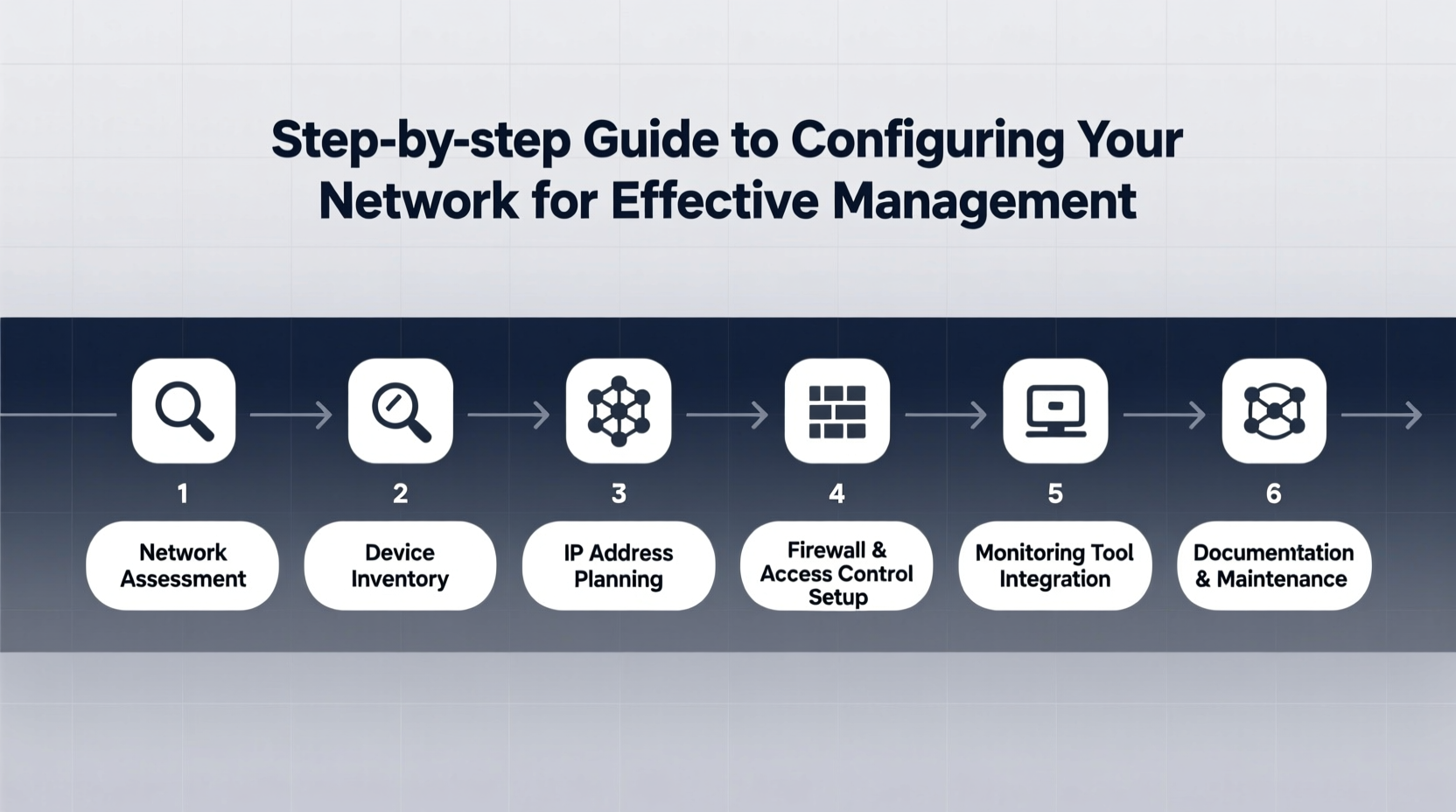
The foundation of any well-managed network lies in its design. Begin by evaluating the organization’s size, number of users, types of applications (e.g., VoIP, video conferencing, cloud services), and growth projections. These factors influence bandwidth requirements, device selection, and topology choices such as star, mesh, or hybrid configurations.
Create a logical diagram outlining subnets, VLANs, IP addressing schemes, and major components like routers, switches, firewalls, and access points. Use private IP ranges (e.g., 192.168.x.x or 10.x.x.x) and plan subnetting to segment traffic effectively. For example, separate departments into different VLANs to enhance security and reduce broadcast domains.
Key Planning Questions to Answer:
- How many devices will connect simultaneously?
- What level of redundancy is required?
- Are there compliance requirements (e.g., HIPAA, GDPR)?
- Will remote access or wireless connectivity be needed?
2. Deploy Hardware and Configure Core Devices
With a solid design in place, proceed to deploy physical hardware. Install routers at the network edge, core switches for backbone connectivity, and access switches for end-user connections. Place firewalls between internal networks and external connections to enforce security policies.
Begin configuration with the following steps:
- Assign static IP addresses to critical infrastructure devices (routers, switches, servers).
- Set up default gateways and enable routing protocols if multiple subnets exist (e.g., OSPF or static routes).
- Configure VLANs on managed switches and assign ports accordingly.
- Enable SSH instead of Telnet for secure remote administration.
- Apply firmware updates to eliminate known vulnerabilities.
For example, when configuring a Cisco switch, use commands like:
enable
configure terminal
vlan 10
name SALES
exit
interface fa0/1
switchport mode access
switchport access vlan 10
“Poor initial configuration leads to 70% of network outages in mid-sized organizations.” — John Rivera, Senior Network Architect at NetSecure Inc.
3. Implement Security Measures
Security must be integrated from day one. A misconfigured firewall or open port can expose sensitive data. Start by enabling Access Control Lists (ACLs) on routers and firewalls to restrict traffic based on source, destination, and protocol. Disable unused services like HTTP management or CDP (Cisco Discovery Protocol) on public-facing interfaces.
Deploy a layered defense strategy:
| Layer | Control Measure | Purpose |
|---|---|---|
| Perimeter | Firewall with stateful inspection | Filter unauthorized inbound/outbound traffic |
| Internal | VLAN segmentation + ACLs | Limit lateral movement during breaches |
| Endpoint | NAC (Network Access Control) | Ensure only compliant devices connect |
| Data | WPA3 encryption (Wi-Fi), IPsec (VPNs) | Protect data in transit |
4. Enable Monitoring and Management Tools
A configured network is not enough; ongoing visibility is essential. Implement network monitoring tools such as PRTG, SolarWinds, or open-source solutions like Zabbix or LibreNMS. These platforms collect data via SNMP (Simple Network Management Protocol), flow analysis (NetFlow/sFlow), and system logs.
Configure alerts for:
- High CPU or memory usage on routers/switches
- Interface errors or packet loss
- Sudden spikes in bandwidth consumption
- Device downtime or unreachable status
Use centralized logging (e.g., with Syslog servers) to aggregate events from all devices. This helps correlate issues across the network and accelerates root cause analysis.
Mini Case Study: Resolving Intermittent Connectivity
A regional office reported sporadic internet outages. Initial checks showed no obvious failures. Using a monitoring tool, the administrator noticed CRC errors spiking on a specific switch port every afternoon. Correlating logs revealed that a nearby HVAC system caused electromagnetic interference when activated. Replacing the unshielded Ethernet cable with a shielded one resolved the issue. Continuous monitoring made this invisible problem detectable.
5. Maintain and Optimize Through Regular Audits
Networks evolve. New devices join, software changes, and traffic patterns shift. Schedule quarterly audits to review configurations, update documentation, and validate backups of device settings.
During each audit, perform the following checklist:
Network Maintenance Checklist
- ✅ Verify all firmware is up to date
- ✅ Confirm configuration backups are current and stored securely
- ✅ Review user access logs for anomalies
- ✅ Test failover mechanisms (e.g., redundant links, UPS systems)
- ✅ Validate DNS and DHCP scopes for exhaustion risks
- ✅ Scan for rogue devices using NAC or port security
Optimization also includes capacity planning. Analyze historical traffic trends to anticipate future bandwidth needs. If video conferencing usage has grown by 40% year-over-year, upgrading WAN links before congestion occurs avoids productivity losses.
Frequently Asked Questions
How often should I back up network device configurations?
Back up configurations after every change and schedule automated weekly backups. Store them in an encrypted, off-device location to protect against hardware failure or cyberattacks.
Can I manage my network without expensive tools?
Yes. Open-source tools like Cacti for graphing, Nagios for alerting, and RANCID for configuration tracking provide robust functionality at no cost. They require more setup but are widely used in production environments.
What’s the difference between network monitoring and network management?
Monitoring focuses on observing performance and detecting issues. Management includes monitoring plus configuration, control, optimization, and security enforcement—it’s the broader discipline.
Conclusion
Configuring a network for effective management isn’t a one-time task—it's an ongoing process rooted in planning, precision, and proactive oversight. From designing scalable architectures to deploying security controls and leveraging monitoring tools, each step builds a resilient foundation. The most reliable networks aren’t necessarily the most complex, but those maintained with consistency and foresight.




 浙公网安备
33010002000092号
浙公网安备
33010002000092号 浙B2-20120091-4
Comments
No comments yet. Why don't you start the discussion?