
Building an app used to require months of development, technical expertise, and a significant budget. Today, that’s no longer true. With the rise of no-code platforms, anyone can create a fully functional custom app—without writing a single line of code. Whether you're launching a side project, streamlining your business operations, or testing a new idea, this guide walks you through the entire process from concept to launch.
Why No-Code App Development Is Accessible to Everyone
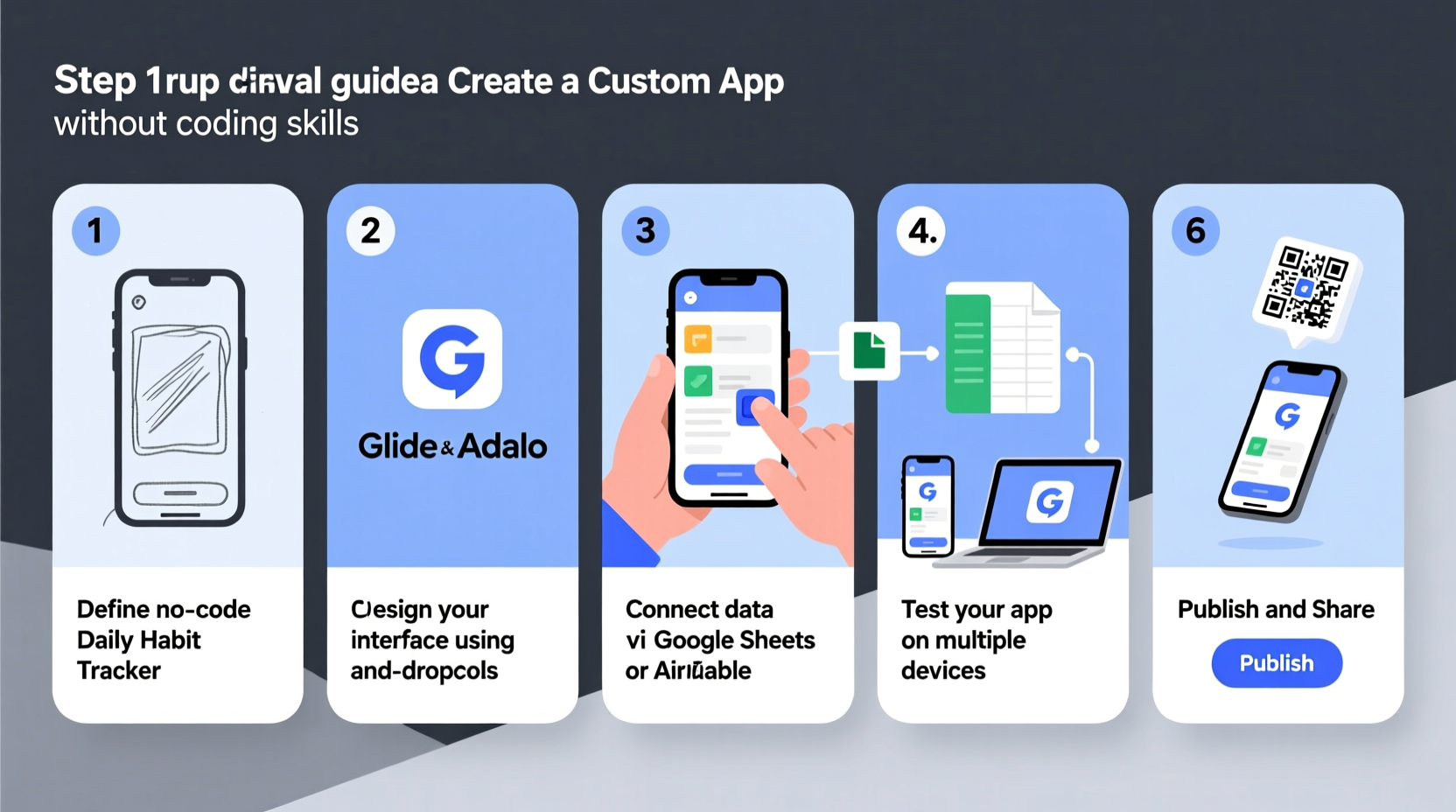
No-code platforms have transformed software creation by offering drag-and-drop interfaces, pre-built components, and integrations that simplify complex processes. These tools abstract the underlying programming logic into visual workflows, making app development intuitive for non-developers.
According to Gartner, over 65% of application development activity will be no-code or low-code by 2025. This shift empowers entrepreneurs, educators, small business owners, and creatives to turn ideas into digital tools quickly and affordably.
Step-by-Step Guide to Building Your App Without Code
Follow this structured approach to go from idea to working app in under four weeks.
- Define Your App’s Purpose
Ask: What problem does it solve? Who is it for? Be specific. For example, instead of “a productivity app,” define it as “a task tracker for freelance designers to log client hours.” - Map Out Core Features
List essential functions. Prioritize must-haves over nice-to-haves. A basic app might include user login, data input forms, a dashboard, and notifications. - Choose the Right No-Code Platform
Select based on your needs. Some platforms specialize in mobile apps, others in web-based tools or internal business systems. - Design the User Interface (UI)
Use built-in templates or design screens from scratch using drag-and-drop editors. Focus on simplicity and logical navigation. - Build Workflows and Logic
Set up how data flows through your app. For example: when a user submits a form, send an email notification and update a database. - Test with Real Users
Share a prototype with a small group. Observe how they interact with it and collect feedback on usability and functionality. - Publish and Monitor
Deploy your app. Most no-code tools offer one-click publishing. After launch, track usage and fix any issues quickly.
Choosing the Right No-Code Tool for Your Project
Not all platforms are created equal. The best choice depends on your app type, scalability needs, and integration requirements.
| Platform | Best For | Mobile Support | Pricing (Starting) |
|---|---|---|---|
| Adalo / Adalo+ | Simple mobile apps | Yes | $50/month |
| Glide | Apps from Google Sheets | Yes (PWA) | Free tier available |
| Thunkable | Native mobile apps (iOS/Android) | Yes | $20/month |
| Webflow + Memberstack | Web-based membership apps | Responsive web | $15/month |
| Airtable + Softr | Internal tools & dashboards | Web-based | Free–$29/month |
Real Example: How Sarah Built a Client Onboarding App in Two Weeks
Sarah runs a small branding agency and struggled with inconsistent client intake. She needed a way to collect project briefs, contracts, and payments—all in one place. With no technical background, she turned to Glide and Airtable.
She started by organizing her client workflow in an Airtable base: fields for contact info, project scope, budget, and status. Then, she connected it to Glide, designing a mobile-friendly form for clients to fill out. Using built-in logic, she set up automatic email confirmations and Slack alerts for her team.
In 12 days, she had a live app. Clients accessed it via a link, and Sarah reduced onboarding time by 70%. The total cost? $25/month with no developer fees.
“With no-code tools, I didn’t just save money—I gained control over my workflow. I can tweak the app anytime, without waiting for a developer.” — Sarah Lin, Creative Director
Essential Checklist Before Launching Your App
- ✅ Define the primary user and their pain point
- ✅ List core features (limit to 3–5 max for MVP)
- ✅ Choose a no-code platform that fits your app type
- ✅ Design intuitive navigation and clean UI
- ✅ Connect data sources (e.g., Google Sheets, Airtable)
- ✅ Set up automation (notifications, status updates)
- ✅ Test with at least 3 real users
- ✅ Fix bugs and clarify instructions
- ✅ Publish and share access securely
- ✅ Plan for regular updates based on feedback
Common Pitfalls to Avoid
Even with no-code tools, poor planning can derail your project. Watch out for these mistakes:
- Overloading features early: Resist adding every possible function at launch. Build a minimum viable product (MVP) first.
- Ignoring user experience: Cluttered layouts or confusing buttons frustrate users. Keep it simple.
- Skipping testing: Never assume your app works perfectly. Real users will find flaws you missed.
- Underestimating data structure: How you organize data (e.g., in Airtable or Google Sheets) affects everything. Spend time on this upfront.
“The biggest advantage of no-code isn’t speed—it’s iteration. You can launch fast, learn faster, and adapt in days, not months.” — Mark Rivera, No-Code Consultant
Frequently Asked Questions
Can I really build a professional-quality app without coding?
Yes. Modern no-code platforms support responsive design, secure authentication, payment processing, and integrations with tools like Stripe, Zapier, and Google Workspace. Many startups and enterprises use no-code apps for customer-facing and internal tools.
How much does it cost to build a no-code app?
Costs vary by platform and features. Basic apps can be built for free or under $30/month. More advanced apps with custom domains, user roles, and external APIs may range from $50–$200/month. This is significantly less than hiring a developer, which could cost thousands.
Can I sell my no-code app or monetize it?
Absolutely. Many no-code founders run profitable SaaS products, membership sites, or client service apps. Platforms like Glide and Adalo allow you to brand your app and charge users via integrated payment systems.
Final Thoughts: Your Idea Doesn’t Need Code—It Needs Action
The barrier to building digital tools has never been lower. You don’t need a computer science degree or a six-figure budget to bring your idea to life. By leveraging no-code platforms, thoughtful planning, and user feedback, you can create a functional, scalable app that solves real problems.
Start small. Build fast. Learn continuously. The next great app might not come from Silicon Valley—it might come from you.




 浙公网安备
33010002000092号
浙公网安备
33010002000092号 浙B2-20120091-4
Comments
No comments yet. Why don't you start the discussion?