
Building a data center from the ground up is a complex but rewarding endeavor. Whether you're supporting enterprise operations, cloud services, or internal IT infrastructure, a well-designed data center ensures reliability, performance, and long-term scalability. This guide walks through the essential phases—from site selection to deployment—with practical insights to avoid common pitfalls and maximize efficiency.
1. Define Requirements and Scope
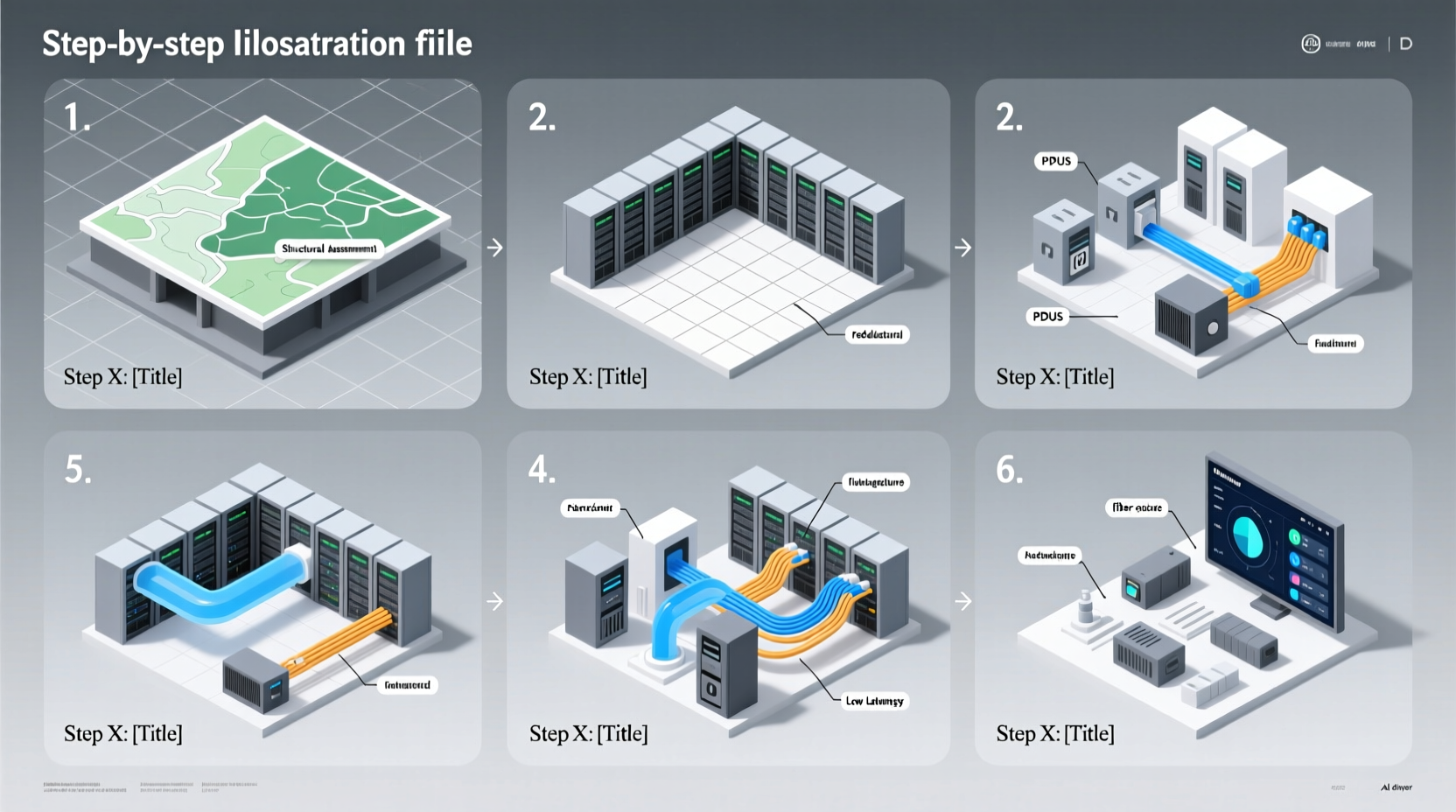
Before breaking ground, clearly define the purpose of your data center. Is it for internal use, colocation, or hybrid cloud integration? Understanding workload demands, growth projections, and compliance needs shapes every subsequent decision.
Begin with a capacity plan that includes:
- Estimated server count and rack units (U)
- Power requirements (kW per rack)
- Cooling load (in tons or BTUs)
- Network bandwidth and redundancy needs
- Security and regulatory standards (e.g., HIPAA, GDPR, SOC 2)
A realistic timeline helps align stakeholders. For a medium-scale facility (500–1,000 kW), expect 12–18 months from planning to full operation.
2. Site Selection and Facility Design
The location of your data center impacts latency, energy costs, disaster resilience, and operational expenses. Prioritize sites with:
- Low risk of natural disasters (floods, earthquakes, hurricanes)
- Access to redundant power grids and fiber-optic networks
- Favorable climate for free cooling (e.g., cooler regions reduce mechanical cooling needs)
- Proximity to skilled technical labor
Architecturally, design for modularity. Use a tiered layout based on Uptime Institute standards:
| Tier Level | Redundancy | Uptime Guarantee | Best For |
|---|---|---|---|
| Tier I | Basic infrastructure | 99.671% | Non-critical testing |
| Tier II | N+1 components | 99.741% | Small businesses |
| Tier III | Concurrently maintainable | 99.982% | Enterprises, cloud providers |
| Tier IV | Fault-tolerant systems | 99.995% | Financial, government |
“Designing for Tier III from day one allows room for growth while ensuring high availability.” — Rajiv Patel, Data Center Architect at CoreLogic Infrastructure
Incorporate raised flooring for cable management and underfloor airflow, and reserve space for future expansion pads or containerized modules.
3. Power and Cooling Infrastructure
Power efficiency directly affects operational cost and environmental impact. Aim for a Power Usage Effectiveness (PUE) ratio below 1.5. Top-tier facilities achieve PUEs as low as 1.1 through advanced design.
Implement a dual-power feed from separate substations, backed by UPS systems and diesel generators capable of sustaining full load for 72+ hours. Use transformers rated above expected demand to prevent overheating during peak loads.
Cooling represents up to 40% of energy use. Optimize thermal management with:
- Hot aisle/cold aisle containment to prevent air mixing
- Variable-speed CRAC (Computer Room Air Conditioning) units
- Free cooling using outside air or water-side economizers in temperate climates
- Liquid cooling for high-density racks (e.g., AI/ML clusters)
4. Network and Security Architecture
A robust network backbone supports low-latency communication and seamless failover. Deploy a spine-leaf topology for scalability and predictable performance. Use 40G/100G core links even if current demand doesn’t require them—future-proofing avoids bottlenecks.
Security must be multi-layered:
- Physical: Biometric access controls, surveillance, mantraps, and secure entry vestibules
- Network: Firewalls, intrusion detection/prevention systems (IDS/IPS), micro-segmentation
- Logical: Role-based access control (RBAC), encrypted storage, and regular penetration testing
Ensure all systems comply with zero-trust principles. No device or user is trusted by default—even inside the network perimeter.
“Security isn’t a feature; it’s foundational. If you bolt it on later, you’ll inherit vulnerabilities you can’t patch.” — Lena Torres, CISO at Nexus Secure Systems
5. Deployment and Scalability Strategy
Roll out infrastructure in phases. Start with a pilot zone of 10–20 racks to validate power, cooling, and network performance before scaling.
Use standardized hardware configurations to simplify maintenance and spares inventory. Consider prefabricated modular data centers (PMDCs) for rapid deployment and consistent quality.
To ensure scalability:
- Adopt software-defined networking (SDN) for flexible traffic routing
- Implement automated provisioning tools (e.g., Terraform, Ansible)
- Monitor capacity trends with DCIM (Data Center Infrastructure Management) software
- Reserve 20–30% of floor space for expansion
Mini Case Study: Building a Regional Cloud Hub
A mid-sized financial services provider needed a private cloud hub to support digital banking across three states. They selected a site in central Indiana for its stable geology, dual utility feeds, and fiber connectivity.
Phase 1 included 300 racks, N+1 UPS, and chilled-water cooling with free-air economization. By designing modular zones, they added compute capacity incrementally as customer adoption grew. After two years, they expanded by 60% without redesigning core systems, maintaining a PUE of 1.38 throughout.
Checklist: Key Steps to Launch Your Data Center
- ✅ Finalize business and technical requirements
- ✅ Select and secure a suitable site
- ✅ Design Tier III-compliant architecture
- ✅ Procure redundant power and backup systems
- ✅ Implement hot aisle containment and smart cooling
- ✅ Deploy spine-leaf network with SDN support
- ✅ Install physical and cyber security layers
- ✅ Test failover, cooling, and load distribution
- ✅ Begin phased server rollout
- ✅ Integrate DCIM for real-time monitoring
FAQ
How much does it cost to build a data center from scratch?
Costs vary widely based on size and location. A small Tier III facility (500 kW) typically costs $15–25 million, including construction, equipment, and commissioning. Larger centers can exceed $100 million.
Can renewable energy power a data center?
Yes. Many modern data centers integrate solar, wind, or purchase renewable energy credits (RECs). Some sign power purchase agreements (PPAs) with local green energy providers to offset carbon footprint and stabilize long-term energy costs.
What is the average lifespan of a data center?
Well-maintained facilities last 15–20 years. However, technology refresh cycles (every 3–5 years for servers and networking gear) mean internal systems evolve continuously, even if the shell remains intact.
Conclusion
Creating a scalable and efficient data center requires foresight, disciplined planning, and investment in resilient systems. From site selection to modular deployment, each phase builds toward a facility that meets today’s demands and adapts to tomorrow’s challenges. Technology evolves rapidly, but a solid foundation ensures your infrastructure won’t become obsolete before it’s fully utilized.




 浙公网安备
33010002000092号
浙公网安备
33010002000092号 浙B2-20120091-4
Comments
No comments yet. Why don't you start the discussion?