
Facebook Groups remain one of the most powerful tools for building online communities, fostering meaningful conversations, and growing brand loyalty. Unlike passive social media posts, groups encourage interaction, trust, and long-term engagement. But simply creating a group isn’t enough. Success comes from intentional planning, consistent moderation, and strategic growth tactics. This guide walks through every stage—from initial setup to scaling an active, thriving community.
Define Your Purpose and Target Audience
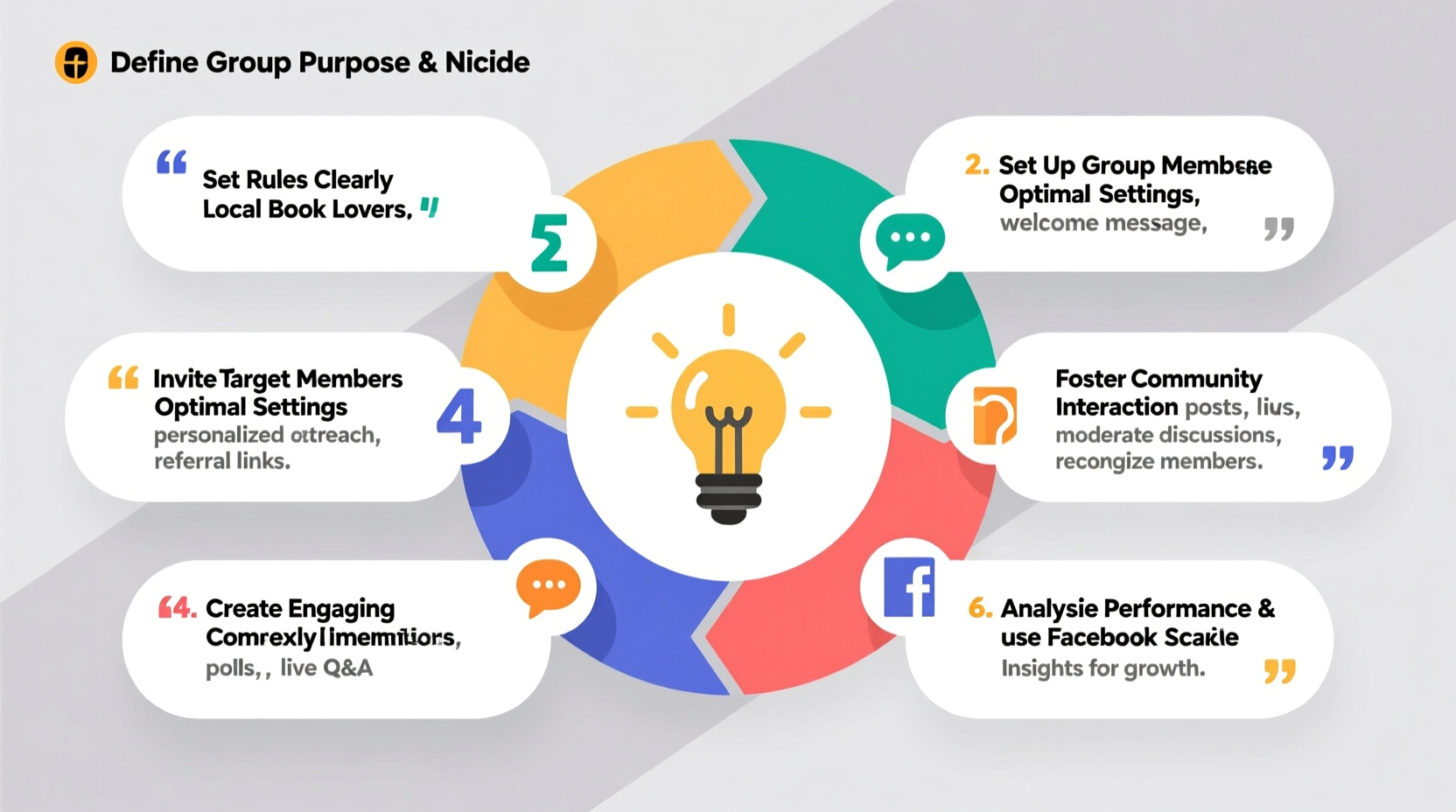
Every successful Facebook Group starts with clarity. Ask yourself: Why does this group exist? Who will benefit from joining? A vague or overly broad purpose leads to low engagement and confused members.
Begin by writing a clear mission statement. For example:
- Niche Fitness Community: “A supportive space for women over 40 to share fitness journeys, nutrition tips, and motivation.”
- Local Parenting Network: “Connecting parents in Austin to exchange childcare advice, event recommendations, and emotional support.”
- Small Business Mastermind: “A private group for solopreneurs in digital marketing to collaborate on strategies and troubleshoot challenges.”
The more specific your audience, the easier it is to attract the right people and maintain relevance. Use this clarity when crafting your group description, rules, and promotional language.
Step-by-Step Setup Process
Creating a Facebook Group is simple, but doing it right requires attention to detail. Follow these steps to set a strong foundation:
- Log into Facebook and click “Groups” in the left-hand menu or visit facebook.com/groups.
- Click Create New Group.
- Add members (optional at this stage—start small).
- Choose a clear, descriptive name that reflects your niche (e.g., “Zero-Waste Living Tips – UK” instead of “Green Life”).
- Select privacy settings: Closed or Private (recommended) to build trust and control membership.
- Upload a professional cover image and profile picture (logo or relevant visual).
- Write a compelling group description including:
- Who the group is for
- What members gain by joining
- How often they should expect to engage
- Set up discussion topics to organize content (e.g., Introductions, Resources, Weekly Challenges).
Once live, invite 5–10 trusted individuals who align with your target audience. Their early activity will set the tone and encourage others to participate.
Establish Rules and Moderation Strategy
Without structure, even well-intentioned groups can devolve into spam, off-topic rants, or conflict. Clear rules prevent confusion and empower moderators to act decisively.
| Do’s | Don’ts |
|---|---|
| Be respectful and kind in all interactions | No self-promotion without admin approval |
| Stay on topic within discussion categories | Don’t share misinformation or unverified claims |
| Ask questions and engage thoughtfully | No hate speech, discrimination, or personal attacks |
| Tag admins if you need help or see policy violations | Don’t post duplicate content repeatedly |
Pin your rules as the first post in the group and require new members to agree before posting. Assign at least one co-moderator early—someone reliable who shares your vision. Use Facebook’s built-in tools to filter keywords, approve member requests, and manage reported content efficiently.
“Communities thrive when members feel safe, heard, and valued. Strong moderation isn’t about control—it’s about care.” — Dana Lee, Digital Community Strategist
Drive Engagement and Sustain Activity
A dormant group loses credibility fast. The first 30 days are critical for establishing momentum. Here’s how to keep conversations flowing:
- Launch with a welcome thread: Invite each new member to introduce themselves using a fun prompt (“Share your name, location, and one goal you’re working toward this month!”).
- Post consistently: Aim for 1–2 valuable posts per day. Mix formats: questions, polls, resources, success stories.
- Host weekly themes: “Motivation Monday,” “Tip Tuesday,” or “Feedback Friday” create predictability and anticipation.
- Recognize contributions: Highlight helpful members, celebrate milestones, and thank active participants publicly.
- Use calls to action: End posts with prompts like “What’s one thing you learned this week?” or “Drop your favorite tool below.”
Mini Case Study: From 50 to 5,000 Members in 6 Months
Sarah, a freelance graphic designer, launched a group called “Freelance Creatives: Design, Rates & Clients” to help others avoid undercharging and isolation. She started with 12 peers from her network. Each week, she posted real client contracts (anonymized), hosted live Q&A sessions via video, and encouraged members to share their rates.
Within three months, engagement was so high that Facebook began recommending the group organically. Sarah introduced monthly challenges (“Pitch a Dream Client”) and partnered with a copywriter to offer free webinars. By month six, the group reached 5,000 members, with dozens reporting they’d raised their rates by 30% or more thanks to shared insights. Her secret? Consistency, authenticity, and refusing to allow sales pitches unless educational.
Growth and Long-Term Management Checklist
To scale sustainably, follow this actionable checklist:
- ✅ Define your group’s core purpose and ideal member
- ✅ Choose a clear, searchable name and professional visuals
- ✅ Set privacy to Closed or Private
- ✅ Write and pin comprehensive rules
- ✅ Invite 5–10 engaged founding members
- ✅ Post daily during the first month
- ✅ Appoint at least one co-moderator
- ✅ Create themed discussion days
- ✅ Encourage user-generated content (UGC)
- ✅ Review analytics monthly (via Group Insights)
- ✅ Refresh content strategy every quarter
- ✅ Celebrate member wins and milestones
Track key metrics like weekly active members, post reach, and new sign-ups. If engagement dips, experiment with new content types or re-engage silent members with personalized messages.
FAQ
How do I stop spam or irrelevant promotions?
Enable manual approval for new members and posts (in group settings). Use keyword filters to block common spam terms like “make money fast” or “DM me.” Remove violators promptly and remind members of the rules.
Can I monetize my Facebook Group?
Direct selling is discouraged and often alienates members. Instead, offer premium services, courses, or memberships to a subset of engaged users. Focus on value-first; revenue follows trust.
How often should I post as an admin?
In active groups, aim for 1–2 posts per day. In smaller or newer groups, posting once every other day may suffice initially. Prioritize quality over quantity—ask engaging questions or share useful resources rather than filler content.
Conclusion
Building a successful Facebook Group isn’t about quick growth—it’s about cultivating a space where people feel seen, supported, and inspired to contribute. Start with intention, moderate with empathy, and lead with consistency. Over time, your group can become a cornerstone of your community-building efforts, whether for personal passion, professional networking, or brand development.




 浙公网安备
33010002000092号
浙公网安备
33010002000092号 浙B2-20120091-4
Comments
No comments yet. Why don't you start the discussion?