
Azure service principals are essential for enabling applications, scripts, and automation tools to securely interact with Azure resources without using human credentials. They act as identity proxies within Azure Active Directory (Azure AD), allowing non-interactive authentication while enforcing the principle of least privilege. Misconfigured or poorly managed service principals can become security liabilities. A well-structured approach ensures robust, auditable, and scalable access control across cloud environments.
Understanding Service Principals and Their Role in Azure Security
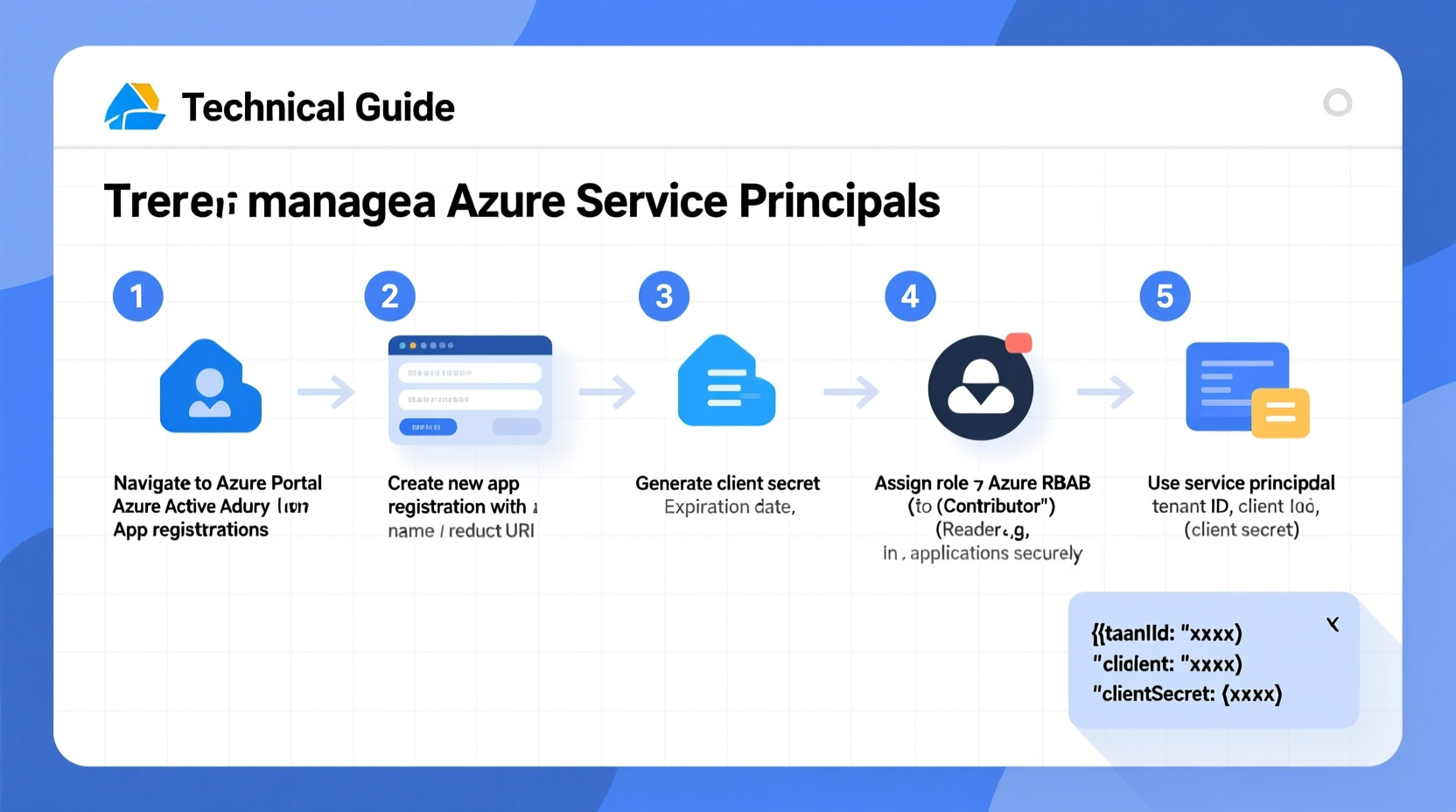
In Azure, a service principal is an application instance of an Azure AD-registered application. While the application registration defines the global configuration (like client ID and permissions), the service principal governs how that app behaves in a specific Azure directory or subscription. When an application runs—such as a CI/CD pipeline, background job, or microservice—it authenticates via its service principal to access resources like virtual machines, storage accounts, or key vaults.
This separation enables granular role-based access control (RBAC). Instead of granting broad permissions to users, you assign narrowly scoped roles to service principals. For example, a deployment script might only need Contributor access to a single resource group, not full subscription control.
“Service principals are the backbone of secure automation in Azure. Treat them like privileged accounts—they should be monitored, rotated, and audited regularly.” — Rajiv Mehta, Cloud Security Architect at Microsoft
Step-by-Step: Creating a Service Principal in Azure
Follow this sequence to create a service principal using the Azure CLI—a common method preferred for scripting and automation.
- Log in to Azure CLI: Run
az loginand authenticate with an account that has sufficient permissions (e.g., Owner or Application Administrator). - Create the service principal: Use the following command:
az ad sp create-for-rbac --name \"my-app-sp\" --role Contributor --scopes /subscriptions/{subscription-id}/resourceGroups/my-rgThis creates a service principal, assigns theContributorrole on a specific resource group, and returns credentials includingappId,password(client secret), andtenantId. - Securely store the output: The returned JSON contains sensitive data. Never hardcode it into source files. Instead, use Azure Key Vault or environment variables in secure pipelines.
- Verify creation: Confirm the service principal exists by running:
az ad sp list --display-name \"my-app-sp\"
Best Practices for Managing Service Principals
Creating a service principal is just the beginning. Long-term security depends on disciplined management.
- Use Managed Identities when possible: For workloads running inside Azure (e.g., VMs, App Services), prefer managed identities over service principals. They eliminate secrets entirely and are automatically rotated.
- Rotate credentials regularly: Client secrets should be treated like passwords. Rotate them every 30–90 days, depending on sensitivity.
- Monitor usage with Azure Monitor and Log Analytics: Track sign-in logs and audit events to detect anomalous behavior.
- Apply descriptive naming conventions: Name service principals clearly (e.g.,
sp-prod-inventory-api) to simplify identification and ownership tracking. - Delete unused principals: Regularly review and remove inactive or obsolete service principals to reduce attack surface.
Managing Credentials: Secrets vs. Certificates
Service principals support two authentication methods: client secrets and X.509 certificates. Each has trade-offs.
| Method | Pros | Cons |
|---|---|---|
| Client Secret | Simple to generate and use; widely supported | Must be stored securely; risk of exposure if hardcoded |
| X.509 Certificate | No shared secrets; better security posture; supports longer validity and auto-rotation | More complex setup; requires certificate management infrastructure |
To create a certificate-based service principal:
- Generate a self-signed certificate using PowerShell or OpenSSL.
- Register the app and upload the public key.
- Use the private key in your application for authentication.
Real-World Scenario: Securing a CI/CD Pipeline
A fintech startup uses GitHub Actions to deploy infrastructure-as-code (IaC) templates to Azure. Initially, they used a long-lived service principal with a client secret stored in GitHub Secrets. After a security audit, they realized the principal had Owner role at the subscription level—an excessive privilege.
The team revised their approach:
- Narrowed scope to specific resource groups.
- Replaced the client secret with a certificate stored in Key Vault.
- Implemented automated rotation every 60 days via Azure Automation.
- Enabled Azure AD sign-in logs and set up alerts for failed attempts.
Result: The pipeline remained fully functional, but the security posture improved dramatically. Even if the certificate were compromised, the blast radius was limited.
Essential Checklist for Secure Service Principal Management
- ✅ Audit Existing Service Principals
-
Run
az ad sp list --allto identify all active principals. Tag or document ownership. - ✅ Assign Least Privilege Roles
-
Use built-in roles like
Reader,Contributor, or custom roles tailored to exact needs. - ✅ Enable Logging and Monitoring
- Integrate with Azure Monitor and configure alerts for suspicious activity.
- ✅ Rotate Credentials on Schedule
- Set calendar reminders or automate rotation using Azure Functions.
- ✅ Prefer Certificates Over Secrets
- Especially for production systems where higher assurance is required.
- ✅ Clean Up Orphaned Principals
- Remove any service principals tied to decommissioned apps or projects.
Frequently Asked Questions
Can one service principal access multiple subscriptions?
Yes. A service principal can be granted roles in multiple subscriptions within the same Azure AD tenant. Use the az role assignment create command with different scope parameters for each subscription.
What happens if a client secret expires?
The application will fail to authenticate until a new valid credential is provided. To avoid downtime, rotate secrets before expiration and update configurations accordingly. Consider using certificates with longer lifespans or integrating with Key Vault for seamless renewal.
How do I delete a service principal?
Use the command: az ad sp delete --id <app-id>. Ensure no applications or workflows depend on it before deletion.
Conclusion: Build Security Into Your Automation Foundation
Service principals are not just technical artifacts—they are critical components of your cloud security architecture. By following structured creation processes, applying least privilege, rotating credentials, and continuously monitoring access, you ensure that automation enhances efficiency without compromising safety. As cloud environments grow more complex, the discipline around identity management becomes even more vital.




 浙公网安备
33010002000092号
浙公网安备
33010002000092号 浙B2-20120091-4
Comments
No comments yet. Why don't you start the discussion?