
In the past, producing a professional-looking YouTube video required expensive cameras, lighting kits, and editing suites. Today, all you need is a modern smartphone and the right approach. With over 2.5 billion active users on YouTube, standing out means delivering quality—visually and conceptually. The good news? You don’t need a studio. Millions of successful creators produce polished content using only their phones. This guide walks through every stage of creating a professional YouTube video using nothing but your mobile device.
1. Plan Your Content with Purpose
Before touching your phone’s camera, define your video’s goal. Are you educating, entertaining, or inspiring? A clear objective shapes everything from script to shot selection. Start by outlining your key message and structuring it into a simple narrative: intro, main content, and conclusion.
Write a brief script or bullet-point outline. Even vlog-style videos benefit from structure—viewers stay engaged when content flows logically. Keep sentences concise and speak naturally. Avoid reading directly from text; instead, use notes as prompts to maintain authenticity.
Choose a Niche That Scales
Select a topic you’re passionate about and that has audience demand. Use YouTube’s search suggestions or tools like Google Trends to validate interest. Consistency in theme builds viewer loyalty and helps the algorithm recommend your content.
2. Optimize Your Phone for Filming
Your smartphone is more capable than you think. Most modern devices shoot in 4K resolution with image stabilization and excellent low-light performance. To unlock its full potential, adjust settings and prepare your environment.
Camera Settings Checklist
- Set resolution to 1080p or 4K at 30fps (or 60fps for action shots)
- Enable grid lines to apply the rule of thirds
- Lock focus and exposure by tapping and holding on your subject
- Clean the lens with a microfiber cloth to avoid blurry footage
- Turn off digital zoom—move closer instead
Use landscape mode (horizontal) unless you're specifically targeting Shorts. Horizontal format is standard for YouTube and looks more professional.
“Your phone can capture cinema-grade footage if you control light, stability, and framing.” — Maya Tran, Mobile Filmmaker & Creator Coach
Lighting: Natural vs. Artificial
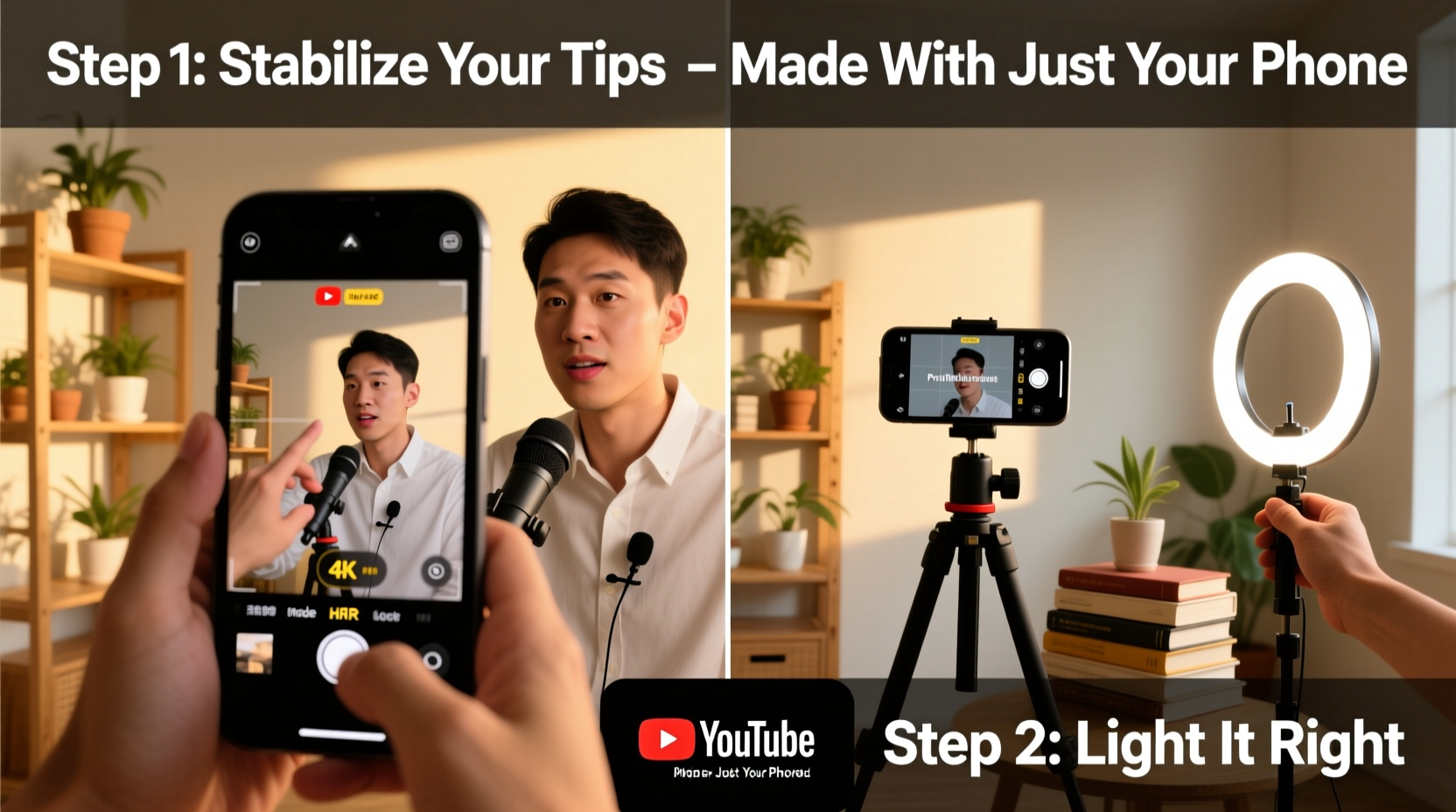
Natural light is your best ally. Film near a window during daytime with the light source in front of you, not behind. Avoid harsh midday sun; early morning or late afternoon provides softer illumination.
If natural light isn’t enough, use affordable LED ring lights or softbox panels. Position the light slightly above eye level and angle it toward your face to reduce shadows.
3. Stabilize and Frame Like a Pro
Shaky footage instantly looks amateurish. Even with built-in stabilization, handheld shooting risks jitter. For smooth results, use a mini tripod or grip. Foldable tripods under $20 work perfectly for phones and fit in a backpack.
Position the camera at eye level. Use books or small stands to raise your phone if needed. Align your eyes with the top third of the frame using the grid overlay—this follows the rule of thirds and creates visual balance.
Framing Guidelines
| Aspect | Do | Avoid |
|---|---|---|
| Distance | Frame head and shoulders with slight headroom | Too close (cropped forehead) or too far (tiny figure) |
| Background | Simple, uncluttered, relevant to topic | Busy patterns, personal items, distractions |
| Eye Line | Look at the lens, not the screen | Glancing down or away frequently |
| Audio Source | Keep mic close; use external lavalier if possible | Recording from across the room |
For B-roll or product shots, vary angles: overhead, close-up, side profile. These add visual interest and help explain concepts without relying solely on talking-head footage.
4. Record Clear Audio Without External Gear
Poor audio ruins even the best visuals. While phone mics have improved, they pick up ambient noise easily. Record in quiet environments—turn off fans, AC, and notifications.
Speak clearly and at a consistent volume. Stay within three feet of the phone. If possible, use wired earbuds with a built-in mic placed closer to your mouth. They often outperform the phone’s internal microphone.
For interviews or outdoor shoots, consider a clip-on lavalier mic that connects via USB-C or Lightning. Many cost under $30 and dramatically improve sound clarity.
Mini Case Study: From Bedroom to 100K Subscribers
Jamal Reyes started his cooking channel “One Pan Jamie” using only his iPhone 12 and a kitchen window for light. He filmed recipes on a foldable tripod, used his AirPods mic for voiceover, and edited on his phone. Within eight months, his clean framing, consistent lighting, and clear audio helped him grow to 107,000 subscribers. His secret? “I treated my phone like a pro camera. Same setup, same standards.”
5. Edit Professionally Using Mobile Apps
Editing transforms raw clips into engaging stories. You don’t need desktop software. Mobile apps like CapCut, InShot, and Adobe Premiere Rush offer powerful tools for trimming, transitions, text overlays, and color correction.
Step-by-Step Editing Workflow
- Import clips and arrange them in order
- Trim silence and mistakes from the beginning and end of each take
- Add background music at 10–20% volume (use royalty-free tracks from YouTube Audio Library)
- Insert text overlays for key points or titles
- Adjust brightness and contrast for consistent look
- Add a simple transition (like fade or dip to black) between major sections
- Export in 1080p or higher with H.264 codec for best compatibility
Keep edits clean. Avoid flashy effects unless they serve the content. Viewers appreciate clarity over complexity.
FAQ: Common Questions About Phone-Based YouTube Production
Can I really make a professional YouTube video with just a phone?
Absolutely. Most viewers prioritize content quality and presentation over gear. With good lighting, stable framing, clear audio, and thoughtful editing, phone-shot videos are indistinguishable from those made with DSLRs.
Do I need to invest in extra equipment right away?
Start with what you have. A tripod and quiet space are the most impactful early upgrades. Add a lavalier mic or ring light once you’ve validated your content’s appeal.
How long should my videos be?
Begin with 5–8 minute videos. This length allows depth without testing viewer patience. As you analyze watch-time metrics, adjust based on what keeps people watching.
Final Checklist Before Uploading
- ✅ Video framed well with proper lighting
- ✅ Audio is clear and free of background noise
- ✅ Edited for pace—no long pauses or repetition
- ✅ Includes title card and end screen (use Canva to design)
- ✅ Captions added for accessibility
- ✅ Thumbnail is custom, high-contrast, and includes readable text
- ✅ Title and description include relevant keywords
Conclusion: Your Phone Is All You Need to Begin
The barrier to creating professional YouTube content has never been lower. With a smartphone, intentional planning, and attention to detail, you can produce videos that inform, entertain, and build an audience. Focus on consistency, authenticity, and incremental improvement. Your first video doesn’t need to be perfect—it needs to exist. Refine your process with each upload, learn from analytics, and engage with your viewers. The tools are in your pocket. Now, press record and start sharing your voice with the world.




 浙公网安备
33010002000092号
浙公网安备
33010002000092号 浙B2-20120091-4
Comments
No comments yet. Why don't you start the discussion?