
Creating a computer game no longer requires years of programming experience or expensive software. With the rise of intuitive, no-code game development platforms, anyone—from students to hobbyists—can bring their game ideas to life. Whether you envision a puzzle adventure, platformer, or narrative-driven experience, this guide walks through the entire process using accessible tools that cost nothing to start.
Why No-Code Game Development Makes Sense Today
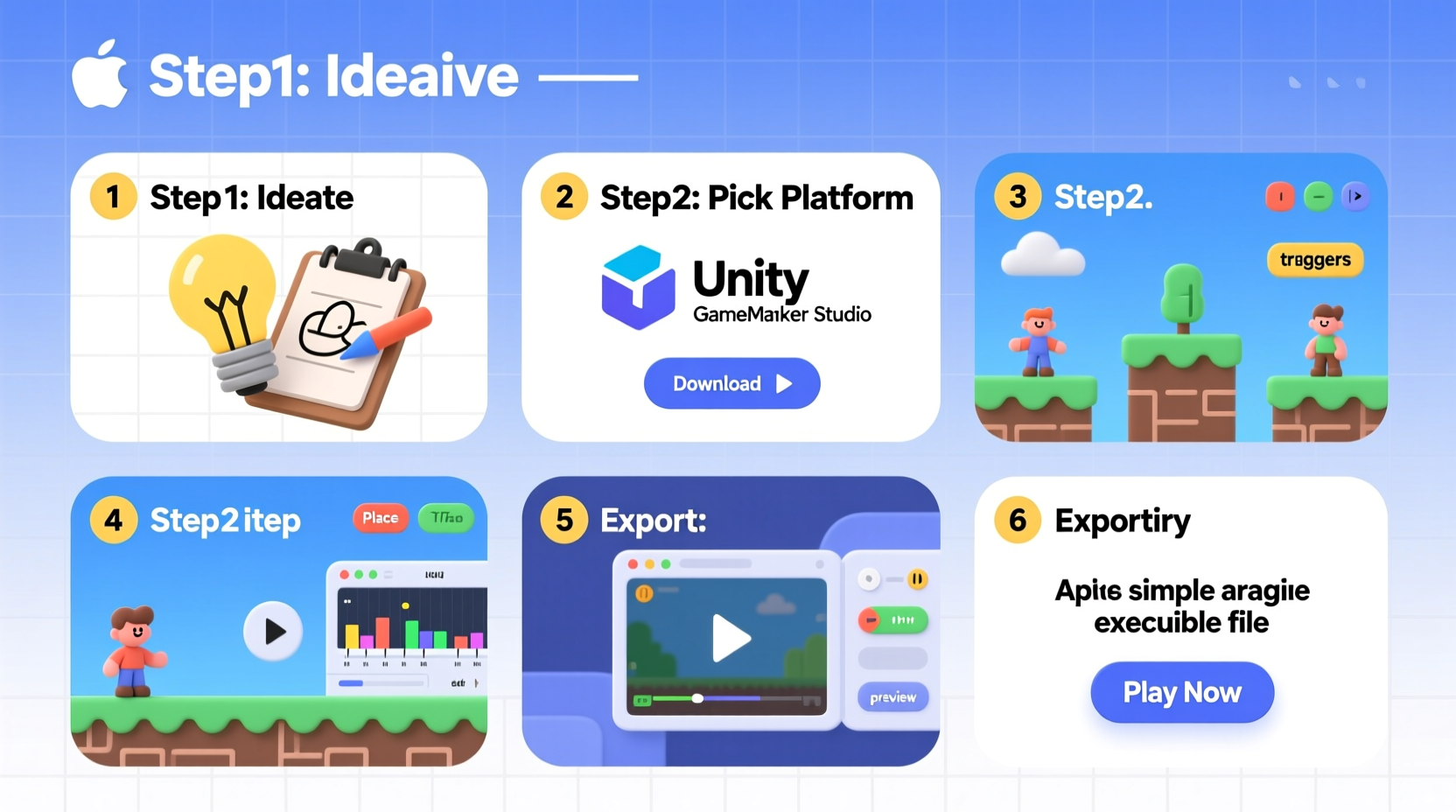
The digital landscape has evolved to empower creators regardless of technical background. Modern no-code engines use drag-and-drop interfaces, visual scripting, and built-in templates to simplify game design. These tools abstract complex programming logic into manageable components, allowing focus on creativity, mechanics, and storytelling.
Industry experts agree: accessibility drives innovation. As Jane Chen, indie game designer and educator, explains:
“Democratizing game creation means more diverse voices, fresh ideas, and games that reflect real human experiences—not just technical prowess.” — Jane Chen, Indie Developer & Creator of ‘Pixel Tales’
This shift enables artists, writers, and educators to prototype interactive experiences without writing a single line of code.
Choosing the Right No-Code Platform
Selecting a tool is the first critical decision. The best platforms offer intuitive interfaces, active communities, export options, and cross-platform support—all while being free to start. Below is a comparison of top no-code game builders ideal for beginners.
| Platform | Best For | Export Options | Learning Curve |
|---|---|---|---|
| GDevelop | 2D games (platformers, puzzles) | Web, Windows, macOS, Android, iOS | Low – beginner friendly |
| Construct 3 | Action and arcade-style games | Web, desktop, mobile apps | Low to moderate |
| Stencyl | Game jams and educational games | Desktop and mobile (limited free tier) | Moderate |
| Godot (with visual scripting) | More advanced 2D/3D control | Full multi-platform export | Moderate – steeper but powerful |
For this guide, we’ll use GDevelop—a fully open-source, no-cost option with robust features and an active user base. It runs in-browser or as a downloadable app, making it accessible on nearly any device.
Step-by-Step Guide to Building Your First Game
Follow these seven steps to create a simple 2D platformer where a character collects coins while avoiding obstacles. This structure applies to most game genres with minor adjustments.
- Download and Install GDevelop
Create a free account at gdevelop.io and download the desktop app or use the web version. No payment or credit card required. - Start a New Project
Select “New Empty Project,” then choose 2D. Name your game (e.g., “Coin Quest”) and set the screen resolution (800x600 is ideal for beginners). - Add a Background and Scene
Click “Scene Editor,” then import a background image. Use free assets from OpenGameArt.org or draw a simple color gradient. Drag it onto the scene canvas. - Create Your Player Character
Import a character sprite (PNG format). If you don’t have one, use a placeholder shape. Add it as a “Sprite” object. Enable “Platformer Character” behavior under the Behaviors tab—this instantly gives walking, jumping, and gravity. - Design Gameplay Mechanics
Use the Events sheet to define rules visually:- When player touches coin → destroy coin + increase score
- When player falls off screen → restart scene
- When player reaches goal → go to next level
- Build Levels with the Scene Editor
Add platforms using tiled sprites or boxes. Assign “Platform” behavior so the player can walk on them. Place collectibles and hazards. Test frequently using the built-in preview button (Ctrl+R). - Export and Share
Go to “Export” and choose your platform. Web export generates an HTML5 file you can upload to Itch.io or share via Google Drive. Mobile exports require additional setup but are supported.
Real Example: From Idea to Published Mini-Game
Sophie, a high school teacher in Portland, wanted her students to learn environmental science through play. With no coding background, she used GDevelop to create “Recycle Rush”—a side-scroller where players sort falling waste into correct bins.
In two weekends, she designed three levels, sourced public-domain graphics, and implemented scoring based on accuracy. She published it on Itch.io and embedded it in her class website. Students played over 300 rounds in the first week, and engagement in related lessons increased by 40%.
Her success came not from technical skill, but from clear goals, iterative testing, and leveraging no-code efficiency.
Essential Checklist Before Publishing
- ✅ Test gameplay on different screen sizes
- ✅ Verify all interactive objects respond correctly
- ✅ Add basic instructions or tutorial text
- ✅ Include a “Restart” or “Main Menu” option
- ✅ Optimize file size by compressing images
- ✅ Playtest with someone unfamiliar with the game
- ✅ Credit asset sources if using third-party art/music
Frequently Asked Questions
Can I make money from a no-code game?
Yes. Many developers monetize games through ads (using platforms like AdMob), donations, or selling premium versions. On Itch.io, you can set pay-what-you-want pricing. However, revenue depends on marketing, quality, and audience reach—not the development tool used.
Are there limitations compared to coded games?
While no-code tools handle most 2D games effectively, highly complex mechanics (e.g., multiplayer networking or custom physics) may require code extensions or be impractical. That said, for solo creators and prototypes, the limitations rarely outweigh the speed and accessibility benefits.
Do I need to know art or music to make a game?
No. Numerous websites offer free, royalty-free assets. Recommended sources include:
- Kenney.nl – high-quality game assets under CC0 license
- Zapsplat.com – sound effects and music
- OpenGameArt.org – community-created visuals and audio
Final Thoughts and Next Steps
Creating a computer game without coding is not just possible—it’s practical, fast, and deeply rewarding. Tools like GDevelop, Construct 3, and Stencyl have leveled the playing field, enabling anyone with imagination to become a game creator. The key is to begin, iterate, and finish. Perfection is less important than completion when building your first project.
Once your game is live, share it on forums like Reddit’s r/IndieDev, itch.io communities, or social media groups. Feedback will help you grow faster than any tutorial. Who knows? Your next idea might evolve into a full portfolio, a classroom tool, or even a viral hit.




 浙公网安备
33010002000092号
浙公网安备
33010002000092号 浙B2-20120091-4
Comments
No comments yet. Why don't you start the discussion?