
The Samsung Galaxy Z Fold series represents the pinnacle of foldable smartphone innovation, combining cutting-edge display technology with powerful performance. However, its most advanced feature—the flexible hinge—is also its most vulnerable. A poorly installed or incompatible case can compromise the device's durability, affect screen alignment, or even damage the internal mechanics over time. Proper case installation isn’t just about aesthetics; it’s critical for preserving the structural integrity of your investment. This guide walks you through every essential step to ensure your Z Fold case is applied correctly, with maximum hinge protection and optimal functionality.
Understanding the Z Fold Hinge Mechanism
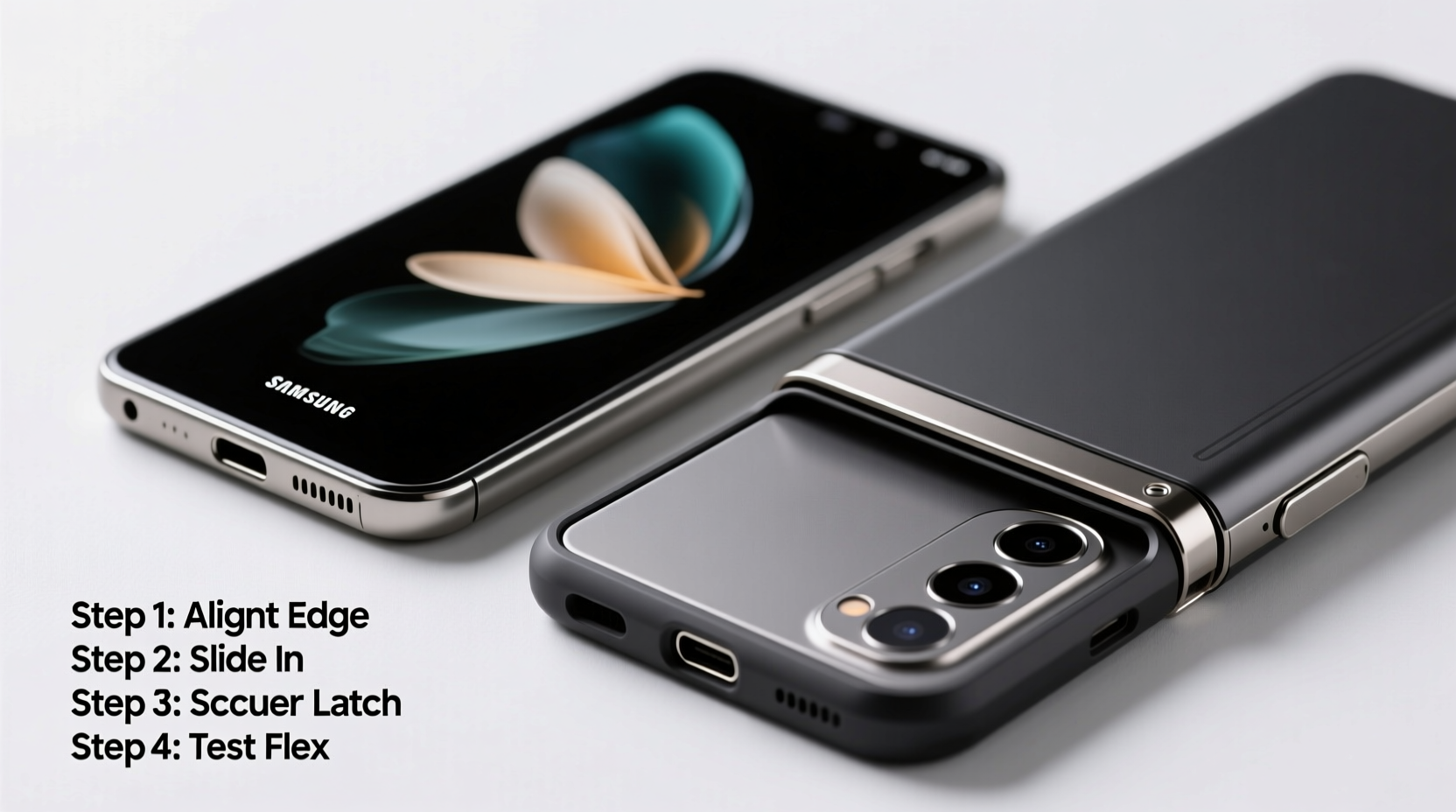
The Galaxy Z Fold uses a sophisticated multi-link hinge system designed to allow smooth folding while minimizing crease visibility and protecting the inner display. Unlike traditional smartphones, the hinge contains micro-components, protective brushes, and precision gaps that collect dust and debris if not properly shielded. Cases for these devices must accommodate this complex mechanism without pressing against moving parts or obstructing the natural fold motion.
Most high-quality Z Fold cases are engineered with a “floating” hinge design—meaning there’s intentional clearance around the hinge area. This prevents friction during daily use and reduces stress on the internal structure. When selecting and installing a case, recognizing this design principle is crucial to avoid long-term wear.
“Even minor pressure on the hinge from an improperly fitted case can accelerate mechanical fatigue.” — Dr. Lee Min-ho, Senior Engineer at Mobile Device Durability Lab, Seoul
Pre-Installation Checklist: What You Need Before Starting
Before handling your device, gather the necessary tools and prepare your workspace. Rushing the installation increases the risk of misalignment or accidental scratches.
- Clean, lint-free microfiber cloth
- Isopropyl alcohol (70%) or screen-safe cleaning wipe
- Well-lit, static-free surface (preferably non-carpeted)
- Samsung Z Fold-compatible case with hinge cutout or floating design
- Tweezers or soft plastic tool (optional, for debris removal)
Ensure the case is specifically designed for your Z Fold model (e.g., Z Fold 4, Z Fold 5). Cases are not interchangeable between generations due to differences in hinge spacing, camera layout, and overall dimensions.
Step-by-Step Installation Process
Follow this detailed sequence to install your case safely and effectively.
- Power Down the Device: Turn off your Z Fold completely. This prevents interruptions and protects against accidental screen touches during handling.
- Clean the Phone Thoroughly: Wipe both the front and back glass surfaces with a dry microfiber cloth. Dampen a corner with isopropyl alcohol and gently clean along the hinge edges to remove dust or oils. Let it air-dry for 30 seconds.
- Inspect the Hinge Area: Open and close the device slowly. Look for any visible debris trapped in the hinge grooves. If present, use a dry, soft-bristled brush or compressed air (at low pressure) to dislodge particles. Avoid metal tools.
- Align the Case with the Back Panel: Hold the case so the camera cutout matches the phone’s rear module. The hinge gap in the case should align perfectly with the phone’s central fold line. Do not force attachment yet.
- Attach the Bottom First: Gently press the bottom edge of the case onto the phone. Most cases snap into place starting from the charging port side. Apply even pressure across the width.
- Secure the Sides and Top: Work your way up each side, ensuring the buttons remain accessible. Once the sides are seated, press down lightly on the top edge near the selfie cameras.
- Test the Fold Motion: Open and close the device five to six times. The movement should feel smooth, with no resistance or rubbing sounds. The case should not contact the inner screen when folded.
- Final Inspection: Check all ports, sensors, and speakers for obstruction. Confirm that the hinge area has at least 1–2mm of clearance on both outer and inner folds.
Do’s and Don’ts of Z Fold Case Maintenance
| Do’s | Don’ts |
|---|---|
| Use only cases explicitly labeled for your Z Fold model | Don’t use thick, rigid cases that compress the hinge |
| Clean the case weekly with mild soap and water | Don’t expose silicone cases to direct sunlight for prolonged periods |
| Remove the case monthly to clean both phone and case | Don’t use adhesives or aftermarket modifications on the case |
| Check hinge clearance regularly for signs of wear | Don’t install the case while the phone is open |
Real-World Example: How Improper Installation Caused Damage
Jared, a digital marketer in Austin, purchased a third-party Z Fold 5 case online due to its lower price and sleek appearance. Within two weeks, he noticed a slight grinding noise when folding his phone. He ignored it until the inner screen began showing inconsistent touch response near the hinge. Upon inspection at a Samsung service center, technicians found that the case was pressing against the hinge assembly, causing micro-shifts in the display alignment. The constant pressure had worn down protective seals, allowing dust to infiltrate the track. The repair cost exceeded $200, and Samsung voided the warranty due to accessory misuse.
This scenario underscores the importance of using manufacturer-approved or rigorously tested accessories. Even minor deviations in fit can lead to significant internal consequences over time.
Frequently Asked Questions
Can I use a screen protector with a case on my Z Fold?
Yes, but only ultra-thin, hinge-compatible protectors designed for foldable screens. Avoid bulky tempered glass protectors that extend over the hinge area, as they may interfere with folding and create pressure points when the case is installed.
How often should I remove and clean the case?
Experts recommend removing the case every 4–6 weeks to clean both the phone and the interior of the case. This prevents buildup of sweat, oils, and pocket lint, which can degrade materials and affect fit over time.
Are Samsung’s official cases worth the extra cost?
In most cases, yes. Samsung’s branded cases undergo rigorous compatibility testing and are designed with precise hinge tolerances. Third-party options vary widely in quality—some reputable brands like Spigen and Ringke offer excellent alternatives, but always verify user reviews focusing on hinge clearance and long-term durability.
Protect Your Investment with Precision Care
Your Galaxy Z Fold is more than a phone—it’s a convergence of engineering and design meant to last. Protecting the hinge isn’t optional; it’s fundamental to sustaining performance and resale value. By following this guide, you ensure that your case enhances protection rather than inadvertently contributing to wear. Choose wisely, install carefully, and maintain consistently.




 浙公网安备
33010002000092号
浙公网安备
33010002000092号 浙B2-20120091-4
Comments
No comments yet. Why don't you start the discussion?