
The Samsung Galaxy Z Flip’s sleek, foldable design demands protection that doesn’t sacrifice aesthetics. Electroplated phone cases offer a premium finish—shiny, durable, and resistant to scratches—while maintaining a slim profile. However, due to the unique hinge mechanism and curved edges of the Z Flip, installing such a case requires care and precision. A poorly installed electroplated case can lead to misalignment, pressure on the screen, or even long-term damage to the folding mechanism. This guide walks you through every stage of the installation process, ensuring your device stays protected and looks flawless.
Understanding Electroplated Phone Cases
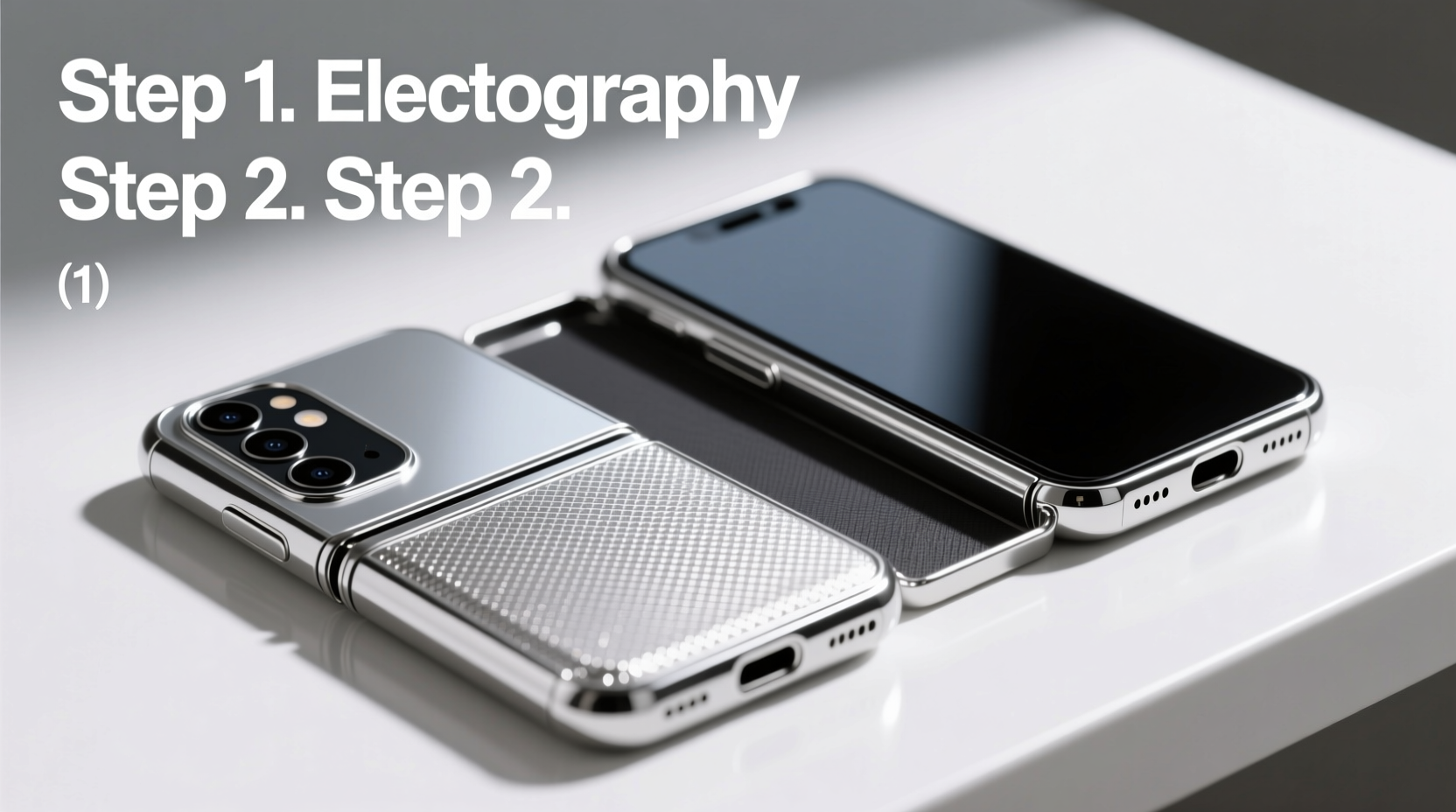
Electroplating involves depositing a thin metallic layer onto a plastic or silicone base using an electric current. The result is a mirror-like, chrome finish that resists fingerprints better than standard glossy cases—though it still benefits from periodic cleaning. These cases are typically rigid, which means they don’t stretch like TPU covers. While this rigidity enhances protection against drops, it also makes installation more delicate, especially on devices with moving parts like the Galaxy Z Flip.
Because the Z Flip folds vertically, the case must accommodate both the front and back halves while allowing smooth motion across the hinge. Most electroplated cases designed for the Z Flip are two-piece models: one for each half of the phone, connected by a flexible spine or left as separate units that snap into place independently.
Pre-Installation Preparation
Before attempting to install any case, preparation is critical. Dust, lint, or micro-scratches trapped beneath the case can mar the surface over time. More importantly, improper handling during setup may strain the hinge or scratch the glass panels.
- Power down the device: While not always necessary, turning off the phone reduces the risk of accidental input during installation.
- Clean the phone thoroughly: Use a microfiber cloth lightly dampened with distilled water to wipe both inner and outer screens. Dry completely. Avoid alcohol-based cleaners, which can degrade protective coatings.
- Inspect the case: Check for sharp edges, warping, or debris inside the case. Run your finger along the interior to detect imperfections.
- Work in a clean, well-lit space: Lay down a soft towel or fabric to prevent scratches if the phone slips.
Step-by-Step Installation Process
Follow this sequence carefully to avoid misalignment or undue stress on the hinge.
- Align the top edge first: Hold the Galaxy Z Flip in its open position. Take the back portion of the electroplated case and align the top edge with the camera module. Gently press down so the top clips into place. Do not force it—if resistance occurs, recheck alignment.
- Secure the bottom edge: Once the top is seated, gently press the bottom edge until it clicks. The rigid nature of electroplated materials means there’s little flexibility, so apply even pressure across the width.
- Attach the front cover (if applicable): Some electroplated cases include a front flap or magnetic closure. Align it with the outer screen, ensuring the cutouts match the selfie camera and sensors. If magnets are involved, let them guide the closure into position rather than forcing it shut.
- Test the fold: Slowly close the phone. Observe how the case behaves at the hinge. There should be no pinching, rubbing, or resistance. The gap around the spine should remain consistent.
- Check button and port access: Verify that the power button, volume rocker, USB-C port, and speakers are fully accessible without obstruction.
| Action | What to Look For | Potential Issue |
|---|---|---|
| Top alignment | Camera cutout matches perfectly | Forcing causes lens scratching |
| Folding test | Smooth motion, no friction | Hinge strain or screen contact |
| Button check | Responsive and flush | Misaligned buttons hinder use |
Common Mistakes and How to Avoid Them
Even experienced users can make errors when installing rigid cases on foldables. Awareness of these pitfalls prevents costly mistakes.
- Installing while the phone is closed: This increases pressure on the inner screen. Always install in the open position.
- Using excessive force: Electroplated cases aren’t meant to bend. If something doesn’t fit, double-check orientation and model compatibility.
- Ignoring dust particles: A single grain of sand under the case can cause micro-abrasions over time. Clean both surfaces meticulously.
- Over-tightening magnetic closures: Strong magnets can interfere with wireless charging or NFC if improperly aligned.
“Precision matters most with foldable phones. A case that fits ‘almost’ right can accelerate wear on the hinge seal.” — David Lin, Mobile Device Engineer at FlexShield Labs
Post-Installation Care Tips
Once installed, maintain both the case and device to preserve appearance and functionality.
Avoid exposing the phone to extreme temperatures. Heat can cause metal-plated materials to expand, potentially loosening the fit over time. Also, refrain from using adhesive-based screen protectors underneath the case, as removal may leave residue that’s difficult to clean without disassembly.
Maintenance Checklist
- ✔ Clean phone and case every 7–10 days
- ✔ Inspect hinge area for debris monthly
- ✔ Remove case periodically to check for internal wear
- ✔ Store phone in a shaded area when not in use
Real-World Example: Sarah’s Experience
Sarah, a digital marketer in Austin, purchased an electroplated case for her Galaxy Z Flip 5 after her previous silicone cover cracked. Excited by the reflective finish, she attempted installation immediately after unboxing—without cleaning the phone. She noticed a faint scratch forming near the hinge within a week. Upon removing the case, she found a tiny fiber trapped between the back panel and the case. After cleaning both surfaces and reinstalling carefully, the issue resolved. Now, she cleans her device before every case change and recommends others do the same.
Frequently Asked Questions
Can I install an electroplated case myself, or should I go to a store?
Yes, you can install it yourself if you follow proper steps. Many users successfully install these cases at home. However, if you're uncomfortable with handling delicate electronics, visiting a certified retailer for professional installation is a safe option.
Will an electroplated case affect wireless charging?
Most high-quality electroplated cases are designed with wireless charging in mind. However, thick metal layers can sometimes interfere. If you notice slow charging or failure to connect, consider using a thinner case or removing it during charging sessions.
How do I remove the case safely?
To remove, open the phone fully. Start at the bottom edge and gently pry upward using a plastic opening tool or fingernail. Work slowly around the perimeter. Never use metal tools, as they can scratch the plating or phone surface.
Final Thoughts
An electroplated case elevates the look of your Galaxy Z Flip while offering solid protection. But its value only shines when installed correctly. Taking the time to prepare, align, and test ensures your investment lasts longer and performs better. Whether you’re upgrading for style or durability, following this detailed approach minimizes risks and maximizes results.




 浙公网安备
33010002000092号
浙公网安备
33010002000092号 浙B2-20120091-4
Comments
No comments yet. Why don't you start the discussion?