
As digital platforms evolve, seamless integration between social media accounts is becoming essential for user convenience. One of the most practical features available today is the ability to log into Facebook using your Instagram credentials. This unified login experience saves time, reduces password fatigue, and enhances accessibility—especially if you manage multiple accounts or frequently switch devices.
This guide walks you through the entire process—from linking your accounts to successfully accessing Facebook with your Instagram login—while offering troubleshooting tips, security insights, and real-world examples to ensure a smooth experience.
Understanding Account Integration Between Facebook and Instagram
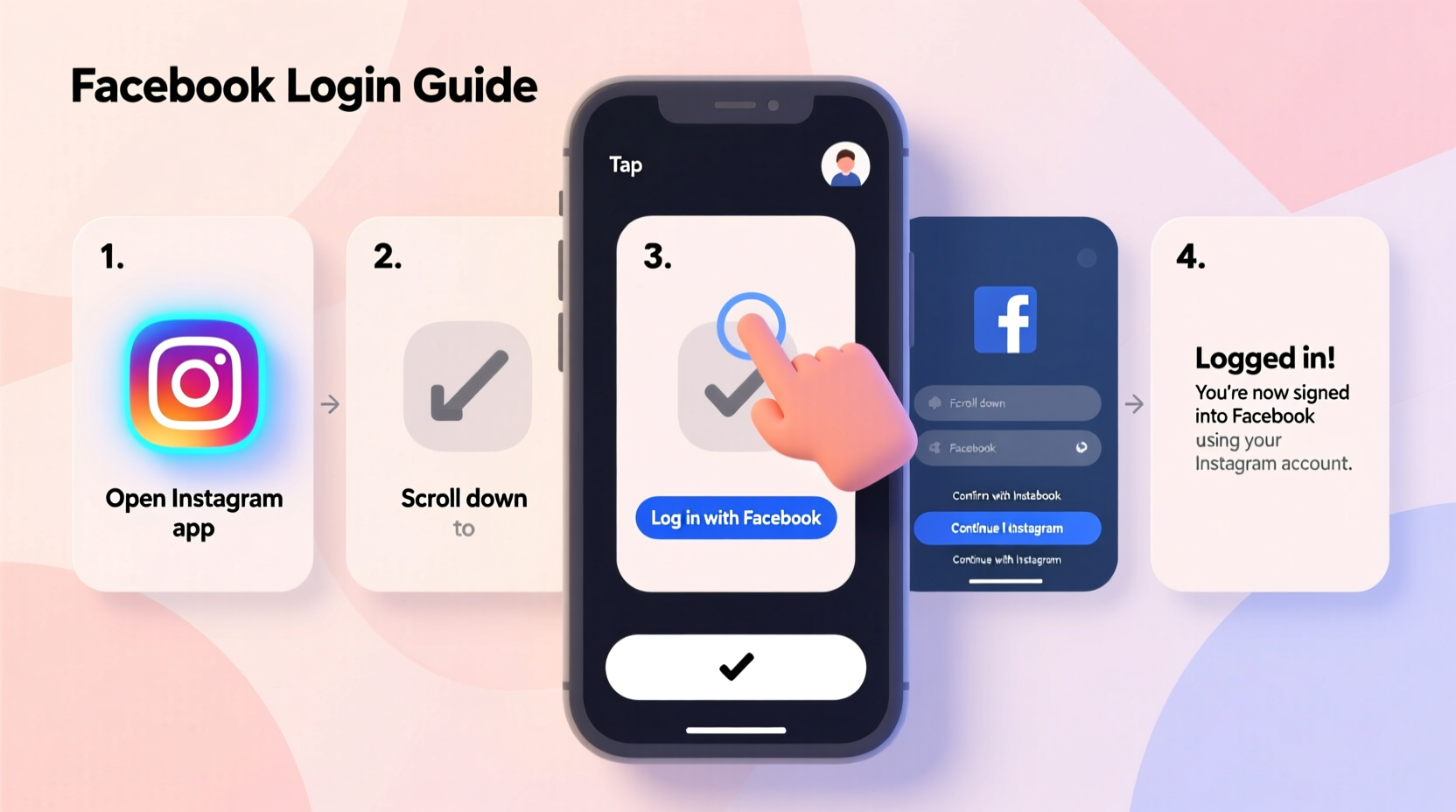
Facebook and Instagram are both owned by Meta Platforms, Inc., which enables deep integration between the two services. While they remain separate platforms with distinct interfaces and functions, users can now connect their accounts for easier management, single sign-on options, and synchronized settings.
The “Log in with Instagram” feature on Facebook is part of Meta’s broader initiative to streamline user authentication across its ecosystem. When enabled, this functionality allows you to use your Instagram username and password to access your linked Facebook profile without needing to remember a separate set of credentials.
It's important to note that this isn't automatic—you must first link your accounts within the Instagram app or through Facebook settings. Once connected, the login option becomes available on supported devices and browsers.
How to Link Your Instagram and Facebook Accounts
Before you can log into Facebook using Instagram, the two accounts must be formally linked. Follow these steps to establish the connection:
- Open the Instagram app on your mobile device.
- Navigate to your profile by tapping the person icon in the bottom right corner.
- Tap the menu (three horizontal lines) in the top right, then select Settings.
- Go to Account > Sharing to Other Apps.
- Select Facebook and follow the prompts to log in to your Facebook account.
- Grant necessary permissions when prompted, including access to profile information and posting rights (if desired).
- Confirm the link. You should see a verification message indicating the connection was successful.
After completing this process, your Instagram identity is associated with your Facebook profile. This linkage forms the foundation for cross-platform authentication and enables features like shared stories, coordinated ad tools, and unified login options.
Verifying the Connection
To confirm your accounts are properly linked:
- Return to Instagram Settings > Sharing to Other Apps > Facebook.
- If connected, you’ll see your Facebook name and profile picture listed.
- You may also notice new options such as “Share Your Story to Facebook” directly from Instagram.
“Linking your Instagram and Facebook accounts not only simplifies login but also improves content reach and audience engagement.” — Lena Patel, Social Media Strategist at Meta Verified Partners
Logging Into Facebook Using Your Instagram Credentials
Once your accounts are linked, logging into Facebook via Instagram is straightforward. Here’s how it works depending on your device:
On Mobile Devices (iOS/Android)
- Launch the Facebook app or open facebook.com in your mobile browser.
- Tap Create New Account or Log In.
- Look for the option labeled Continue with Instagram or Use Instagram to Log In.
- Enter your Instagram username and password when prompted.
- Approve any two-factor authentication requests if enabled.
- You will be redirected to your Facebook dashboard.
On Desktop Browsers
The desktop experience varies slightly:
- Visit facebook.com.
- Click Log In at the top-right.
- Below the standard login fields, check for a button saying Continue with Instagram.
- If visible, click it and enter your Instagram credentials.
Note: The desktop option may not appear unless you're already logged into Instagram on the same browser or have previously authorized the connection.
| Platform | Available? | Requirements |
|---|---|---|
| Instagram App (Mobile) | Yes | Must link accounts first |
| Facebook App (Mobile) | Yes | Updated app, active internet |
| Facebook Website (Desktop) | Sometimes | Browser sync, prior authorization |
| Third-party Devices (Smart TVs, etc.) | No | Not currently supported |
Troubleshooting Common Login Issues
Even with proper setup, some users encounter obstacles when trying to log in. Below are common problems and their solutions:
Login Option Not Showing Up
If the “Continue with Instagram” button doesn’t appear:
- Ensure both apps are updated via the App Store or Google Play.
- Clear cache in the Facebook app (Settings > Apps > Facebook > Storage > Clear Cache).
- Try logging out of both accounts and relinking them.
Authentication Fails Despite Correct Password
Possible causes include:
- Two-factor authentication mismatch—verify your phone number or authenticator app.
- Session timeout—relink the accounts and try again.
- Account restrictions—check if either account has been temporarily disabled.
Case Study: Recovering Access After Device Loss
Sophia, a freelance photographer based in Portland, lost her phone containing logged-in sessions for both Instagram and Facebook. She needed immediate access to post updates about an upcoming gallery show.
Using a friend’s tablet, she opened the Facebook app and selected “Continue with Instagram.” After entering her Instagram credentials and approving a two-factor code sent to her backup email, she regained full access to her Facebook page within minutes. By having her accounts linked beforehand, she avoided the lengthy account recovery process.
This real-world example illustrates how integrated login systems provide resilience during unexpected disruptions.
Frequently Asked Questions
Can I unlink my Instagram and Facebook accounts later?
Yes. Go to Instagram Settings > Account > Sharing to Other Apps > Facebook, then tap “Remove Connection.” This breaks the authentication bridge but does not delete either account.
Is it safe to log into Facebook using Instagram?
Yes, provided you’re using official apps or verified websites. Meta uses encrypted authentication protocols to protect data during cross-platform login. Avoid third-party sites claiming to offer similar functionality.
What happens if I change my Instagram password?
Your Facebook login via Instagram will continue working after a password update. However, you may need to re-authenticate on certain devices where cached credentials were stored.
Security Best Practices for Linked Accounts
While convenience is valuable, security should never be compromised. Consider these best practices:
- Enable two-factor authentication (2FA) on both Instagram and Facebook.
- Regularly review active sessions and log out unknown devices.
- Avoid saving passwords on public or shared computers.
- Monitor notifications for unusual login attempts.
Linked accounts expand your digital footprint, so maintaining strong individual account hygiene is crucial. A breach in one could potentially affect the other.
Conclusion: Embrace Simplicity Without Sacrificing Control
Logging into Facebook using your Instagram account is more than just a shortcut—it’s a smart strategy for managing your online presence efficiently. With a few simple steps, you can reduce friction, improve accessibility, and maintain consistent control over your social profiles.
Whether you're switching phones, managing business pages, or simply prefer fewer passwords to remember, this integration offers tangible benefits. Just ensure your accounts are properly linked, kept secure, and regularly monitored.




 浙公网安备
33010002000092号
浙公网安备
33010002000092号 浙B2-20120091-4
Comments
No comments yet. Why don't you start the discussion?