
Installing a leather case on your iPhone 14 might seem straightforward, but rushing the process can lead to scratches, misalignment, or even minor damage to ports and buttons. High-quality leather cases enhance both protection and style, but they require careful handling during installation. Leather is naturally less flexible than silicone or plastic, and improper force can distort the material or stress the phone’s frame. This comprehensive guide walks you through every phase of installation—preparation, alignment, insertion, and final checks—ensuring your iPhone remains pristine while the case fits snugly and functions flawlessly.
Why Proper Installation Matters
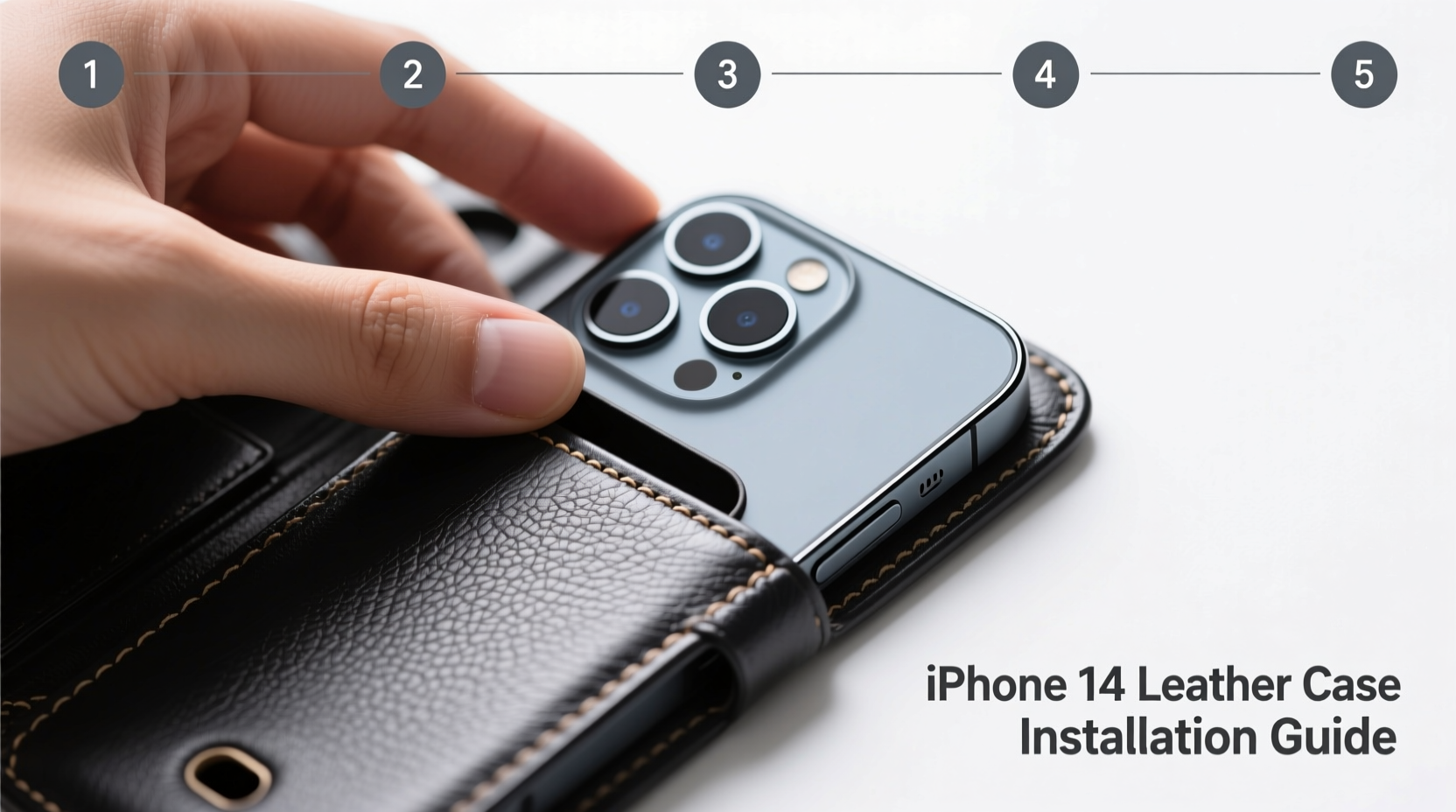
A well-installed leather case does more than look elegant—it preserves your iPhone’s finish, maintains access to all features, and prevents long-term wear caused by friction or pressure points. Unlike synthetic materials, genuine leather molds over time, but only if installed correctly from the start. A poorly seated case may rub against the screen, interfere with charging, or loosen around the camera cutout, exposing delicate components to dust and impact.
Moreover, Apple’s iPhone 14 has precise tolerances. The edges are chamfered, and the camera module protrudes slightly, requiring exact alignment. Forcing a stiff leather case can cause micro-scratches along the aluminum band or damage the mute switch mechanism. Taking time to install it properly ensures longevity for both your phone and the case.
“Even premium accessories lose value if not applied with care. A perfect fit starts before the first snap.” — Daniel Reeves, Mobile Device Protection Specialist
Pre-Installation Checklist
Before touching the case, prepare your environment and tools. Rushing leads to mistakes. Follow this checklist to ensure everything is in place:
- Clean your iPhone 14: Use a lint-free cloth slightly dampened with water to wipe down the body. Dry thoroughly.
- Inspect the leather case: Check for debris inside the case, especially near corners and port openings.
- Ensure hands are clean and dry: Oils from skin can stain leather over time.
- Work in a well-lit area: Visibility helps detect misalignment early.
- Remove any existing case or screen protector residue: Leftover adhesive can interfere with fit.
Step-by-Step Installation Process
The key to a flawless installation lies in sequence and patience. Follow these steps carefully:
- Align the bottom edge first: Hold the iPhone so the Lightning port faces downward. Position the case so its charging port opening lines up exactly with the phone’s port. Gently press the bottom edge into place. Do not force it—if resistance occurs, recheck alignment.
- Secure one side gently: Starting at the bottom, slowly work one side (left or right) upward, using your fingertips to guide the leather over the curved edge. Apply even pressure, moving from bottom to top. Avoid using nails or tools.
- Repeat on the opposite side: Once one side is partially seated, mirror the motion on the other side. Keep both sides progressing evenly to prevent twisting.
- Seat the top edge around the camera module: The iPhone 14’s camera bump requires special attention. Align the circular cutout precisely. Press gently around the perimeter, ensuring the lens sits centered without contact from the case interior.
- Check button coverage: Test the volume and power buttons. They should be fully covered but still clickable through the leather. If buttons feel stiff or exposed, remove and reinstall the case.
- Final inspection: Run your finger around all edges. There should be no gaps, bulges, or tension points. Ensure the speakers, microphone, and charging port are unobstructed.
Do’s and Don’ts When Installing a Leather Case
| Do’s | Don’ts |
|---|---|
| Use slow, even pressure when snapping the case into place | Never use excessive force or sharp tools to stretch the case |
| Align the camera cutout before securing the top edge | Don’t twist the phone while inserting it into the case |
| Wipe the case interior occasionally to prevent dust buildup | Don’t leave the phone in direct sunlight while cased—leather can degrade |
| Break in the case gradually over the first few days | Don’t install the case with wet hands or a damp phone |
Real-World Example: A Near-Miss with a Premium Case
Jessica, a graphic designer in Portland, purchased an Apple-branded leather case for her iPhone 14 Pro. Excited to use it, she tried to snap it on quickly while holding her coffee. She aligned the bottom correctly but didn’t notice the camera was slightly off-center. When she pressed the top down, she heard a faint scraping sound. Upon removal, she found fine scuff marks on the stainless steel rim near the lens housing. After consulting an Apple Store specialist, she learned that misaligned pressure had caused metal-on-leather abrasion. She restarted the process with better lighting and slower technique—and achieved a perfect fit. Her experience underscores how easily haste compromises results, even with high-end accessories.
Maintaining Your Leather Case Post-Installation
Once installed, proper maintenance extends the life and appearance of your leather case. Genuine leather responds to environmental conditions and develops a patina over time. To keep it looking refined:
- Wipe the exterior monthly with a dry, soft cloth to remove oils and dust.
- Avoid prolonged exposure to moisture; if the case gets wet, air-dry it away from heat sources.
- Never use chemical cleaners or alcohol wipes—these strip natural oils and cause cracking.
- Rotate cases periodically if you own multiple, allowing each to rest and breathe.
“Leather is alive in a sense—it breathes, ages, and adapts. Treat it with respect, and it rewards you with character.” — Lena Park, Artisan Accessory Designer
Frequently Asked Questions
Can I install a leather case with a screen protector already on?
Yes, absolutely. Most leather cases are designed to accommodate iPhones with factory-installed or aftermarket screen protectors. Just ensure the protector doesn’t extend beyond the screen’s edge, which could interfere with the case’s front lip.
My leather case feels too tight. Will it loosen over time?
Genuine leather stretches slightly with use. Over 3–7 days of regular installation and removal, the case will conform to your iPhone’s shape. Avoid forcing it during this break-in period. If after two weeks it remains excessively tight, consider exchanging it for a different batch or brand.
Should I remove the case to charge my iPhone wirelessly?
No. The iPhone 14 supports wireless charging through most leather cases, including Apple’s official ones. Just ensure the charging pad is clean and centered. Thick third-party cases may reduce efficiency, but standard leather models typically allow full-speed Qi charging.
Conclusion: Precision Today, Protection Tomorrow
Installing a leather case on your iPhone 14 isn’t just about slipping it on—it’s a ritual of care that safeguards your investment. Every detail, from alignment to pressure, influences both immediate fit and long-term durability. By following this methodical approach, you preserve the sleek design of your device while enhancing its resilience. A perfectly fitted leather case becomes an extension of your iPhone: protective, elegant, and built to age gracefully.




 浙公网安备
33010002000092号
浙公网安备
33010002000092号 浙B2-20120091-4
Comments
No comments yet. Why don't you start the discussion?