
Deleting your Amazon account is a serious decision, often driven by privacy concerns, reduced online activity, or dissatisfaction with the platform. While Amazon makes it easy to create an account, permanently removing it isn’t as straightforward. Unlike deactivating a social media profile, closing an Amazon account involves more than just clicking “delete.” There are financial, logistical, and data-related considerations that must be handled carefully to avoid future complications.
This guide walks you through every phase of permanently deleting your Amazon account—ensuring all orders are settled, personal data is backed up, subscriptions canceled, and the closure request is processed correctly. By following these steps, you can leave Amazon with confidence, knowing your information won’t linger in their systems unnecessarily.
Why People Choose to Delete Their Amazon Account
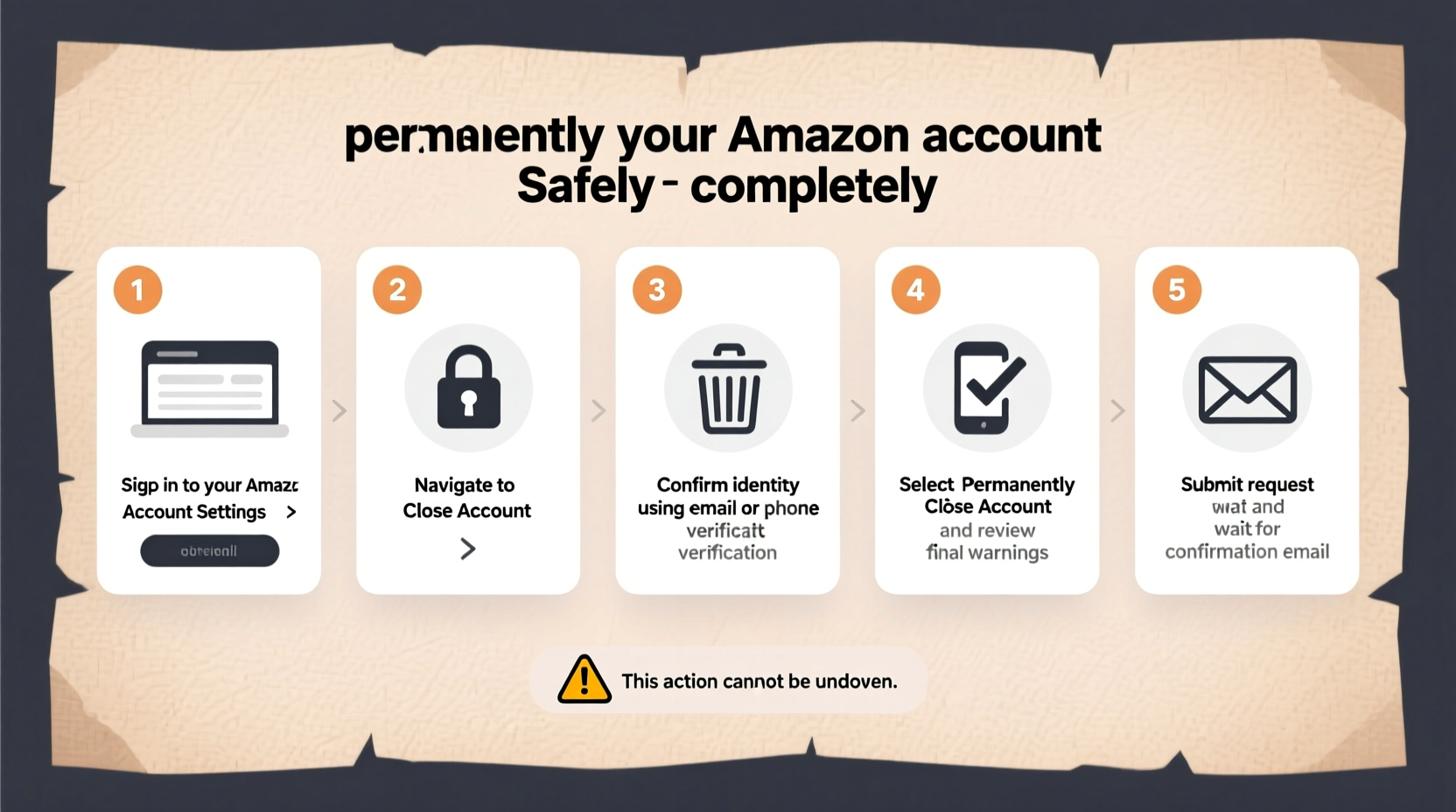
Amazon has become a dominant force in e-commerce, but not everyone wants to remain part of its ecosystem. Common reasons for permanent deletion include:
- Data privacy concerns: Users increasingly worry about how much personal data Amazon collects—from purchase history to browsing behavior.
- Unwanted marketing: Despite opt-out options, some users continue receiving emails, ads, or product recommendations they didn’t consent to.
- Security risks: A dormant account with saved payment methods can become a target if Amazon suffers a data breach.
- Digital minimalism: Many people are choosing to reduce their digital footprint across major platforms.
- Account inactivity: Long-unused accounts may pose unnecessary risk without offering benefits.
Whatever your reason, understanding the full scope of account deletion helps prevent regrets later.
What Happens When You Delete Your Amazon Account?
Permanently closing your Amazon account is irreversible. Once confirmed, the following occurs:
| Action | Effect |
|---|---|
| Order History Removed | All past purchases, downloads, and digital content access logs are deleted. You lose access to invoices and receipts. |
| Subscriptions Canceled | Prime, Audible, Kindle Unlimited, and other subscriptions end immediately unless manually canceled earlier. |
| Payment Methods Deleted | Credit cards, bank accounts, and gift balances linked to the account are removed from Amazon’s system. |
| Reviews & Ratings Removed | Your public contributions, including product reviews and Q&A answers, are erased. |
| Data Retention Policy | Amazon may retain certain transaction records for legal or tax purposes, but these are disassociated from your identity over time. |
“Once an Amazon account is closed, recovery is impossible. Ensure all critical data is saved before initiating the process.” — Sarah Lin, Digital Privacy Consultant
Step-by-Step Guide to Permanently Delete Your Amazon Account
Follow this timeline to close your Amazon account securely and completely. Each step ensures you don't overlook critical details that could lead to unresolved charges, lost data, or accidental reactivation.
- Back Up Important Data (Day 1)
Download your order history, wishlists, and digital content. Go to Your Orders, use the date filter, and export or print each page. Save confirmation emails locally. - Cancel Active Subscriptions (Day 1–2)
Visit the Memberships & Subscriptions section. Cancel Amazon Prime, Audible, Music Unlimited, and any third-party subscriptions billed through Amazon. - Return Unwanted Items (Within 30 Days)
Initiate returns for any recent purchases you no longer want. Wait for refunds to post before proceeding. - Remove Payment Methods (Day 3)
Go to Payment Options and delete all credit/debit cards, bank accounts, and stored gift cards. Note down remaining gift card balances—they will be lost upon deletion. - Log Out of All Devices (Day 4)
Visit Manage Your Content and Devices. Deregister Kindles, Fire tablets, apps, and Alexa devices tied to your account. - Submit Account Closure Request (Day 5)
Navigate to Amazon’s Close Your Account page (via Help > Contact Us > Close Account). Confirm your identity and submit the request. - Wait for Confirmation Email (Within 48 Hours)
Amazon will send a final confirmation once processing is complete. No further access will be possible.
Common Mistakes to Avoid During Deletion
Many users assume account closure is instant or reversible. These misconceptions lead to errors. Here’s what not to do:
- Skipping subscription cancellation: Even after account closure, recurring billing disputes can arise if services aren’t terminated first.
- Failing to back up order history: Tax records, warranty claims, or return proofs may require old invoices.
- Leaving devices registered: Forgotten Fire Sticks or Echo speakers can still report usage under your name.
- Using the mobile app only: The account closure option is often hidden or unavailable on mobile apps—use desktop for full access.
- Expecting immediate data erasure: While your account becomes inaccessible quickly, backend data may take weeks to fully purge due to compliance requirements.
Mini Case Study: How Maria Successfully Closed Her Decade-Old Amazon Account
Maria had used Amazon since 2013, accumulating hundreds of purchases, a Prime membership, and multiple connected devices. Concerned about targeted advertising following her across websites, she decided to delete her account entirely.
She began by downloading five years of order reports into PDFs for tax documentation. Next, she canceled her Prime and Audible subscriptions—a step she nearly forgot until reviewing her monthly bank statement. She returned two unopened electronics and waited ten days for the refund.
After removing four credit cards and deregistering her Kindle and Fire TV Stick, she accessed Amazon’s desktop site and found the “Close Your Account” form buried under customer service menus. Within 24 hours, she received confirmation. Three weeks later, she verified via email tracking that no Amazon messages were being sent to her inbox.
Her thorough approach prevented financial surprises and gave her peace of mind about her digital privacy.
FAQ: Frequently Asked Questions About Deleting Amazon Accounts
Can I reopen my Amazon account after deletion?
No. Once closed, the account cannot be recovered. You would need to create a new one with a different email address, losing all purchase history, reviews, and preferences.
Will Amazon keep my data after I delete my account?
Amazon states that while your account becomes inactive and inaccessible, certain transaction records may be retained for legal, tax, or regulatory compliance. However, this data is no longer associated with your personal identity in active systems.
What happens to my Kindle books or Prime Video purchases?
You lose access to all digital content purchased through the account unless downloaded beforehand. Offline files on devices remain usable, but re-downloading or streaming requires an active account.
Final Checklist Before Closing Your Amazon Account
- ✅ Backed up order history and invoices
- ✅ Canceled all subscriptions (Prime, Audible, etc.)
- ✅ Returned pending items and received refunds
- ✅ Removed all payment methods
- ✅ Deregistered all devices (Kindle, Fire, Alexa)
- ✅ Used desktop browser to submit closure request
- ✅ Confirmed receipt of closure confirmation email
Take Control of Your Digital Life
Deleting your Amazon account is more than a technical task—it's a step toward reclaiming control over your personal data and online presence. With careful preparation and attention to detail, you can exit the platform securely, leaving no loose ends behind. Whether motivated by privacy, simplicity, or security, this action reflects a growing awareness of how much our digital habits shape our real-world lives.




 浙公网安备
33010002000092号
浙公网安备
33010002000092号 浙B2-20120091-4
Comments
No comments yet. Why don't you start the discussion?