
Over time, even the most reliable car audio systems can develop quirks—glitches in Bluetooth pairing, distorted equalizer settings, or unresponsive touch controls. If your JVC car stereo isn’t performing as it once did, a reset may be all it needs to return to peak functionality. Unlike replacing hardware, resetting is fast, free, and often resolves issues caused by software conflicts or corrupted memory. This comprehensive guide walks you through every type of reset available for JVC models, explains when each method is appropriate, and provides tips to ensure long-term performance after restoration.
Why Resetting Your JVC Car Stereo Matters
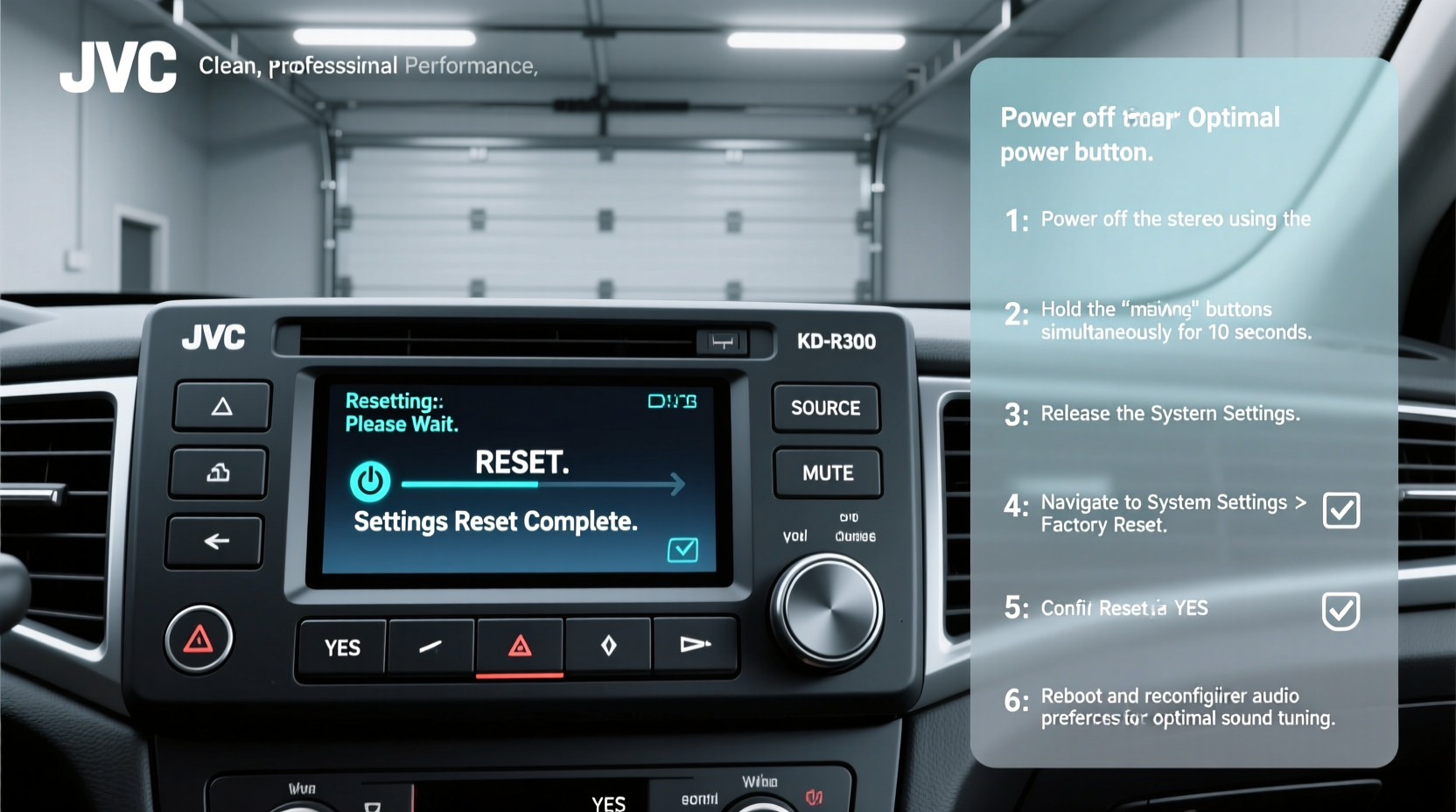
JVC has built a reputation for producing affordable, feature-rich car stereos that deliver strong audio quality and intuitive interfaces. However, like any electronic device, these units store data over time—saved radio stations, paired devices, EQ presets, and firmware updates. When this data becomes corrupted or overloaded, the system may slow down or behave unpredictably.
A reset clears temporary memory and restores factory defaults, eliminating configuration errors without damaging hardware. It’s especially useful after:
- Firmware update failures
- Persistent Bluetooth disconnections
- No response from touchscreen or buttons
- Distorted or unbalanced sound output
- Incorrect clock or display settings
“Resetting a car stereo is like rebooting a computer—it clears cached errors and gives the system a clean start.” — Marcus Tran, Automotive Audio Technician with 12 years of experience
Types of Resets: Soft, Hard, and Factory
Not all resets are the same. Depending on your issue, you’ll need to choose the right method. Here's a breakdown of the three primary reset types for JVC car stereos:
| Reset Type | When to Use | Data Affected | How Long It Takes |
|---|---|---|---|
| Soft Reset | Minor glitches (e.g., frozen screen) | None – settings preserved | 30 seconds |
| Hard Reset | Unresponsive unit or boot loop | Temporary memory cleared | 1–2 minutes |
| Factory Reset | Major software issues or preparing for resale | All user data erased | 3–5 minutes |
Step-by-Step: How to Perform Each Reset
1. Soft Reset (Quick Reboot)
This is the first action to take if your stereo freezes or lags but still powers on.
- Press and hold the Power button on the front panel for 10–15 seconds.
- Wait for the screen to go black and the unit to shut off completely.
- Release the button, then press it again to power the stereo back on.
- Allow the system to boot normally (this may take 20–30 seconds).
If the problem persists, proceed to a hard reset.
2. Hard Reset (Internal Memory Refresh)
A hard reset forces the stereo to restart its internal processor and reload core firmware. This is effective when the soft reset fails.
- Turn off your vehicle and remove the key from the ignition.
- Open the fuse box (usually located under the dashboard or near the battery).
- Locate the fuse labeled “Radio,” “Audio,” or “ACC” (consult your owner’s manual for exact location).
- Using a fuse puller or tweezers, carefully remove the fuse.
- Wait **at least 2 minutes** to ensure all residual power drains from the stereo’s capacitors.
- Reinsert the fuse securely.
- Start the car and turn on the stereo.
The unit should now reboot with refreshed memory. All settings remain intact unless corruption was present.
3. Factory Reset (Full System Restore)
Use this method only when experiencing deep software issues or when selling your car.
- Turn on the stereo.
- Navigate to Settings using the home menu.
- Select System Setup or Initial Setup, depending on model.
- Scroll to Initialize or Reset All Settings.
- Confirm your selection when prompted.
- Wait for the unit to reboot automatically (do not interrupt power during this process).
Note: After a factory reset, you’ll need to re-pair Bluetooth devices, retune radio presets, and reconfigure clock and sound settings.
Tips for Maintaining Optimal Performance After Reset
A reset solves immediate problems, but maintaining performance requires ongoing care. Follow these best practices to extend your JVC stereo’s lifespan and reliability.
- Limit background apps: Avoid running multiple apps via Android Auto or Apple CarPlay simultaneously.
- Clean connections: Regularly inspect USB and auxiliary ports for dust or debris.
- Use surge-protected chargers: Third-party chargers can introduce voltage spikes that affect sensitive electronics.
- Store presets wisely: Save favorite stations and EQ profiles in writing or on your phone in case another reset is needed.
Real-World Example: Restoring a Glitchy KD-X350BT
Carlos, a rideshare driver in Phoenix, noticed his JVC KD-X350BT would randomly disconnect from his phone during calls. Despite repeated re-pairing, the issue returned within hours. Frustrated, he considered replacement—until a mechanic suggested a factory reset.
Following the steps outlined above, Carlos performed a full system initialize. After re-pairing his phone, the Bluetooth connection remained stable for over six months. The root cause? A corrupted pairing log that accumulated from frequent device switching. The reset cleared the faulty data, restoring seamless connectivity.
Frequently Asked Questions
Will a reset delete my saved FM stations?
Yes—especially during a factory reset. While some newer JVC models backup presets in non-volatile memory, it’s safest to write down your favorite frequencies before proceeding.
Can I reset the stereo without removing the fuse?
You can perform a soft or factory reset without touching the fuse. However, a hard reset typically requires cutting power at the source, which means fuse removal is necessary for a complete discharge.
My stereo won’t turn on after the reset. What should I do?
First, check the fuse to ensure it’s properly seated. If the unit still doesn’t power on, verify the wiring harness connections behind the head unit. Persistent failure may indicate a blown internal fuse or power supply issue requiring professional diagnosis.
Final Checklist Before You Reset
- Write down important settings (radio presets, time, paired devices).
- Ensure the car is turned off and keys removed.
- Remove all connected devices (USB, phone, SD card).
- Locate your model-specific fuse using the owner’s manual.
- Back up firmware version (if planning an update post-reset).
- Allow ample time for reboot—don’t rush the process.
Conclusion: Reclaim Control Over Your Driving Experience
Your JVC car stereo is designed to enhance every drive with crisp sound and smart features. When performance dips, a well-executed reset can restore that experience without cost or complexity. Whether you’re troubleshooting a minor lag or preparing for a fresh setup, understanding how and when to reset empowers you to maintain control. Don’t rush to replace what can be revived—apply these steps today and rediscover the clarity and responsiveness your stereo was built to deliver.




 浙公网安备
33010002000092号
浙公网安备
33010002000092号 浙B2-20120091-4
Comments
No comments yet. Why don't you start the discussion?