
Many users start with a personal Instagram account, then switch to a business profile to access analytics, ads, or contact buttons. Over time, some realize they no longer need those features—or prefer the simplicity of a personal profile. The good news: you can revert your Instagram business account to a personal one without losing posts, followers, comments, or direct messages.
The process is straightforward, but it’s important to understand what changes—and what doesn’t—when you make the switch. This guide walks you through every step, highlights potential pitfalls, and ensures you retain full control over your content and audience.
What Happens When You Switch from Business to Personal?
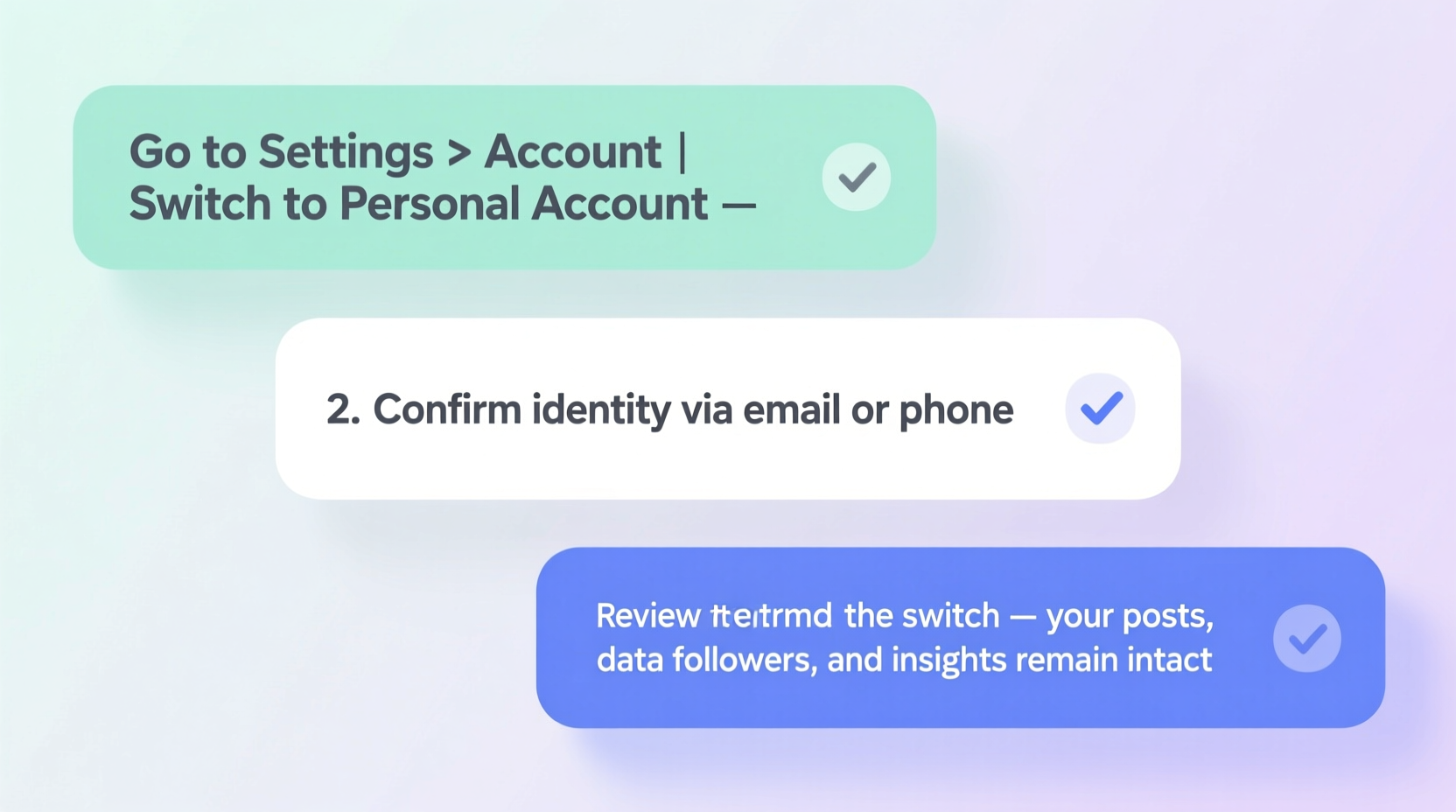
Before making any changes, it's essential to know exactly what will be affected. Instagram does not delete your content during the transition. However, certain business-specific features will become unavailable after reverting:
- Insights (Analytics): You’ll lose access to follower demographics, post reach, and engagement metrics.
- Promote Button: The option to turn regular posts into ads will disappear.
- Contact Options: If your profile had an email or phone number for inquiries, these will be removed unless reassigned under a new category.
- Category Label: Your “Business” or “Creator” label will vanish.
- Facebook Connection: Your Instagram account will disconnect from any linked Facebook Page.
Your photos, videos, Reels, Stories archive, followers, following list, and DMs remain intact. No historical data is erased. This means you can continue posting and engaging just as before—minus the business tools.
Step-by-Step Guide to Reverting to a Personal Account
Follow this sequence carefully to ensure a smooth transition. These steps are current as of 2024 and apply to both iOS and Android devices using the official Instagram app.
- Open the Instagram App and log in to your account.
- Navigate to your Profile by tapping the person icon in the bottom right corner.
- Tap the menu icon (three lines) in the top right corner.
- Select Settings and privacy.
- Scroll down and choose Accounts center (or go directly to Settings > Account if Accounts Center isn't active).
- Under “Accounts,” tap Instagram, then select Switch account type.
- Choose Switch to personal account.
- Confirm the action when prompted. Instagram may ask you to enter your password again.
- Wait a few seconds while the change processes. You’ll see a confirmation message once complete.
After completion, your profile will no longer display business features. To verify, check your profile settings—you should no longer see options like “Insights,” “Contact,” or “Promotions.”
What to Do Before Making the Switch
While the transition itself takes less than a minute, preparation is key. Use this checklist to avoid unintended consequences.
Pre-Switch Checklist
- ✅ Back up your recent Insights data via screenshot or export.
- ✅ Save any scheduled posts (business accounts often use Meta Business Suite; these won’t carry over).
- ✅ Note down your connected Facebook Page name in case you want to relink later.
- ✅ Ensure your personal profile information (bio, website, profile picture) is up to date.
- ✅ Review third-party app connections that rely on business API access (e.g., scheduling tools).
If you've been running ads through Instagram, pause them before switching. Once disconnected from your Facebook Page, ad campaigns tied to your account may stop delivering or require reconfiguration.
Common Misconceptions About Reverting to Personal
Rumors circulate that switching back harms visibility or triggers a shadowban. These claims lack evidence. Instagram treats all accounts equally in terms of algorithmic reach, regardless of type—personal or business—as long as content quality and engagement patterns remain consistent.
| Misconception | Reality |
|---|---|
| You lose followers when switching. | No. Followers are retained unless they unfollow independently. |
| Old posts get hidden or deleted. | All media stays visible unless manually removed. |
| Your engagement drops automatically. | Engagement depends on content, timing, and audience behavior—not account type. |
| You can’t switch back to business later. | You can reconvert anytime, provided you link a Facebook Page or qualify as a creator. |
“Account type doesn’t influence organic reach. What matters most is consistency, authenticity, and meaningful interaction.” — Lena Torres, Social Media Strategist at Bloom Digital
Real Example: A Creator’s Smooth Transition
Sophie, a freelance photographer, used a business account for two years to promote her portfolio and run occasional promotions. After shifting focus to personal travel photography, she found the analytics overwhelming and irrelevant. She decided to revert to a personal account.
Before switching, Sophie exported six months of Insights and saved her top-performing post templates. She also paused her remaining ad campaign. The switch took under two minutes. Her 14,700 followers remained, and she continued posting daily without interruption. Within weeks, she noticed higher engagement because her content felt more authentic—free from promotional pressure.
She later reconnected with her audience through casual Q&A Stories and behind-the-scenes clips, something she hadn’t prioritized before. The shift improved her creative flow and mental clarity around social media use.
Frequently Asked Questions
Will I lose my verified badge if I switch to a personal account?
No. Verification status is tied to your identity, not account type. As long as you maintain eligibility and don’t violate guidelines, your blue checkmark remains.
Can I still use professional tools after switching?
You can use third-party analytics platforms or scheduling apps, but full integration requires reconnecting to a business or creator account later. Some features may be limited in manual mode.
How soon can I switch back to a business account?
Immediately. There’s no waiting period. Just go back into Settings, select “Switch to business,” and connect a Facebook Page or set up as a creator.
Final Thoughts and Next Steps
Reverting your Instagram business account to a personal one is a simple, risk-free process when done thoughtfully. The platform is designed to preserve your digital footprint—your memories, relationships, and creative expression stay untouched. The only loss is access to business tools, which may no longer serve your goals.
Whether you're stepping back from promotion, simplifying your online presence, or returning to a more authentic sharing experience, this change can bring renewed focus. Take a moment to reflect on why you use Instagram. Is it to connect? To create? To inspire? Let that purpose guide your decisions—not default settings.




 浙公网安备
33010002000092号
浙公网安备
33010002000092号 浙B2-20120091-4
Comments
No comments yet. Why don't you start the discussion?