
For many, a Mickey Mouse watch is more than just a timepiece—it's a cherished keepsake from childhood, a gift from a loved one, or a nostalgic fashion statement. When the battery runs out, the instinct might be to toss it aside or leave it idle. But with the right tools and care, you can restore its function without compromising its integrity. Replacing the battery isn’t complicated, but it requires precision, patience, and respect for the watch’s design. This guide walks you through every stage of the process, ensuring your vintage or modern Disney watch ticks on for years to come.
Why Battery Replacement Matters
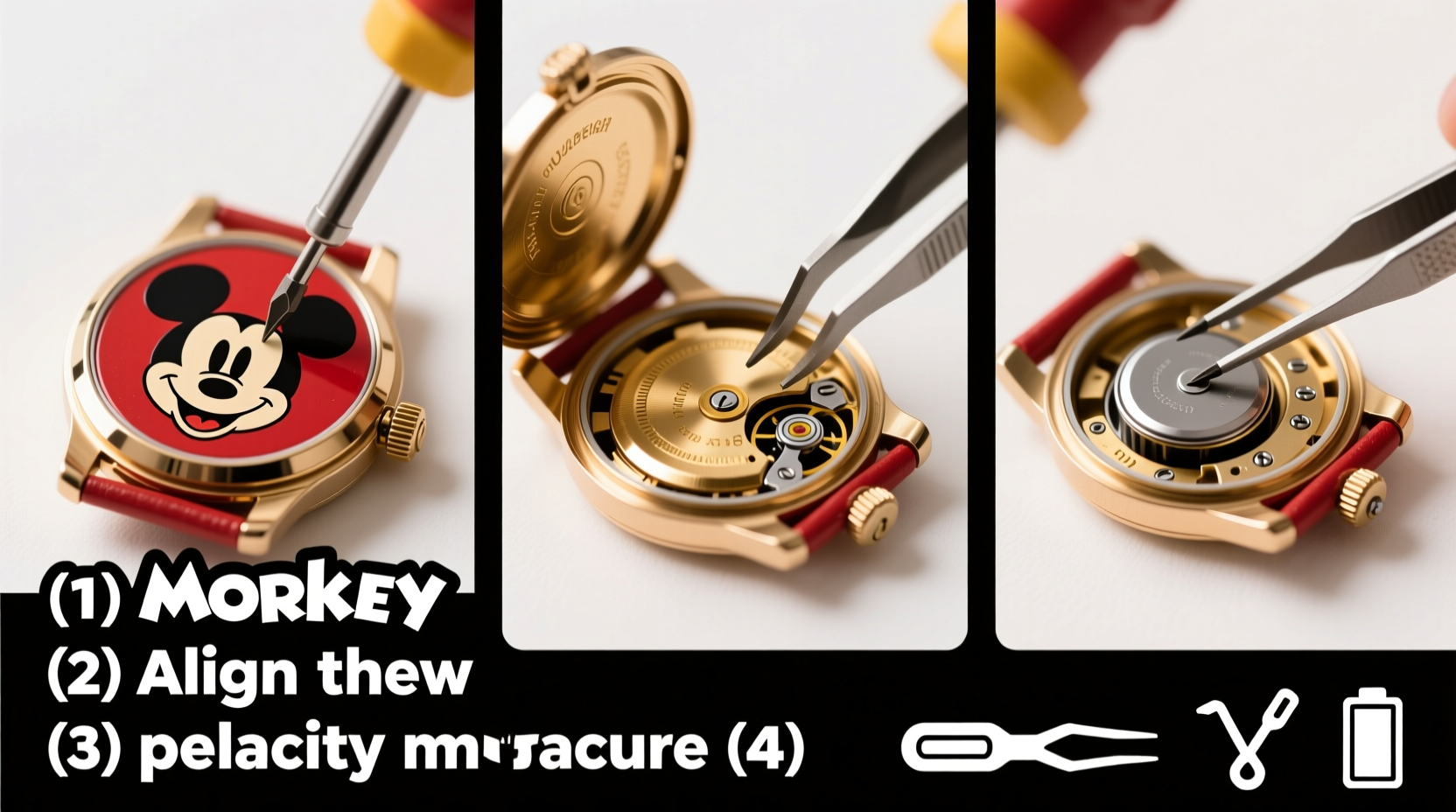
A dead battery doesn’t mean the end of your Mickey Mouse watch’s life. In fact, most quartz movements are designed for long-term use with periodic battery changes. Delaying replacement can lead to battery leakage, which corrodes internal components and damages the dial or hands—especially in older models. A fresh battery not only restores timekeeping accuracy but also preserves the sentimental and collectible value of the piece.
“Even inexpensive watches deserve careful handling. A properly serviced Mickey Mouse timepiece can become a family heirloom.” — Daniel Ruiz, Vintage Watch Restorer & Horology Consultant
Tools and Materials You’ll Need
Before beginning, gather the following items to ensure a smooth and safe process:
- Replacement battery (typically SR626SW or 377, but check your model)
- Small Phillips-head screwdriver (or precision jeweler’s set)
- Case back opener tool (also called a watch case knife or lid lifter)
- Plastic or nylon tweezers (metal can scratch or short-circuit components)
- Loupe or magnifying glass (for inspecting small parts)
- Clean microfiber cloth
- Soft work mat (to prevent scratches)
- Small container (to hold screws and tiny parts)
Step-by-Step Guide to Battery Replacement
- Power Down and Prepare Your Workspace
Turn off the watch if possible (some models stop automatically). Work on a clean, well-lit surface free of dust and static. Lay down a soft cloth to protect the casing. - Identify the Case Back Type
Most Mickey Mouse watches have either a screw-off or snap-on back. A screw-back will have notches around the edge; a snap-back is smooth and requires leverage to open. Do not force it—using the wrong method can damage the case. - Open the Case Back Safely
For snap-backs, insert the case knife into the groove and gently twist to pop it open. For screw-backs, align the tool with the notches and turn counterclockwise. Apply even pressure to avoid slipping and scratching the metal. - Inspect the Interior
Once open, look for signs of corrosion, moisture, or residue. If the old battery is swollen or leaking, handle it with tweezers immediately and dispose of it at a battery recycling center. - Remove the Old Battery
Use plastic tweezers to lift the battery from its holder. Some models have a small retaining clip—gently pry it up with the tip of a screwdriver before removing the cell. - Clean the Battery Compartment
If there’s minor corrosion, dip a cotton swab in isopropyl alcohol and carefully wipe the contacts. Let it air dry completely before proceeding. - Insert the New Battery
Ensure the positive (+) side faces up unless indicated otherwise inside the case. Slide it gently into place. Avoid touching the terminals with bare fingers—oil can reduce conductivity. - Reassemble the Watch
Replace the case back securely. For screw-backs, tighten evenly until snug. For snap-backs, align the rim and press down firmly with the heel of your hand or a case press tool—never hammer it. - Test the Functionality
Check that the second hand moves smoothly and the Mickey Mouse animation (if present) operates correctly. Allow several minutes for digital displays to reset. - Reset Time and Date (If Applicable)
Use the crown to adjust the time. Refer to the manual if your model has additional features like alarms or chronographs.
Do’s and Don’ts During Replacement
| Do’s | Don’ts |
|---|---|
| Work in a static-free environment | Use metal tweezers near the movement |
| Double-check battery size and voltage | Force the case back open or closed |
| Keep track of screws and clips | Expose the movement to water or humidity |
| Wear gloves to avoid fingerprints | Leave the watch open for extended periods |
Real Example: Reviving a 1985 Mickey Watch
Sarah Thompson inherited her late father’s red-faced Mickey Mouse watch from 1985. Though non-functional, she wanted to wear it on her wedding day. She followed this guide meticulously, discovering the original battery had leaked and corroded the contact point. After cleaning with alcohol and replacing the SR626SW cell, the watch resumed ticking after nearly three decades. “Hearing it again felt like reconnecting with him,” she shared. The repair took less than 20 minutes but held immeasurable emotional value.
Frequently Asked Questions
How often should I replace the battery in my Mickey Mouse watch?
Battery life typically ranges from 1 to 3 years, depending on usage and whether the watch has lights or sound features. Replace it promptly when timekeeping becomes erratic or stops.
Can I take my Mickey Mouse watch to a jeweler instead?
Absolutely. Many jewelers offer battery replacement for $10–$20. However, if your watch is vintage or collectible, confirm they have experience with children’s or novelty timepieces to avoid mishandling.
What if the watch still doesn’t work after a new battery?
If the hands don’t move, check for obstructions or misalignment. Internal damage or motor failure is rare but possible in older units. Consider consulting a professional watch repair service specializing in vintage electronics.
Final Checklist Before You Begin
- ✔️ Identified correct battery type (check inside case back or manual)
- ✔️ Gathered all necessary tools
- ✔️ Cleaned workspace and hands
- ✔️ Verified no visible water damage or rust
- ✔️ Have a secure container for small parts
Conclusion
Replacing the battery in your Mickey Mouse watch is a simple act with lasting impact. With attention to detail and the right approach, you preserve both function and memory. Whether it’s a gift for a child, a collector’s item, or a personal favorite, keeping it running honors its story. Don’t let a dead battery silence a beloved timepiece—restore it with care and confidence.




 浙公网安备
33010002000092号
浙公网安备
33010002000092号 浙B2-20120091-4
Comments
No comments yet. Why don't you start the discussion?