
Advancements in artificial intelligence have made it possible for anyone to superimpose their face onto video footage with minimal technical expertise. Whether you're creating a personalized message, experimenting with digital art, or producing engaging social media content, AI-powered face-swapping tools offer accessible, high-quality results. However, the process requires careful preparation, ethical consideration, and attention to detail to achieve a seamless outcome. This guide walks through the complete workflow—from selecting the right software to refining the final output—so you can confidently and responsibly integrate your face into any video.
Understanding the Technology Behind Face Swapping
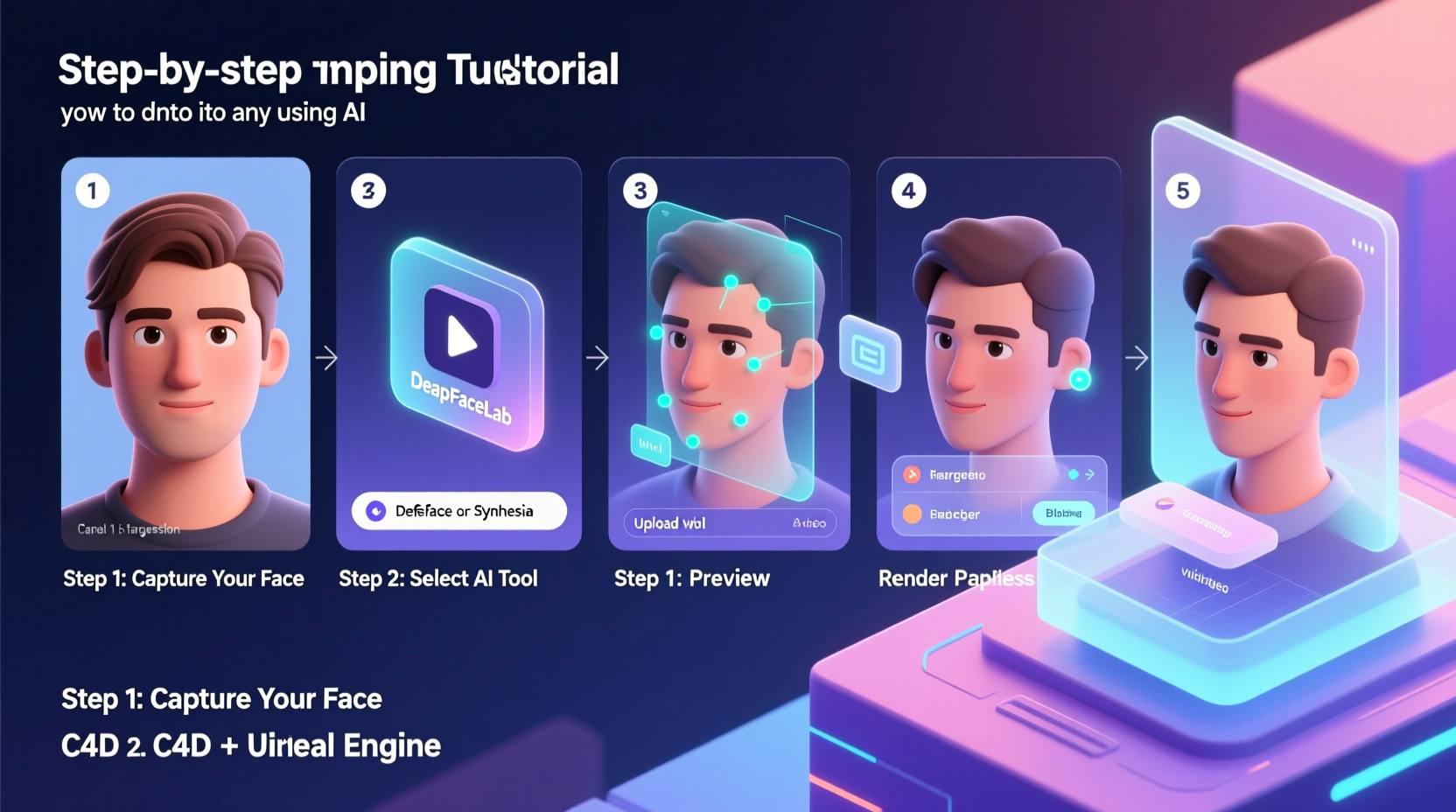
Face-swapping in videos relies on deep learning models, particularly deepfakes, which use generative adversarial networks (GANs) to analyze facial features and textures from source and target footage. The AI learns expressions, lighting conditions, and head movements, then reconstructs the face accordingly. While early versions often looked unnatural, modern tools produce convincing results when used correctly.
The key components of successful face swapping include:
- Facial alignment: Matching angles, poses, and proportions between source and target.
- Lighting consistency: Ensuring both videos have similar illumination to avoid mismatched shadows.
- Resolution matching: High-resolution inputs yield better blending and fewer artifacts.
- Temporal stability: Smooth transitions across frames to prevent flickering or jitter.
“AI face-swapping is no longer just for experts—it’s becoming as accessible as photo editing, but with greater responsibility.” — Dr. Lena Torres, AI Ethics Researcher at MIT Media Lab
Step-by-Step Process for Seamless Face Replacement
To achieve a professional-grade result, follow this structured approach. Each stage builds upon the previous one, ensuring optimal quality and realism.
- Gather Your Materials
Select a clear, well-lit video of yourself (source) and the target video where your face will appear. Ensure both have stable framing and minimal motion blur. - Choose an AI Tool
Pick a reliable platform based on your skill level and needs (see comparison table below). - Preprocess the Footage
Crop and stabilize clips if needed. Use video editing software to isolate the target segment and ensure consistent resolution. - Train the Model (if required)
Some tools require uploading multiple images or short clips of your face for training. Aim for diverse expressions and angles. - Run the Face Swap
Upload both videos to the tool and initiate processing. This may take minutes to hours depending on length and complexity. - Review and Refine
Analyze the output frame by frame. Look for glitches, misalignments, or unnatural skin tones. Most tools allow reprocessing with adjusted settings. - Post-Process the Video
Use editing software like DaVinci Resolve or Adobe Premiere to color-correct, sharpen edges, and blend transitions.
Top AI Tools Compared: Features and Accessibility
Different platforms cater to varying levels of experience and privacy needs. Below is a comparison of leading tools available in 2024.
| Tool | Best For | Learning Curve | Cost | Privacy Note |
|---|---|---|---|---|
| DeepFaceLab | Advanced users seeking maximum control | High | Free (open-source) | Runs locally; no data upload |
| Reface App | Quick social media swaps | Low | Freemium | Cloud-based; limited retention |
| Synthesia | Professional avatars and corporate videos | Medium | $30+/month | Data encrypted; enterprise-grade security |
| Avatarify | Real-time face transfer for streaming | Medium | Free + paid upgrades | Local processing option available |
| Cloak | Actors and creators protecting screen rights | Low | Paid per project | End-to-end encrypted workflows |
For beginners, mobile apps like Reface provide instant gratification with minimal setup. Power users aiming for cinematic quality should consider DeepFaceLab, despite its steeper learning curve.
Ethical Guidelines and Legal Considerations
While the technology is powerful, misuse can lead to misinformation, reputational harm, or legal consequences. Consent is paramount—never superimpose someone’s face without permission unless under fair use (e.g., parody, education).
- Always disclose when content has been altered using AI.
- Avoid impersonating public figures in misleading contexts.
- Do not distribute face-swapped content that could damage someone’s reputation.
- Check platform policies: YouTube, TikTok, and Instagram prohibit non-consensual deepfakes.
Mini Case Study: Marketing Team Uses AI Avatars for Personalized Outreach
A mid-sized SaaS company wanted to increase engagement in their onboarding sequence. Instead of generic welcome videos, they created personalized messages where the CEO appeared to speak directly to each customer by name. Using Synthesia, they uploaded a script and recorded the CEO’s facial performance once. The AI generated hundreds of unique videos with accurate lip-syncing and natural expressions. Open rates increased by 63%, and customer satisfaction scores rose significantly. Crucially, all videos were clearly labeled as AI-generated, maintaining brand integrity while leveraging innovation.
Essential Checklist Before Publishing Your AI-Swapped Video
Before sharing your creation, go through this verification list to ensure quality and compliance:
- ✅ Quality Check
- Are facial features aligned? Is there flickering or blurring around the jawline?
- ✅ Lighting Match
- Does skin tone look natural under the scene's lighting?
- ✅ Audio Sync
- If using voice cloning, does lip movement match speech timing?
- ✅ Ethical Compliance
- Have all individuals involved given informed consent?
- ✅ Disclosure
- Is it clear that the video contains AI-generated content?
- ✅ Platform Rules
- Does the hosting site allow synthetic media? Are metadata tags included?
Frequently Asked Questions
Can I swap my face into a video without installing software?
Yes. Web-based tools like Reface, Synthesia, and HourOne allow browser-based face swapping with no downloads. These are ideal for quick projects but may limit customization and raise privacy concerns due to cloud processing.
Will the result look realistic on high-definition screens?
It depends on input quality and tool capability. High-end tools like DeepFaceLab or commercial services such as Metaphysic deliver broadcast-ready results when trained properly. Lower-tier apps may show artifacts when viewed on large displays.
Is face-swapping legal for personal use?
In most countries, creating face-swapped videos for private, non-malicious purposes is legal. However, distributing them—especially involving others without consent—can violate privacy laws, defamation statutes, or platform terms. Always prioritize ethics over novelty.
Making the Most of AI Face-Swapping Responsibly
The ability to place your face seamlessly into any video opens creative doors across entertainment, marketing, education, and self-expression. With intuitive tools now widely available, the barrier to entry has never been lower. But with accessibility comes accountability. The difference between innovative storytelling and harmful deception lies in intent, transparency, and respect for others’ identities.
By following technical best practices and upholding ethical standards, you can harness AI to craft compelling, authentic experiences that resonate with audiences. As these technologies evolve, responsible usage will shape public perception and industry norms.




 浙公网安备
33010002000092号
浙公网安备
33010002000092号 浙B2-20120091-4
Comments
No comments yet. Why don't you start the discussion?