
In today’s digital-first world, securing your government-issued ID is more critical than ever. Whether it's a driver’s license, national ID, or passport, losing control of this document can lead to identity theft, financial fraud, and bureaucratic delays. Fortunately, many governments now offer secure online systems that allow citizens to protect, replace, or renew their ID cards without visiting an office. This guide walks you through the process clearly and safely—so you can act fast and confidently.
Why Securing Your ID Online Matters
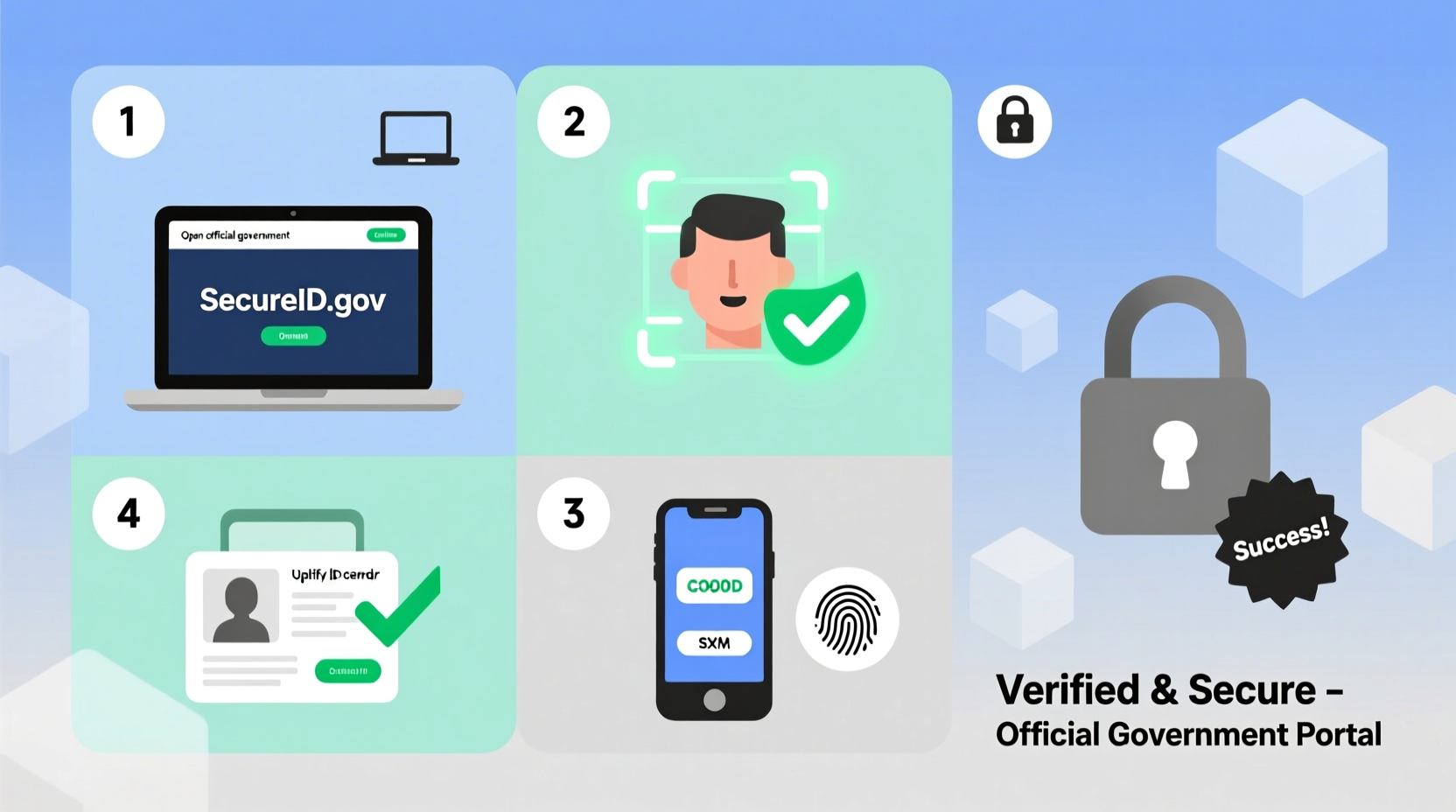
Your ID card contains sensitive personal data: full name, date of birth, address, and often biometric details. If lost or stolen, it becomes a prime tool for criminals to open bank accounts, apply for loans, or commit fraud under your name. According to the Federal Trade Commission (FTC), identity theft reports exceeded 1.4 million in 2023 alone—with government documents among the most exploited assets.
Online ID protection services reduce exposure by enabling immediate reporting, temporary locks, and fast reissuance—all from a secure device. These systems are encrypted, monitored, and linked directly to national databases, making them faster and safer than traditional paper-based methods.
Step-by-Step Process to Secure Your ID Card Online
Follow these six essential steps to safeguard your ID digitally. While exact procedures vary slightly by country, the framework below applies to most national and state-level systems, including those in the U.S., UK, Canada, India, and the EU.
- Verify Eligibility for Online Services
Not all ID types or regions support full online management. Check your local government portal (e.g., DMV, Home Office, SSA, UIDAI) to confirm whether your ID—such as a driver’s license, Aadhaar, Social Security card, or national ID—is eligible for digital protection. - Create or Log Into Your Secure Government Account
Most countries require a verified citizen account. Examples include:- USA: Login.gov or state-specific portals like CA DMV Online
- UK: GOV.UK Verify
- India: myAadhaar portal
- Canada: My Service Canada Account
- Report Loss or Theft Immediately
Once logged in, navigate to “Report Lost/Stolen ID” under the relevant service section. Provide:- ID number
- Date and location of loss (if known)
- Reason: lost, stolen, damaged
- Freeze or Lock the ID (If Supported)
Some systems, like India’s Aadhaar or Estonia’s e-Residency platform, allow you to temporarily lock your ID online. This prevents any verification requests until you unlock it—ideal if you’ve misplaced the card but hope to recover it. - Apply for Replacement or Renewal
After reporting the incident, initiate a replacement request. Upload required documents such as:- Proof of address
- Passport-sized photo (meeting specifications)
- Application form (filled online)
- Track Status and Receive New ID
Use your application number to monitor progress. Delivery times vary:- Standard: 7–14 business days
- Expedited: 3–5 days (additional fee)
Do’s and Don’ts When Securing Your ID Online
| Do’s | Don’ts |
|---|---|
| Use only official government URLs (look for .gov or .gouv domains) | Click on links from unsolicited emails claiming to be from ID authorities |
| Enable two-factor authentication (2FA) on your citizen account | Share your OTP, password, or recovery codes with anyone |
| Download the official app if available (e.g., mParivahan, DigiLocker) | Store screenshots of your digital ID without screen-lock protection |
| Keep printed confirmation of your report and application | Wait more than 24 hours to report a stolen ID |
Real Example: Recovering a Stolen Passport Digitally
Sophia Patel, a freelance journalist based in Toronto, had her wallet—including her Canadian passport—stolen during a trip to Mexico City. Within three hours of discovering the loss, she used her mobile hotspot to access the Government of Canada’s travel portal. She logged into her GC Key account, reported the passport as stolen, and applied for an emergency replacement at the nearest consulate—all before arriving at the airport for her return flight.
Thanks to the digital flag placed on her passport number, no one could use it for boarding or visa applications. The consulate issued a temporary travel document within 24 hours. “I didn’t have to fill out a single paper form,” Sophia said. “The online system saved me time, stress, and possibly a lot of legal trouble.”
“Immediate digital reporting cuts the window of vulnerability from days to minutes.” — Dr. Alan Reyes, Cybersecurity Advisor, International Identity Federation
Essential Checklist for Securing Your ID Online
- ✅ Confirm eligibility for online ID protection in your region
- ✅ Access only official government websites (.gov, .gc.ca, .gov.uk, etc.)
- ✅ Register or log into your verified citizen account
- ✅ Report loss/stolen status immediately
- ✅ Lock or deactivate the ID if the option exists
- ✅ Submit required documents and pay fees securely
- ✅ Track application status and keep reference numbers
- ✅ Store new ID in a secure physical and digital location
Frequently Asked Questions
Can I secure someone else’s ID online?
No—unless you are a legally authorized representative (e.g., parent, guardian, power of attorney). Each individual must authenticate their own identity. Attempting to access another person’s ID account without permission is a criminal offense in most jurisdictions.
Is a digitally reported ID theft recognized legally?
Yes. A report filed through an official government portal carries the same legal weight as an in-person filing. Print or save the confirmation receipt—it serves as proof of timely reporting and may be required by banks or law enforcement.
How long does it take to get a replacement ID?
Processing times vary: domestic replacements usually take 7–14 days; international cases may take up to 3 weeks. Expedited services are often available for urgent needs like travel or medical emergencies, sometimes for an additional fee.
Final Steps: Stay Proactive, Not Reactive
Securing your ID online isn’t just about damage control—it’s part of responsible digital citizenship. Waiting until your ID is compromised puts you at risk. Consider setting up alerts or periodic checks on your ID status, especially if you travel frequently or live in high-theft areas.
Many modern systems now offer proactive tools: digital ID wallets, biometric verification, and instant lock/unlock features. Embrace them. The few minutes you spend today protecting your identity could save you months of hassle tomorrow.




 浙公网安备
33010002000092号
浙公网安备
33010002000092号 浙B2-20120091-4
Comments
No comments yet. Why don't you start the discussion?