
Phone accessories have evolved beyond cases and screen protectors. Today, personalization is key—buckle pendants offer a stylish way to carry your phone while adding flair to your everyday look. Whether you're using a lanyard, wrist strap, or decorative charm, attaching a buckle pendant incorrectly can lead to dropped devices, damaged ports, or even structural failure over time. This guide walks through the correct method to securely attach a phone buckle pendant, ensuring both style and safety.
Why Proper Attachment Matters
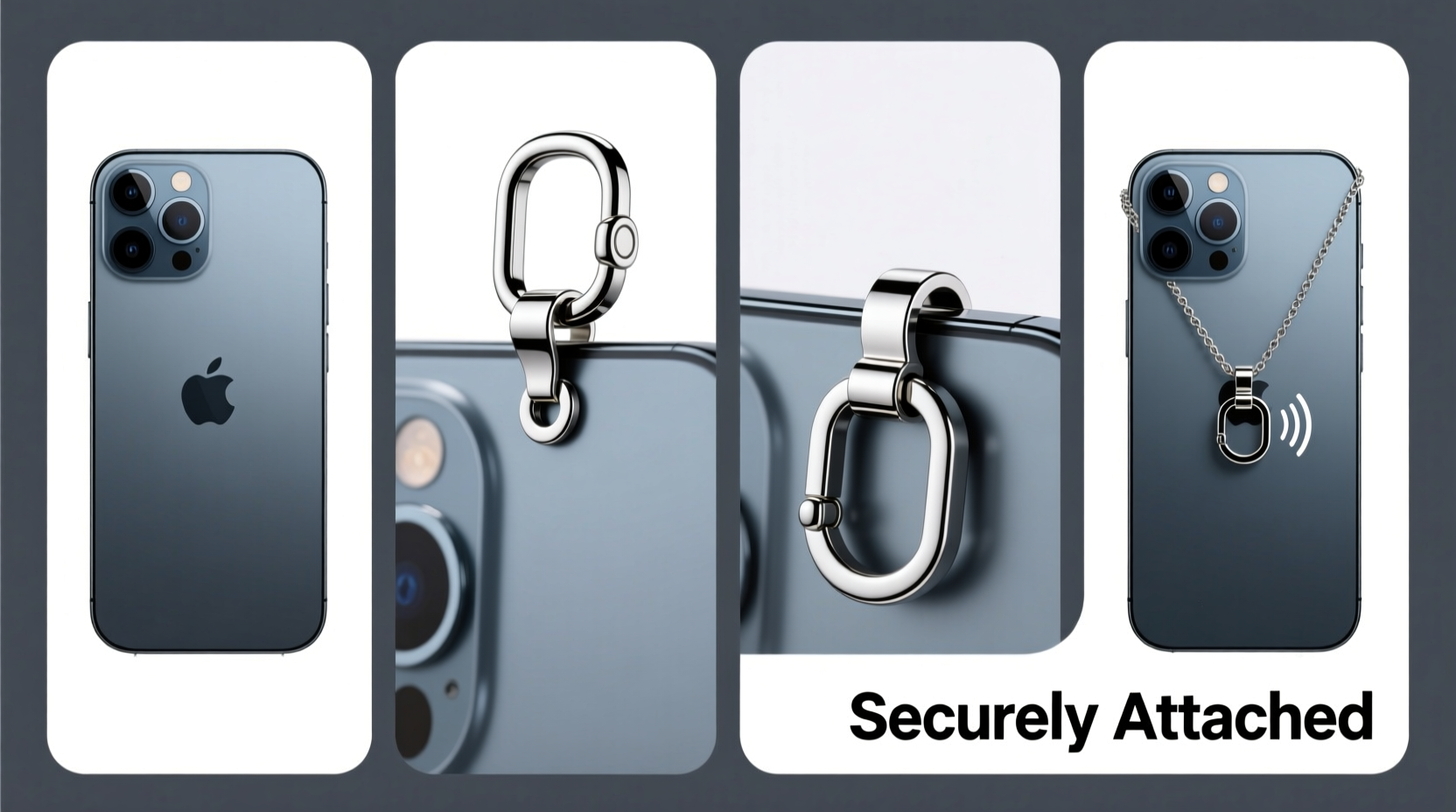
A poorly attached pendant may seem harmless at first, but repeated stress on weak points—like charging ports or camera mounts—can cause irreversible damage. The goal is to distribute tension evenly and avoid relying on fragile components. A secure attachment protects your investment, maintains resale value, and prevents accidents in high-movement environments like commuting, travel, or crowded events.
“Many repair technicians see cracked frames and bent ports from users who’ve attached straps directly to USB-C or headphone jacks.” — David Lin, Mobile Device Repair Specialist
Choosing the Right Pendant and Mounting Method
Not all buckle pendants are created equal. Some are designed for direct case integration, while others require adapters. Understanding compatibility ensures durability and avoids mismatched hardware.
Look for pendants with standardized connectors such as:
- Micro-suction pads with loop anchors
- Screw-in tripod-style mounts (1/4\"-20 thread)
- Magnetic bases compatible with MagSafe or similar systems
- Clip-on brackets that lock onto reinforced case edges
If your phone lacks built-in support, pairing the pendant with a reinforced case is essential. Cases with dedicated side loops, metal plates, or lanyard cutouts provide secure anchor points without stressing internal components.
Do’s and Don’ts of Phone Pendant Attachment
| Do | Don’t |
|---|---|
| Use a case with integrated lanyard holes or mounting tabs | Thread cords through the charging port or headphone jack |
| Choose pendants with swivel joints to reduce twisting strain | Attach heavy charms directly to thin metal rings |
| Check weight limits—most pendants support up to 500g safely | Ignore manufacturer warnings about load capacity |
| Inspect hardware monthly for signs of wear or loosening | Leave degraded adhesives unattended after six months |
Step-by-Step Guide to Secure Installation
Follow this sequence to ensure your phone buckle pendant remains firmly in place during daily use.
- Power down your device – While not always necessary, turning off your phone reduces risk if accidental pressure affects sensitive components during installation.
- Select a compatible case – Opt for one with side-mounted eyelets, magnetic backing, or a rigid frame. Avoid silicone-only cases unless they explicitly list accessory support.
- Clean the attachment surface – Wipe the back of the case with isopropyl alcohol to remove oils and dust. Let dry completely before applying adhesive-based mounts.
- Position the buckle base – Center it near the top edge of the phone, where balance is optimal. Use a level app or visual alignment with the camera module for precision.
- Apply adhesive or mechanical fastener:
- For adhesive types: Press firmly for 30 seconds and wait 2 hours before loading.
- For screw-in types: Align with pre-drilled case holes and tighten gently—over-tightening cracks polycarbonate.
- Attach the buckle pendant – Snap or twist it into the mounted base until you hear a click or feel resistance. Verify rotation stability; there should be no wobble.
- Test under controlled conditions – Hold the pendant and simulate normal motion—walking, reaching, pulling—without letting go. If the phone shifts unnaturally, recheck alignment.
Real-World Example: Commuter Safety Upgrade
Sophia, a graphic designer in Seattle, used to carry her phone in her coat pocket with a dangling charm threaded through the USB-C port. After two weeks, she noticed the port felt loose and charging became intermittent. She replaced the phone and researched safer alternatives. Using a rugged OtterBox case with side lanyard loops, she installed a nylon strap with a rotating buckle pendant. Over the next eight months, she reported zero issues—even when jogging between meetings or riding public transit. Her experience highlights how proper attachment prevents costly repairs and improves usability.
Essential Maintenance Checklist
To keep your setup functioning safely, perform these checks regularly:
- ✅ Inspect the buckle mechanism weekly for cracks or deformation
- ✅ Ensure screws (if used) remain tight every 14 days
- ✅ Clean debris from hinge joints monthly with a soft brush
- ✅ Replace worn straps or elastic components immediately
- ✅ Reapply industrial-strength adhesive every 6–9 months
- ✅ Confirm total pendant weight stays under 0.5 kg (1.1 lbs)
“Even small imbalances add up over thousands of movements per day. Symmetry and material strength matter more than aesthetics.” — Lena Park, Industrial Design Consultant
Frequently Asked Questions
Can I attach a buckle pendant to any phone model?
Yes, but only with the right accessories. Older models without reinforced cases or mounting options will need third-party solutions like adhesive bases or clip-on brackets. Always verify compatibility before purchase.
Is it safe to use my phone with a pendant while exercising?
Only if the combined weight is minimal and movement is controlled. High-impact activities like running or weightlifting create sudden jerks that can dislodge weak attachments. Use armbands or belt clips instead for intense workouts.
What should I do if the adhesive fails prematurely?
First, clean the area thoroughly. Then replace it with a stronger bonding agent like 3M VHB tape or epoxy putty designed for electronics. Avoid household glues—they degrade quickly and leave residue.
Final Thoughts and Next Steps
Attaching a phone buckle pendant isn't just about convenience—it's about integrating functionality with personal expression without sacrificing device integrity. By following structured installation practices, choosing quality materials, and maintaining vigilance over time, you preserve both performance and style. A well-secured pendant enhances accessibility, reduces pocket fumbling, and adds a touch of individuality to your tech.




 浙公网安备
33010002000092号
浙公网安备
33010002000092号 浙B2-20120091-4
Comments
No comments yet. Why don't you start the discussion?