
In today’s digital-first world, physical fax machines are becoming relics of the past. Yet many industries—especially healthcare, legal, and government sectors—still rely on faxing for secure document transmission. Instead of maintaining outdated hardware, you can now set up a virtual fax system directly on your computer. This approach saves space, reduces costs, and streamlines workflows while maintaining compliance and security.
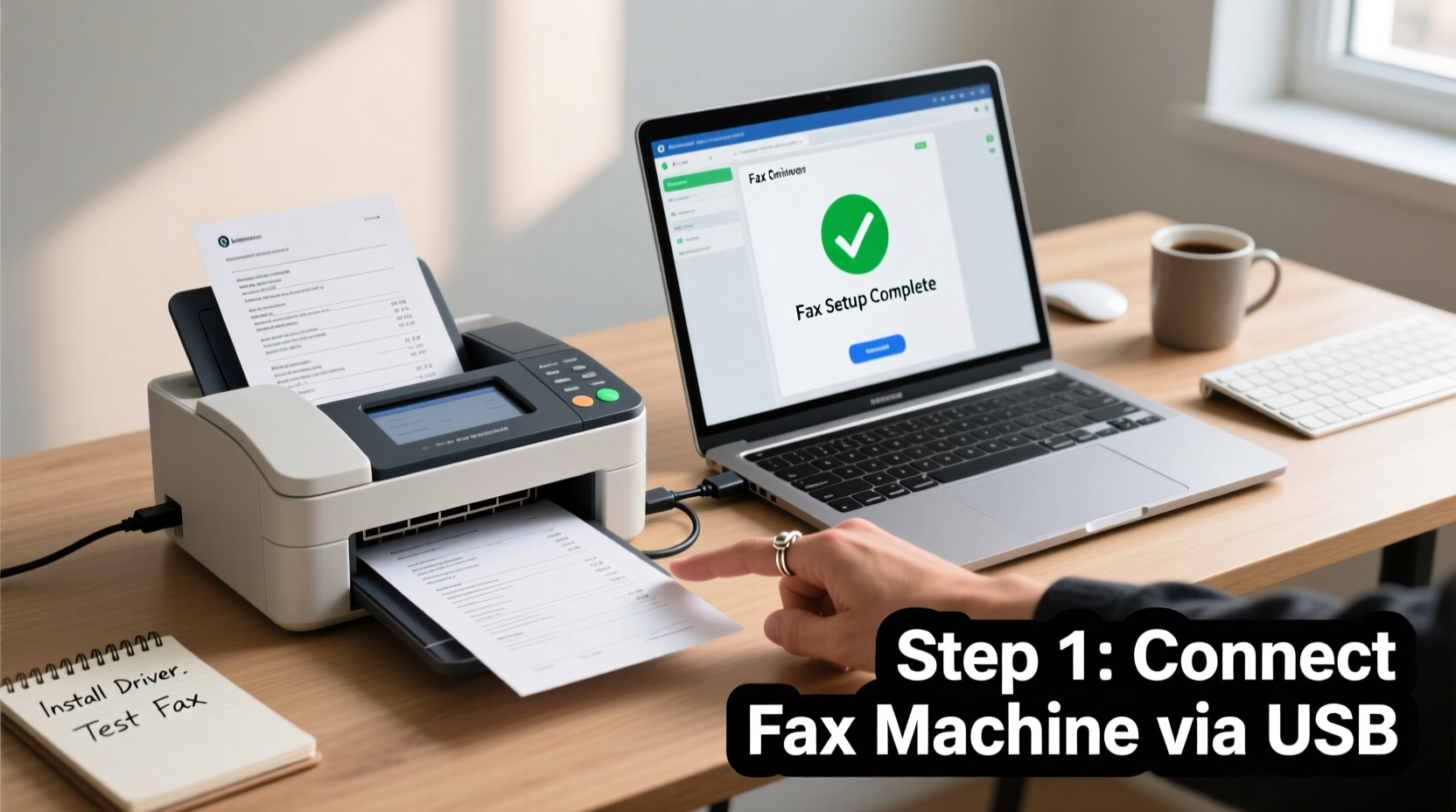
Setting up a fax machine on your computer doesn’t require technical expertise. With the right service and configuration, you can send and receive faxes using email, web portals, or dedicated software—all from your desktop or laptop. This guide walks you through every step, from choosing a provider to sending your first digital fax.
Why Fax Still Matters in a Digital Age
Faxing persists because it offers a level of simplicity and legal acceptance that some modern alternatives lack. Unlike emails, which can be easily altered, traditional fax transmissions create a verifiable paper trail. Additionally, certain regulations—such as HIPAA in healthcare—recognize fax as a compliant method for transmitting sensitive data when properly secured.
However, relying on a standalone fax machine means dealing with paper jams, ink refills, and limited accessibility. By moving faxing to your computer, you gain the benefits of digital convenience: cloud storage, automated logging, mobile access, and integration with existing tools like email and document management systems.
Choosing the Right Online Fax Service
The foundation of your computer-based fax setup is selecting a reliable online fax provider. These services assign you a real phone number (local, toll-free, or international) and allow you to send and receive faxes over the internet using secure protocols.
When evaluating providers, consider the following factors:
- Security & Compliance: Ensure the service supports encryption and meets industry standards (e.g., HIPAA, GDPR).
- Pricing Model: Compare monthly plans based on features like number of pages, users, and add-ons.
- Integration Options: Look for compatibility with tools like Google Workspace, Microsoft 365, Dropbox, or CRM platforms.
- User Interface: A clean, intuitive dashboard makes managing faxes easier.
- Customer Support: 24/7 support via chat or phone can be crucial during critical transmissions.
“Transitioning to an internet-based fax system reduced our office’s document processing time by nearly 40%.” — David Lin, Office Manager at MedLegal Associates
Step-by-Step Setup Process
Follow this timeline to get your computer-ready fax system operational within one hour.
- Select a Provider: Research and sign up with a reputable service such as eFax, MyFax, HelloFax, or Fax.Plus.
- Choose Your Fax Number: Pick a local or toll-free number during registration. Some services let you port an existing number.
- Verify Your Account: Confirm your identity via email or SMS. Upload identification if required for compliance.
- Download Software (if applicable): Install any desktop application or browser extension offered by the provider.
- Configure Email-to-Fax: Link your fax number to your email so you can send faxes by emailing attachments to a specific address (e.g., 1234567890@efaxsend.com).
- Test the System: Send a test fax to yourself or a colleague to ensure delivery and formatting are correct.
Configuring Multiple Devices
You’re not limited to one computer. Most online fax services allow you to log in across devices—laptops, tablets, smartphones—using the same account. This flexibility ensures you can send or retrieve faxes remotely, which is especially useful for field workers or telecommuting professionals.
How to Send and Receive Faxes Digitally
Once your account is active, using your computer as a fax machine becomes second nature.
Sending a Fax from Your Computer
- Log into your fax service portal or open your email client.
- Compose a new message to the designated fax gateway email (provided by your service).
- In the subject line, enter the recipient’s full fax number, including area code (e.g., +15552345678).
- Attach the document(s) you wish to fax (PDF, DOCX, JPG, etc.).
- Write a brief cover note in the body if needed.
- Hit send. You’ll typically receive a confirmation email once the fax is delivered.
Receiving a Fax
Incoming faxes are automatically converted into digital files and delivered to your inbox or stored in your online dashboard. You can:
- View faxes instantly in your web portal.
- Receive them as PDF attachments via email.
- Set up folder rules to organize incoming faxes by sender or date.
- Download or forward them securely to colleagues.
| Action | Method | Best For |
|---|---|---|
| Sending single-page faxes | Email-to-fax | Quick transmissions, non-urgent documents |
| Bulk faxing | Web portal upload | Legal forms, medical records, invoices |
| Tracking delivery | Delivery receipts & logs | Time-sensitive or legally binding documents |
| Mobile access | Provider’s app | Remote work, travel, urgent responses |
Common Pitfalls and How to Avoid Them
Even with a streamlined setup, mistakes can delay communication or compromise security.
- Incorrect Number Format: Always include the country code when sending internationally (e.g., +44 for UK numbers).
- Large File Sizes: Compress scanned documents before attaching. Most services cap individual files at 10–25 MB.
- Forgotten Cover Pages: Include essential details like sender name, purpose, and confidentiality notice.
- Using Personal Email: Avoid sending sensitive faxes from personal accounts unless encrypted.
Mini Case Study: Law Firm Adopts Digital Faxing
A mid-sized law firm in Chicago previously relied on two aging fax machines located in a back-office supply room. Attorneys often waited in line to send client documents, and misrouted faxes led to compliance concerns.
After switching to a centralized online fax solution tied to each attorney’s email, the firm reported immediate improvements. Lawyers could send signed agreements directly from their laptops during client meetings. Incoming faxes were routed to individual inboxes, reducing errors. Within three months, paper usage dropped by 60%, and response times improved significantly.
The transition cost less than $200 annually per user and eliminated maintenance fees for hardware repairs.
Essential Checklist Before Going Live
Before decommissioning your old fax machine, complete this checklist:
- ✅ Choose a secure, compliant online fax provider
- ✅ Select and activate your fax number
- ✅ Connect your email account to the fax gateway
- ✅ Test sending and receiving with a colleague
- ✅ Set up spam filters to block unwanted faxes
- ✅ Train team members on proper use and file naming conventions
- ✅ Back up important faxes to a secure cloud drive
Frequently Asked Questions
Can I keep my existing fax number?
Yes, most online fax providers support number porting. The process usually takes 7–14 days and may require a copy of your recent phone bill.
Are internet faxes legally binding?
Yes. In most jurisdictions, a received fax—including digital versions—holds the same legal weight as a paper copy, provided it includes identifying information and timestamps.
Is it safe to send confidential documents online?
Reputable fax-over-IP services use TLS and AES encryption to protect data in transit and at rest. Always verify your provider’s security certifications, especially for regulated industries.
Final Thoughts: Embrace the Future of Document Sharing
Setting up a fax machine on your computer isn't just about replacing outdated hardware—it's about transforming how your organization handles critical communications. With digital faxing, you gain speed, reliability, and auditability without sacrificing compliance.
The initial setup takes less than an hour, and the long-term benefits far outweigh the minimal investment. Whether you're a solo practitioner, small business owner, or part of a large enterprise, integrating computer-based faxing into your workflow is a smart move toward efficiency and sustainability.




 浙公网安备
33010002000092号
浙公网安备
33010002000092号 浙B2-20120091-4
Comments
No comments yet. Why don't you start the discussion?