
A clutter-free workspace isn't just visually appealing—it directly impacts focus, productivity, and mental clarity. In an era where digital distractions are constant, a minimalist desk setup can serve as an anchor for intentional work. When combined with the convenience of wireless charging, the result is both functional and elegant. This guide walks you through creating a clean, efficient workspace that supports deep work while reducing visual noise and cable chaos.
Why Minimalism Meets Modern Functionality
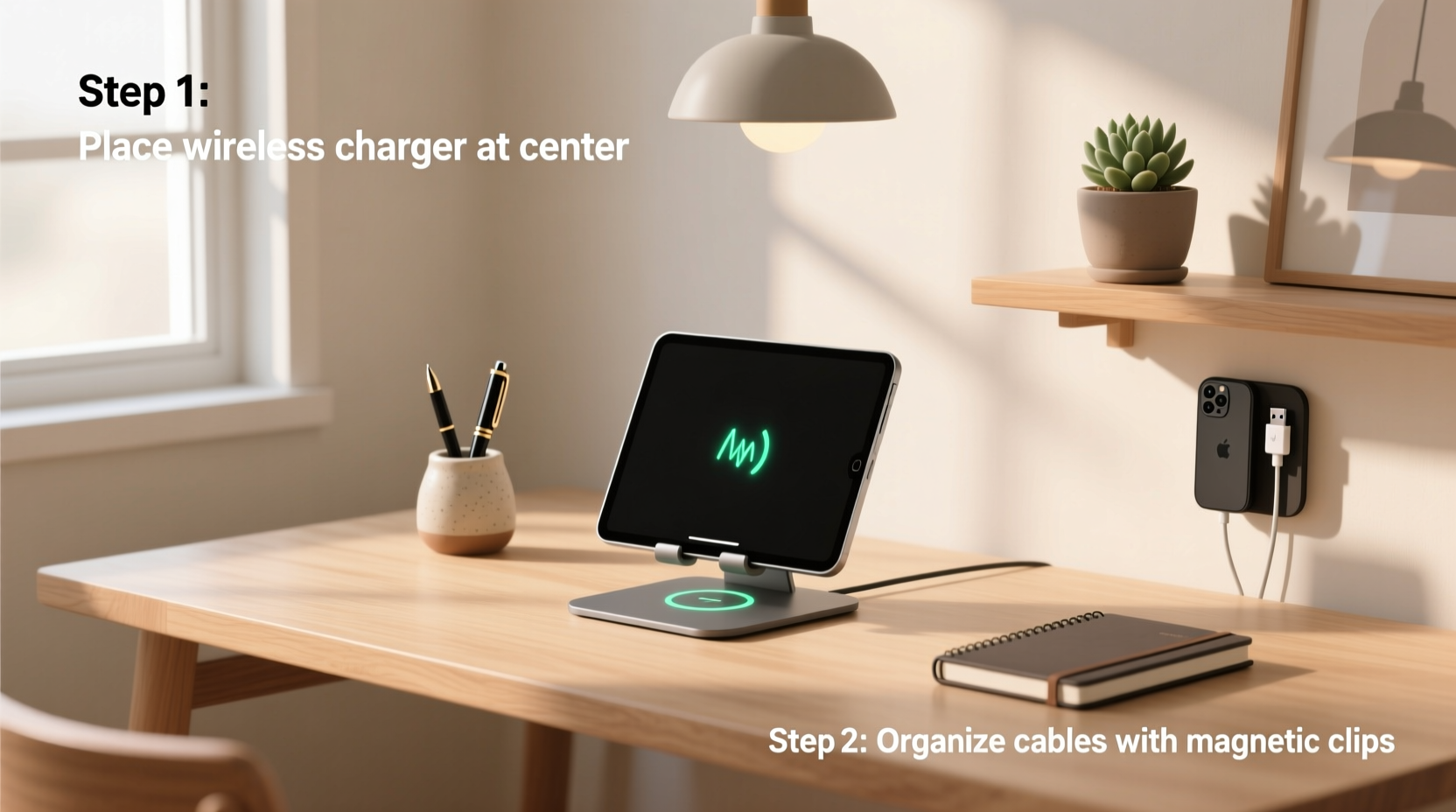
Minimalist design emphasizes purpose over excess. Every item on your desk should have a clear function. The integration of wireless charging aligns perfectly with this philosophy: it removes tangled cords, reduces outlet dependency, and keeps essential devices powered without sacrificing aesthetics.
Studies show that environments with fewer distractions improve cognitive performance. A 2021 Journal of Environmental Psychology report found that individuals in clutter-free offices completed tasks 15% faster than those in disorganized spaces. Combine that with seamless device charging, and you’ve created an environment optimized for flow states.
“Simplicity isn’t about owning less—it’s about designing your space so everything present enhances your ability to do meaningful work.” — Sarah Lin, Workspace Design Consultant
Selecting the Right Desk and Surface
The foundation of any minimalist setup begins with the desk itself. Choose a piece that reflects clean lines, neutral tones, and ample but not excessive surface area. Overly large desks often invite clutter simply because there’s room to fill them.
Ideal materials include solid wood, matte laminate, or powder-coated metal. Avoid glass tops unless paired with a structured cable management system—they tend to highlight fingerprints and dust, which contradicts the low-maintenance goal of minimalism.
Recommended Desk Dimensions
| Use Case | Width | Depth | Height |
|---|---|---|---|
| Solo laptop work | 40–48 inches | 24 inches | 29–30 inches |
| Dual monitor + peripherals | 55–60 inches | 30 inches | 30 inches |
| Standing desk (adjustable) | 48 inches | 24 inches | Adjustable 25–50 inches |
If space is limited, consider wall-mounted floating desks or corner units. They preserve floor space and create a sense of openness, reinforcing the minimalist aesthetic.
Curating Essential Devices and Tools
Minimalism doesn’t mean deprivation—it means intentionality. Start by removing everything from your desk. Then, reintroduce only what you use daily.
For most knowledge workers, core essentials include:
- Laptop or monitor
- Keyboard and mouse
- Notebook and pen (analog tools reduce screen fatigue)
- Wireless charger (for phone or earbuds)
- Desk lamp (preferably dimmable and warm-toned)
Optional additions like a webcam cover, plant, or framed quote are acceptable only if they contribute meaningfully to focus or well-being. Avoid decorative items that serve no functional or emotional purpose.
Choosing a Wireless Charging Solution
Not all wireless chargers are created equal. For a minimalist build, prioritize form and integration:
- Single-coil vs. multi-coil: Multi-coil pads allow flexible phone placement but may be bulkier. Single-coil requires precise alignment but offers a slimmer profile.
- Power output: Look for at least 10W Qi-certified chargers for fast, reliable charging. Some newer models support 15W for compatible devices.
- Design: Matte finishes, neutral colors (black, white, gray), and compact footprints blend seamlessly into a clean desk.
- Integration: Consider chargers built into desk mats, monitor stands, or even the desk itself (some premium models feature embedded charging zones).
Step-by-Step Setup Process
Follow this sequence to assemble your minimalist desk with wireless charging functionality:
- Clear the space: Remove all items from the desk and wipe down the surface. This reset allows you to evaluate each object before returning it.
- Position the monitor or laptop: Center it along the back third of the desk. Use a riser if needed to align the top of the screen with eye level.
- Install the keyboard tray or position the keyboard: Leave 4–6 inches between the monitor base and the top of the keyboard for wrist comfort.
- Place the wireless charger: Position it to the right or left front corner—within easy reach but out of your primary typing zone. Avoid placing it directly behind the monitor where it’s hard to access.
- Add input devices: Place the mouse on the same side as the charger. If using a trackpad, center it below the keyboard.
- Introduce lighting: Position a warm-white LED lamp at the rear corner opposite the dominant hand to avoid shadows.
- Route cables under the desk: Use adhesive clips or a cable tray to bundle power cords, USB lines, and monitor cables. Secure them neatly beneath the desktop.
- Finalize with one personal item: A small succulent, a ceramic mug, or a framed photo—only one. This adds warmth without clutter.
This process ensures every element has a designated place, minimizing decision fatigue each morning.
Cable Management and Hidden Infrastructure
No minimalist setup is complete without invisible cable control. Even with wireless charging, you’ll still need power for monitors, lamps, and docking stations. The key is concealment.
Use braided nylon sleeves or spiral wrap tubing to group similar wires. Attach them to the underside of the desk using Velcro straps or magnetic mounts. Avoid zip ties—they’re permanent and difficult to adjust.
For desks without grommets, use edge clamps with rubber-lined openings to feed cables through the side or back. Pair these with a power strip mounted under the desk using a bracket. This keeps outlets accessible but out of sight.
“Cable management isn’t a one-time task—it’s a habit. Reassess your wiring every three months to prevent buildup.” — Marcus Reed, Tech Ergonomics Specialist
Do’s and Don’ts of Cable Organization
| Do | Don’t |
|---|---|
| Label cords with printable tags | Leave unmarked cables dangling |
| Use under-desk trays for power strips | Stack adapters on the floor |
| Bundle same-length cables together | Cross high-voltage and data cables |
| Choose fabric-covered extension cords | Run cords across walkways |
Real-World Example: A Remote Developer’s Transformation
James, a freelance software developer based in Portland, spent years working at a crowded desk littered with coffee stains, loose adapters, and three tangled charging cables. After reading about minimalist workspaces, he decided to rebuild his setup.
He replaced his old particleboard desk with a 48-inch walnut veneer model featuring two central grommets. He purchased a slim Qi wireless charger embedded in a felt desk mat, allowing him to drop his phone anywhere within a 3-inch radius to charge. All other devices—including his external SSD and monitor—connect via a single USB-C hub hidden beneath the desk.
The result? James reported a 30% reduction in afternoon distraction and no longer spends time untangling cords each morning. “It feels like my desk finally works for me,” he said. “I sit down, open my laptop, and start coding. No rituals, no fuss.”
Maintaining Your Minimalist Workflow
Preserving a minimalist desk requires routine discipline. At the end of each workday, take five minutes to reset the surface:
- Return the notebook and pen to a drawer
- Remove any food or drink containers
- Wipe down the desk with a microfiber cloth
- Ensure the wireless charger is free of dust or debris
Monthly, perform a deeper review: unplug all devices, inspect cable integrity, and reassess whether every item still serves a purpose. If something hasn’t been used in 30 days, store it elsewhere or donate it.
Frequently Asked Questions
Can I use wireless charging with a phone case?
Most Qi-compatible cases (thin plastic, silicone, or TPU) allow charging without removal. However, thick leather cases or those with metal plates (like wallet cases) may block the signal. Test yours—if the phone gets hot but doesn’t charge, remove the case.
Will wireless charging slow down my phone’s battery life?
Modern smartphones regulate power intake during wireless charging, making degradation negligible compared to wired charging. However, avoid leaving your phone on the charger overnight consistently. Once it hits 100%, unplug it or move it off the pad.
What if I need multiple devices charged wirelessly?
Use a multi-device charging station. Some models support simultaneous charging for a phone, smartwatch, and earbuds—all on a single pad. Look for ones with non-slip surfaces and individual coil alignment to prevent mischarging.
Final Checklist Before You Begin
Before purchasing any components, run through this checklist to ensure your setup stays true to minimalist principles:
- ✅ Desk has clean lines and sufficient but not excessive space
- ✅ Wireless charger is Qi-certified and matches desk aesthetics
- ✅ All necessary cables are measured and routed in advance
- ✅ Only essential tools will occupy the surface
- ✅ Lighting provides glare-free illumination without harsh shadows
- ✅ Power strip or surge protector is mounted out of sight
- ✅ One personal or calming item is selected (not yet placed)
Conclusion: Build Intention, Not Just a Desk
A minimalist desk with wireless charging is more than a trend—it’s a commitment to focused, distraction-free work. By thoughtfully selecting each component and maintaining strict boundaries around what belongs on your surface, you create a space that invites concentration and creativity.
The simplicity of dropping your phone onto a charging pad, the clarity of an uncluttered horizon, and the ease of sitting down to work without setup rituals—these small efficiencies compound into significant gains over time. Start today. Clear your desk. Choose one wireless charger. Reintroduce only what matters. Let your workspace reflect the quality of work you aim to produce.




 浙公网安备
33010002000092号
浙公网安备
33010002000092号 浙B2-20120091-4
Comments
No comments yet. Why don't you start the discussion?