
In an age where digital clutter and hardware bloat are common, a minimalist gaming setup offers a refreshing alternative. It’s not about sacrificing performance for aesthetics—it’s about achieving both. A clean, focused workspace enhances concentration, reduces distractions, and improves long-term usability. The goal is simple: build a high-performing gaming environment with only what you need, nothing more. This guide walks through the process of creating a powerful yet streamlined gaming station that prioritizes efficiency, ergonomics, and visual clarity—without compromising on frame rates or responsiveness.
Define Your Minimalist Philosophy
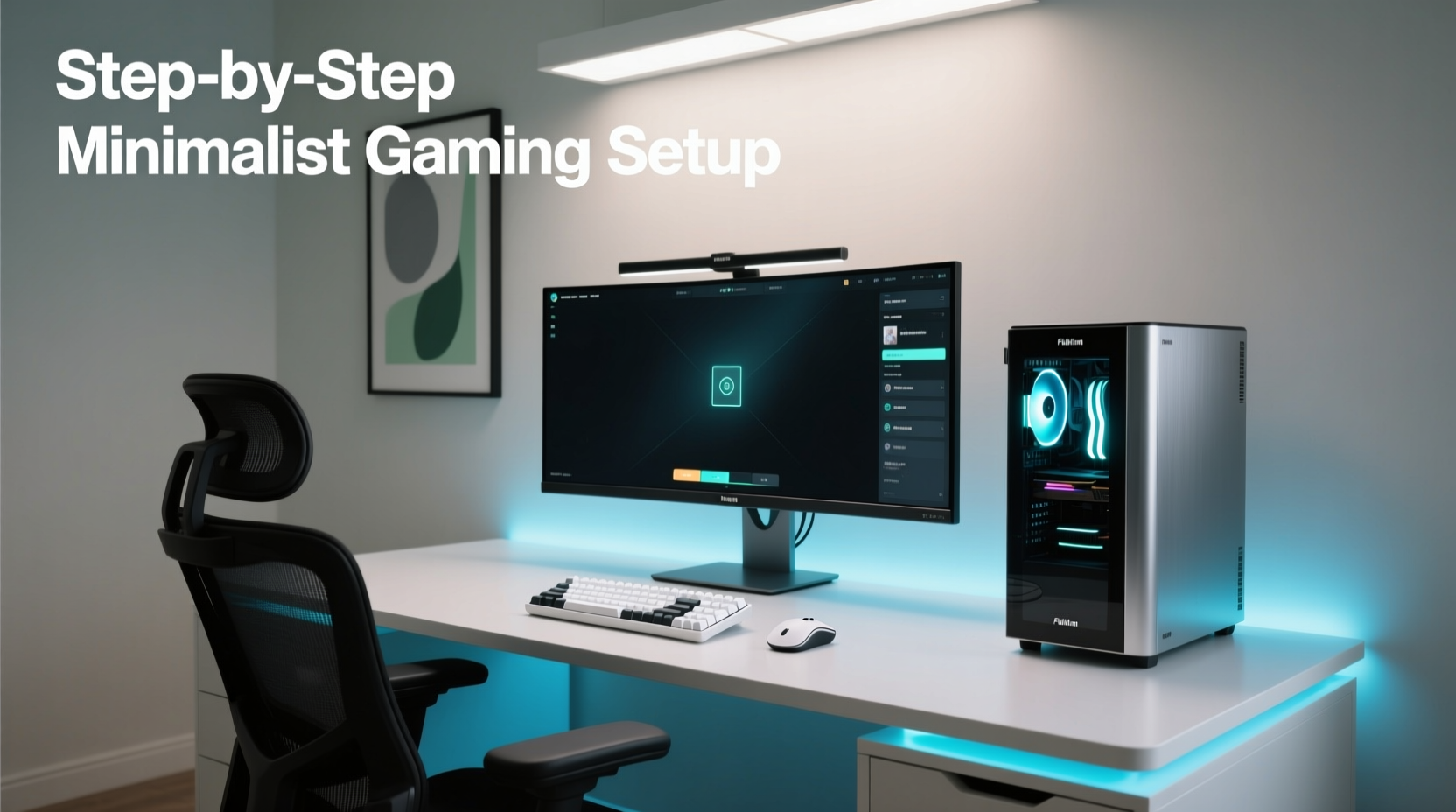
Minimalism in gaming isn’t just about removing unnecessary gadgets; it’s a mindset shift toward intentionality. Every component should serve a clear purpose. Before purchasing a single item, ask: Does this improve my gameplay? Is it essential for performance or comfort? Will it contribute to visual or functional clutter?
Start by auditing your current setup. Identify redundant peripherals, unused accessories, or bulky furniture. Replace them with sleeker, multi-functional alternatives. For example, a mechanical keyboard with programmable keys can eliminate the need for a separate macro pad. A monitor arm frees up desk space and improves cable management.
“Minimalism in design isn’t about deprivation—it’s about removing the irrelevant so the essential can shine.” — Dieter Rams, Industrial Designer
Select High-Performance, Compact Hardware
The foundation of any gaming setup is the hardware. To maintain minimalism without sacrificing power, focus on compact form factors and high-efficiency components.
Choose a Small Form Factor (SFF) PC or Efficient Console
Modern SFF builds can rival full-tower rigs in performance. Cases like the NZXT H1 or Fractal Design Node 202 allow for powerful GPUs and CPUs in a fraction of the space. Pair these with a Mini-ITX motherboard and a high-wattage SFX power supply for optimal integration.
If you prefer consoles, the PlayStation 5 Digital Edition or Xbox Series S offer strong performance with fewer physical media components, reducing the need for external drives or disc storage.
Monitor Selection: Prioritize Size and Clarity
A single high-quality monitor often outperforms multiple lower-tier displays in both function and form. Aim for a 27-inch 1440p IPS panel with at least 144Hz refresh rate. Models like the LG UltraGear 27GR83, Dell S2721DGF, or ASUS ROG Swift PG279QM deliver excellent color accuracy, fast response times, and adaptive sync—all in a slim bezel design.
Avoid ultra-wide or dual-monitor setups unless absolutely necessary. They increase visual noise and complicate cable routing.
Component Balance Table
| Component | Minimalist Choice | Performance Alternative | Avoid |
|---|---|---|---|
| PC Case | NZXT H1 V2 | Lian Li Q58 | Full-tower with RGB fans |
| CPU | AMD Ryzen 7 7800X3D | Intel Core i5-14600K | Overclocked HEDT chips |
| GPU | RTX 4070 (compact model) | RTX 4070 Ti Super | Bulkier triple-fan variants |
| Keyboard | Keychron K6 (wireless, 65%) | Ducky One 3 SF | Fully loaded RGB boards with wrist rests |
| Mouse | Logitech MX Master 3S | Razer DeathAdder V3 Pro | Gaming mice with side buttons and charging docks |
Optimize Cable Management and Power Delivery
No minimalist setup is complete without invisible cable control. Even the most powerful rig looks chaotic with tangled cords snaking across the desk.
Use Braided Sleeves and Velcro Ties
Replace zip ties with reusable Velcro straps. Group power, data, and audio cables into bundles using nylon braided sleeves. Route them behind the desk using adhesive clips or under-desk trays.
Invest in a Vertical GPU Mount (If Applicable)
In SFF cases, vertical GPU mounting via a PCIe riser not only improves airflow but also presents the card as a subtle centerpiece rather than a hidden component. Choose a riser with built-in cable shrouding for maximum neatness.
Power Strip vs. Surge Protector
Use a low-profile surge protector with right-angle plugs to save space behind furniture. Avoid bulky power strips with indicator lights—these add visual noise. Consider a smart plug with remote shutdown capability to reduce phantom load.
Mini Case Study: Alex’s Apartment Gaming Nook
Alex lives in a 500-square-foot studio in Seattle. His challenge was balancing a high-refresh-rate gaming rig with limited floor space and a shared living area. He chose a prebuilt SFF PC from Origin PC’s Omega line, mounted his 27-inch monitor on an articulating arm, and used magnetic cable covers to blend wires into the wall surface. Wireless keyboard and mouse eliminated desktop clutter. By placing the tower on a slim shelf beneath the desk, he freed up legroom. The result? A console-like footprint with PC-level performance, all within a 36-inch desk span.
“A clean setup reduces cognitive load. When your eyes aren’t scanning for loose cables or mismatched colors, your brain focuses better on the game.” — Dr. Lena Torres, Cognitive Ergonomics Researcher, MIT Media Lab
Design a Functional, Uncluttered Workspace
Ergonomics and spatial efficiency define a successful minimalist setup. The desk should support extended sessions without fatigue, while maintaining openness.
Desk Selection Criteria
- Size: 48–60 inches wide, 24–30 inches deep—large enough for essentials, small enough to avoid dominating the room.
- Material: Matte finishes (e.g., white oak, black laminate) resist fingerprints and glare.
- Features: Built-in cable grommets, modesty panels, and adjustable legs enhance utility without visual distraction.
Popular models include the IKEA Bekant, Uplift V2 Commercial, or Autonomous SmartDesk Core. All offer clean lines and integrated wire management.
Lighting: Subtle, Not Spectacular
Avoid rainbow LED strips and glowing logos. Instead, use indirect lighting: a bias light behind the monitor (to reduce eye strain), or a single warm-white desk lamp with dimmer control. Philips Hue Play Bars can be mounted behind the display for ambient glow—but set to neutral white only.
Storage Solutions
Keep accessories out of sight. Use a shallow drawer organizer for spare USB drives or earbuds. Wall-mounted shelves above the desk hold non-daily items like controllers or backup drives. A rolling cart underneath can store peripherals when not in use.
Step-by-Step Setup Timeline
Follow this seven-day plan to build your minimalist gaming station efficiently:
- Day 1: Define your budget and performance goals. List must-have specs (e.g., 1440p gaming at 100+ FPS).
- Day 2: Research and order core components: case, motherboard, CPU, GPU, RAM, PSU, storage.
- Day 3: Select monitor, keyboard, mouse, and desk. Prioritize wireless options and low-profile designs.
- Day 4: Assemble the PC. Test inside the case before final installation. Update BIOS and drivers.
- Day 5: Set up desk and mount monitor. Install cable management channels or raceways.
- Day 6: Install PC in final location. Route all cables neatly. Test peripheral connectivity.
- Day 7: Calibrate display settings, configure input devices, and run benchmark tests (e.g., Shadow of the Tomb Raider, Cyberpunk 2077). Adjust fan curves and power plans for quiet operation.
Checklist: Minimalist Gaming Setup Essentials
- ✅ Small form factor PC or modern console
- ✅ Single high-resolution, high-refresh monitor
- ✅ Wireless mechanical keyboard (60–75% layout)
- ✅ Ambidextrous wireless mouse with silent clicks
- ✅ Noise-canceling headset or compact speakers
- ✅ Clean, clutter-free desk with cable routing
- ✅ Bias lighting or soft ambient illumination
- ✅ Surge protector with low profile
- ✅ Monthly maintenance schedule (dusting, software updates)
Frequently Asked Questions
Can a minimalist setup handle AAA games at high settings?
Absolutely. Performance depends on internal components, not aesthetic choices. A well-built SFF PC with an RTX 4070 and Ryzen 7 7800X3D will run modern titles at 1440p ultra settings with ease. Thermal management is key—ensure adequate airflow and consider undervolting for lower heat output.
Is wireless reliable for competitive gaming?
Yes, modern wireless tech like Logitech’s Lightspeed, Razer HyperSpeed, and Bluetooth Low Energy offer sub-millisecond latency. Professional esports players now use wireless gear in tournaments. Just ensure batteries are charged and receivers are directly connected to the PC (avoid USB hubs).
How do I maintain minimalism over time?
Schedule quarterly “setup audits.” Remove unused items, re-route loosened cables, and reassess new purchases against your minimalist criteria. Adopt a one-in, one-out rule: if you buy a new accessory, donate or sell an old one.
Final Thoughts: Less Is More, Performance Included
A minimalist gaming setup proves that simplicity and power aren’t mutually exclusive. By focusing on intentionality, choosing compact yet capable hardware, and enforcing strict organization, you create a space that supports immersive gameplay without sensory overload. This isn’t just about looking clean—it’s about playing better. A decluttered environment fosters sharper focus, faster reactions, and longer comfort during marathon sessions. You gain not only a sleek aesthetic but also a functional advantage.
The best setups don’t shout for attention. They sit quietly, ready to perform. Start today: unplug what you don’t need, streamline your workflow, and build a system that works as hard as you do—without the noise.




 浙公网安备
33010002000092号
浙公网安备
33010002000092号 浙B2-20120091-4
Comments
No comments yet. Why don't you start the discussion?