
Creating a Facebook page is more than just filling out a form—it’s about building a digital presence that attracts attention, fosters community, and drives meaningful interaction. With over 2.9 billion monthly active users, Facebook remains one of the most powerful platforms for brands, creators, and entrepreneurs. But simply having a page isn’t enough. To stand out, you need strategy, consistency, and intentional design from day one.
This guide walks through each critical phase of launching a Facebook page designed for high engagement—from setup and branding to early audience-building tactics and content planning. Follow these steps to lay a foundation that not only looks professional but also encourages likes, comments, shares, and long-term loyalty.
1. Choose the Right Page Type and Complete Setup
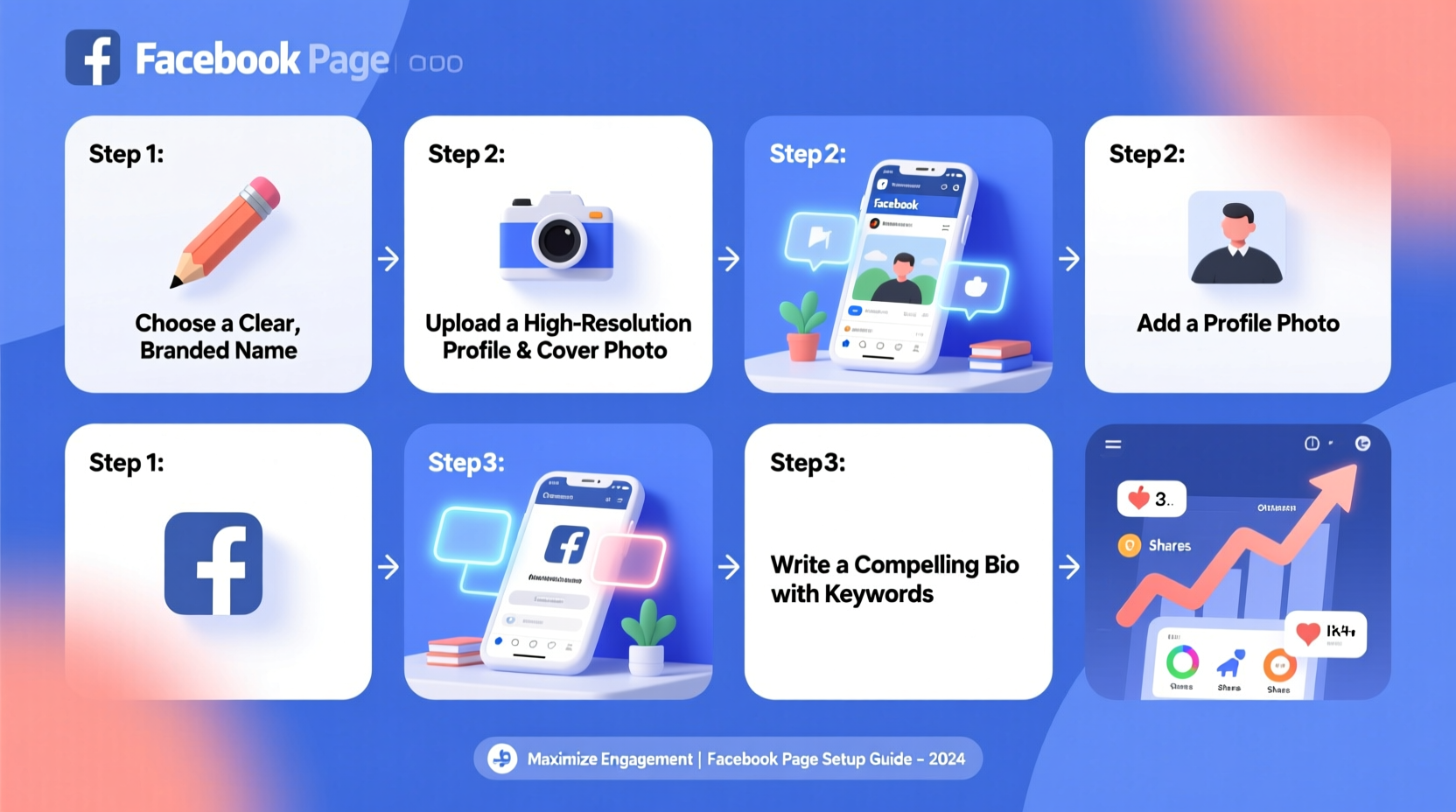
Facebook offers several page categories: Local Business, Company, Brand, Public Figure, Entertainment, and more. Selecting the correct type ensures your page appears in relevant searches and unlocks appropriate features like booking buttons or product catalogs.
- Go to facebook.com/pages/create.
- Select the category that best fits your purpose (e.g., “Brand or Product” for a product-based business).
- Enter your page name—this should match your brand exactly or be as close as possible.
- Add a username (@handle) that’s consistent with other social profiles.
- Upload a high-resolution profile picture (recommended: 360x360 pixels) and cover photo (820x312 pixels).
- Fill out essential details: address (if applicable), phone number, email, website, and hours of operation.
2. Optimize for Visibility and Credibility
A complete, well-organized page builds trust and improves discoverability. Facebook’s algorithm favors pages that provide clear information and encourage user interaction.
| Section | Best Practices | Common Mistakes |
|---|---|---|
| About | Write a concise, keyword-rich description including what you do, who you serve, and where. | Vague statements like “We’re awesome!” without context. |
| Contact Info | Add website, email, and phone. Verify your domain if possible. | Leaving fields blank or using outdated info. |
| Action Button | Use “Contact Us,” “Shop Now,” or “Learn More” based on goals. | Not setting one at all. |
| Username | Choose a short, memorable @handle matching your brand. | Using random numbers or inconsistent naming. |
“Pages with complete ‘About’ sections see up to 30% higher engagement in the first 30 days.” — Social Media Today, 2023 Industry Report
3. Develop a Content Strategy Before Posting
Posting randomly leads to inconsistent performance. Instead, plan a content mix that informs, entertains, and invites participation.
Start with three core content types:
- Educational: Tips, how-tos, industry insights.
- Engagement-driven: Questions, polls, fill-in-the-blank posts.
- Behind-the-scenes: Team photos, process videos, day-in-the-life snippets.
Create a simple 2-week content calendar. Example:
Tuesday: Customer Feature (Community)
Thursday: Poll or Question (Engagement)
Saturday: Behind-the-Scenes Photo (Authenticity)
Mini Case Study: Bloom & Vine Florist
A new floral shop launched their Facebook page with five pre-planned posts: a welcome video, a “What’s Your Favorite Flower?” poll, a care tip for fresh bouquets, a team intro carousel, and a limited-time discount offer. Within 10 days, they gained 187 followers and averaged 42 reactions per post—far above the typical startup benchmark of 5–10.
Their secret? They focused on interaction from day one. The poll alone generated 68 comments, many including personal stories about flowers tied to memories. This emotional connection sparked shares and organic reach.
4. Build Early Engagement with Targeted Outreach
Your first 100 followers are crucial. They form the initial audience that signals to Facebook that your content is valuable.
- Invite existing contacts: Use the “Invite Friends” tool to notify people who already know you.
- Share across channels: Post your new page link on Instagram, email newsletters, and your website.
- Engage in related groups: Join local or niche Facebook Groups and contribute value before mentioning your page.
- Ask for feedback: Post to friends or customers: “We just launched! What kind of content would you like to see?”
5. Launch with a Strategic First Month Plan
The first 30 days set the tone. A structured timeline increases visibility and habit-forming for both you and your audience.
| Week | Focus Area | Action Steps |
|---|---|---|
| Week 1 | Foundation & Introduction | Complete profile, post 3–5 introductory posts, invite 50+ friends. |
| Week 2 | Engagement & Feedback | Run a poll, ask a question, respond to all interactions, share once daily. |
| Week 3 | Content Testing | Publish different formats (video, image, text), track which gets most reactions. |
| Week 4 | Growth & Consistency | Post 4–5 times, consider a small ad boost ($5–10) to top-performing post. |
Checklist: Launch-Ready Facebook Page
- ✅ Page name matches brand identity
- ✅ Profile and cover photos uploaded (on-brand)
- ✅ Username (@handle) claimed and consistent
- ✅ About section fully completed with keywords
- ✅ Contact info and action button added
- ✅ First 7 days of content planned
- ✅ Friends invited to like the page
- ✅ Response time set to “Very Responsive” (enable in Settings)
Frequently Asked Questions
How often should I post on my new Facebook page?
Start with 3–4 times per week. Quality matters more than quantity. Focus on valuable, engaging content rather than daily filler posts. As you gather insights, adjust frequency based on what resonates.
Should I use Facebook Ads right away?
Not necessarily. Wait until you have 3–5 posts with organic engagement. Then, boost the best-performing one with a $5–10 budget to reach similar audiences. This approach gives better ROI than promoting weak content.
Can I change my page name later?
Yes, but only once every 7 days, and changing it too often confuses followers. Choose wisely upfront. If rebranding, announce the change with a post explaining why.
Final Thoughts: Turn Followers into a Community
A successful Facebook page isn’t measured just by follower count, but by the quality of interactions. From the moment you hit “Create Page,” every decision—your bio, your first post, your reply to a comment—shapes how people perceive and engage with your brand.
Consistency, authenticity, and responsiveness are non-negotiables. Treat your page not as a broadcast channel, but as a living conversation space. The habits you build in the first month will influence your growth trajectory for months to come.




 浙公网安备
33010002000092号
浙公网安备
33010002000092号 浙B2-20120091-4
Comments
No comments yet. Why don't you start the discussion?