
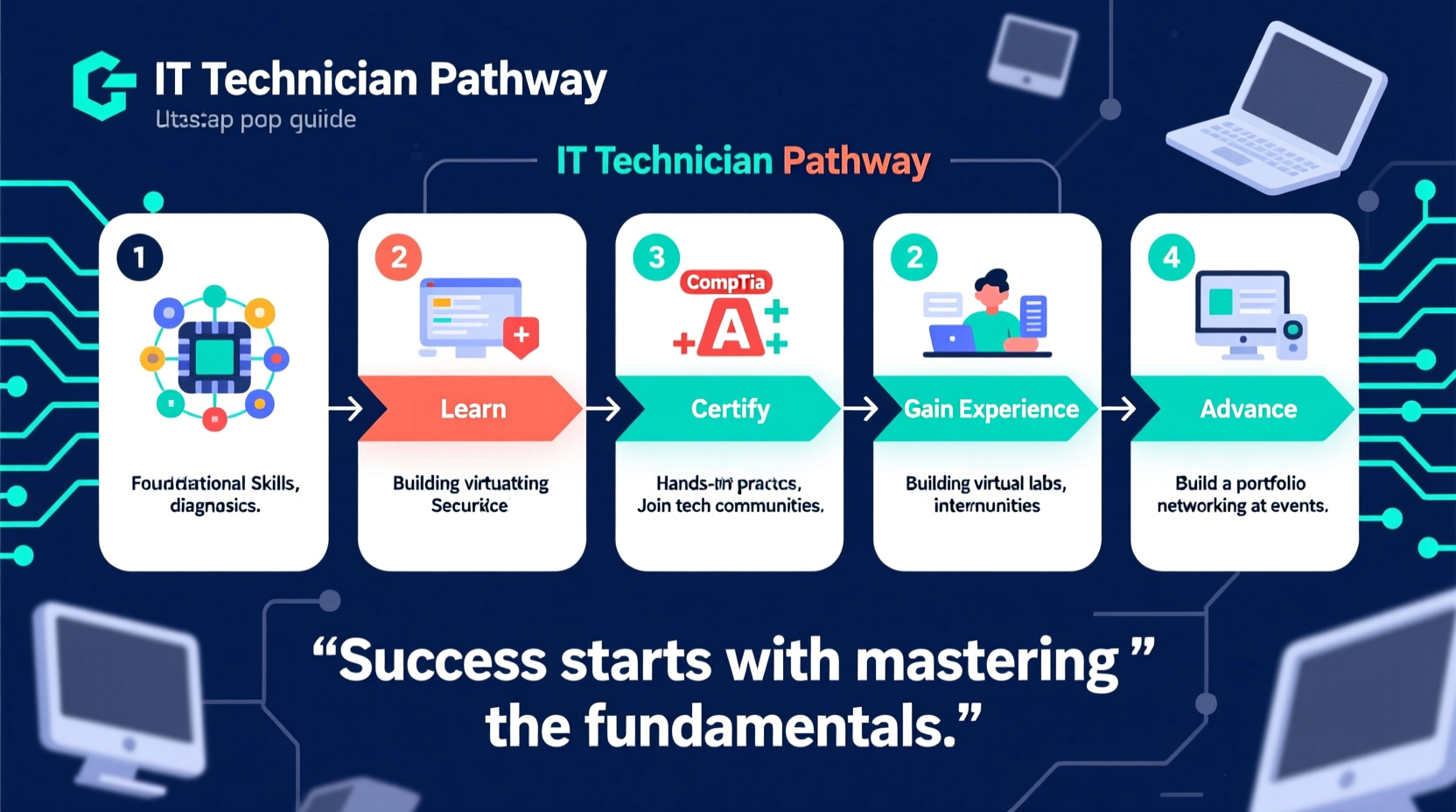
Becoming an IT technician is one of the most accessible entry points into the technology industry. With strong demand for technical support across nearly every sector, this role offers stability, growth potential, and a foundation for advancing into network administration, cybersecurity, or systems engineering. The path doesn’t require a four-year degree, but it does require focused learning, hands-on experience, and industry-recognized credentials. This guide outlines the exact steps to launch your career, from building foundational skills to earning certifications and landing your first job.
1. Understand the Role and Core Responsibilities
An IT technician provides technical support for hardware, software, networks, and user issues within an organization. Daily tasks may include setting up workstations, troubleshooting connectivity problems, installing updates, managing user accounts, and responding to help desk tickets. Technicians often serve as the first line of defense when technology fails, making communication and problem-solving just as important as technical knowledge.
The role varies slightly depending on the environment—corporate offices, healthcare facilities, schools, and managed service providers all have different needs—but core responsibilities remain consistent:
- Installing, configuring, and maintaining computers and peripherals
- Diagnosing and resolving software and operating system issues
- Supporting email, internet, and network access
- Providing remote or on-site assistance to users
- Documenting incidents and solutions in ticketing systems
- Enforcing security policies like password resets and antivirus updates
2. Build Foundational Technical Skills
You don’t need to be a coding expert, but you must understand how computers and networks operate at a fundamental level. Start by mastering these core areas:
- Operating Systems: Gain proficiency in Windows (Windows 10/11), macOS, and basic Linux command-line operations. Know how to install, update, troubleshoot, and secure each platform.
- Hardware Fundamentals: Learn how to assemble a PC, replace components (RAM, hard drives, power supplies), and diagnose hardware failures using built-in tools.
- Networking Basics: Understand IP addressing, DNS, DHCP, routers, switches, firewalls, and Wi-Fi configuration. Be able to test connectivity using tools like ping, ipconfig, and traceroute.
- Security Awareness: Recognize phishing attempts, malware behavior, and best practices for endpoint protection. Learn about encryption, firewalls, and multi-factor authentication.
- Cloud & Remote Support: Familiarize yourself with cloud services like Microsoft 365, Google Workspace, and remote desktop tools such as TeamViewer or AnyDesk.
Hands-on practice is essential. Set up a home lab using old computers or virtual machines (VMs) with free platforms like VirtualBox or VMware Player. Install different operating systems, simulate network configurations, and practice recovery procedures.
3. Earn Industry-Recognized Certifications
Certifications validate your knowledge and give employers confidence in your abilities. For entry-level IT technicians, two credentials stand out as essential:
| Certification | Provider | Focus Area | Why It Matters |
|---|---|---|---|
| CompTIA A+ | CompTIA | Hardware, software, networking, security, troubleshooting | Widely accepted as the gold standard for entry-level IT roles |
| CompTIA Network+ | CompTIA | Networking concepts, infrastructure, operations, security | Builds on A+ and opens doors to network support positions |
| Microsoft Fundamentals (e.g., MD-100) | Microsoft | Windows client configuration and management | Valuable for organizations using Microsoft 365 and Azure |
Start with CompTIA A+. It covers over 90% of what most help desk and desktop support roles require. Once certified, consider adding Network+ to deepen your networking expertise. Both exams are performance-based, testing real-world troubleshooting scenarios—not just memorization.
“Certifications like A+ aren’t just about passing a test—they prove you can handle real user issues under pressure.” — Carlos Mendez, Senior IT Manager at TechFlow Solutions
4. Gain Practical Experience and Build a Portfolio
Many employers want candidates with experience, but few hire beginners without any proof of capability. Break this cycle by creating your own opportunities:
- Volunteer to fix computers at local nonprofits, schools, or community centers.
- Offer free tech support to friends and family, then document the issues and resolutions.
- Create a personal website or blog showcasing projects—like building a small network, setting up a NAS, or automating backups.
- Participate in online labs through platforms like TryHackMe, Cisco NetAcad, or Microsoft Learn.
Mini Case Study: From Volunteer to Full-Time Technician
Jamal, a career changer with no formal IT background, spent six months studying for the A+ exam while volunteering at a neighborhood youth center. He set up their computer lab, installed antivirus software, and trained staff on safe browsing habits. When a local MSP saw his documentation and initiative, they offered him a junior technician role. Within 18 months, he earned Network+ and moved into a network support position with a 40% salary increase.
5. Apply Strategically and Prepare for Interviews
Your resume should highlight certifications, hands-on experience, and soft skills like customer service and time management. Use action verbs: “Resolved 20+ weekly help desk tickets,” “Installed and imaged 50+ workstations,” or “Reduced device downtime by 30%.”
When applying:
- Target entry-level titles: Help Desk Technician, Desktop Support Analyst, IT Support Specialist.
- Apply to Managed Service Providers (MSPs)—they often train juniors and offer rapid advancement.
- Look for apprenticeships or internships if direct roles are hard to land.
Prepare for common interview questions:
- Walk me through how you’d troubleshoot a computer that won’t turn on.
- How would you explain a password reset process to a frustrated user?
- What’s the difference between HTTP and HTTPS?
Practice whiteboard-style troubleshooting: start with gathering information, then check power, hardware, OS, and network in sequence.
Checklist: Launch Your IT Technician Career
- Learn core IT concepts (hardware, OS, networking, security)
- Earn CompTIA A+ certification
- Gain hands-on experience through labs, volunteering, or personal projects
- Obtain CompTIA Network+ (optional but recommended)
- Build a resume highlighting skills and practical experience
- Apply to entry-level roles and MSPs
- Prepare for technical and behavioral interviews
- Continue learning—explore scripting, cloud, or cybersecurity next
Frequently Asked Questions
Do I need a college degree to become an IT technician?
No. While some employers prefer a degree, most prioritize certifications and demonstrable skills. CompTIA A+ and hands-on experience are often enough to get hired.
How long does it take to become an IT technician?
With dedicated study (15–20 hours per week), you can earn A+ and apply for jobs in 3–6 months. Landing a position may take additional time depending on your location and job market.
What’s the average salary for an entry-level IT technician?
In the U.S., the average starting salary ranges from $40,000 to $55,000 annually. Salaries vary by region, industry, and employer type, with higher pay in finance, healthcare, and government sectors.
Conclusion: Start Building Your Future Today
Becoming an IT technician is not about waiting for permission—it’s about taking initiative. With structured learning, recognized certifications, and real-world practice, you can enter the tech field quickly and begin a rewarding career. Technology evolves constantly, so view your first role not as a destination, but as the beginning of continuous growth. Whether you eventually specialize in cybersecurity, cloud infrastructure, or systems architecture, the skills you build now will serve you for years to come.




 浙公网安备
33010002000092号
浙公网安备
33010002000092号 浙B2-20120091-4
Comments
No comments yet. Why don't you start the discussion?