
Accessing region-specific apps, exclusive promotions, or better pricing can be a game-changer for Apple users. For those interested in Canadian-exclusive content, lower prices on certain subscriptions, or simply wanting to use services available only in Canada, switching your App Store region is a practical solution. While Apple tightly controls account regions for security and billing consistency, changing to the Canadian App Store is entirely possible—with the right preparation. This guide walks you through every step, explains the implications, and helps you avoid common pitfalls.
Why Switch to the Canadian App Store?
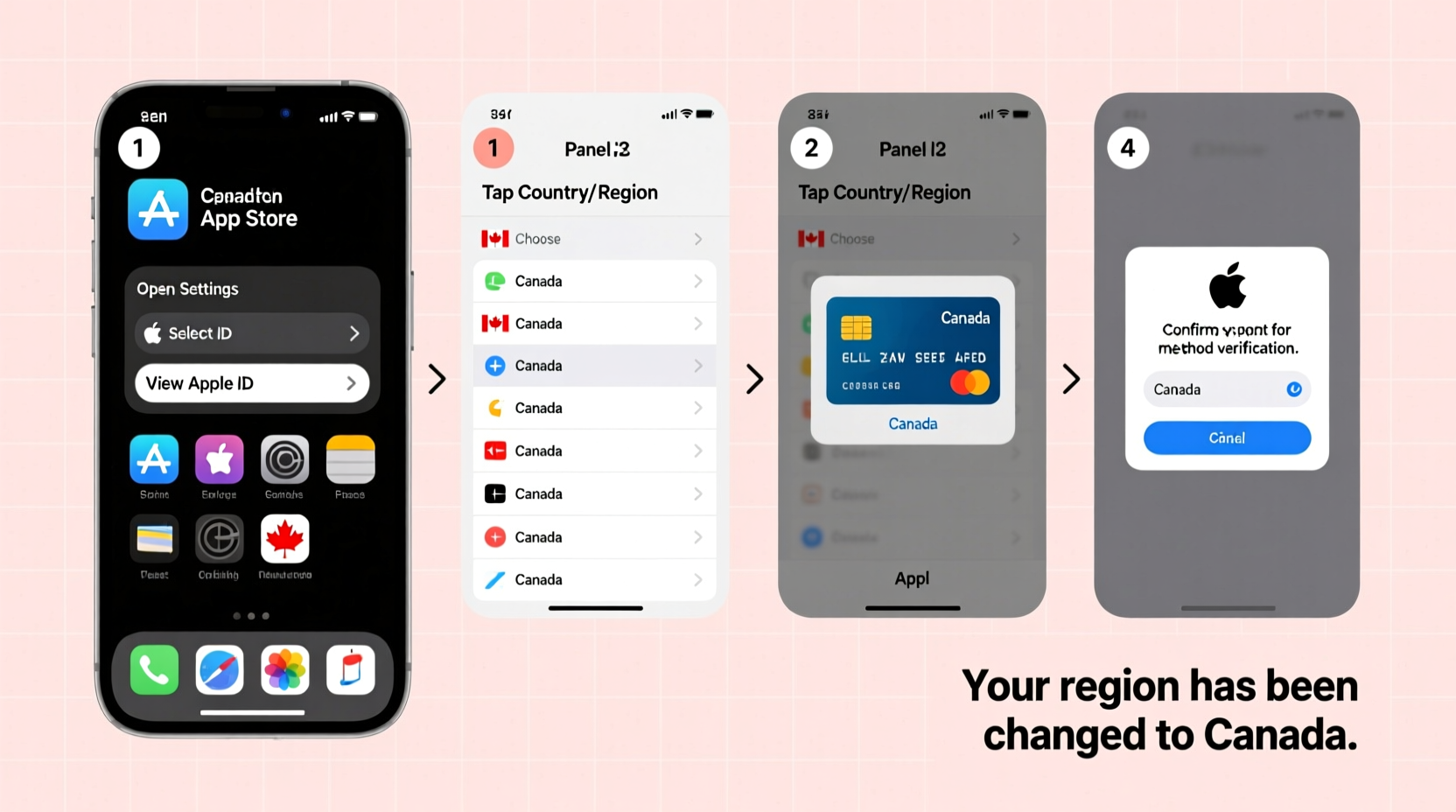
The Canadian App Store offers several advantages depending on your needs. Some users switch to access region-locked apps such as CBC Gem, CityNews, or provincial government services. Others benefit from different pricing models—some subscriptions and apps are priced lower in CAD than in USD or other currencies. Additionally, developers may release beta versions or localized features first in specific markets, giving early adopters an edge.
However, switching regions isn’t just about preference—it requires compliance with Apple’s policies. You must have a valid Canadian payment method and address. Apple does not allow temporary or fraudulent region changes, so ensure your intent aligns with legitimate usage.
“Changing your App Store region can open up new digital experiences, but it must be done with accurate billing information to comply with Apple’s terms.” — Jordan Lee, Mobile Ecosystem Analyst
Step-by-Step Guide to Switching Regions
Switching your App Store to Canada requires navigating your Apple ID settings carefully. Follow this timeline-based process to complete the change without losing access to your data or subscriptions.
- Cancel active subscriptions: Before changing regions, cancel any recurring subscriptions (e.g., iCloud+, Apple Music). These cannot transfer across regions and may cause issues if left active.
- Spend remaining store credit: Apple requires a $0 balance. Use any remaining gift card balance or purchase apps before proceeding.
- Sign out of non-Canadian services: If using services tied to your current region (e.g., Apple News+), sign out or deactivate them.
- Update your Apple ID country/region: Go to Settings > [Your Name] > Media & Purchases > View Account > Country/Region > Change Country or Region.
- Select Canada: Choose Canada from the list and agree to the Terms & Conditions.
- Enter a valid Canadian address: Use a real residential or business address in Canada. PO boxes are not accepted.
- Add a Canadian payment method: Link a Visa, Mastercard, or American Express issued by a Canadian bank. Prepaid cards from reputable Canadian providers also work.
- Confirm the change: Apple will verify your details. Once approved, your App Store interface will switch to CAD and display Canadian content.
What You Need Before You Begin
Apple enforces strict requirements to prevent abuse of regional pricing. Ensure you meet all prerequisites before attempting the switch.
| Requirement | Details |
|---|---|
| Valid Canadian Payment Method | Credit/debit card issued by a Canadian financial institution. Virtual cards from services like Wise (formerly TransferWise) are sometimes accepted if properly verified. |
| Canadian Billing Address | Must match the payment method. Use cities like Toronto, Vancouver, or Montreal for broader service availability. |
| $0 iTunes & App Store Balance | Any remaining credit must be used or expired before switching. |
| No Active Subscriptions | Cancel all subscriptions tied to your current region at least 24 hours prior. |
| Stable Internet Connection | To ensure smooth syncing during the transition. |
Common Challenges and How to Avoid Them
Many users encounter issues when switching regions due to overlooked details. The most frequent problem is using a foreign card with a Canadian address—Apple’s system flags mismatches instantly. Another issue is failing to cancel subscriptions, which locks the account from changing regions.
Some users attempt to use VPNs alone to access the Canadian App Store. This doesn’t work. Apple ties your store region to your Apple ID’s country setting, not your IP address. A VPN might help browse content, but downloading or purchasing still requires a region-matched account.
If you receive an error like “Cannot Change Country,” double-check that:
- Your payment method is active and supports international transactions.
- Your billing address is entered exactly as it appears on your bank statement.
- You’ve waited long enough after cancelling subscriptions (Apple recommends 24–48 hours).
Mini Case Study: Sarah’s Successful Transition
Sarah, a digital nomad living in Europe but originally from Ontario, wanted to access Canadian banking apps and local news platforms. She initially tried using a Canadian proxy but couldn’t download anything. After researching, she obtained a Canadian prepaid Visa from a fintech provider that offered real Canadian accounts. She updated her Apple ID with a verified Toronto address and linked the card. Within 30 minutes, her App Store refreshed with Canadian pricing and exclusive apps like CTV News and Tangerine Bank. Her only setback was losing her European Apple News+ subscription—but she expected that and canceled it in advance.
Do’s and Don’ts When Changing Regions
| Do’s | Don’ts |
|---|---|
| Use a real Canadian address and payment method | Use fake or placeholder addresses |
| Cancel subscriptions before switching | Assume subscriptions will transfer automatically |
| Wait 24 hours after cancellation | Rush the process and retry repeatedly |
| Keep records of your old region settings | Delete backup data until confirmed successful |
| Test downloads with free apps first | Spend money immediately after switching |
FAQ
Can I switch back to my original region later?
Yes, you can switch back at any time using the same process. However, you must again have a valid payment method and address from that country. Note that reactivating old subscriptions isn't guaranteed.
Will I lose my purchased apps when I switch?
No. All apps you've ever downloaded remain in your purchase history and can be reinstalled, regardless of region. However, some apps may not be available in Canada and will show as \"Not Available.\"
Can I use a Canadian gift card without changing regions?
No. Gift cards are region-locked. A Canadian App Store gift card only works if your Apple ID is set to Canada. Attempting to redeem it otherwise results in an error.
Checklist: Switching to the Canadian App Store
- ✅ Cancel all active subscriptions
- ✅ Spend or wait out remaining store credit
- ✅ Secure a Canadian payment method
- ✅ Obtain a valid Canadian billing address
- ✅ Back up important data and app lists
- ✅ Navigate to Apple ID settings and change country to Canada
- ✅ Enter payment and address details accurately
- ✅ Confirm change and test with a free app download
Conclusion
Switching to the Canadian App Store opens doors to localized content, competitive pricing, and region-specific tools that enhance your digital experience. While the process demands attention to detail—especially around payments and subscriptions—the benefits are well worth the effort. By following this guide, you ensure a smooth transition that complies with Apple’s policies and protects your account integrity.




 浙公网安备
33010002000092号
浙公网安备
33010002000092号 浙B2-20120091-4
Comments
No comments yet. Why don't you start the discussion?