
In today’s digital economy, subscriptions are everywhere—streaming platforms, fitness apps, cloud storage, meal kits, and more. While they offer convenience, it's easy to lose track of what you're paying for. One overlooked expense? Recurring billing on services you no longer use or forgot to cancel. The good news: stopping automatic payments is usually straightforward—if you know how. This comprehensive guide walks you through every phase of canceling recurring charges across platforms, devices, and payment methods, so you can regain control of your finances.
Why Turning Off Recurring Billing Matters
According to a 2023 consumer finance report, the average person spends $237 per month on subscriptions—many of which go unused. These “zombie subscriptions” quietly drain bank accounts due to forgotten free trials, auto-renewals, or unclear cancellation policies. Turning off recurring billing isn’t just about saving money; it’s about financial awareness and preventing unauthorized charges after trial periods end.
Many companies make cancellation difficult intentionally—what experts call \"dark patterns\"—by burying options in menus or requiring phone calls. But with the right approach, you can cancel any subscription confidently and permanently.
Step-by-Step Process to Cancel Any Subscription
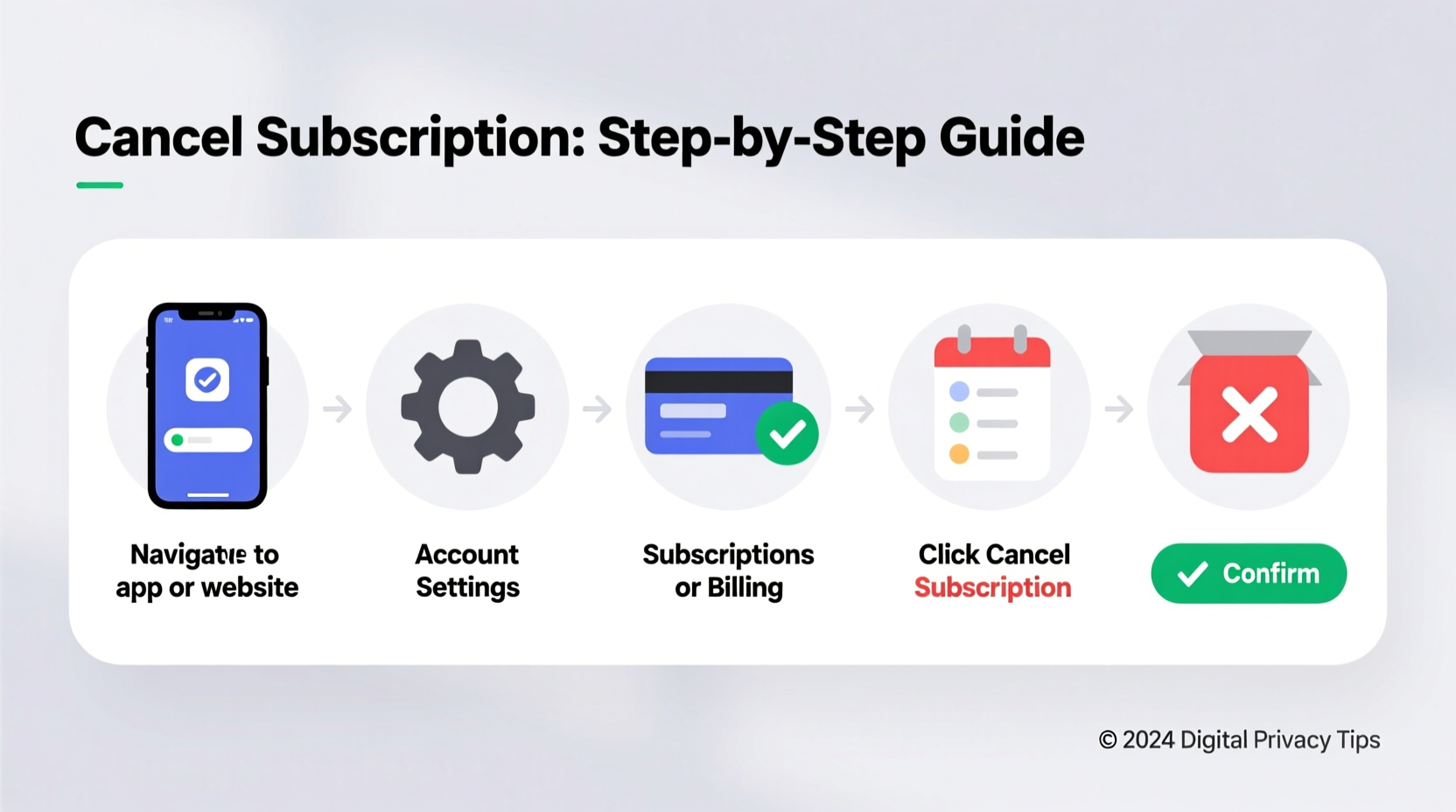
Cancellation procedures vary slightly depending on where and how you signed up (app store, website, third-party platform), but the core process remains consistent. Follow this universal 6-step framework:
- Identify all active subscriptions – Review bank statements, credit card summaries, or use tools like Rocket Money or Truebill.
- Determine the sign-up method – Was it through Apple App Store, Google Play, PayPal, or directly on the company’s website?
- Log into the correct account – Go to the platform where billing occurs, not necessarily the service provider.
- Navigate to subscription settings – Look under Account, Billing, or Memberships sections.
- Cancel before the next billing date – Timing matters. Cancellations take effect at the end of the current paid period.
- Confirm and save proof – Take screenshots and keep confirmation emails as evidence.
Canceling Through Major Platforms
The platform used for signup dictates where cancellation must occur. Below is a breakdown of the most common channels:
| Platform | Where to Cancel | Access Method |
|---|---|---|
| Apple (iOS/iTunes) | Settings → [Your Name] → Subscriptions | iPhone, iPad, or iCloud.com |
| Google Play | Play Store → Profile → Payments & Subscriptions | Android device or payments.google.com |
| PayPal | Settings → Payments → Manage Automatic Payments | paypal.com |
| Amazon | Account → Subscriptions | amazon.com or Amazon app |
| Credit Card Direct Charge | Service Provider Website | Log into the company’s member portal (e.g., Spotify, Netflix) |
What to Do When You Can’t Find the Option
Sometimes, the cancellation option is hidden or non-existent in the app interface. This is especially true with lesser-known services that rely on persistent billing. If standard navigation fails:
- Search the service’s help center using keywords like “cancel subscription” or “stop recurring billing.”
- Contact customer support via live chat, email, or phone. Be firm: “I want to cancel my subscription and stop all future charges.”
- If ignored, escalate to a supervisor or file a dispute through your bank or card issuer.
“We see countless clients overpaying on forgotten subscriptions. The key is centralizing management—know where each one lives and setting calendar reminders for renewal dates.” — Lisa Tran, Certified Financial Planner
Mini Case Study: Sarah’s Streaming Overload
Sarah, a freelance designer, realized she was spending $89/month on five video streaming services. She only regularly used two. After reviewing her bank statement, she identified charges from Apple (carrying Hulu and Disney+), Google Play (carrying YouTube Premium), and a standalone MasterClass subscription.
She logged into her iPhone settings and canceled Hulu and Disney+ under Apple Subscriptions. Then, she visited play.google.com to disable YouTube Premium. Finally, she went to masterclass.com, found the account settings page (buried under FAQ links), and canceled there. Total time: 18 minutes. Monthly savings: $58.
More importantly, she set up a quarterly calendar alert labeled “Subscription Audit” to prevent future buildup.
Action Checklist: Cancel Subscriptions Like a Pro
Use this checklist the next time you audit your recurring bills:
- ✅ Gather last 3 months of bank/credit card statements
- ✅ List every recurring charge—even small ones ($4.99, $9.99)
- ✅ Classify each by platform (Apple, Google, PayPal, direct)
- ✅ Visit the correct cancellation portal for each
- ✅ Cancel one by one, noting confirmation details
- ✅ Screenshot or email yourself confirmation for each cancellation
- ✅ Schedule a follow-up check in 30 days to verify no further charges appear
Avoid Common Cancellation Mistakes
Even experienced users fall into traps. Here are frequent errors and how to avoid them:
| Mistake | Why It’s Risky | How to Avoid |
|---|---|---|
| Uninstalling the app instead of canceling | Auto-renewal continues even if app is gone | Always cancel in billing settings, not device settings |
| Canceling too late | Next cycle has already started processing | Cancel at least 24–48 hours before renewal |
| Using the wrong login | Subscription tied to different email or account | Cross-check payment method with account email |
| Forgetting family plans | You might be a member, not the admin | Check if someone else manages the group subscription |
Frequently Asked Questions
Will I still have access after canceling?
Yes. Most services allow you to use the benefits until the end of your current billing cycle. For example, if you cancel a $10/month plan on the 15th and your cycle renews on the 1st, you’ll retain access until the 1st of the following month.
Can a company charge me after I cancel?
No, not legally. Once canceled properly, no further charges should occur. If a charge appears post-cancellation, dispute it with your bank immediately and provide cancellation proof.
What if I can’t log in to cancel?
If you’ve lost access to the account, contact customer support with your billing information (last four digits of card, email, transaction ID). Request they cancel on your behalf and send written confirmation.
Take Control of Your Monthly Spending
Recurring billing is designed for convenience, but without regular oversight, it becomes a liability. By understanding where your subscriptions originate and mastering the cancellation process, you reclaim both money and peace of mind. Start today: spend 20 minutes auditing your last statement, cancel what you don’t need, and build a simple system to monitor future charges. Small actions now prevent big surprises later.




 浙公网安备
33010002000092号
浙公网安备
33010002000092号 浙B2-20120091-4
Comments
No comments yet. Why don't you start the discussion?