
Social media platforms like Facebook Messenger are essential for staying connected with friends, family, and colleagues. However, misunderstandings or temporary frustrations can sometimes lead to blocking someone. Whether it was accidental or intentional, there may come a time when you want to reverse that decision. The good news is that unblocking someone on Facebook Messenger is straightforward — if you know where to look. This comprehensive guide walks you through the exact steps to unblock any contact, whether you're using a smartphone or a desktop computer.
Why People Get Blocked on Messenger
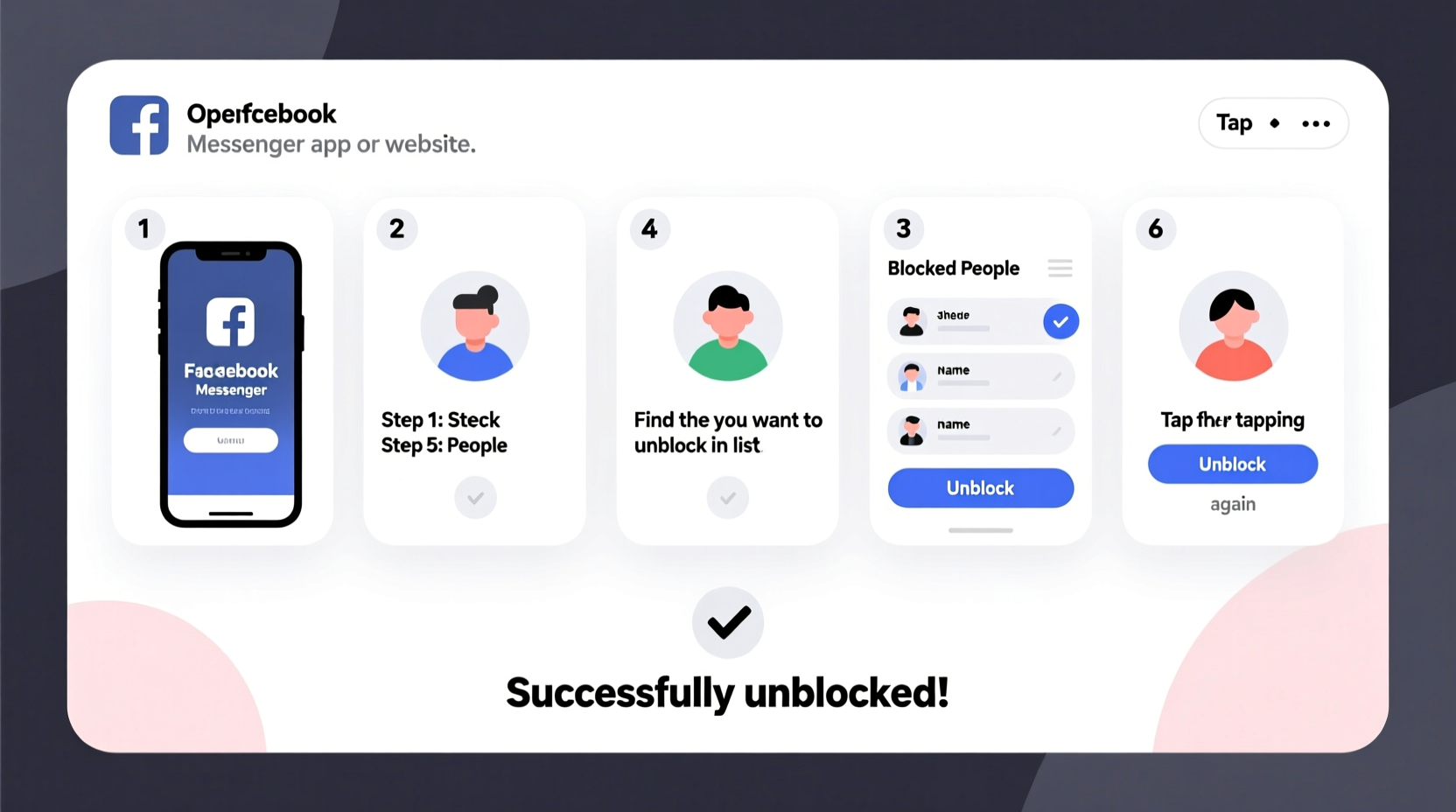
Blocking someone on Facebook Messenger typically happens when a user wants to stop receiving messages, calls, or friend requests from another person. It's a privacy tool designed to protect users from harassment, spam, or unwanted communication. Once blocked, the other person can't send messages, see your online status, or call you. You also disappear from their chat list and vice versa.
However, relationships evolve. A disagreement might be resolved, or you may realize that a block was made in haste. Whatever the reason, Facebook allows you to reverse this action at any time. The process doesn’t notify the person you’ve unblocked, so you maintain control over how and when you reconnect.
How to Unblock Someone on Facebook Messenger (Mobile App)
The Facebook Messenger app is the most commonly used platform for one-on-one conversations. If you're using an iPhone or Android device, follow these clear steps to unblock a contact:
- Open the Messenger app on your phone.
- Tap your profile picture or avatar in the top-left corner.
- Scroll down and select Privacy & Safety.
- Tap on Blocked Accounts.
- You’ll see a list of all accounts you've blocked. Find the person you want to unblock.
- Tap Unblock next to their name.
- Confirm the action when prompted.
Once unblocked, the person will reappear in your chat history if you previously messaged them. They’ll also regain the ability to message you, view your active status (if visible), and initiate video or voice calls.
Alternative Path via Facebook App
If you don’t see the option in Messenger, try accessing settings through the main Facebook app:
- Open the Facebook app.
- Tap the three-line menu icon (☰) in the bottom-right (iOS) or top-right (Android).
- Go to Settings & Privacy, then tap Settings.
- Select Blocking under the \"Audience and Visibility\" section.
- Tap Blocked Users, find the person, and select Unblock.
This method affects both Facebook and Messenger access, ensuring full restoration of communication channels.
Unblocking on Desktop: Step-by-Step Process
If you prefer managing your social interactions from a computer, unblocking via Facebook’s desktop site is just as easy. Here’s how:
- Log in to your Facebook account using a web browser.
- Click the downward arrow in the top-right corner of the screen.
- Select Settings & Privacy, then click Settings.
- In the left sidebar, choose Blocking.
- Under the “Block users” section, click Edit next to “Blocked Users”.
- You’ll see a list of all blocked accounts. Locate the person you wish to unblock.
- Click Unblock beside their name and confirm.
After completing these steps, the individual is free to interact with you across Facebook and Messenger unless additional restrictions apply.
| Platform | Access Method | Location of Unblock Option |
|---|---|---|
| Messenger App (iOS/Android) | Profile → Privacy & Safety | Blocked Accounts |
| Facebook App (Mobile) | Settings → Blocking | Blocked Users |
| Facebook Website (Desktop) | Settings → Blocking | Blocked Users |
What Happens After You Unblock Someone?
Understanding the consequences of unblocking is crucial. Unlike unfriending, which only removes the connection, unblocking restores nearly all interaction capabilities — but not everything returns automatically.
- Messages: Past conversations remain deleted unless previously saved. New messages can be sent and received freely.
- Friend Status: If you were friends before blocking, the friendship remains intact. If you had unfriended them, you’ll need to send a new friend request.
- Active Status: The person can once again see if you’re active on Messenger, provided your settings allow it.
- Notifications: No alert is sent to the unblocked user. They won’t know unless they attempt to message you or notice changes in visibility.
“Blocking is a useful safety feature, but it shouldn’t be permanent unless absolutely necessary. Unblocking responsibly helps maintain digital empathy.” — Lena Patel, Digital Wellbeing Consultant
Common Mistakes When Trying to Unblock
Even though the process seems simple, users often run into avoidable issues. Here’s what to watch out for:
- Confusing Block with Report: Reporting someone doesn’t automatically block them. Make sure you’re checking the correct list.
- Using the Wrong Account: If you manage multiple Facebook profiles, ensure you’re logged into the right one.
- Expecting Automatic Reconnection: Unblocking doesn’t restore lost messages or reopen closed group chats.
- Not Checking Friend Status: Just because someone is unblocked doesn’t mean they’re still your friend. You may need to reconnect manually.
Mini Case Study: Reconnecting After a Misunderstanding
Sarah, a freelance designer, had a falling out with a former client over missed deadlines. In frustration, she blocked him on Messenger to avoid further tension. Weeks later, she realized the conflict stemmed from miscommunication and wanted to apologize. Using her iPhone, she opened Messenger, navigated to Privacy & Safety > Blocked Accounts, and unblocked his profile. She then sent a polite message explaining her side. The client responded positively, and they eventually resumed collaboration on a new project. Sarah noted that the ability to quietly unblock without notification gave her the space to make amends on her own terms.
Frequently Asked Questions
Will the person know I unblocked them?
No. Facebook does not send any notification when you unblock someone. They will only become aware if they try to message you or notice they can now see your profile or activity.
Can I unblock someone who has blocked me?
Yes, you can unblock them from your end, but if they still have you blocked, you won’t be able to message them or see their profile. Mutual unblocking is required for full communication to resume.
Do our old messages come back after unblocking?
No. Any messages sent while the person was blocked are permanently gone unless you had saved or archived the conversation beforehand. New messages start fresh.
Final Checklist: What to Do Before and After Unblocking
- Decide why you’re unblocking — emotional readiness matters.
- Double-check the correct person in your blocked list.
- Ensure your privacy settings align with your comfort level.
- Consider sending a message to clarify intentions, if needed.
- Monitor incoming messages and adjust settings if boundaries need reinforcement.
Take Control of Your Digital Relationships
Managing connections on social platforms is part of modern communication. Blocking served its purpose when you needed space; now, unblocking empowers you to rebuild bridges when the time is right. With just a few taps or clicks, you can restore access and open the door to renewed dialogue. Whether it’s a friend, family member, or colleague, taking this step shows emotional maturity and a willingness to move forward.




 浙公网安备
33010002000092号
浙公网安备
33010002000092号 浙B2-20120091-4
Comments
No comments yet. Why don't you start the discussion?