
Changing your phone number is a common part of modern life, whether you're switching carriers, upgrading devices, or enhancing privacy. But when that number is linked to your mobile banking app, the process demands care. A misstep could lock you out of your account, delay critical transactions, or expose you to unauthorized access. The good news: with the right approach, updating your number can be both fast and secure. This guide walks you through every essential phase—from preparation to verification—so you maintain full control over your financial data.
Why Updating Your Phone Number Matters for Banking Security
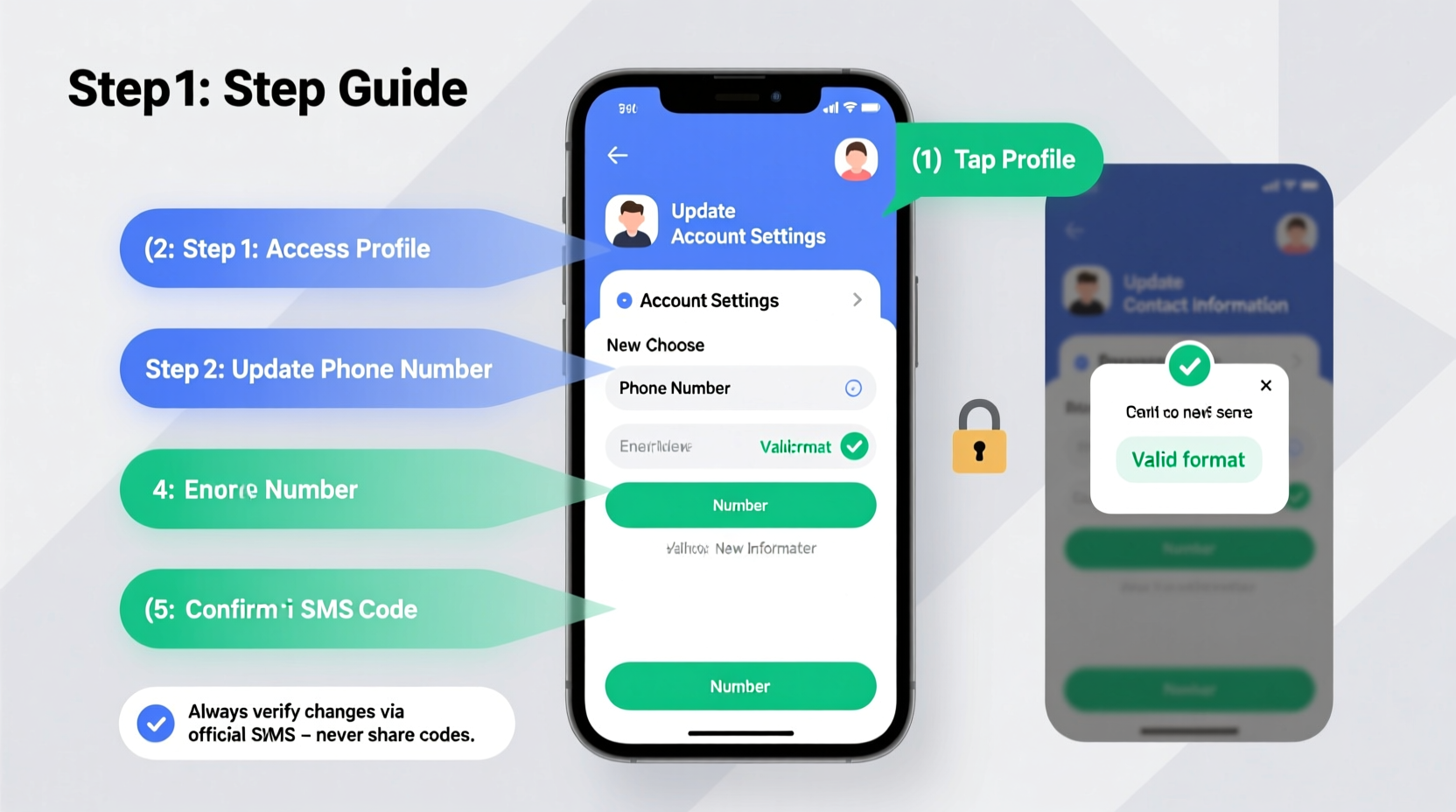
Your mobile number isn’t just a contact detail—it’s a key component of your bank’s multi-layered authentication system. Banks use it for SMS-based two-factor authentication (2FA), transaction alerts, password resets, and fraud monitoring. If your old number is reassigned to someone else, they could receive sensitive notifications or even intercept one-time passwords (OTPs). According to the Federal Trade Commission, SIM-swapping attacks often begin with outdated contact information being exploited to gain access to financial accounts.
Updating your number promptly ensures you continue receiving real-time alerts and maintains the integrity of your digital identity. Delaying this update increases the risk of missed fraud warnings or failed login attempts during emergencies.
“Your phone number is a gateway to your financial life. Keeping it current with your bank is as important as protecting your PIN.” — Sarah Lin, Cybersecurity Advisor at Financial Integrity Institute
Step-by-Step Process to Update Your Number Safely
Follow this structured timeline to ensure a seamless transition without compromising account security.
- Back up your account recovery options: Before making any changes, confirm you have alternative authentication methods enabled, such as an authenticator app (Google Authenticator, Authy) or backup email address.
- Contact your bank ahead of time: Call customer service or check the official website to learn if in-person verification is required. Some institutions mandate branch visits for high-risk updates.
- Deactivate old number from services: Once your carrier releases the number, request formal deactivation confirmation to reduce SIM-swap risks.
- Log in to your mobile banking app: Use a trusted device and secure Wi-Fi connection—never public networks.
- Navigate to profile settings: Tap “Profile,” “Security,” or “Contact Information” depending on your bank’s interface.
- Select ‘Update Phone Number’: Enter your new number carefully. Double-check country code and digits.
- Verify via OTP: Confirm ownership by entering the one-time code sent to your new device. <8> Confirm change: Finalize the update and log out from all devices to force re-authentication.
- Test functionality: Initiate a small transaction or request a balance alert to verify notifications are working.
Essential Checklist Before You Begin
Use this checklist to prepare thoroughly and avoid disruptions:
- ✅ Ensure your new SIM card is activated and functional
- ✅ Verify your bank supports remote number updates (check FAQ section online)
- ✅ Have government-issued ID ready in case identity verification is needed
- ✅ Disable biometric login temporarily to ensure password entry during the process
- ✅ Note down your account recovery codes or backup methods
- ✅ Clear outdated banking apps from old devices after the update
Common Pitfalls and How to Avoid Them
Mistakes during this process can lead to temporary lockouts or long-term access issues. Here's what not to do—and how to stay protected.
| Do’s | Don’ts |
|---|---|
| Use a private, encrypted network when updating sensitive info | Avoid using public Wi-Fi or shared devices |
| Confirm the update was successful by checking notification settings | Don’t assume the change took effect after submission |
| Notify your bank if your old number gets reassigned | Never leave old numbers active without monitoring them briefly post-transfer |
| Enable app-level alerts for future changes | Don’t disable all alerts just because you’re changing numbers |
Real-World Scenario: What Happens When You Skip Verification?
Jamal switched carriers and updated his number on three financial apps—but skipped the final verification step on his primary bank’s platform due to a weak signal. Two days later, he tried to transfer rent money and found himself locked out. His new number hadn’t been fully registered, and the bank kept sending OTPs to the old line, now owned by a stranger. It took 48 hours and two customer service calls to restore access.
This example underscores why completing every stage of the update matters. Even a single unverified step breaks the chain of trust between you and your financial institution.
Frequently Asked Questions
Can I update my number without visiting a branch?
Most major banks allow remote updates through their mobile apps or websites. However, some may require in-person verification if your account has had recent suspicious activity or hasn't been used in months. Always check your bank’s policy first.
What should I do if I don’t receive the verification code?
First, confirm your new number is active and capable of receiving texts. Then, wait 5–10 minutes before requesting a resend. If the issue persists, contact customer support directly through the app’s secure messaging feature or call the official helpline—never use links from unsolicited messages.
Is it safe to update my number on someone else’s phone?
No. Performing sensitive updates on shared or borrowed devices increases the risk of credential theft or unintended data retention. Always use your own device with updated software and strong screen-lock protection.
Protecting Yourself After the Change
The update isn’t complete once the number is changed. Monitor your account closely for the next 72 hours. Watch for unexpected login attempts, unfamiliar device authorizations, or missing transaction alerts. Consider enabling push notifications instead of SMS for 2FA where available—these are harder to intercept than text-based codes.
Additionally, review which other services (like credit cards, investment platforms, or payment apps) were tied to your old number. Update them systematically to prevent fragmented security across your digital footprint.
Final Thoughts: Stay Proactive, Stay Secure
Updating your phone number on mobile banking apps isn’t just administrative—it’s a vital act of digital self-defense. By approaching it methodically, verifying each step, and staying alert afterward, you preserve both convenience and safety. Technology evolves rapidly, but personal vigilance remains the strongest shield against financial fraud.




 浙公网安备
33010002000092号
浙公网安备
33010002000092号 浙B2-20120091-4
Comments
No comments yet. Why don't you start the discussion?