
Megir watches blend classic analog aesthetics with modern digital functionality, offering users both style and smart features like stopwatch, alarm, and dual time display. While the design is sleek and intuitive, setting the time can seem confusing at first—especially when you're dealing with a hybrid digital-analog interface. Unlike traditional watches or fully digital models, Megir’s digital analog watches require a specific sequence of button presses to adjust the hands and digital readout correctly.
This guide walks you through the exact process to set the time on your Megir digital analog watch with confidence. Whether you’ve just unboxed your new timepiece or are troubleshooting after a battery change, these steps will ensure accuracy and ease of use.
Understanding Your Megir Digital Analog Watch Layout
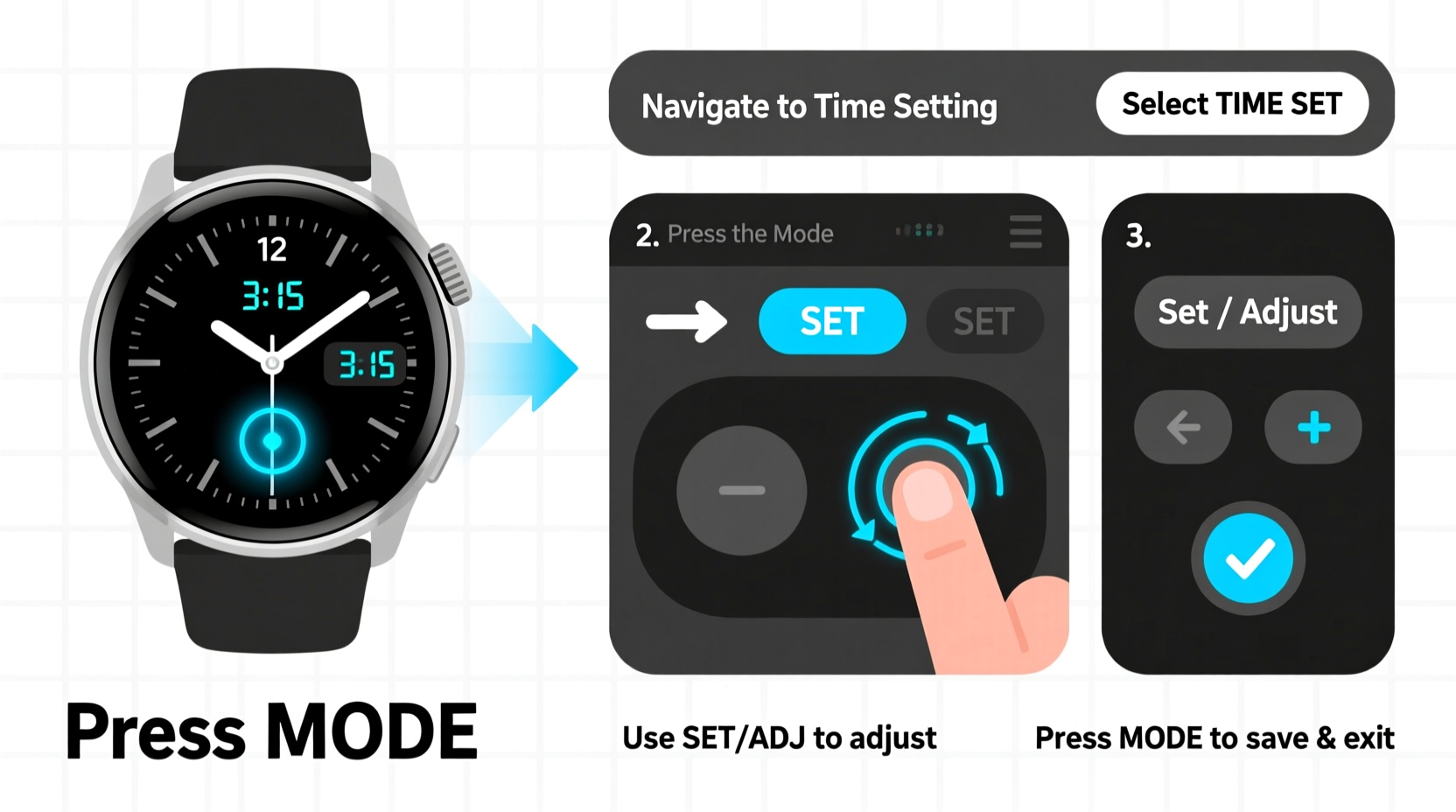
Before adjusting the time, it's essential to familiarize yourself with the physical layout of your watch. Most Megir digital analog models feature three to four buttons positioned around the case. These are typically labeled as follows:
- A (Mode/Select): Used to cycle through functions like time, date, stopwatch, and alarm.
- B (Lap/Reset): Often used in stopwatch mode but also assists in navigation during setup.
- C (Adjust/Start): Primary button for entering adjustment mode and increasing values.
- D (Optional – Light or Secondary Function): May activate backlight or secondary settings depending on model.
The analog portion includes hour and minute hands, while the digital sub-dials typically show seconds, day/date, chronograph data, or alarm status. When setting the time, both systems must be synchronized properly to avoid discrepancies.
Step-by-Step Guide to Setting the Time
Follow this precise sequence to adjust both the analog hands and digital time display on your Megir digital analog watch:
- Enter Time Adjustment Mode: Press and hold the A (Mode) button for 3–5 seconds until the digital display reads “SET” or the hour digits begin flashing. On some models, you may need to press A repeatedly until you reach the “Time Set” option.
- Select Hour Setting: Once in SET mode, press A again to navigate to the hour field. The hour digits will start blinking.
- Adjust the Hour: Use button C (Adjust) to increase the hour. Each press advances the time by one hour. For AM/PM toggling, continue cycling past 12. The analog hour hand will move accordingly in real-time.
- Move to Minutes: Press A once more to shift focus to the minutes field.
- Adjust the Minute: Press C to advance the minutes. The analog minute hand will follow each increment. Be patient—rapid pressing may cause missed ticks due to mechanical delay.
- Synchronize the Date (if needed): If your date is incorrect, press A to reach the date field and use C to adjust. Note that changing the date after 9 PM may affect the automatic rollover function.
- Confirm and Exit: After all settings are correct, press and hold A until the display stops blinking and returns to normal timekeeping mode. Alternatively, wait 10–15 seconds without pressing any buttons—the watch will auto-save and exit.
Once complete, verify that both the analog hands and digital display match your reference time source (e.g., smartphone or atomic clock).
Troubleshooting Common Issues
Even with careful execution, minor hiccups can occur. Here’s how to resolve frequent problems during time setting:
| Issue | Possible Cause | Solution |
|---|---|---|
| Analog hands don’t move | Battery low or motor jammed | Replace battery; gently shake watch to dislodge stuck gears |
| Digital time changes but hands stay still | Not in full sync mode | Hold A + C together for 5 sec to force hand calibration |
| Hands move too slowly | Weak battery or cold environment | Warm the watch slightly; replace battery if older than 18 months |
| Watch resets after setting | Faulty memory retention | Check for water damage; consider professional service |
“Hybrid watches like Megir’s digital analog series rely on precise coordination between electronic signals and mechanical movements. Rushing the setting process often leads to misalignment.” — Daniel Reyes, Watch Calibration Technician
Best Practices for Maintaining Accuracy
Setting the time correctly is only part of long-term reliability. To keep your Megir watch running smoothly, adopt these maintenance habits:
- Set time before 8 PM: Avoid adjusting the date within three hours of midnight to prevent gear strain.
- Use a reference clock: Sync with an atomic time server or GPS-enabled device for maximum precision.
- Limit frequent adjustments: Excessive setting can wear internal components over time.
- Keep firmware updated (if applicable): Some newer Megir models support app-based syncing via Bluetooth.
Real-World Example: Traveler Adjusts Time Across Time Zones
Sophia, a frequent traveler based in London, recently flew to Tokyo and needed to reset her Megir DA-220 model upon arrival. She powered down the chronograph function first to avoid interference, then pressed and held the Mode button until the hour began flashing. Using her phone’s world clock, she adjusted the hour forward by eight increments. As she did, she noticed the analog hands lagged slightly behind. She paused briefly between presses to allow the mechanism to catch up. After confirming both displays matched Japan Standard Time, she exited the menu and activated the backlight to double-check the date. The entire process took less than two minutes—and she avoided jet-lagged confusion during her business meeting.
Essential Checklist Before & After Setting Time
Ensure nothing is overlooked with this quick-reference checklist:
- ☐ Confirm the watch has sufficient battery charge
- ☐ Remove from magnetic environments (e.g., speakers, laptops)
- ☐ Identify correct button layout for your model
- ☐ Enter SET mode using proper button combination
- ☐ Adjust hour, then minute, then date fields sequentially
- ☐ Verify synchronization between analog hands and digital display
- ☐ Exit properly by holding Mode or waiting for auto-save
- ☐ Test alarm and stopwatch functions post-adjustment
Frequently Asked Questions
Can I set the time without moving the analog hands?
No. In Megir digital analog watches, the digital and analog time systems are mechanically linked. Adjusting the digital time automatically drives the stepper motors controlling the hands. There is no software-only override available to consumers.
Why do my watch hands jump erratically during setup?
This usually happens when buttons are pressed too rapidly. The internal motor needs a fraction of a second to respond. Allow a brief pause (0.5–1 second) between increments for smooth operation. If jumping persists, recalibrate by holding A + C simultaneously for 6 seconds.
How often should I reset the time?
Megir watches typically maintain accurate timekeeping for months under normal conditions. However, after a battery replacement or exposure to strong electromagnetic fields, re-synchronization is recommended. Otherwise, check accuracy monthly against a trusted time source.
Final Thoughts and Action Steps
Your Megir digital analog watch is designed for precision, durability, and everyday elegance. Knowing how to set the time accurately ensures you make the most of its hybrid capabilities. By following the correct sequence, avoiding common pitfalls, and maintaining consistent care, your watch will remain a reliable companion for years.
Now that you understand the full process, take a moment to review your current settings. Is your time perfectly aligned? Are the date and day correct? Don’t wait for a missed appointment to realize your watch drifted. Open the clasp, press the right buttons, and fine-tune your time today.




 浙公网安备
33010002000092号
浙公网安备
33010002000092号 浙B2-20120091-4
Comments
No comments yet. Why don't you start the discussion?