
Selecting the right case for your iPhone 14 isn’t just about aesthetics—it’s a decision that impacts protection, usability, and long-term satisfaction. With hundreds of options on the market, from ultra-slim silicone sleeves to rugged military-grade armor, making the wrong choice can lead to poor grip, camera damage, or even interference with wireless charging. This guide walks you through every stage of selecting and installing the ideal iPhone 14 case with precision, offering real-world insights, expert advice, and practical steps to ensure your phone stays safe and functional.
1. Understand Your Protection Needs
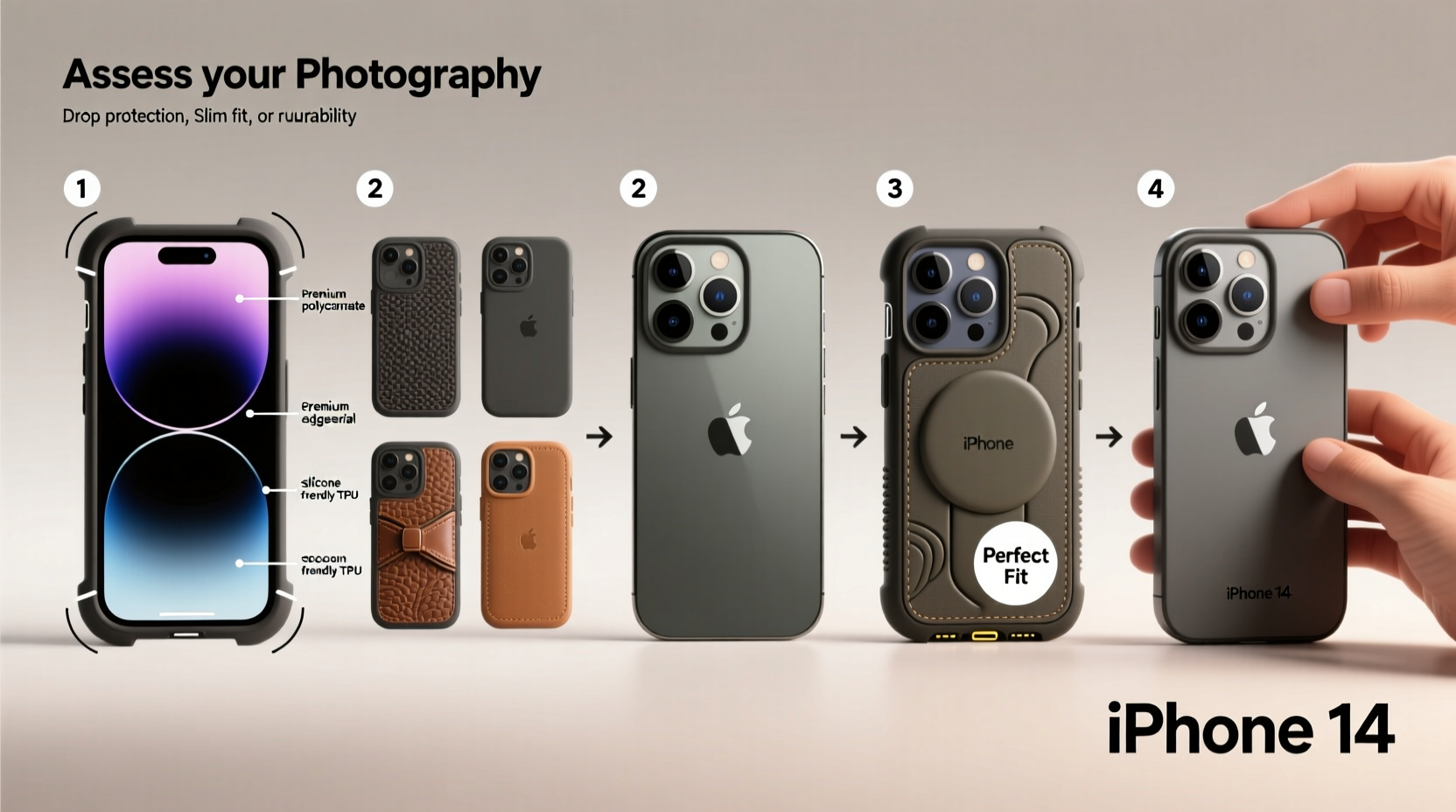
The first step in choosing an iPhone 14 case is identifying how much protection you actually need. Not all users face the same risks. A desk-bound professional may prioritize sleek design, while a parent hiking with kids might need maximum drop resistance.
Consider these scenarios:
- Light Use: Occasional drops, mostly kept in a bag or pocket.
- Moderate Use: Daily commuting, regular handling, occasional outdoor use.
- Heavy Use: Active lifestyle, frequent travel, construction sites, or outdoor adventures.
Material Matters: Pros and Cons
| Material | Pros | Cons |
|---|---|---|
| Silicone | Soft touch, excellent grip, Apple-certified options available | Attracts dust, may discolor over time |
| Polycarbonate (Hard Plastic) | Durable, scratch-resistant, often transparent | Limited shock absorption |
| TPU (Thermoplastic Polyurethane) | Flexible, shock-absorbent, affordable | Can yellow after prolonged sun exposure |
| Leather | Elegant aging, premium feel, develops patina | Less impact protection, higher cost |
| Hybrid (TPU + Polycarbonate) | Balances flexibility and rigidity, best for drop protection | Slightly bulkier than single-material cases |
“Most iPhone damage occurs within the first 3 feet off the ground. A good case should absorb that impact without adding unnecessary weight.” — David Lin, Mobile Device Durability Analyst at TechShield Labs
2. Prioritize Fit and Functionality
An ill-fitting case can block ports, muffle sound, or interfere with MagSafe accessories. The iPhone 14 has precise dimensions (146.7 x 71.5 x 7.8 mm), and any reputable case must align perfectly with its buttons, camera cutout, and speaker grille.
When evaluating fit, pay attention to:
- Camera Cutout: Should be slightly recessed to prevent lens scratches when placed on flat surfaces.
- Button Coverage: Volume and power buttons should be tactile but protected—rubberized or clickable inserts are ideal.
- Port Alignment: Charging port and speaker openings must not obstruct cable insertion or audio output.
- Magsafe Compatibility: Ensure the case doesn’t disrupt magnetic alignment for chargers or wallets.
3. Step-by-Step Installation Guide
Even the best case won’t perform well if installed incorrectly. Follow this timeline to ensure a clean, secure fit without damaging your iPhone.
- Power Down (Optional): Turn off your iPhone to avoid accidental input during installation.
- Clean the Phone: Wipe down the iPhone with a microfiber cloth to remove dust, oil, or debris.
- Align the Case: Hold the case so the camera opening matches the iPhone’s rear camera module. Ensure the Lightning port opening lines up precisely.
- Insert Bottom First: Gently press the bottom edge of the phone into the case, starting at the charging port.
- Press Sides Gradually: Work your way around the edges, applying even pressure. Avoid using sharp tools.
- Check Button Function: Press each button to confirm responsiveness. They should click smoothly without sticking.
- Verify Camera Access: Take a test photo to ensure no part of the lens is obstructed.
- Test Accessories: Plug in headphones or a charger, and attach a MagSafe accessory if applicable.
Mini Case Study: Sarah’s Commute Upgrade
Sarah, a graphic designer in Seattle, dropped her iPhone 14 twice in three months. Her slim fabric case offered no edge protection. After researching, she switched to a Spigen Tough Armor hybrid case. During installation, she followed the step-by-step method above, ensuring full port access and proper button alignment. Six months later, after another fall onto concrete, her screen remained intact—thanks to the case’s air-cushion corners and raised lip. She now recommends precise installation as critical to performance.
4. Do’s and Don’ts of iPhone 14 Case Maintenance
A case only protects as long as it’s in good condition. Over time, dirt buildup, wear, and material degradation reduce effectiveness.
| Do’s | Don’ts |
|---|---|
| Wash TPU cases monthly with mild soap and water | Use bleach or alcohol-based cleaners on silicone |
| Remove case weekly to clean phone surface | Leave phone in case during intense gaming (traps heat) |
| Inspect for cracks or loose corners regularly | Stretch TPU cases aggressively during removal |
| Store in a dry place away from direct sunlight | Pair thick cases with already bulky screen protectors |
5. Frequently Asked Questions
Can I use my iPhone 14 case with a screen protector?
Yes, most modern cases are designed to work with flat or curved-edge screen protectors. However, some ultra-thick cases combined with bulky glass protectors may cause screen interference or make screen swiping difficult. Always check compatibility before layering both.
Are third-party cases safe for my iPhone 14?
Many third-party cases are safe and high-quality, especially those from reputable brands like OtterBox, Speck, or UAG. Look for Apple MFi certification or MagSafe compatibility badges. Avoid no-name brands with poor reviews or misaligned cutouts.
How often should I replace my iPhone case?
Replace your case every 12–18 months, or sooner if you notice cracking, fading, warping, or reduced button responsiveness. Yellowing TPU or peeling leather are signs of material fatigue.
Final Checklist Before Buying
- ✅ Confirmed model compatibility (iPhone 14, not 14 Pro or 14 Mini)
- ✅ Verified camera cutout depth and speaker alignment
- ✅ Checked MagSafe compatibility if needed
- ✅ Read user reviews focusing on fit and durability
- ✅ Ensured easy access to all ports and controls
- ✅ Considered color retention (avoid white silicone if prone to stains)
- ✅ Matched case style to daily usage patterns
Conclusion: Protect Smart, Use Better
Your iPhone 14 is a powerful tool and personal companion. Treating it with care starts with one simple decision: the right case. By understanding your environment, selecting quality materials, and installing with precision, you extend not just the life of your device—but your confidence in using it every day. Don’t rush the process. Measure, test, and choose wisely. A few minutes spent today can prevent costly damage tomorrow.




 浙公网安备
33010002000092号
浙公网安备
33010002000092号 浙B2-20120091-4
Comments
No comments yet. Why don't you start the discussion?