
When setting up a home entertainment system, one of the most common decisions consumers face is whether to rely on their smart TV’s built-in streaming apps or invest in an external streaming stick. Both options deliver access to platforms like Netflix, Hulu, Disney+, and YouTube, but they differ significantly in performance, user experience, and long-term reliability. Understanding these differences can help you make a smarter choice based on your viewing habits, internet setup, and expectations for interface responsiveness.
The rise of smart TVs has made built-in streaming more accessible than ever. However, many users report sluggish interfaces, limited app availability, and infrequent software updates. On the other hand, streaming sticks like Roku, Amazon Fire Stick, and Google Chromecast offer dedicated hardware optimized for streaming, often resulting in faster load times and smoother navigation. But does that mean they’re always the better option?
Performance Comparison: Speed, Responsiveness, and Stability
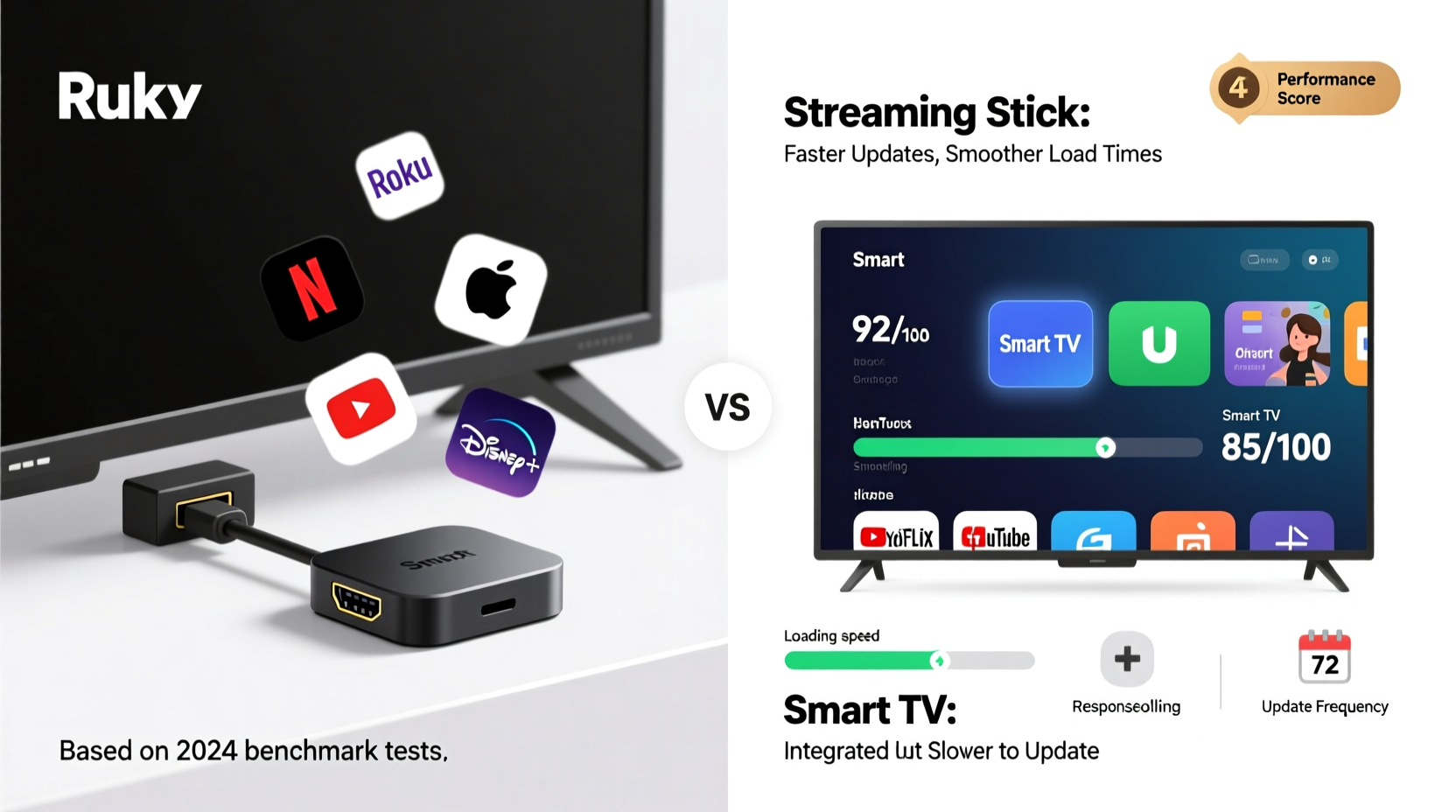
One of the most noticeable differences between streaming sticks and built-in smart TV platforms is performance. Streaming sticks typically run on lightweight operating systems designed specifically for media consumption. This allows them to boot quickly, launch apps efficiently, and respond instantly to remote inputs. Most modern streaming sticks come with at least 1.5GB of RAM and dual-core processors, enabling smooth multitasking and minimal lag.
In contrast, smart TV operating systems—such as Samsung’s Tizen, LG’s webOS, or Hisense’s VIDAA—are often burdened by bloatware, background processes, and lower-end hardware. Even high-end TVs may use underpowered chips to cut manufacturing costs. As a result, users frequently experience delays when opening apps, buffering during playback, or even freezing during menu navigation.
A 2023 study by Consumer Reports found that external streaming devices launched apps 30–50% faster than equivalent built-in smart TV apps. For example, launching Netflix took an average of 4.2 seconds on a Roku Streaming Stick+ versus 7.8 seconds on a mid-tier smart TV using the same network. The gap widens further over time, as older smart TVs rarely receive performance optimizations after initial release.
App Selection and Software Updates
Beyond raw speed, the breadth and quality of available apps play a crucial role in user satisfaction. Streaming sticks generally offer larger app ecosystems. Devices like the Amazon Fire TV Stick or Apple TV support thousands of channels and niche services such as Criterion Channel, Shout! Factory, or PBS Masterpiece. They also receive regular firmware updates that add features, improve security, and optimize compatibility with new apps.
Smart TV platforms, however, are more restrictive. Manufacturers curate which apps get certified for their OS, and smaller or newer streaming services may never appear on certain models. Once a smart TV model is discontinued—usually within 3 to 5 years—software support ends entirely. This means no new app additions, bug fixes, or security patches, leaving users stuck with outdated versions.
“Streaming sticks evolve with the ecosystem. Smart TVs, once sold, are frozen in time.” — David Lin, Senior Analyst at TechStream Insights
For instance, a 2020 Samsung QLED TV may still function well visually, but its web browser and YouTube app could be several major versions behind due to lack of updates. Meanwhile, a $30 Roku Express+ from the same year continues receiving quarterly updates and maintains full app parity with newer models.
Hardware Longevity and Future-Proofing
Another critical factor is longevity. Smart TVs are expected to last 7–10 years, but their internal streaming components often degrade in usefulness long before the screen fails. A TV purchased today might lose access to key apps in five years simply because the manufacturer stops supporting the platform.
Streaming sticks, by contrast, are modular. When a device becomes outdated or unsupported, it can be replaced independently for under $50 without discarding a perfectly functional television. This modularity makes streaming sticks inherently more future-proof.
Additionally, streaming sticks benefit from standardized HDMI connectivity. As long as your TV has an HDMI port (which nearly all do), you can upgrade your streaming experience anytime. You’re not locked into a single vendor’s roadmap or dependent on firmware rollouts tied to your TV’s production cycle.
| Feature | Streaming Stick | Smart TV Built-In Apps |
|---|---|---|
| Boot Time | Under 10 seconds | 10–30 seconds |
| App Launch Speed | Fast and consistent | Slower, degrades over time |
| Software Update Frequency | Quarterly or monthly | Irregular, often stops after 3 years |
| App Ecosystem Size | Large (10,000+ on some platforms) | Limited (curated selection) |
| Upgrade Path | Easy, low-cost replacement | None unless buying new TV |
| Remote Responsiveness | High (dedicated processor) | Variable (shared system resources) |
Real-World Example: The Johnson Family Setup
The Johnsons purchased a 65-inch LG OLED TV in 2021, attracted by its sleek design and promise of “smart” functionality. Initially satisfied, they used Netflix, Hulu, and YouTube through the built-in webOS interface. Over time, however, they noticed increasing lag—especially when switching between apps. By late 2023, the YouTube app began crashing frequently, and Disney+ stopped offering 4K HDR playback despite having the subscription and bandwidth.
Frustrated, they bought a $40 Roku Streaming Stick 4K. After connecting it, they experienced immediate improvements: apps loaded faster, voice search worked reliably, and they gained access to additional free content via The Roku Channel. They now use the TV purely as a display and route all video through the stick. Their internet speed hadn’t changed—but the dedicated hardware made all the difference.
This scenario reflects a growing trend: even owners of premium smart TVs are turning to external streaming devices for better performance and reliability.
User Experience and Interface Design
The interface is where the rubber meets the road. A cluttered, unintuitive menu can ruin the viewing experience regardless of technical specs. Streaming sticks have invested heavily in UX design. Roku’s homescreen displays only installed channels, avoiding overwhelming users. Fire TV integrates Alexa deeply for voice control. Google TV offers personalized recommendations across services, mimicking a unified streaming hub.
Smart TV interfaces vary widely. While LG’s webOS is praised for its Magic Remote and card-based layout, Samsung’s Tizen can feel bloated with promotional tiles and redundant menus. Some brands force users to navigate through advertising banners just to reach Netflix. Others bury settings in nested submenus, making troubleshooting difficult for non-tech-savvy users.
Moreover, streaming sticks often support universal search across multiple platforms. Type “Stranger Things,” and results appear from Netflix, Prime Video, and Paramount+. Smart TVs either lack this feature or implement it poorly, requiring separate searches per app.
Step-by-Step: How to Evaluate Your Current Setup
If you're unsure whether to stick with your smart TV or switch to a streaming stick, follow this evaluation process:
- Test App Load Times: Time how long it takes to open Netflix, YouTube, and one lesser-used app (e.g., Hulu) directly from your TV’s home screen. Repeat with a streaming stick if available.
- Check for Updates: Go to your TV’s system settings and look for software updates. If none have been released in over a year, the platform may be nearing end-of-life.
- Review App Availability: Try to install a niche service like Pluto TV, Tubi, or Criterion Channel. If unavailable, your ecosystem is limited.
- Assess Remote Responsiveness: Press buttons and observe delay. Does the cursor move smoothly? Do voice commands work accurately?
- Evaluate Picture Quality: Play a 4K HDR title on both your TV’s native app and a streaming stick. Note any differences in color depth, brightness, or stuttering.
- Decide Based on Results: If your TV lags in two or more categories, a streaming stick will likely improve your experience.
FAQ: Common Questions About Streaming Sticks vs Smart TVs
Can a streaming stick outperform a high-end smart TV?
Yes. Even premium TVs sometimes use cost-reduced chipsets for their smart platforms. A dedicated streaming stick with optimized software can deliver faster response times and smoother performance, especially on older or mid-range models.
Do I need both a smart TV and a streaming stick?
Technically, no. Once you connect a streaming stick, you can disable the TV’s smart features and treat the display as a monitor. However, some users keep both for redundancy or specific features like AirPlay (on Apple-compatible TVs).
Are there downsides to using a streaming stick?
Minor drawbacks include needing an extra remote (unless using HDMI-CEC), occupying an HDMI port, and occasional power dependency (some sticks require USB power). However, these are outweighed by performance gains for most users.
Final Recommendation: Choose Flexibility Over Convenience
While built-in smart TV apps offer plug-and-play simplicity, they often fall short in long-term performance, update support, and app diversity. Streaming sticks provide a superior user experience through dedicated hardware, frequent updates, and broader content access. They also allow you to upgrade your streaming capabilities independently of your TV, extending the useful life of your entire setup.
Unless you own a top-tier model with a proven track record of sustained software support—such as recent LG or Sony TVs with Google TV—even the best smart TVs benefit from pairing with a capable streaming stick.
“The best streaming experience isn’t about the screen—it’s about the brain behind the content.” — Maria Tran, Home Theater Consultant
Checklist: Upgrade Your Streaming Experience
- ✅ Assess current smart TV app performance and speed
- ✅ Research compatible streaming sticks (Roku, Fire Stick, Chromecast, Apple TV)
- ✅ Confirm your TV has available HDMI ports and supports required resolutions (e.g., 4K HDR)
- ✅ Choose a stick with voice control and universal search if desired
- ✅ Set up the device and migrate your accounts
- ✅ Test playback quality and interface responsiveness
- ✅ Consider hiding unused smart TV apps or disabling auto-start features
Conclusion
When it comes to streaming performance, dedicated devices consistently outperform built-in smart TV platforms. Faster load times, reliable updates, richer app libraries, and better interfaces make streaming sticks the smarter long-term investment. Don’t let the convenience of pre-installed apps compromise your viewing experience. With prices starting under $30, upgrading to a streaming stick is one of the most cost-effective ways to breathe new life into any TV—old or new.




 浙公网安备
33010002000092号
浙公网安备
33010002000092号 浙B2-20120091-4
Comments
No comments yet. Why don't you start the discussion?