
The resurgence of retro gaming has elevated handheld consoles from nostalgic accessories to serious portable powerhouses. Two devices dominate the conversation today: Nintendo’s Switch Lite—a dedicated handheld built for first-party games—and Valve’s Steam Deck—a full-fledged PC in your palm capable of running modern titles and decades-old classics alike. When it comes to emulation, however, their purposes diverge sharply. This isn’t just a battle of specs or screen size—it’s a fundamental clash between accessibility and capability.
Emulation—the act of mimicking older gaming hardware on newer systems—has matured into a legitimate way to preserve and enjoy classic games. But not all devices handle it equally. The Switch Lite runs Nintendo’s proprietary OS and lacks official support for third-party emulators, while the Steam Deck is built on open architecture, allowing users full control over software installation, including emulator frontends like EmuDeck or Lakka.
This comparison dives deep into how each device performs when tasked with emulating everything from 8-bit NES cartridges to demanding PlayStation 2 discs. We’ll examine technical limitations, ease of setup, battery life under load, and overall user experience to help you decide which machine truly earns its place as the ultimate retro gaming companion.
Hardware Capabilities and Emulation Readiness
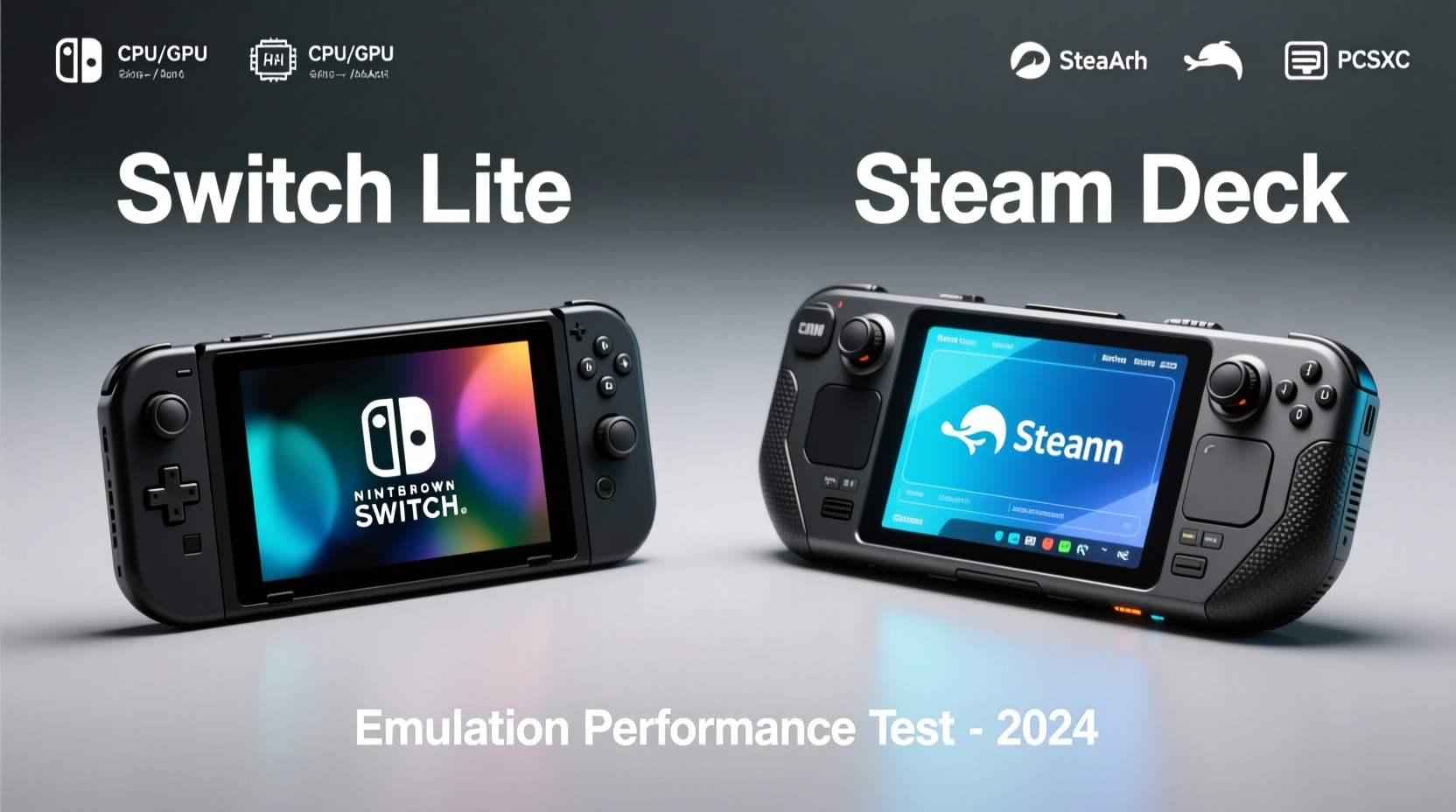
At first glance, the Switch Lite appears deceptively simple: a compact, lightweight handheld with a 5.5-inch 720p LCD screen, custom NVIDIA Tegra X1-derived SoC, and 32GB internal storage. Its design prioritizes comfort and portability, making it ideal for long sessions playing *Tears of the Kingdom* or *Splatoon*. But beneath that polished surface lies hardware that’s already constrained by 2017-era technology. While sufficient for native Switch titles, this configuration struggles significantly when pushed beyond its intended use.
In contrast, the Steam Deck (especially the base 64GB model) features an AMD APU combining Zen 2 CPU cores and RDNA 2 graphics—architecture found in desktop PCs and next-gen consoles. Coupled with 16GB of unified RAM and faster NVMe storage options in higher models, it can comfortably emulate up to sixth-generation consoles (PS2, GameCube, Dreamcast) and even run seventh-gen titles via experimental tools like RPCS3. The difference isn’t subtle; it’s transformative.
But raw power alone doesn’t guarantee success. Emulation efficiency depends heavily on software optimization. On the Switch Lite, homebrew solutions such as SwitchXemu exist but are extremely limited due to system restrictions and lack of developer access. Most successful Switch-based emulation occurs only through jailbroken firmware, which voids warranties and introduces stability risks. Even then, performance caps out around N64 or early PS1 titles—with inconsistent frame rates and audio glitches.
The Steam Deck, running Arch Linux with full root access, supports every major emulator frontend out of the box. Tools like RetroArch integrate hundreds of cores, enabling flawless SNES, Genesis, and PSP emulation with save states, shaders, and netplay—all without modification. For many enthusiasts, this level of freedom outweighs any ergonomic advantage the Switch Lite might offer.
Emulation Performance Across Console Generations
To understand where each device stands, let’s break down performance by era of gaming hardware. This tiered analysis reflects both compatibility and practical playability.
| Console Generation | Example Systems | Switch Lite (Jailbroken) | Steam Deck (Stock) |
|---|---|---|---|
| 8-bit / 16-bit | NES, SNES, Genesis | ✅ Full Speed (via RetroArch) | ✅ Full Speed + Shaders |
| 32/64-bit | PS1, N64, Saturn | ⚠️ N64: Choppy; PS1: Mostly Stable | ✅ Flawless at High Resolutions |
| Sixth Gen | PS2, GameCube, Dreamcast | ❌ Not Supported | ✅ Near-Perfect (Dolphin, PCSX2) |
| Seventh Gen | Wii, Xbox 360, PS3 | ❌ Impossible | ⚠️ Experimental (RPCS3: Select Games Playable) |
| Pocket Handhelds | GBC, GBA, DS, PSP | ✅ GBA Good; DS/PSP Spotty | ✅ All Run Perfectly |
The disparity becomes undeniable past the fifth generation. While the Switch Lite handles simpler systems adequately—assuming modding is enabled—it cannot keep pace with more complex architectures. The Steam Deck, meanwhile, delivers near-native performance across nearly every platform ever released, often surpassing original hardware with enhanced textures, widescreen patches, and reduced load times.
“Modern emulation isn't about nostalgia—it's about improvement. Devices like the Steam Deck allow us to play classics better than they ever ran originally.” — Dr. Lena Torres, Digital Preservation Researcher at MIT Game Lab
User Experience and Setup Complexity
Despite its technical superiority, the Steam Deck demands more effort upfront. Installing emulators requires navigating Proton compatibility layers, configuring BIOS files, mapping controls, and managing ROM libraries. New users may find themselves overwhelmed by command-line scripts or dependency errors, particularly when installing community tools like EmuDeck.
However, once configured, the Steam Deck’s interface shines. Emulator shortcuts integrate directly into the main menu, thumbstick responsiveness rivals physical controllers, and suspend/resume functionality works reliably—even mid-game. The 7-inch model offers improved ergonomics over the original, with larger grips and better weight distribution during extended sessions.
The Switch Lite, by comparison, offers zero native support for emulation. To install anything beyond approved Nintendo software, users must exploit vulnerabilities (e.g., Fusée Gelée), install custom firmware (CFW), and manually sideload applications. This process carries risk—including bricking the device—and violates Nintendo’s terms of service. Even after successful installation, UI navigation feels clunky, and touchscreen reliance disrupts immersion.
Moreover, the absence of replaceable batteries or expandable storage limits long-term viability. A 32GB eMMC chip fills quickly with high-definition texture packs or large ISO collections, forcing reliance on microSD cards, which introduce latency in data-heavy environments like PS2 emulation.
Step-by-Step: Setting Up Emulation on Steam Deck
- Update System Firmware: Ensure your Steam Deck OS is current via Settings > System.
- Enable Desktop Mode: Press the power button, select “Switch to Desktop,” and log in.
- Install EmuDeck (Recommended): Open Konsole and run the installer script from emudeck.com.
- Configure Emulators: Follow prompts to download RetroArch, DuckStation, Dolphin, etc.
- Add ROMs: Transfer legally owned backups via USB or cloud sync to the Emulation folder.
- Launch Gaming Mode: Return to Steam interface—emulated games now appear in your library.
This entire process typically takes under an hour and results in a fully automated, future-proof setup. Automatic updates ensure continued compatibility with new core releases.
Battery Life and Thermal Management Under Load
Portability means little if your device dies after 30 minutes of gameplay. Battery performance under emulation varies drastically between these two platforms.
The Switch Lite boasts approximately 3–7 hours of battery life depending on game intensity. However, emulated titles—particularly those requiring dynamic recompilation (dynarec)—increase CPU utilization far beyond typical Switch workloads. In practice, running N64 games via Nostalgia98FW drops battery life to roughly 2.5 hours, accompanied by noticeable fan noise (on modified units with thermal sensors).
The Steam Deck, despite its much more powerful internals, manages energy efficiently thanks to AMD’s SmartShift technology. Under normal use, it delivers 2–8 hours depending on resolution scaling and backend settings. Crucially, most pre-configured emulator profiles in EmuDeck automatically limit frame rate and clock speed to extend longevity. For example, playing *Ocarina of Time* via GLideN64 averages 4.5 hours at 15W TDP, compared to just over 2 hours when pushing maximum settings.
Thermals also favor the Steam Deck. Its vapor chamber cooling system prevents throttling during sustained loads, whereas the Switch Lite’s passive design leads to frequent overheating warnings during intensive emulation, especially in warmer environments.
Real-World Example: Travel Emulation Testing
Consider Sarah, a college student who commutes two hours daily via train. She owns both a Switch Lite and a Steam Deck 64GB. Her goal: replay the *Final Fantasy* series chronologically during her rides.
On the Switch Lite, she easily plays *Final Fantasy IV* (via Evercade cartridge) and *Chrono Trigger* (Switch eShop version). But attempts to run *Final Fantasy IX* (PS1-era) result in audio stutter and occasional crashes. *Final Fantasy X*, a PS2 title, is completely inaccessible.
With the Steam Deck, she installs all entries using Mednafen (PS1) and PCSX2 (PS2). Textures are upscaled to 3x native resolution, and fast-travel mods eliminate grinding. Despite heavier usage, the Steam Deck lasts her entire round trip on medium brightness, while the Switch Lite needs midday charging after just one session of *Vagrant Story*.
After four weeks, Sarah sells her Switch Lite. “I love Nintendo games,” she says, “but being stuck in one ecosystem made no sense when I could carry my entire childhood library in one device.”
Frequently Asked Questions
Can I legally emulate games I own?
Yes, under U.S. fair use doctrine, creating backup copies of software you physically own is generally permitted. However, downloading ROMs of games you don’t own is copyright infringement. Always verify local laws and respect intellectual property rights.
Is jailbreaking the Switch Lite worth it for emulation?
Rarely. Even with CFW installed, performance bottlenecks and lack of ongoing development make it inferior to alternatives. You risk permanent bans from online services and potential hardware failure. For serious emulation, the Steam Deck is a safer, more capable investment.
Does the Steam Deck play DS or 3DS games well?
Yes. DeSmuME and melonDS provide near-perfect DS emulation with multiplayer support. Citra excels at 3DS titles, though some GPU-intensive games require shader compilation delays. Performance is consistently smooth at native or doubled resolution.
Final Verdict: Purpose-Built vs. Fully Empowered
The Switch Lite and Steam Deck serve fundamentally different audiences. If your focus is Nintendo exclusives and casual retro ports available on the eShop—like *Super Mario RPG* or *Donkey Kong Country Returns HD*—the Switch Lite remains a charming, pocketable option. It’s comfortable, intuitive, and seamlessly integrated with your existing Nintendo account.
But for anyone seeking true emulation depth—whether reliving *Metal Gear Solid 2* in 1440p or speedrunning *Super Metroid* with save states—the Steam Deck is unmatched. It transforms handheld gaming from passive consumption into active curation. With full access to decades of gaming history, customizable interfaces, and continuous community-driven enhancements, it represents the future of portable play.
Ultimately, choosing between them isn’t about price or brand loyalty—it’s about intent. Are you looking for a streamlined entertainment device? Or do you want a versatile tool that evolves with your interests? For retro purists, modders, and preservation-minded gamers, the answer is clear.




 浙公网安备
33010002000092号
浙公网安备
33010002000092号 浙B2-20120091-4
Comments
No comments yet. Why don't you start the discussion?