
Indie games have become a cornerstone of modern gaming—creative, innovative, and often deeply personal. With the rise of accessible development tools and digital storefronts, thousands of unique titles are released each year. For players on the go, handheld consoles offer the perfect way to dive into this world anytime, anywhere. Two devices stand out in the current landscape: the Nintendo Switch Lite and the Steam Deck LCD. While both support indie gaming, they differ significantly in design philosophy, ecosystem, and overall experience. Choosing between them isn’t just about hardware—it’s about how you want to play.
Design and Portability: Built for Different Lifestyles
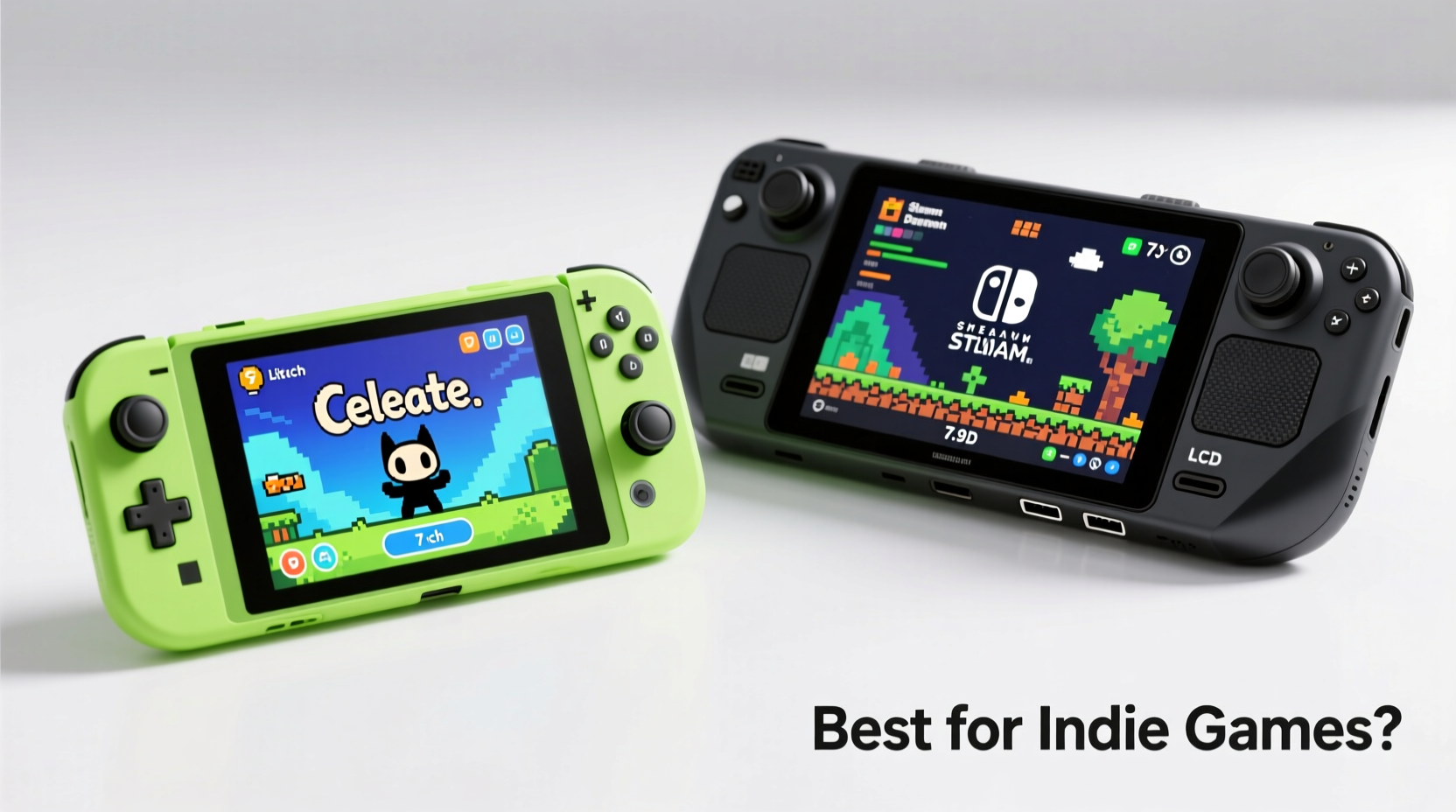
The physical form of a handheld shapes how and where you use it. The Switch Lite was designed from the ground up as a portable-only device. It’s compact, lightweight (275g), and ergonomically balanced for long sessions in bed, on a commute, or during travel. Its integrated controls and smooth shell make it ideal for quick pickups and casual play.
In contrast, the Steam Deck LCD weighs in at 640g—more than double the Switch Lite. It’s larger, with shoulder buttons, touchpads, and a full array of inputs that mimic a PC controller. While less pocketable, its heft comes with functionality: dual analog sticks, trackpads, gyro, and full keyboard/mouse support via Bluetooth. This makes it more versatile but less spontaneous for short bursts of gameplay.
Game Library and Indie Game Access
When it comes to indie titles, both platforms shine—but in different ways.
The Nintendo eShop hosts a curated selection of indie games optimized for the Switch’s hardware. Titles like Hades, Celeste, Dead Cells, and Untitled Goose Game run smoothly and are often enhanced with HD Rumble and touchscreen integration. Because all games are vetted, compatibility is guaranteed, and performance is consistent across devices.
On the other hand, the Steam Deck gives access to the entire Steam catalog—over 30,000 playable titles, many of them indie. Thanks to Valve’s Proton compatibility layer, even non-native Linux games can run well. You’re not limited to what’s approved; if it’s on Steam, you can likely play it. This includes niche, experimental, or early-access indie projects that never make it to consoles.
However, curation has tradeoffs. Some older or poorly optimized indie titles may require manual tweaking to run properly. Others might suffer from scaling issues due to the Deck’s lower resolution (1280x800) compared to desktop monitors.
“Indie developers love the freedom of Steam, but players benefit from Nintendo’s polish and optimization.” — Lena Tran, Indie Developer & Co-founder of Pixel Sprout Studios
Performance and Display Quality
The Steam Deck LCD features a 7-inch LCD screen with a 1280x800 resolution and a 60Hz refresh rate. Powered by a custom AMD APU (quad-core CPU, 8 RDNA2 cores), it delivers performance closer to a low-end gaming laptop. Many indie titles run at native resolution with high frame rates, and settings can be adjusted for optimal balance between visuals and battery life.
The Switch Lite uses a smaller 5.5-inch LCD with a lower 720p resolution (1280x720). While sharp enough for most 2D indie games, its weaker Tegra X1 chip struggles with more demanding ports or emulated titles. Frame rates in graphically intense indies like Owlboy or Gris remain stable, but anything pushing particle effects or complex shaders may show dips.
For pixel art, retro-styled, or narrative-driven indies, both screens perform admirably. But when playing modern indie titles built with Unity or Unreal Engine, the Steam Deck generally provides smoother performance and better texture clarity.
Comparison Table: Hardware Specs at a Glance
| Feature | Switch Lite | Steam Deck LCD |
|---|---|---|
| Screen Size & Resolution | 5.5\", 1280x720 | 7\", 1280x800 |
| Processor | NVIDIA Tegra X1 | Custom AMD APU (Zen 2 + RDNA 2) |
| RAM | 4GB LPDDR4 | 16GB LPDDR5 |
| Storage Options | 32GB internal (expandable via microSD) | 64GB eMMC / 256GB NVMe SSD / 512GB NVMe (varies by model) |
| Battery Life | 3–7 hours | 2–8 hours (game-dependent) |
| Controls | Integrated buttons, no detachable Joy-Cons | Full console layout: analog sticks, triggers, bumpers, touchpads, gyro |
| OS & Storefront | Nintendo Switch OS (eShop) | SteamOS (Linux-based) |
| Price (Starting) | $199 | $349 (64GB eMMC model) |
User Experience: Ecosystem and Customization
The Switch Lite operates within a tightly controlled environment. Everything from purchasing to updating is streamlined through Nintendo’s interface. Parents appreciate its simplicity; users value its reliability. However, customization options are nearly nonexistent. You can’t change themes, install third-party launchers, or modify system behavior.
The Steam Deck runs on SteamOS, an open Linux-based platform. This allows extensive customization: desktop mode enables full web browsing, file management, and even software installation like Discord, OBS, or emulators. Power users can tweak fan curves, overclock the GPU, or install alternative operating systems like Windows or Ubuntu.
This flexibility extends to indie games. Want to mod Hyper Light Drifter? Install community patches on Enter the Gungeon? Run an obscure itch.io title not available on any store? The Steam Deck supports it all. The Switch Lite does not.
Mini Case Study: Playing “Eastward” on Both Devices
Take the atmospheric indie RPG Eastward, a game praised for its storytelling and painterly visuals. On the Switch Lite, it launches quickly, runs at a steady 30fps, and benefits from subtle rumble feedback during thunderstorms and combat. The small screen doesn’t detract from the lush environments, and the fixed button mapping feels intuitive.
On the Steam Deck, the same game runs slightly sharper thanks to better texture filtering. Frame pacing is more consistent, especially in crowded town scenes. Using desktop mode, a player could install a fan-made widescreen patch, enhancing the cinematic presentation. However, launching the game requires navigating Big Picture Mode or managing Steam input configurations—a minor friction absent on the Switch.
This illustrates a broader trend: the Switch Lite excels in consistency and ease, while the Steam Deck rewards technical engagement with richer visual fidelity and mod support.
Battery Life and Real-World Usability
Battery longevity affects how you engage with indie games. The Switch Lite averages 3–7 hours depending on brightness and game load. Lighter 2D titles like Stardew Valley or Shovel Knight easily last 5+ hours. Heavier games drain faster, but overall efficiency is strong.
The Steam Deck’s battery ranges from 2 to 8 hours. Lightweight indies such as Undertale or To the Moon can stretch close to 7–8 hours at low brightness and reduced clock speeds. More intensive titles like Dead Cells with HD textures enabled may drop to 3–4 hours. However, the Deck allows real-time adjustment of CPU/GPU clocks, resolution scaling, and frame rate caps—giving users direct control over power consumption.
For travelers or those without reliable charging, the Switch Lite’s predictability is reassuring. For home users who charge nightly and play in shorter, focused sessions, the Steam Deck’s variability matters less.
Checklist: Choosing Your Ideal Indie Handheld
- ✅ Do you want instant-on, hassle-free gameplay? → Lean toward Switch Lite
- ✅ Are you drawn to exclusive Nintendo indie hits like Tinykin or Kirby and the Forgotten Land? → Switch Lite
- ✅ Do you play a lot of newer or experimental indie titles from itch.io or Early Access? → Steam Deck
- ✅ Do you care about modding, save editing, or running emulators alongside indie games? → Steam Deck
- ✅ Is budget under $250 a hard limit? → Switch Lite
- ✅ Do you already own a large Steam library with indie games? → Steam Deck
- ✅ Do you plan to connect to a dock or external display occasionally? → Steam Deck (via USB-C)
FAQ
Can the Steam Deck run all indie games on Steam?
Most indie games run well on the Steam Deck, especially those marked \"Verified\" or \"Playable\" in the store. However, some older or poorly optimized titles may require manual configuration. Performance varies based on shader compilation, storage speed, and background processes.
Is the Switch Lite outdated for indie gaming?
No. The Switch Lite remains one of the most polished platforms for indie titles. Its strength lies in optimization, first-party support, and seamless integration. While less powerful, it handles the vast majority of 2D and stylized indie games flawlessly.
Can I use cloud saves on both devices?
The Switch Lite supports cloud saves through Nintendo Switch Online, but only for compatible games. The Steam Deck uses Steam Cloud, which works with nearly every Steam title, offering broader and more reliable sync across devices.
Final Verdict: Which Is Best for Indie Games?
There is no universal answer—the best handheld depends on your priorities.
If you value **simplicity, portability, and a curated experience**, the Switch Lite is unmatched. It’s perfect for someone who wants to pick up and play beloved indie classics without technical overhead. Its ecosystem is stable, its battery reliable, and its game selection rich with critically acclaimed exclusives.
If you crave **freedom, depth, and access to the full breadth of indie innovation**, the Steam Deck is the superior choice. It transforms into a portable PC, capable of running not just indie games, but emulators, creative tools, and even productivity software. Yes, it demands more attention and costs more upfront, but it offers long-term versatility no dedicated console can match.
“The future of indie gaming isn’t just on consoles—it’s wherever creators can reach players directly. The Steam Deck empowers that vision.” — Marcus Reed, Founder of DevFest West
Conclusion
Indie games thrive on creativity and accessibility, and both the Switch Lite and Steam Deck LCD serve these ideals in distinct ways. The Switch Lite delivers a refined, joyful experience rooted in ease and polish. The Steam Deck embraces openness, power, and user agency, turning your handheld into a personalized gaming hub.
Ultimately, your decision should reflect how you play. Are you looking for a companion to unwind with after work, flipping between charming platformers and relaxing sims? The Switch Lite awaits. Or do you want a device that grows with you—a machine that plays indies today and becomes your mobile workstation tomorrow? Then the Steam Deck is worth every gram and dollar.




 浙公网安备
33010002000092号
浙公网安备
33010002000092号 浙B2-20120091-4
Comments
No comments yet. Why don't you start the discussion?