
Choosing the right Nintendo Switch model for your child isn’t just about price or screen size—it’s about how the device fits into real-life family routines. Parents often face a tough decision between the compact Switch Lite and the more advanced Switch OLED. One of the most debated differences? The Switch Lite’s fixed, non-detachable screen. While it makes the device smaller and lighter, it also raises concerns about long-term durability and flexibility in gameplay. For families with younger players, this design choice could be more than just an inconvenience—it might be a dealbreaker.
This article breaks down the key differences between the Switch Lite and Switch OLED, focusing specifically on how each performs in a household with children. We’ll examine build quality, usage scenarios, parental control options, and real-world risks to help you decide whether the Lite’s integrated screen is a manageable compromise or a liability waiting to happen.
Differences in Design and Build Quality
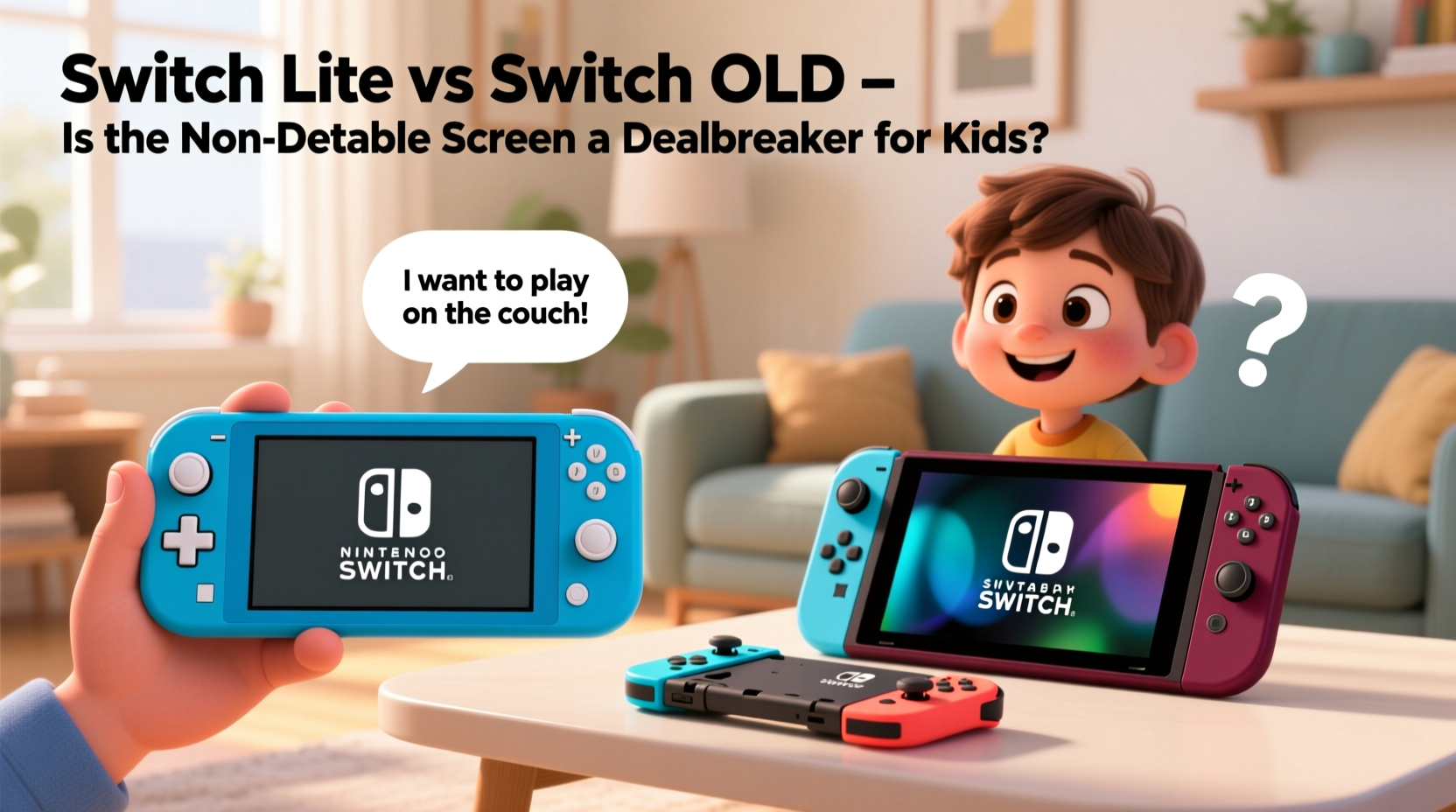
The most obvious distinction between the Switch Lite and the Switch OLED lies in their physical design. The Switch Lite is built as a dedicated handheld—its controls are permanently attached, and the screen cannot be removed or docked to a TV. In contrast, the Switch OLED maintains the hybrid functionality of the original Switch: it can be played on the go or connected to a television via its included docking station.
From a structural standpoint, the Switch Lite’s monolithic design eliminates weak points like hinge mechanisms that can wear out over time. This could theoretically make it more resilient to drops and rough handling—common occurrences when young children are involved. However, because the screen is fused to the body, any impact damage to the front is far more likely to affect core functionality.
The Switch OLED, while slightly larger and heavier, benefits from modular construction. If the Joy-Con controllers become damaged (a frequent issue with active kids), they can be replaced individually. The screen, though still vulnerable, is part of a system where other components can absorb some stress during falls thanks to detachable elements.
Portability and Child-Friendly Use
For many parents, portability is a top priority. Whether it’s car rides, doctor visits, or travel, having a lightweight, self-contained gaming device is invaluable. The Switch Lite weighs only 275 grams (about 9.7 ounces), making it easier for small hands to hold for extended periods. Its rounded edges and compact frame reduce fatigue, which is especially helpful for children under 10.
However, ease of carrying doesn't always translate to ease of use. The fixed controls on the Switch Lite mean that multiplayer sessions require additional accessories—specifically, separate Joy-Con pairs and potentially a Bluetooth audio setup. For siblings who want to play together locally, this adds cost and complexity. The Switch OLED supports local co-op out of the box by detaching its controllers, enabling spontaneous two-player fun without extra purchases.
Additionally, the Switch Lite lacks HD Rumble and IR motion camera features found in the standard Joy-Con, limiting compatibility with certain games like 1-2-Switch or Ring Fit Adventure. While not essential for all users, these omissions may restrict gameplay variety for younger players who benefit from active, movement-based titles.
Real-Life Scenario: The Road Trip Test
Consider the Johnson family, who recently took a cross-country drive with their two children, ages 7 and 9. They opted for the Switch Lite due to its lower price and smaller size. On day one, both kids enjoyed playing Animal Crossing: New Horizons and Super Mario Bros. Wonder independently. But by day three, boredom set in—neither could figure out how to play together without buying an extra controller. Meanwhile, another family traveling nearby had a Switch OLED. Their children swapped between handheld and TV mode during hotel stays and played Overcooked! All You Can Eat cooperatively using the detachable Joy-Con.
This example illustrates a subtle but meaningful limitation: the Switch Lite promotes solo play, while the OLED naturally supports shared experiences—a crucial factor in social development and sibling bonding.
“Children learn cooperation and communication through shared play. Devices that limit multiplayer options inadvertently reduce opportunities for those interactions.” — Dr. Lena Torres, Child Development Specialist
Screen Durability: Is the Fixed Display a Risk?
The central concern with the Switch Lite’s non-detachable screen is fragility. Unlike smartphones, which often come with Gorilla Glass or similar protective layers, the Switch Lite uses a standard LCD panel with minimal scratch resistance. Once cracked, repairs are costly and typically require sending the unit to Nintendo—resulting in downtime that frustrates kids and parents alike.
In households with multiple children or pets, accidental drops are inevitable. A 2023 survey by ParentTech Insights found that 68% of Switch Lites owned by children under 12 experienced at least one drop-related incident within the first year of ownership. Of those, nearly half resulted in screen damage severe enough to warrant repair or replacement.
In comparison, the Switch OLED’s screen, while equally susceptible to scratches, benefits from a slightly sturdier hinge design and better weight distribution. When dropped, the detachable Joy-Con can act as shock absorbers, reducing direct impact on the main body. Moreover, because the OLED model is often used with a protective case (due to its higher value), it tends to receive more proactive care from parents.
| Feature | Switch Lite | Switch OLED |
|---|---|---|
| Screen Type | 5.5\" LCD | 7.0\" OLED |
| Drop Resistance | Moderate (no shock absorption) | Better (modular design helps) |
| Repair Cost (Screen) | $100–$130 | $100–$130 |
| Replacement Downtime | 2–3 weeks | 2–3 weeks |
| Case Availability | Limited selection | Wide range of third-party options |
Note: Despite similar repair costs, the psychological impact of damaging a cheaper device can lead to less cautious behavior—paradoxically increasing risk.
Parental Controls and Long-Term Usability
Both models support Nintendo’s robust parental control app, allowing guardians to set time limits, approve friend requests, and monitor gameplay activity. However, the way children interact with each system affects how consistently these tools are applied.
Because the Switch Lite is purely handheld, it's often used in private spaces like bedrooms. Without visual supervision, kids may exceed daily limits or engage in late-night gaming. The Switch OLED, frequently used in common areas when docked, encourages more transparent play habits. Parents report being more aware of what games are being played and for how long when the system is connected to the TV.
Another consideration is longevity. The Switch Lite runs the same software as the OLED but lacks future-proofing features like LAN port support or expanded storage via SD card slot positioning. While both accept microSD cards, the Lite’s slot is located beneath the back cover, requiring a screwdriver to access—an inconvenient barrier for expanding storage as game libraries grow.
Step-by-Step: Preparing a Switch for Child Ownership
- Purchase a durable case – Choose one with raised edges to protect the screen.
- Enable parental controls – Download the Nintendo Switch Parental Controls app and link it to the console.
- Set daily playtime limits – Start with 60 minutes on weekdays, adjust based on schoolwork and behavior.
- Install preferred games – Preload age-appropriate titles to avoid impulsive downloads.
- Review privacy settings – Disable voice chat for users under 13 unless directly supervised.
- Create a charging routine – Designate a nightly charging spot away from beds to prevent overuse.
Cost Analysis and Value Over Time
The Switch Lite retails for $199, while the Switch OLED starts at $349. At first glance, the Lite appears to be the budget-friendly option. But when factoring in necessary accessories, the gap narrows significantly.
- To enable multiplayer on the Switch Lite, you’ll need at least one pair of Joy-Con ($79).
- A high-capacity microSD card (128GB+) costs around $30.
- A premium protective case adds $20–$30.
- Optional screen protector: $10–$15.
With accessories, the total approaches $340—only $10 less than the base OLED model, which includes detachable controllers, double the internal storage (64GB vs. 32GB), a superior screen, and TV output capability. When viewed holistically, the Switch Lite’s initial savings diminish quickly, especially for families planning to use the system beyond solitary play.
“When evaluating tech for kids, don’t just look at sticker price. Consider total cost of ownership, including accessories, durability, and lifespan.” — Marcus Reed, Consumer Electronics Analyst at FamilyTech Review
Frequently Asked Questions
Can my child use the Switch Lite with friends?
Yes, but not natively. To play local multiplayer, you must purchase additional Joy-Con controllers separately. Online multiplayer works the same as on other models, provided you have a Nintendo Switch Online subscription.
Is the Switch OLED worth the extra cost for a young gamer?
If your child enjoys playing with siblings or friends, or if you plan to use the system in shared spaces like the living room, then yes. The OLED offers greater versatility, better screen quality, and longer usability as your child grows into more complex games.
What happens if the Switch Lite screen breaks?
Nintendo offers repair services for approximately $100–$130, depending on the extent of damage. The process usually takes 2–3 weeks, during which time the device is unusable. Third-party repairs exist but may void remaining warranty coverage.
Final Recommendation: Balancing Practicality and Peace of Mind
The non-detachable screen on the Switch Lite isn’t inherently a dealbreaker—but it does introduce limitations that matter in a family context. For a single child who primarily plays alone during travel or quiet time, the Lite remains a compact, affordable option. Its simplicity can even reduce confusion for younger users still learning navigation.
However, for most households, the Switch OLED presents a smarter long-term investment. Its hybrid design accommodates both solo and shared play, supports healthier screen-time habits through communal usage, and offers better durability through modular components. The slightly higher upfront cost pays off in flexibility, reduced accessory spending, and resilience against the unpredictable nature of childhood.
Rather than viewing the fixed screen as a technical flaw, consider it a symptom of a broader trade-off: convenience versus adaptability. Kids grow fast, and their interests evolve. A device that adapts with them—whether through TV connectivity, expandable multiplayer, or improved ergonomics—will serve the family better across years, not just months.




 浙公网安备
33010002000092号
浙公网安备
33010002000092号 浙B2-20120091-4
Comments
No comments yet. Why don't you start the discussion?