
The release of the Nintendo Switch OLED model sparked widespread debate: is the screen upgrade actually worth it for handheld players? While both models run the same games and offer identical performance, the display technology differs significantly. The original Switch and Switch Lite use LCD panels, while the Switch OLED features an organic light-emitting diode (OLED) screen. For gamers who primarily play in handheld mode, the central question becomes not just technical—but experiential: can you see and feel the difference?
This article examines the tangible impact of the OLED screen in real-world handheld use. From color depth to contrast, brightness to immersion, we’ll explore whether the upgrade translates into a meaningful improvement during daily gameplay.
Understanding the Core Display Differences
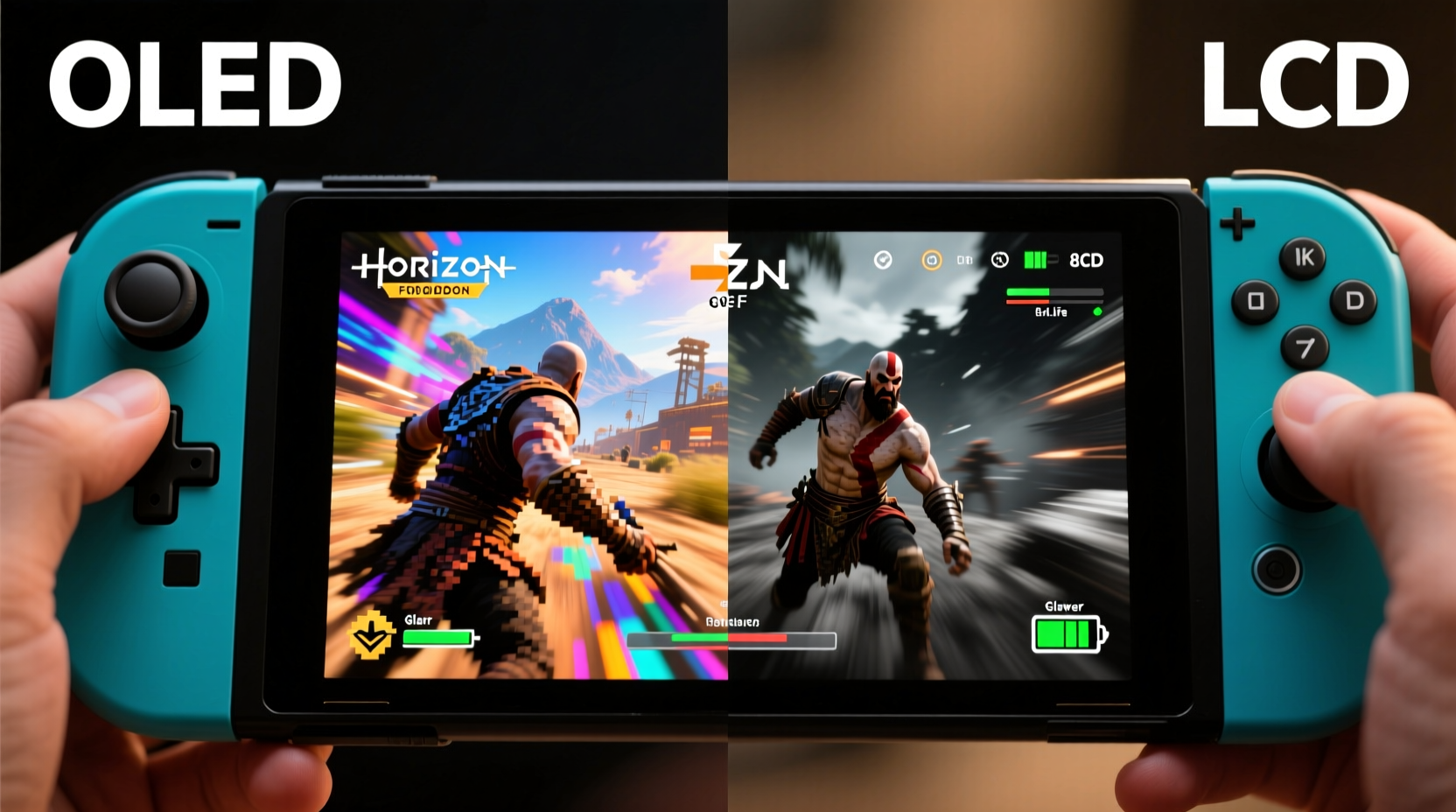
The most fundamental distinction between the two models lies in how their screens produce light and color. The original Switch uses a traditional IPS LCD panel. This type of display requires a backlight to illuminate pixels, which can lead to less precise control over darkness and brightness at the pixel level. In contrast, the Switch OLED employs self-emissive OLED technology—each pixel generates its own light. When a pixel needs to display black, it turns off completely, resulting in true blacks rather than dark grays.
This difference has several cascading effects:
- Contrast ratio: OLED offers near-infinite contrast because black pixels are truly off. On LCD, even “black” areas emit some backlight bleed, reducing depth.
- Color vibrancy: OLED screens typically deliver richer, more saturated colors due to better individual pixel control.
- Viewing angles: OLED maintains consistent color and brightness even when viewed from sharp angles—ideal for sharing gameplay with friends or playing in varied postures.
- Response time: Faster pixel response reduces motion blur during fast-paced action sequences.
While these advantages are well-documented in theory, their perceptibility depends heavily on context—especially screen size, content type, and individual sensitivity to visual detail.
Real-World Handheld Experience: Is the Difference Noticeable?
Many reviewers and users agree: yes, the OLED screen is noticeably better in handheld mode—but the degree of improvement varies by game and personal perception.
In brightly lit environments, such as outdoors or near windows, the original Switch’s LCD often struggles with glare and washed-out colors. The OLED model doesn’t have a dramatically brighter backlight, but its superior contrast helps images appear crisper and more defined. Dark scenes in games like Metroid Dread or Fire Emblem: Three Houses benefit immensely. Shadows retain detail without crushing into oblivion, and ambient lighting within dungeons or night-time cityscapes feels more immersive.
One user, Sarah M., shared her experience after upgrading from a first-gen Switch:
“Switching to the OLED felt like putting on prescription glasses I didn’t know I needed. I’d played Animal Crossing: New Horizons for hours on my old console, but on the OLED, the water reflections looked liquid, the sky gradients were smoother, and the overall world just ‘popped’ more. It wasn’t a new game—but it felt like one.”
This sentiment echoes across forums and review platforms. Gamers accustomed to LCD often don’t realize how much visual information they’ve been missing until they make the switch—literally.
When the Upgrade Matters Most
Certain genres and visual styles amplify the strengths of OLED:
- Action-adventure games: Titles with dynamic lighting and large open worlds (e.g., Zelda, Horizon Chase Turbo) showcase depth and atmosphere more effectively.
- Horror and stealth games: True blacks enhance tension and visibility management—critical in titles like Resident Evil Revelations.
- Indie pixel art games: Despite lower resolution, retro-style visuals gain clarity and charm through improved color separation.
- Games with UI-heavy overlays: Menus, maps, and HUD elements appear sharper against deeper backgrounds.
Conversely, in bright, cartoonish games like Super Mario Odyssey or Kirby and the Forgotten Land, the difference is subtler. These games are designed to look vibrant even on modest displays, so while OLED enhances them, the leap isn't as dramatic.
Side-by-Side Comparison: Key Metrics
| Feature | Original Switch (LCD) | Switch OLED |
|---|---|---|
| Screen Size | 6.2 inches | 7 inches |
| Panel Type | IPS LCD | OLED |
| Resolution | 1280x720 | 1280x720 |
| Contrast Ratio | Limited (~1000:1 typical) | Near-infinite (true blacks) |
| Brightness (nits) | ~300 | ~300–350 |
| Viewing Angles | Good, but color shifts at angles | Excellent, minimal shift up to 60° |
| Battery Life (handheld) | 3–6.5 hours | 4.5–9 hours |
| Storage | 32GB | 64GB |
Note that despite the same resolution, the larger screen on the OLED model spreads pixels over more area. However, due to improved image processing, anti-aliasing, and contrast, perceived sharpness often feels better—even if pixel density is slightly lower.
“The human eye responds more strongly to contrast and color accuracy than raw pixel count. That’s why the OLED feels sharper, even though technically it’s not.” — Dr. Alan Reyes, Display Perception Researcher, MIT Media Lab
Practical Considerations Before Upgrading
While the OLED screen delivers a superior visual experience, it’s important to weigh this against cost, availability, and usage patterns.
For casual players who mostly use docked mode, the advantage diminishes. On a large TV, the display quality is dictated by the television’s panel, not the Switch’s screen. But for those who play predominantly on the go—commuters, travelers, parents playing during downtime—the handheld experience is everything.
Checklist: Should You Upgrade to the Switch OLED?
- ✅ Do you play mostly in handheld or tabletop mode?
- ✅ Do you value deeper blacks and richer colors in games?
- ✅ Are you sensitive to screen glare or washout in bright rooms?
- ✅ Do you frequently play atmospheric or story-driven games?
- ✅ Can you access the OLED model at retail price (or close to it)?
- ❌ Are you primarily a docked player with a high-end TV?
- ❌ Is budget a major constraint?
If you answered “yes” to the first five and “no” to the last two, the OLED model is likely a worthwhile investment.
Long-Term Use and Potential Drawbacks
No display technology is perfect. OLED brings advantages but also considerations:
- Burn-in risk: Though rare in gaming consoles due to moving imagery, static HUDs (like health bars or minimaps) displayed for extended periods could potentially cause image retention. Nintendo mitigates this with pixel shifting and screen timeout features.
- Sunlight visibility: Despite better contrast, OLED isn’t inherently brighter than LCD. In direct sunlight, both struggle—though the OLED’s anti-reflective coating helps reduce glare.
- Battery trade-offs: While the OLED model has a larger battery, power consumption depends on content. Bright, white-heavy scenes (e.g., snow levels in Donkey Kong Country) drain the battery faster on OLED than darker ones.
However, for most users, these are minor concerns. The enhanced audio, wider kickstand, and improved LAN port add further value beyond the screen alone.
Step-by-Step: How to Test the Difference Yourself
If you’re still unsure, follow this process to evaluate the upgrade objectively:
- Find a side-by-side demo: Visit a retailer with both models on display. Play the same game on each.
- Choose a contrast-heavy scene: Load a dark interior (e.g., a cave or nighttime level). Observe shadow detail and background depth.
- Check color saturation: Navigate to a colorful menu or outdoor area. Note how reds, blues, and greens appear.
- Adjust viewing angle: Tilt the devices to simulate relaxed holding positions. Watch for color shift or dimming.
- Evaluate immersion: Close your eyes for a moment, then reopen them. Which screen draws your attention more naturally?
- Compare sound and build: Flip to tabletop mode. Test the kickstand stability and speaker clarity.
This method removes bias and focuses on sensory input rather than specs.
Frequently Asked Questions
Does the OLED screen improve battery life?
Yes, but conditionally. The OLED model has a larger battery (5100 mAh vs. 3570 mAh), and OLED panels consume less power when displaying dark content. In games with dark themes, battery life can extend significantly. However, in bright scenes, power savings are minimal. Overall, expect 4.5–9 hours depending on usage, compared to 3–6.5 on the original.
Is the screen larger or just better quality?
It’s both. The OLED model has a 7-inch screen compared to the original’s 6.2 inches—an 11% increase in diagonal size. While resolution remains 720p, the combination of larger display, higher contrast, and improved color makes games feel more expansive and immersive.
Can you notice the difference if you have older eyes or poor vision?
Many users with corrected or uncorrected vision still report noticing the difference, particularly in contrast and ease of viewing. The deeper blacks reduce eye strain in low-light conditions, and the anti-glare coating improves readability. However, individual results vary. If you wear glasses, try testing both models with your usual prescription.
Conclusion: A Meaningful Upgrade for Handheld Players
The screen upgrade from LCD to OLED on the Nintendo Switch is not revolutionary in spec sheets—but it is transformative in practice. For those who hold the device in their hands for hours, the richer colors, truer blacks, and wider viewing angles create a more engaging and comfortable experience. It’s the kind of improvement that doesn’t shout at you, but once experienced, becomes difficult to live without.
Technology upgrades often promise more than they deliver. But in this case, the OLED screen fulfills its purpose: it makes the games you love look better, feel more alive, and draw you deeper into their worlds—all without changing a single line of code.




 浙公网安备
33010002000092号
浙公网安备
33010002000092号 浙B2-20120091-4
Comments
No comments yet. Why don't you start the discussion?