
The Nintendo Switch OLED model, released in 2021, introduced a significant visual upgrade over the original 2017 Switch with its vibrant new screen. But for many owners of the original model, the question remains: is the switch to OLED actually worth it? With identical internal hardware and game compatibility, the most noticeable difference lies in the display. For players who spend hours in handheld mode, that screen could be a game-changer—or just a minor aesthetic tweak.
This article breaks down the real-world impact of the OLED screen upgrade, comparing not only visual quality but also usability, comfort, and long-term value. Whether you're considering an upgrade or buying your first Switch, understanding what the OLED brings—and what it doesn’t—can help you make a smarter decision.
Display Quality: The Heart of the Upgrade
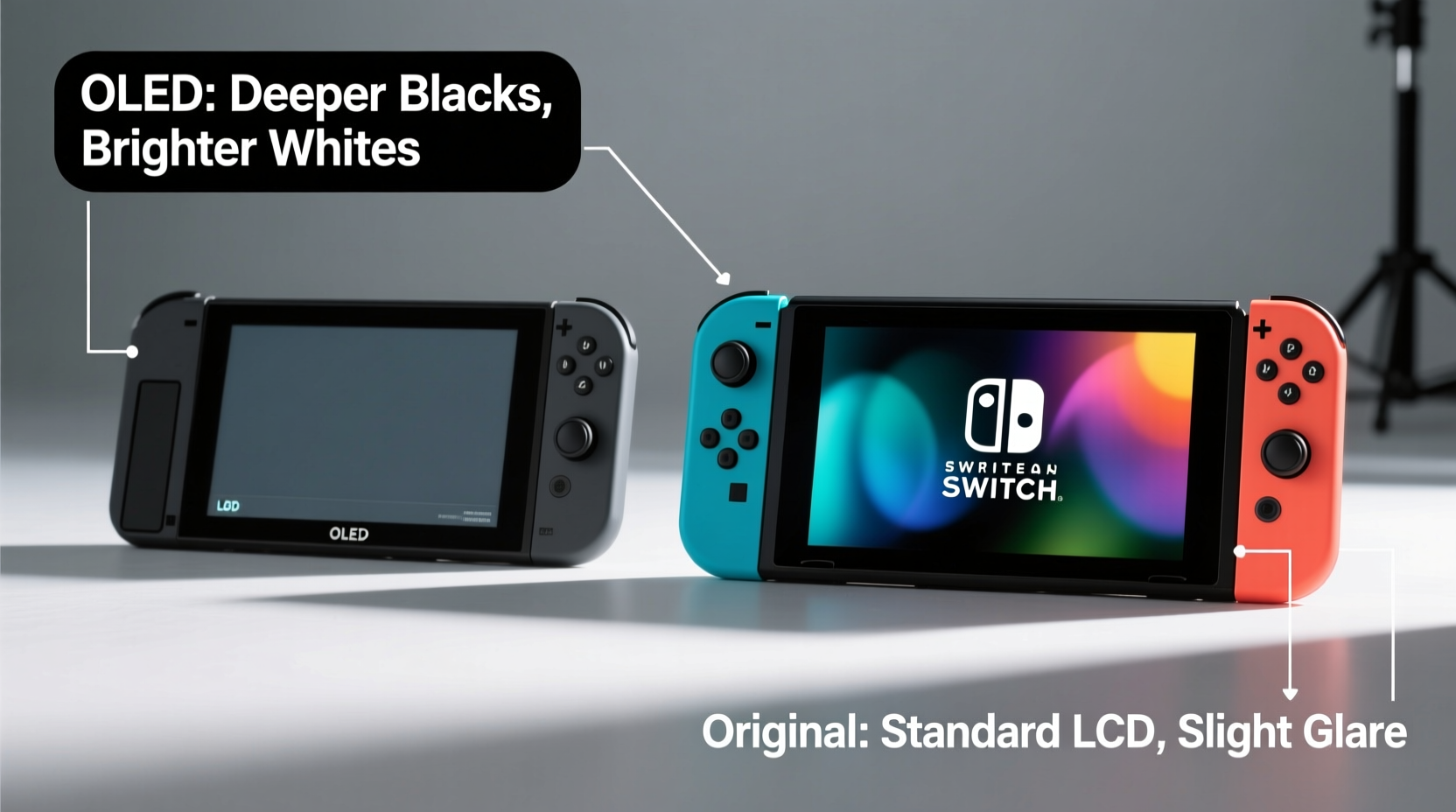
The most striking improvement in the OLED model is the 7-inch organic light-emitting diode (OLED) screen, replacing the original’s 6.2-inch LCD panel. OLED technology offers deeper blacks, higher contrast ratios, and more accurate color reproduction. In practical terms, this means games like The Legend of Zelda: Breath of the Wild or Super Mario Odyssey appear richer, with sunlight glinting off water and shadows feeling genuinely immersive.
In dark scenes—common in games such as Metroid Dread or Hollow Knight—the OLED screen delivers true black levels instead of the grayish tint seen on the original. This isn't just cosmetic; it enhances visibility and reduces eye strain during extended play sessions.
However, in bright environments—such as direct sunlight or well-lit rooms—the advantage narrows. The OLED screen has a slightly lower peak brightness than the original, which can make it harder to see outdoors. While colors remain vivid, glare and reflections are more pronounced due to the smooth glass surface, compared to the original’s matte finish.
Battery Life and Performance: Nearly Identical
Despite the screen upgrade, both models share the same NVIDIA Tegra X1-based processor and RAM configuration. This means no performance gains in frame rates, load times, or resolution—whether docked or in handheld mode. Games run identically across both systems when connected to a TV.
Battery life, however, has improved slightly. The OLED model features a revised power system that extends battery duration to approximately 4.5 to 9 hours, depending on the game—matching the later revisions of the original model (v2, released in 2019). Early original Switch units lasted only 2.5 to 6.5 hours, so if you own one of those, the upgrade offers tangible benefits beyond the screen.
For current v2 owners, though, the battery improvement is negligible. The real trade-off comes down to display quality versus durability and portability.
Design and Usability Differences
Nintendo didn’t stop at the screen. The OLED model includes several ergonomic and functional upgrades that enhance daily use:
- Larger kickstand: Wider, sturdier, and adjustable, making tabletop play far more reliable.
- Improved audio: Slightly enhanced speaker quality with clearer midrange tones.
- More storage: 64GB internal storage (double the original’s 32GB), reducing reliance on microSD cards for smaller game libraries.
- New dock with LAN port: Enables wired internet connections without a separate adapter—a boon for online multiplayer stability.
The overall build feels more premium, with a smoother hinge mechanism and a sleeker profile. However, the OLED model is slightly heavier (approx. 420g vs. 398g) and wider due to the larger screen, which may affect comfort during long handheld sessions for users with smaller hands.
“While the OLED doesn’t offer raw power improvements, the cumulative effect of better screen, sound, and build makes it the most refined handheld console Nintendo has ever made.” — David Kim, Gaming Hardware Analyst at TechPlay Magazine
Is the Screen Upgrade Worth It? A Real-World Perspective
To assess whether the OLED screen is truly worth the upgrade, consider how and where you play. A mini case study illustrates this well:
Mini Case Study: Sarah, a Commuter Gamer
Sarah plays her Switch daily during her 45-minute train commute. She owns the original model and recently tested a friend’s OLED version. In her words: “The colors pop more, and dark scenes in games like Fire Emblem: Three Houses are way easier to read. I don’t have to crank the brightness as high, which helps my eyes feel less tired by the end of the week.”
However, she noted drawbacks: “On sunny days, the screen glare is worse. I also missed the matte texture—I used to wipe fingerprints easily, but now I’m constantly cleaning smudges.”
For Sarah, the upgrade improves her primary gaming environment—indoor, low-light transit—but introduces challenges in brighter settings. Her experience reflects a broader truth: the OLED’s value depends heavily on context.
Comparison Table: OLED vs Original Switch
| Feature | Switch OLED Model | Original Switch (v2) |
|---|---|---|
| Screen Size & Type | 7\" OLED | 6.2\" LCD |
| Contrast Ratio | High (true blacks) | Moderate (grayish blacks) |
| Brightness (Peak) | ~330 nits | ~370 nits |
| Internal Storage | 64GB | 32GB |
| Battery Life | 4.5–9 hours | 4.5–9 hours (v2) |
| Kickstand | Wide, adjustable | Narrow, fixed |
| Dock Features | Integrated LAN port | No LAN port (requires adapter) |
| Weight | 420g | 398g |
| Price (MSRP) | $349.99 | $299.99 |
The table shows that while the OLED excels in display quality and convenience features, the core gaming experience remains unchanged. The $50 price difference must be weighed against these incremental gains.
Actionable Checklist: Should You Upgrade?
Before deciding, go through this checklist to evaluate your needs:
- Do you primarily play in handheld or tabletop mode? → OLED benefits are most visible here.
- Do you play in low-light environments (e.g., at night, in bed, on public transit)? → OLED’s contrast shines in these conditions.
- Do you frequently play outdoors or in bright rooms? → Original may perform better due to higher brightness and matte screen.
- Are you frustrated by the original’s flimsy kickstand? → OLED’s wide stand is a major usability win.
- Do you want built-in LAN support for stable online play? → OLED’s dock eliminates the need for an adapter.
- Is your current Switch battery life below 4 hours? → Upgrading will help if you have an early model.
- Are you sensitive to screen glare or fingerprints? → OLED’s glossy screen requires more maintenance.
If four or more answers align with OLED advantages, the upgrade is likely justified. If not, your money might be better spent on games or accessories.
Frequently Asked Questions
Can the OLED screen burn in?
OLED panels are susceptible to burn-in with prolonged static images, but Nintendo has implemented protective measures like automatic brightness adjustments and screen dimming during idle periods. Casual to moderate use poses minimal risk. Avoid leaving static menus open for hours, and enable sleep mode after 1–3 minutes for added safety.
Does the OLED model support all original Switch games?
Yes. Every game released for the original Switch is fully compatible with the OLED model. There are no exclusives or enhancements tied specifically to the OLED hardware.
Is the OLED screen better for eye strain?
Many users report reduced eye fatigue due to the higher contrast and ability to lower brightness while maintaining clarity. However, the lack of a matte coating may increase glare-related discomfort in bright settings. Using a screen protector with anti-glare properties can help balance this.
Final Verdict: Who Benefits Most from the OLED Upgrade?
The Switch OLED is not a revolutionary leap but a thoughtful refinement. For players deeply invested in handheld gaming, the superior screen, improved audio, and sturdier kickstand deliver a noticeably better experience. The doubled storage and LAN-enabled dock add practical value, especially for digital-only users and competitive online players.
However, if you primarily play docked to a TV, own the 2019+ revision of the original Switch, or are sensitive to price, the upgrade offers limited returns. The $50 premium buys visual elegance and small conveniences—not faster performance or exclusive features.
Ultimately, the OLED screen upgrade is worth it if:
- You play mostly in handheld mode.
- You value visual fidelity and immersion.
- You’ve experienced frustration with the original’s kickstand or storage limits.
- You’re buying your first Switch and want the best available version.
But if you already enjoy a late-model original Switch and play mostly on a big screen, hold off. Your current setup still delivers the full Nintendo experience—just with a slightly duller display.




 浙公网安备
33010002000092号
浙公网安备
33010002000092号 浙B2-20120091-4
Comments
No comments yet. Why don't you start the discussion?