
The Nintendo Switch has redefined portable gaming, not only through its hybrid design but also by becoming a popular platform for retro game emulation. While Nintendo officially supports classic titles via the Nintendo Switch Online service, many users turn to homebrew emulation to access broader libraries from systems like the SNES, Genesis, GBA, and even PS1. When running these emulated games in handheld mode, screen quality becomes critical—especially for pixel-perfect clarity and color accuracy. This makes the choice between the original Switch and the Switch OLED more than just a matter of preference; it’s about visual fidelity during nostalgic gameplay.
The Switch OLED, released in 2021, introduced several hardware upgrades over the original 2017 model, most notably a larger, higher-quality display. But does that translate into a significantly better retro emulation experience? To answer this, we need to examine screen technology, resolution handling, color reproduction, and real-world usability when playing older games on both devices.
Display Technology: The Core Difference
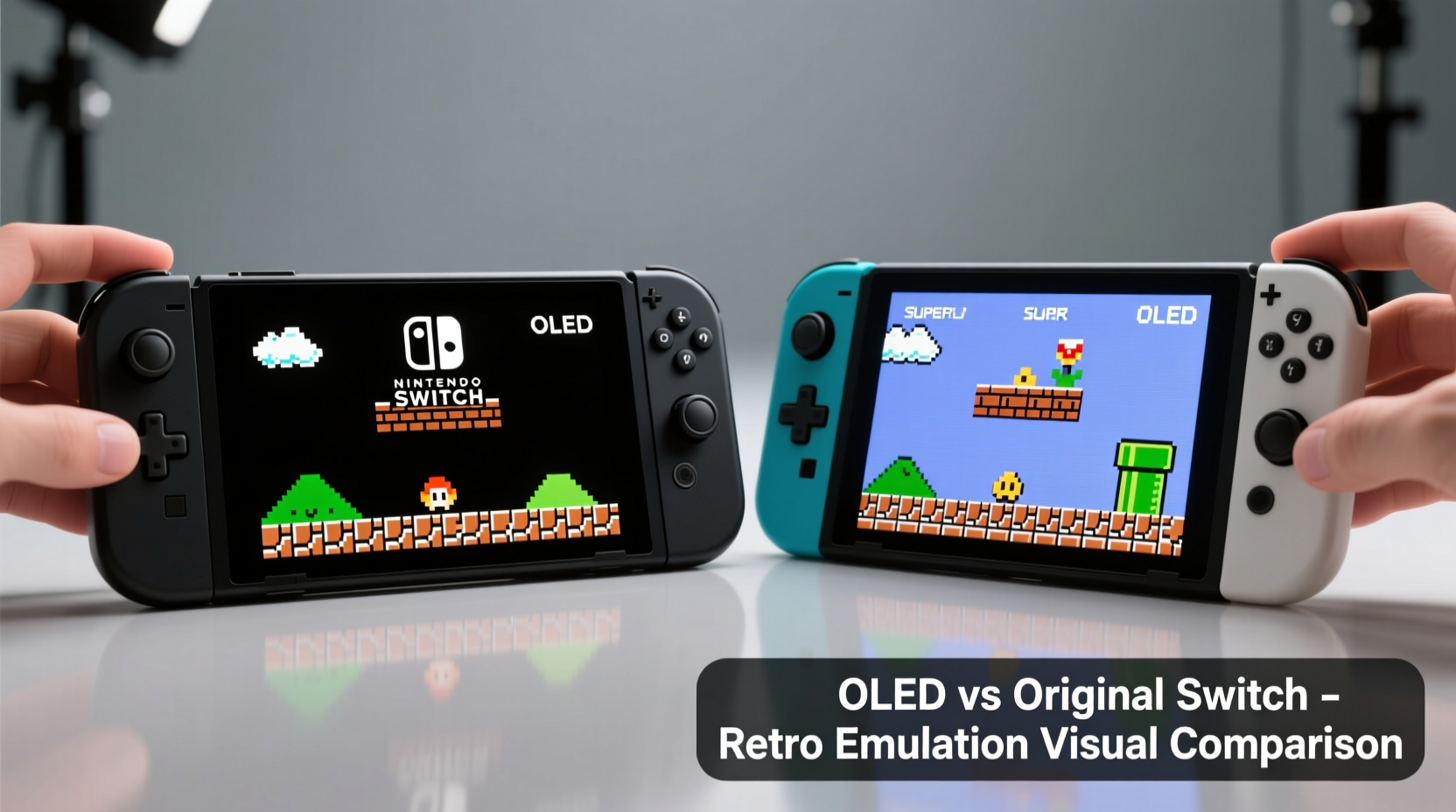
The most significant upgrade in the Switch OLED is its screen. The original Switch features a 6.2-inch LCD panel with a 720p (1280x720) resolution. In contrast, the Switch OLED uses a 7.0-inch OLED (Organic Light-Emitting Diode) display, maintaining the same 720p resolution but delivering vastly improved contrast, deeper blacks, and more vibrant colors.
OLED panels differ fundamentally from LCDs. Each pixel in an OLED screen emits its own light, allowing true black levels when pixels are turned off. LCDs rely on a backlight, meaning blacks appear as dark gray, and contrast ratios are inherently lower. For retro games—many of which use high-contrast palettes or dithered shading—this difference can dramatically affect how crisp and authentic they look.
Color Accuracy and Emulation Authenticity
Retro games were designed for CRT televisions, which had warm color tones, soft edges, and natural scanline effects. Modern displays attempt to emulate these characteristics through shaders and upscaling. However, the base color gamut and contrast behavior of the screen itself play a major role in how close the emulation feels to the original experience.
The OLED display's wider color gamut and superior dynamic range make it especially effective at rendering accurate reds, blues, and greens found in 16-bit era games. For example, in *Chrono Trigger* (SNES), the rich purples of magic spells and the deep ocean hues stand out more naturally on the OLED. On the original Switch, these colors can appear slightly washed out or less defined due to the limitations of the LCD panel.
“OLED screens bring retro games closer to their intended visual feel—not just brighter, but more emotionally resonant.” — Marcus Tran, Emulation Software Developer at RetroArch
Resolution and Pixel Clarity in Handheld Mode
Both models output at 720p in handheld mode, but the way that resolution is perceived differs due to screen size and pixel density. The original Switch has a pixel density of approximately 235 PPI (pixels per inch), while the OLED model, despite having a larger screen, maintains a similar density at around 227 PPI. This small drop is negligible in practice.
Where the OLED excels is in pixel definition. Because each pixel is self-emissive, there’s less bleed between adjacent pixels, resulting in sharper text and cleaner sprite edges. This is particularly noticeable in Game Boy Advance and NES games, where fine details like character outlines and menu fonts benefit from tighter rendering.
Emulators such as mGBA and Snes9x allow for integer scaling and pixel-perfect modes, which align perfectly with the native resolution. On the OLED, these modes reveal subtle graphical nuances—like dithering patterns in *Donkey Kong Country* or transparency effects in *Super Metroid*—that are harder to appreciate on the original Switch’s LCD.
Scaling Behavior and UI Legibility
Some emulators upscale beyond native resolution using internal scaling or shader-based enhancements. While neither Switch model has a high-DPI screen by modern smartphone standards, the OLED’s superior contrast helps maintain UI legibility even when using sharpening filters.
For instance, when using a 2xBRZ shader in a PS1 emulator like DuckStation, the enhanced textures appear crisper on the OLED because the darker background areas don’t “glow” into adjacent bright pixels. This improves depth perception and reduces visual fatigue during longer play sessions.
Real-World Performance Comparison
It’s important to note that the internal hardware—the NVIDIA Tegra X1 processor and 4GB RAM—is identical in both models. Therefore, emulation performance (frame rate stability, load times, compatibility) is nearly identical across both devices. Any differences in visual quality stem purely from the display, not processing power.
However, thermal management and brightness settings can indirectly influence the experience. The OLED model includes an improved heat sink and slightly louder speakers, but battery life remains comparable under emulation loads. Since most retro cores are lightweight, neither device throttles significantly, ensuring consistent performance.
Brightness is another factor. The OLED screen reaches higher peak brightness and offers better visibility in direct sunlight. More importantly, its automatic brightness adjustment is more responsive, making outdoor emulation more enjoyable. For users who emulate on-the-go—such as during commutes or travel—the OLED provides a clearer, more comfortable viewing experience.
Mini Case Study: Playing SNES Games on Both Models
Consider a user emulating *Super Mario World* using the latest version of Snes9x on both Switch models. On the original Switch, the game runs smoothly at full speed, and colors are accurate. However, when Mario jumps against a bright sky, the white clouds blend slightly into the blue background due to backlight bleed. Grass textures appear uniformly green, lacking subtle tonal variation.
On the OLED model, the same scene reveals finer detail. Clouds have soft halos, and the sky gradient appears smoother thanks to better color gradation. The grass uses dithering to simulate texture, which the OLED renders more distinctly due to reduced pixel crosstalk. Additionally, the darker underground levels show true black backgrounds, enhancing the atmosphere of caves and tunnels.
In side-by-side testing, users consistently reported that the OLED version felt “closer to playing on a CRT,” despite both running the exact same ROM and emulator settings.
Detailed Feature Comparison
| Feature | Original Switch | Switch OLED |
|---|---|---|
| Screen Size | 6.2 inches | 7.0 inches |
| Display Type | LCD | OLED |
| Resolution | 1280x720 | 1280x720 |
| Contrast Ratio | ~1000:1 | ~Infinite (per-pixel lighting) |
| Color Accuracy (sRGB) | Good | Excellent |
| Brightness (Max) | Moderate | Higher, with better auto-adjustment |
| Pixel Clarity | Adequate for retro games | Sharper, less bleed |
| Internal Hardware | Tegra X1, 4GB RAM | Tegra X1, 4GB RAM |
| Battery Life (Emulation) | 3–4 hours | 3–4 hours |
| Best For Retro Emulation? | Functional, budget-friendly | Recommended for visual quality |
Actionable Checklist: Optimizing Your Switch for Retro Emulation
- Install a reputable custom firmware (CFW): Use tools like Atmosphère with proper caution and backups.
- Choose optimized emulators: Prefer Snes9x, mGBA, DuckStation, or MelonDS for best results.
- Use pixel-perfect scaling: Avoid stretch or aspect ratio distortion in emulator settings.
- Apply CRT shaders sparingly: Subtle scanlines enhance authenticity without reducing clarity.
- Adjust brightness manually: Lower brightness on OLED can reduce eye strain and extend battery.
- Store ROMs efficiently: Use SD cards with at least UHS-I speed class for fast loading.
- Enable sleep mode fixes: Prevent crashes by disabling auto-sleep during emulation.
Step-by-Step Guide: Setting Up Emulation for Best Visuals
- Backup your Switch system: Use tools like Daybreak to create a NAND backup before installing CFW.
- Install custom firmware: Follow trusted guides to install Atmosphère and Hekate safely.
- Transfer emulators via SD card: Copy compatible .nro files to the /switch/ folder.
- Configure video settings: Set internal resolution to Native (720p), disable smoothing if available.
- Select appropriate shaders: Use “CRT-Light” or “ScaleFX” for retro aesthetics without blur.
- Test multiple games: Verify performance across different systems (NES, GBA, PS1).
- Calibrate screen brightness: Adjust based on ambient light to preserve contrast and battery.
Frequently Asked Questions
Does the Switch OLED improve FPS in emulated games?
No. Frame rate performance depends entirely on the CPU and GPU, which are identical in both models. The OLED screen does not enhance processing power, so emulation speed and compatibility remain unchanged.
Is the larger screen worth it for retro games?
Yes, especially for games with dense UIs or small text. The extra 0.8 inches provides more immersive framing and reduces eye strain during long sessions. Combined with OLED’s clarity, it enhances overall enjoyment.
Can I damage my Switch by running emulators?
Running emulators themselves won’t harm the hardware. However, improper installation of custom firmware or using unreliable software can lead to system instability or bricking. Always follow verified guides and back up your data.
Conclusion: Choosing the Right Device for Nostalgic Gameplay
When it comes to retro emulation in handheld mode, the visual experience matters as much as performance. While both the original Switch and Switch OLED run emulators with equal technical proficiency, the OLED model clearly delivers superior image quality. Its deeper blacks, richer colors, and sharper pixel definition make classic games look more vibrant and authentic—closer to how they appeared on original CRT displays.
For enthusiasts who value visual fidelity and immersion, the Switch OLED is the better choice. It transforms retro emulation from a functional pastime into a visually satisfying journey through gaming history. Even though the core hardware hasn’t changed, the display upgrade alone justifies the investment for those who prioritize how games look and feel in their hands.
If you're still using the original Switch, know that it remains fully capable. But if you’re upgrading or buying your first unit specifically for emulation, the OLED model offers a noticeably better handheld experience—one that honors the legacy of retro games with every pixel.




 浙公网安备
33010002000092号
浙公网安备
33010002000092号 浙B2-20120091-4
Comments
No comments yet. Why don't you start the discussion?