
When it comes to reliving classic gaming moments on the move, two devices dominate the portable landscape: the Nintendo Switch OLED and the Valve Steam Deck. Both offer compelling experiences, but they cater to different philosophies of retro gaming. The Switch OLED provides a curated, officially supported library with polished emulation through Nintendo’s own services, while the Steam Deck opens the door to near-limitless customization and access to decades of PC-era titles via open-source emulators. Choosing between them isn’t just about hardware—it’s about how you want to play, what you want to play, and how much control you’re willing to take over your retro experience.
Hardware Design and Portability
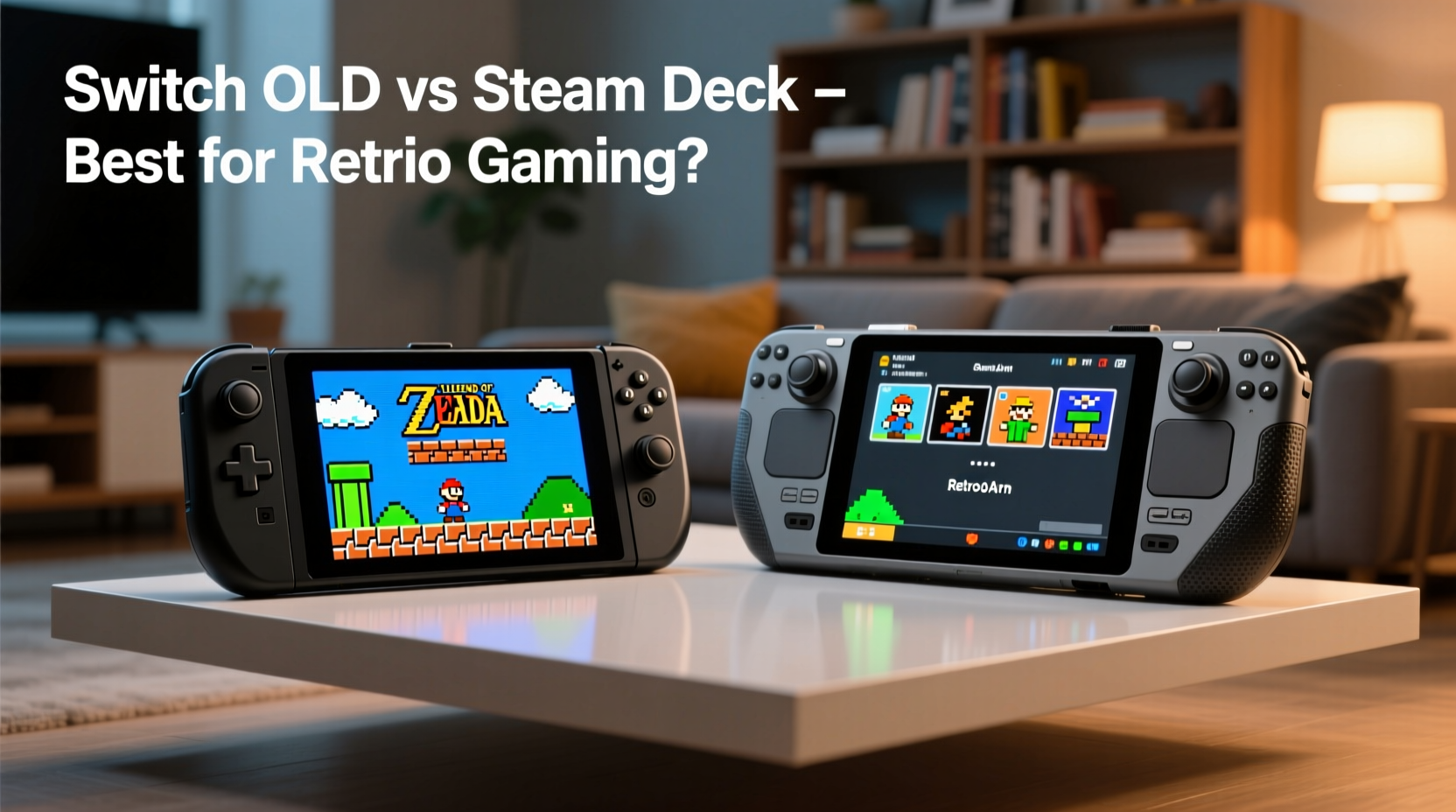
The physical design of each device reflects its intended use. The Switch OLED is sleek, lightweight (approx. 420g), and built for quick pick-up-and-play sessions. Its 7-inch OLED screen delivers vibrant colors and deep blacks, making pixel art from SNES, Genesis, or Game Boy Advance pop with clarity. The Joy-Con controllers detach easily, allowing tabletop multiplayer—a feature unique in this category. However, the small analog sticks on the Joy-Con are prone to drift over time, and their ergonomics can feel cramped during extended sessions.
In contrast, the Steam Deck weighs significantly more at around 669g. It feels solid and dense, with full-sized shoulder buttons, a responsive D-pad, and larger thumbsticks that mimic traditional console layouts. The 7-inch LCD screen has a lower native resolution than the Switch OLED but supports higher refresh rates (up to 60Hz) and benefits from greater processing power. While less pocketable, the Steam Deck excels as a lap-based or couch companion rather than something you’d slip into a jacket.
Retro Game Compatibility and Emulation Capabilities
This is where the fundamental divide becomes clear. The Switch OLED only plays retro games through official channels: the Nintendo Switch Online service, which includes libraries for NES, SNES, Game Boy, N64, and Sega Genesis. These emulated titles are optimized, save seamlessly, and support online multiplayer—but the selection is limited and handpicked by Nintendo. You cannot add ROMs from your personal collection.
The Steam Deck runs on a customized version of Linux (SteamOS), giving users full access to the file system. With tools like EmuDeck or Lakka, players can install emulators for nearly every major platform—from Atari 2600 to PlayStation 2, Dreamcast, and even arcade machines via MAME. This means thousands of retro titles are accessible, provided you own the original media and comply with local copyright laws. Performance varies by system: GBA and PS1 games run flawlessly; PSP and early PS2 titles may require frame skipping or resolution scaling.
“Open platforms like the Steam Deck empower gamers to preserve their digital history in ways closed systems simply can’t match.” — Alex Chen, Digital Preservation Advocate at GameArchive Project
Performance and Control Options
Under the hood, the differences are stark. The Switch OLED uses a custom NVIDIA Tegra X1 chip, which is efficient but underpowered compared to modern standards. It handles up to 720p output and runs most first-party retro ports smoothly, but struggles with anything beyond Wii-level emulation without official support.
The Steam Deck, powered by a custom AMD APU (Zen 2 CPU + RDNA 2 GPU), operates closer to a low-end gaming laptop. It natively supports up to 1280x800 resolution and can upscale older games using shaders for CRT effects, anti-aliasing, and texture filtering. Tools like RetroArch allow granular control over input latency, audio sync, and save states—features serious retro enthusiasts value deeply.
Additionally, the Steam Deck supports external controllers via Bluetooth or USB-C, letting you pair a Pro Controller, DualShock, or even arcade sticks for fighting games. The Switch OLED works with Bluetooth audio and some third-party accessories, but controller pairing outside Nintendo’s ecosystem is restricted.
Emulation Support Comparison Table
| System | Switch OLED (Official) | Steam Deck (Community-Driven) |
|---|---|---|
| NES / SNES | ✅ Full support via NSO | ✅ Excellent (RetroArch) |
| Game Boy / GBA | ✅ Included in NSO | ✅ Flawless with mGBA |
| N64 / Sega Genesis | ✅ Available via NSO | ✅ Highly accurate |
| PS1 / PS2 (early) | ❌ Not supported | ✅ PS1 perfect; PS2 playable with tweaks |
| Dreamcast / GBA SP | ❌ No support | ✅ Dreamcast strong; GBA excellent |
| MAME / Neo Geo | ❌ Not available | ✅ Varies by title; many run well |
| User-ROM Installation | ❌ Forbidden | ✅ Fully supported |
Battery Life and Real-World Usage
Battery life is a critical factor when gaming portably. The Switch OLED averages 5–7 hours depending on brightness and game load. Retro titles, being less demanding, often push toward the upper end of that range. Because these games are streamed or launched from a lightweight OS layer, battery efficiency is excellent.
The Steam Deck typically lasts 2–4 hours when running emulators for more intensive systems like PS2 or Dreamcast. However, lighter fare such as SNES, GBA, or Genesis can extend battery life to 6+ hours by lowering clock speeds and reducing screen brightness. Using Undervolting (a built-in feature in SteamOS) helps reduce heat and power draw without sacrificing performance.
For travelers or commuters who prioritize longevity over versatility, the Switch OLED holds a clear advantage. But for those willing to carry a power bank and optimize settings, the Steam Deck offers flexibility that compensates for shorter uptime.
Real Example: Two Gamers, Two Choices
Consider Sarah and James, both avid retro fans who commute daily and enjoy gaming on lunch breaks.
Sarah values simplicity. She grew up with Mario and Zelda and wants to replay Super Metroid and EarthBound without hassle. She subscribes to Nintendo Switch Online ($20/year) and enjoys the seamless integration with her existing account. Her Switch OLED fits in her bag, charges quickly, and lasts all week on minimal charging. She doesn’t care about adding obscure Japanese RPGs or homebrew hacks—she wants nostalgia done right, officially.
James, meanwhile, spent his teens modding PCs and collecting ROMs legally from old cartridges. He uses the Steam Deck to play everything from Chrono Cross to Shin Megami Tensei III, plus fan-translated versions unavailable commercially. He spends an afternoon setting up save states, custom shaders, and button remaps. Yes, he carries a charger, and yes, he occasionally tweaks BIOS files—but for him, the depth and freedom make it worth every minute.
Their experiences highlight a truth: there’s no single \"best\" device. There’s only the best fit for your playstyle.
Step-by-Step Guide: Setting Up Retro Gaming on Each Device
On the Switch OLED:
- Subscribe to Nintendo Switch Online (Individual or Family plan).
- From the Home Screen, launch the “Nintendo Entertainment System – Nintendo Switch Online” app.
- Browse available titles and download your preferred games.
- Repeat for other apps (SNES, Game Boy, etc.) as they become available.
- Use cloud saves to switch between devices or continue progress.
On the Steam Deck:
- Boot into Desktop Mode and connect to Wi-Fi.
- Download EmuDeck (from emudeck.com) or manually install RetroArch and other emulators.
- Transfer your legally owned ROMs via USB drive or network share.
- Configure BIOS files for systems like PS2 or Nintendo DS (if required).
- Adjust graphics settings (shaders, upscaling) and controller layout.
- Return to Gaming Mode and access your library through the Steam UI.
Frequently Asked Questions
Can I play Game Boy Advance games on both devices?
Yes, but differently. The Switch OLED includes select GBA titles (like Pokémon FireRed) through the Nintendo Switch Online + Expansion Pack. The Steam Deck supports any GBA ROM via emulators like mGBA, offering full library access and enhancements like fast-forward and save states.
Is jailbreaking required to run emulators on the Switch OLED?
Technically, yes—but doing so voids warranties, risks bans from online services, and violates Nintendo’s terms. Officially, the Switch does not support third-party emulators. For legal and practical reasons, stick to Nintendo’s approved methods unless you accept the risks.
Which device is better for multiplayer retro gaming?
The Switch OLED wins for casual local play thanks to detachable Joy-Cons and built-in support for co-op titles like Mario Kart or Super Smash Bros. Ultimate (which features retro characters). The Steam Deck supports Bluetooth controllers and LAN play, making it ideal for emulator netplay in games like GoldenEye or Marvel vs. Capcom—but setup is more complex.
Final Verdict: Which Should You Choose?
If your retro gaming needs are focused on Nintendo classics and you value ease of use, long battery life, and plug-and-play functionality, the Switch OLED is the superior choice. It’s polished, reliable, and integrates perfectly into Nintendo’s ecosystem. It’s especially appealing if you already own a Switch or subscribe to NSO.
But if you crave total control, broad compatibility, and the ability to explore beyond Nintendo’s walled garden—including import titles, homebrew mods, and multi-console collections—the Steam Deck is unmatched. It demands more technical involvement, but rewards users with unparalleled depth and future-proofing.
Ultimately, both devices succeed in their respective lanes. The Switch OLED is the premium retro *appliance*: simple, elegant, and purpose-built. The Steam Deck is the retro *workshop*: powerful, customizable, and endlessly expandable.
Conclusion: Take Control of Your Portable Retro Experience
Your ideal handheld depends not on specs alone, but on how you define gaming freedom. Are you seeking comfort in familiarity, or adventure in exploration? Whether you choose the refined simplicity of the Switch OLED or the boundless potential of the Steam Deck, one thing is certain: portable retro gaming has never been more capable—or more personal.




 浙公网安备
33010002000092号
浙公网安备
33010002000092号 浙B2-20120091-4
Comments
No comments yet. Why don't you start the discussion?