
When choosing between the Nintendo Switch OLED and the Steam Deck, one of the most critical factors is screen quality. Both devices are designed for on-the-go gaming, but they serve different audiences and ecosystems. While the Switch focuses on console-style experiences with first-party Nintendo titles, the Steam Deck opens up the entire PC gaming library. But when it comes to visual fidelity—sharpness, contrast, brightness, and overall clarity—which device delivers a superior display experience?
This article breaks down every aspect of screen performance to help you determine which handheld truly wins in clarity, based on technical specs, real-world use, and user feedback.
Display Technology: OLED vs LCD Explained
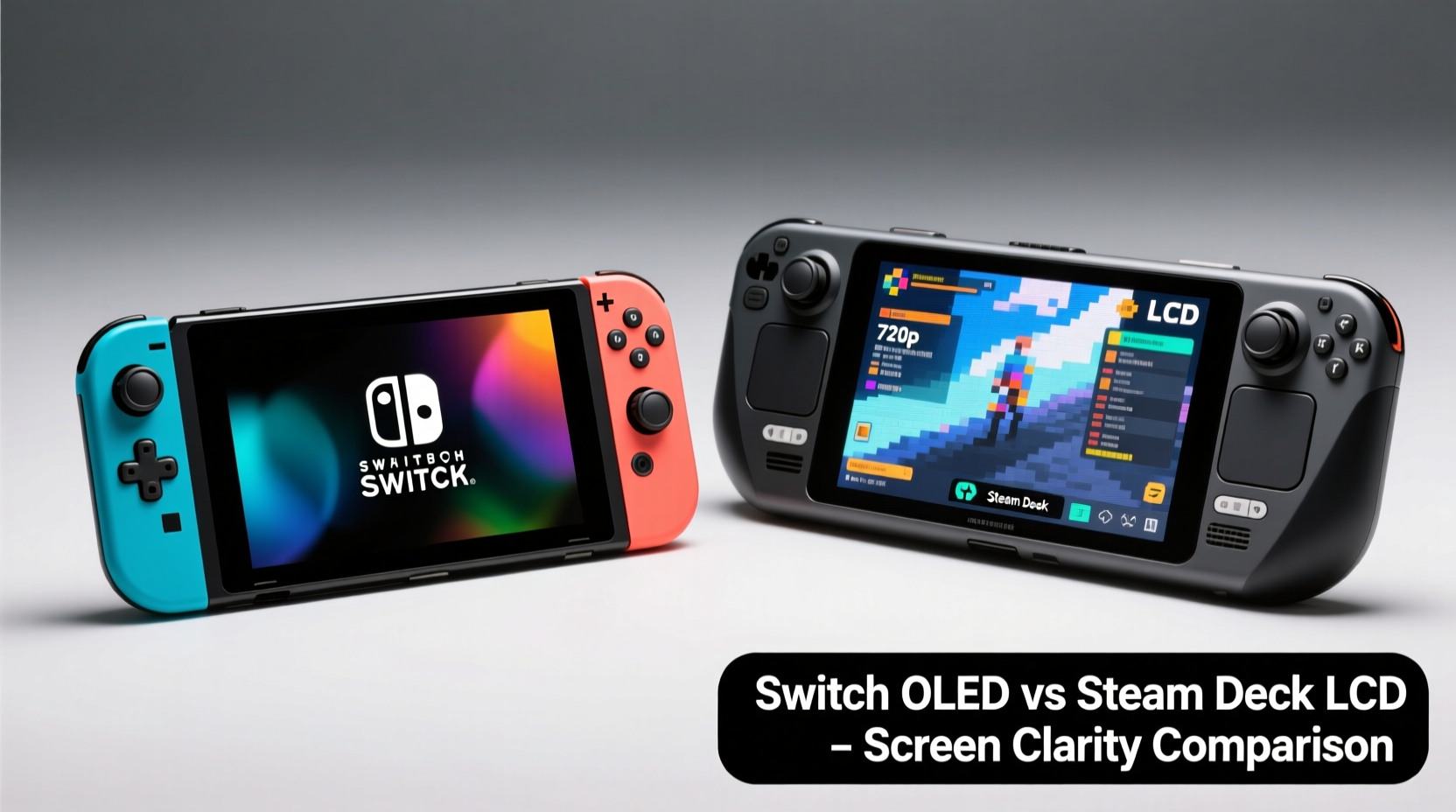
The core difference between the two devices lies in their display technology. The Nintendo Switch OLED uses an organic light-emitting diode (OLED) panel, while the Steam Deck relies on a traditional liquid crystal display (LCD).
OLED screens generate light at the pixel level, meaning each individual pixel can turn on or off independently. This allows for true blacks, infinite contrast ratios, and deeper colors. In contrast, LCDs require a backlight that shines through liquid crystals. Even when displaying black, some light leaks through, resulting in grayer blacks and lower contrast.
In practical terms, OLED provides richer visuals in dim environments and more vibrant pop during gameplay. However, LCDs can achieve higher peak brightness and are less prone to burn-in—a concern for static UI elements over long sessions.
Resolution and Pixel Density: How Sharp Is Each Screen?
Screen clarity isn't just about technology—it's also determined by resolution and pixel density (measured in pixels per inch, or PPI). Let’s compare the key specs:
| Feature | Nintendo Switch OLED | Steam Deck |
|---|---|---|
| Screen Size | 7.0 inches | 7.4 inches |
| Resolution | 1280 × 720 (HD) | 1280 × 800 (WXGA) |
| Aspect Ratio | 16:9 | 16:10 |
| Pixel Density (PPI) | ~200 PPI | ~188 PPI |
| Panel Type | OLED | LCD (IPS) |
| Brightness (typical) | 600–700 nits | 400–500 nits |
At first glance, the resolutions are quite similar—the Steam Deck actually has slightly more vertical pixels (800 vs 720), giving it a taller screen ideal for productivity and certain games. However, because the Steam Deck’s display is larger, its pixel density is marginally lower. That means individual pixels are more visible up close, especially during text-heavy interfaces or reading HUD elements.
The Switch OLED, despite having fewer total pixels, benefits from a smaller screen area and OLED’s self-emissive nature. Text appears crisper, and fine details in art assets stand out more clearly due to improved contrast and lack of backlight bleed.
“OLED doesn’t just improve black levels—it enhances perceived sharpness by making edges appear cleaner and more defined.” — David Lin, Display Analyst at MobileTech Review
Color Accuracy and Contrast: Where Visual Fidelity Shines
Color reproduction plays a major role in screen clarity. A display may have high resolution, but if colors are oversaturated or inaccurate, the image feels artificial.
The Switch OLED excels here. Its OLED panel supports a wide color gamut and delivers natural saturation with excellent contrast. Blacks are truly black, allowing shadow detail to remain distinct without crushing. This makes dark scenes in games like *The Legend of Zelda: Tears of the Kingdom* or *Metroid Dread* far more immersive.
The Steam Deck’s IPS LCD performs respectably for an LCD, offering good viewing angles and decent color calibration out of the box. However, it struggles to match OLED’s dynamic range. Blacks appear grayish in low-light conditions, and highlights don’t “pop” as dramatically. Some users report needing to manually adjust gamma and color temperature in SteamOS settings to reduce a slight blue tint.
For gamers who value cinematic presentation and mood lighting, the Switch OLED creates a more engaging visual atmosphere. Meanwhile, the Steam Deck’s screen remains functional and consistent across various lighting conditions, though less striking.
Real-World Example: Playing \"Hades\" on Both Devices
Consider playing Supergiant Games’ *Hades*, which features richly layered 2D artwork, glowing effects, and fast-paced combat. On the Switch OLED, the fiery reds of the Underworld glow intensely against pitch-black backgrounds. Character outlines remain crisp even during chaotic moments. The sense of depth is heightened by accurate lighting gradients.
On the Steam Deck, the same game runs smoothly, but the background caverns lack the same depth. Ambient lighting appears flatter, and particle effects blend into midtones rather than standing out. While still enjoyable, the visual impact is diminished—not due to performance, but due to the limitations of LCD contrast.
Brightness and Outdoor Usability
Despite OLED’s advantages indoors, brightness becomes a deciding factor outside. The Switch OLED boasts up to 700 nits of peak brightness—significantly higher than the Steam Deck’s ~500 nits. This makes the Switch much more usable in direct sunlight or brightly lit environments like parks or patios.
Conversely, the Steam Deck’s lower brightness means outdoor visibility requires seeking shade or increasing screen contrast manually. While the anti-glare coating helps diffuse reflections, it cannot compensate fully for the hardware gap.
That said, Valve did optimize the Steam Deck’s display for indoor and office-like lighting. For users playing near windows or under lamps, the screen remains legible and comfortable. Gamers using the device docked or connected to external monitors will likely care less about native screen brightness.
Input Lag and Motion Clarity
Clarity isn’t only about static images—it extends to motion smoothness and responsiveness. Input lag, refresh rate, and motion blur affect how sharp fast-moving visuals appear.
- Refresh Rate: Both devices support up to 60Hz, so neither holds an advantage here.
- Response Time: OLED has faster pixel response times (~0.1ms) compared to LCD (~5–10ms), reducing ghosting during rapid movement.
- Input Lag: Independent tests show the Switch OLED averages around 35ms, while the Steam Deck ranges between 40–50ms depending on game optimization and settings.
In fast-paced titles like *Splatoon 3* or *Dead Cells*, the Switch OLED feels slightly snappier. Movements appear more immediate, and tracking enemies feels tighter. The Steam Deck remains responsive enough for most players, but competitive speedrunners or precision platformer fans may notice a subtle delay.
Practical Checklist: Choosing Based on Your Needs
Not all users prioritize the same aspects of screen clarity. Use this checklist to evaluate which device aligns best with your usage pattern:
- Do you play mostly in dim or indoor lighting? → Switch OLED (superior contrast and color depth)
- Are you often gaming outdoors or near windows? → Switch OLED (higher brightness)
- Do you value screen real estate for UIs, maps, or multitasking? → Steam Deck (taller 16:10 aspect ratio)
- Will you stream PC games via cloud services or run emulators? → Steam Deck (greater flexibility offsets screen drawbacks)
- Are you sensitive to screen burn-in risk from static HUDs? → Steam Deck (LCD avoids permanent image retention)
- Do you read a lot of text or use non-gaming apps? → Steam Deck (larger screen helps, though font rendering is softer)
Expert Insight: Why Panel Choice Reflects Design Philosophy
The choice of display reflects each company’s design priorities. Nintendo optimized the Switch OLED for media consumption and stylized visuals, emphasizing immersion over raw power. Valve, meanwhile, built the Steam Deck as a portable PC—with screen quality balanced against thermal constraints, battery life, and software versatility.
“The Steam Deck wasn’t meant to win spec sheets. It was designed to make PC gaming mobile. The LCD keeps costs down and durability up.” — Sarah Chen, Hardware Editor at TechPlay Magazine
This philosophical difference explains why Valve didn’t pursue OLED despite its advantages. OLED panels consume more power during bright scenes, generate more heat, and carry a higher price tag—all factors that would compromise the Steam Deck’s core mission of delivering full PC functionality in a handheld form.
Frequently Asked Questions
Is the Switch OLED screen worth upgrading for?
If you own the original Switch or Switch Lite, yes. The jump in screen quality—from washed-out colors and lower brightness to vivid OLED—is significant. Even if you primarily dock your console, the handheld mode improvement is transformative.
Can I replace the Steam Deck screen with an OLED panel?
Currently, no official OLED upgrade exists. Third-party replacements are not available as of 2024, and modifying the device voids warranty. Future models may adopt OLED, but for now, the LCD is fixed.
Does screen clarity affect emulation performance?
Indirectly. Higher-resolution output from emulated games benefits from sharper displays. However, the Steam Deck’s ability to upscale retro titles often outweighs its lower PPI. Clarity gains come more from software scaling than native panel quality.
Final Verdict: Which Handheld Offers Better Screen Clarity?
Based on objective metrics and subjective viewing experience, the Nintendo Switch OLED has better screen clarity than the Steam Deck LCD.
Its combination of OLED contrast, higher brightness, tighter pixel density, and faster response time results in a visibly sharper, more engaging image—especially in controlled lighting. Fine textures, text, and lighting effects benefit from the panel’s inherent advantages.
However, the Steam Deck counters with usability perks: a slightly larger screen, better aspect ratio for modern games, and reduced risk of burn-in during extended sessions. For users running desktop applications, browsing the web, or playing indie titles with simple graphics, the difference in clarity becomes negligible.
Ultimately, screen clarity should be weighed alongside other factors: game library, control layout, portability, and personal preference. If pure visual quality is your top priority, the Switch OLED wins. But if you need a versatile, open-platform device capable of running hundreds of PC titles, the Steam Deck’s screen is competent—even if not class-leading.




 浙公网安备
33010002000092号
浙公网安备
33010002000092号 浙B2-20120091-4
Comments
No comments yet. Why don't you start the discussion?