
When choosing a handheld gaming device, screen quality and battery life matter—but nothing impacts long-term enjoyment quite like the game library. The Nintendo Switch OLED and the Steam Deck LCD represent two fundamentally different philosophies in portable gaming. One is built around curated, exclusive experiences; the other opens the door to nearly every PC game ever made. So which system truly offers the better library?
The answer isn’t as simple as counting titles. It depends on what kind of gamer you are—whether you value polished, story-driven exclusives or crave limitless access to mods, indie darlings, and decades of PC classics.
Understanding the Core Philosophies
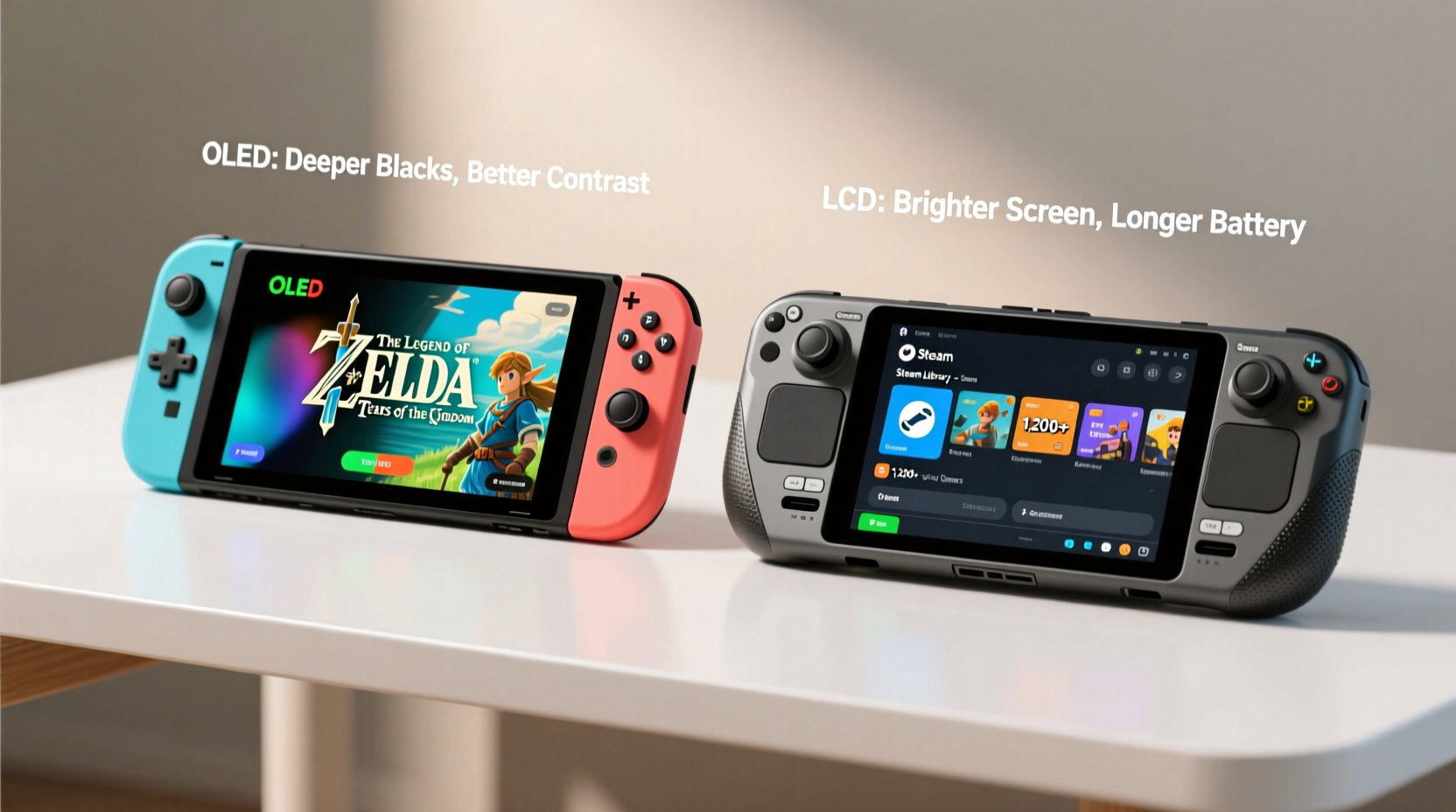
The Nintendo Switch OLED and the Steam Deck LCD aren’t just different devices—they embody opposing visions of handheld gaming.
The Switch OLED is a closed ecosystem designed for accessibility, family-friendly experiences, and high-quality first-party franchises. Its library is tightly controlled, with games released through the Nintendo eShop or physical cartridges. Every title undergoes certification, ensuring stability and performance optimization.
In contrast, the Steam Deck LCD runs full desktop Linux (SteamOS) and gives users near-total control over their software environment. While it’s optimized for Steam games, it can run non-Steam applications, emulators, creative tools, and even web browsers with full functionality. This openness translates into an exponentially larger potential library—if you're willing to manage it.
“Nintendo’s strength lies in curation. Valve’s power comes from freedom.” — Marcus Lin, Senior Editor at Portable Gamers Digest
Exclusive Titles: Where the Switch Shines
If your definition of a “better” library includes must-play, genre-defining exclusives, the Switch OLED holds a decisive advantage.
Nintendo’s first-party studios consistently produce critically acclaimed titles that are unavailable anywhere else:
- The Legend of Zelda: Tears of the Kingdom
- Super Mario Odyssey
- Animal Crossing: New Horizons
- Paper Mario: The Thousand-Year Door (2024 remake)
- Metroid Dread
- Fire Emblem Engage
These games are not only technically refined but often push narrative and design boundaries within their genres. For many players, owning a Switch is about experiencing these unique adventures in a way that feels personal and immersive.
Additionally, Nintendo maintains strong relationships with third-party Japanese developers, resulting in timed or permanent console exclusives such as:
- Bayonetta 3
- Xenoblade Chronicles 3
- Octopath Traveler II
No other platform offers this concentration of Japanese RPGs and action-adventure hybrids optimized specifically for handheld play.
Backward Compatibility and Legacy Access
While both systems offer ways to play older games, they approach legacy support very differently.
The Switch OLED supports digital re-releases of classic Nintendo titles through its online subscription service, Nintendo Switch Online + Expansion Pack. This includes:
- NES, SNES, N64, and Sega Genesis games
- Select Game Boy and Game Boy Advance titles
- Enhanced versions like Super Mario RPG and Donkey Kong Country remasters
However, there’s no native backward compatibility with physical cartridges from prior consoles. You cannot insert a GameCube disc or DS cart and expect it to work. Everything must be officially re-released.
The Steam Deck LCD, by contrast, leverages its full PC architecture to support backward compatibility across decades. With proper configuration, users can run games from:
- DOS-era titles via DOSBox
- Windows XP/Vista/7 classics natively or through Proton
- PS1, PS2, PSP, and even GameCube/Wii games using emulators like DuckStation, RPCS3, and Dolphin
This flexibility means a single device can replace multiple retro consoles and old PCs—provided you own the original media or legally dump your discs.
Library Size and Breadth: The Steam Deck's Advantage
When measuring raw volume, the Steam Deck LCD dominates. As of 2024, the Steam platform hosts over 50,000 games, spanning every genre imaginable—from triple-A epics to experimental student projects.
Thanks to Valve’s Proton compatibility layer, more than 90% of top-selling Windows games run smoothly on the Steam Deck without developer intervention. Games like:
- Elden Ring
- Cyberpunk 2077
- Red Dead Redemption 2
- Hades
- Stardew Valley
…are fully playable in handheld mode, often with updated patches that improve performance compared to their original releases.
Moreover, the Steam Deck grants access to user-generated content, including:
- Mods via Nexus Mods or Steam Workshop
- Unofficial ports and fan remakes
- Homebrew tools and productivity apps
This level of customization allows gamers to tailor their experience far beyond what any console permits.
“We’ve seen users turn the Steam Deck into a portable music production station, coding terminal, or even a satellite tracker. It’s not just a gaming device—it’s a pocket computer.” — Lila Tran, Hardware Analyst at TechPulse Weekly
Comparison Table: Key Library Metrics
| Metric | Switch OLED | Steam Deck LCD |
|---|---|---|
| Total Available Games | ~4,500 (eShop + physical) | 50,000+ (Steam alone) |
| Exclusive Franchises | Zelda, Mario, Metroid, Fire Emblem | None (but runs exclusive PC titles) |
| Retro Game Support | Limited to official re-releases | Full emulation up to PS2/Wii era |
| Modding Support | Not supported | Extensive (via Proton, SD card, custom scripts) |
| Third-Party AAA Titles | Often delayed, scaled-down ports | Same-day releases, full versions |
| User Freedom | Restricted (closed OS) | High (install any app, use desktop mode) |
Real Example: Two Gamers, Two Choices
Consider two hypothetical players: Alex and Jamie.
Alex is a parent who plays during commutes and late-night downtime. They want relaxing, engaging games they can pick up quickly. After buying a Switch OLED, they spend months immersed in Animal Crossing: New Horizons, later diving into Luigi’s Mansion 3 with their child. The intuitive interface, local co-op, and lack of complex setup make it ideal for casual, stress-free gaming.
Jamie, meanwhile, is a longtime PC gamer who travels frequently. They install the Steam Deck LCD with a 1TB microSD card and load it with modded versions of The Witcher 3, a rhythm modpack for Osu!, and a retro PS2 emulator running Shadow of the Colossus. They also use it to code side projects during flights. For Jamie, the ability to customize and expand functionality makes the Steam Deck indispensable.
Neither choice is objectively better—it hinges on lifestyle, technical comfort, and gaming preferences.
Practical Tips for Maximizing Your Library Experience
For Switch OLED Owners:
- Invest in the Expansion Pack tier of Nintendo Switch Online to access N64 and Genesis classics.
- Buy digital versions of games only if you have sufficient internal storage (64GB); otherwise, rely on cartridges.
- Check for free updates—many Switch games receive substantial post-launch content (e.g., Tears of the Kingdom’s DLC expansion).
For Steam Deck LCD Users:
- Enable Game Guides in Steam settings—they provide community tips, controls maps, and troubleshooting advice.
- Organize games into collections (e.g., “Retro,” “Co-op,” “Mods Installed”) for easier navigation.
- Regularly update firmware—Valve pushes performance improvements monthly.
Step-by-Step: Building a Balanced Steam Deck Library
- Assess your storage: Start by checking available space. Base model (64GB) fills fast—consider upgrading storage early.
- Install essential tools: Enable desktop mode and install tools like Discover (for flatpak apps) or EmuDeck for automated emulator setup.
- Curate your wishlist: Filter Steam by “Deck Verified” status to find fully compatible games.
- Add legacy content: Import ROMs from owned hardware or download abandonware legally where permitted.
- Apply mods: Use tools like Vortex (via Boxtron) to manage mod installations for supported titles.
- Backup regularly: Use external drives or cloud sync to preserve save data and configurations.
Frequently Asked Questions
Can the Steam Deck play Nintendo-exclusive games?
Not officially. However, users can install emulators like Yuzu or Ryujinx to play Switch games on the Steam Deck. Note that downloading copyrighted ROMs without owning the original game violates copyright law in most countries.
Is online multiplayer better on one device?
Both offer robust online services. The Switch excels in local wireless play and family-friendly matchmaking (e.g., Super Smash Bros. Ultimate). The Steam Deck benefits from Steam’s global infrastructure, richer chat features, and broader community hubs. For competitive titles like CS2 or Dota 2, the Steam Deck provides deeper integration.
Which has cheaper games over time?
The Steam Deck generally wins on price. Steam’s aggressive sales (e.g., Summer Sale, Lunar New Year), bundle deals, and key resellers make acquiring games more affordable. The Switch eShop rarely discounts major titles—some never go on sale.
Conclusion: Your Playstyle Decides the Winner
There is no universal answer to whether the Switch OLED or Steam Deck LCD has the “better” library. The truth depends entirely on what you value in gaming.
If you cherish handcrafted narratives, iconic characters, and seamless gameplay experiences designed for pick-up-and-play sessions, the Switch OLED delivers unmatched quality in its curated catalog. Its exclusives are modern classics for a reason—they’re accessible, emotionally resonant, and built with intention.
But if you demand variety, ownership rights, mod support, and the freedom to explore gaming history unfiltered, the Steam Deck LCD is unparalleled. It’s not merely a handheld—it’s a gateway to the entire universe of PC gaming, past and present.
Ultimately, the best library isn’t the largest or the most exclusive—it’s the one that keeps you coming back, day after day, game after game.




 浙公网安备
33010002000092号
浙公网安备
33010002000092号 浙B2-20120091-4
Comments
No comments yet. Why don't you start the discussion?